





Messaging Error Trigger
Encountering Messaging Errors means there is a need for your team to address an issue with your customer communications, to simplify this process we’ve added the Messaging Error Trigger. This feature allows you to automate steps to follow after an error causes an undelivered message.
⭐️Why Is This Feature Beneficial To Your Business?
Improved Productivity: Keep your operations active even when encountering issues by using the power of automation to notify your team immediately.
Communication Management: You can catch errors as they happen even when not monitoring all conversations, ensuring you have a backup plan.
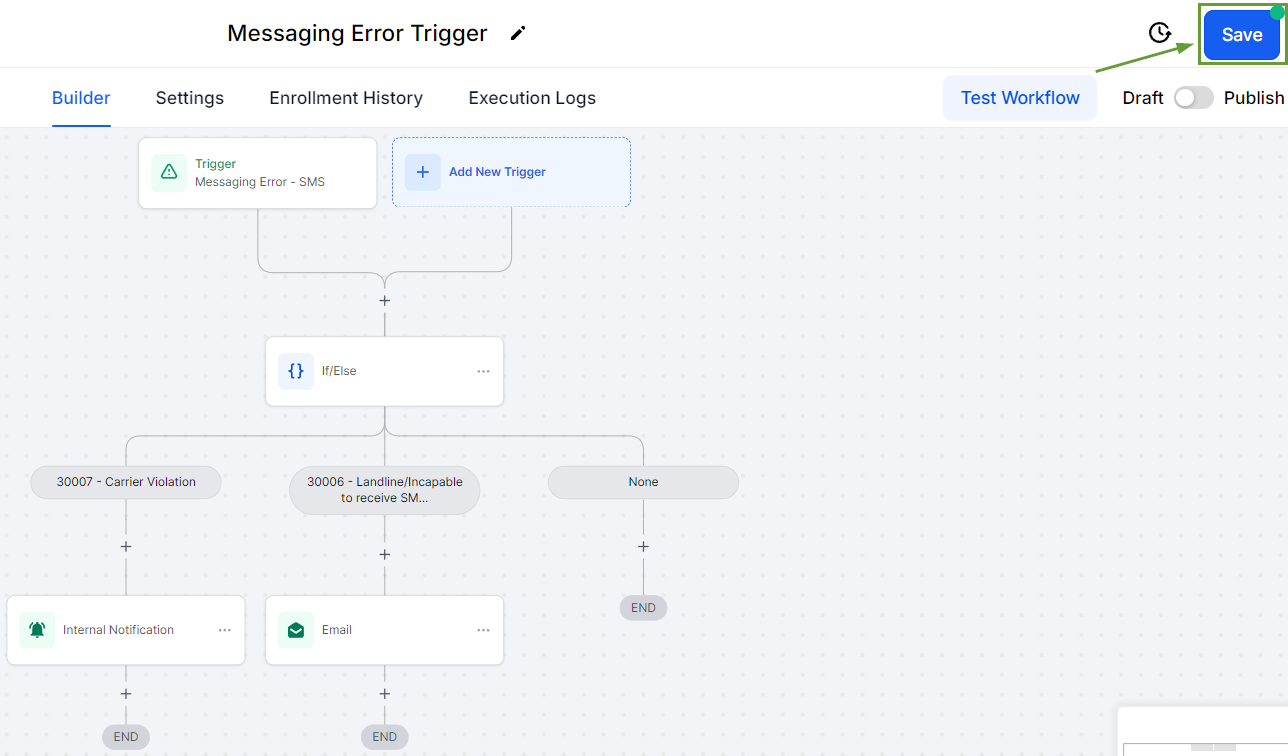
Enhanced Flexibility: This feature allows you to use it alongside an If/Else action to create personalized responses depending on the error type.
⭐️How To Use the Messaging Error Trigger:
Navigate to the Workflow tab inside the Automation section and create/edit a workflow.

Select the Trigger Messaging Error under the Events category.

You can add filters to narrow down the trigger to specific error codes.

Create actions as normal to set your workflow up then click Save.
Maintaining open and consistent communication with your contacts ensures you make the most of your opportunities. With the Messaging Error Trigger, issues no longer have to interfere.








