





How to Create a Facebook or Instagram Chat Widget

Photo by Brett Jordan on Unsplash
Why add a Meta chat widget to your site
A chat widget lets you talk with customers without making them leave your pages. For customers who prefer social messaging, connecting directly to Facebook or Instagram reduces friction and keeps conversations where they already are. These Meta Messaging Channel widgets give a cleaner, unified experience across channels and make it easier to automate onboarding and message handling.
Quick overview
In a few steps you can create a chat widget, pick Facebook or Instagram as the channel, connect a Page or account, and embed the widget on your site. The result is better engagement, fewer lost leads, and more efficient operations.
Step-by-step setup
Open the Chat Widget area.
Go to the Sites section and open the Chat Widget tab. Create a new widget to start the setup.
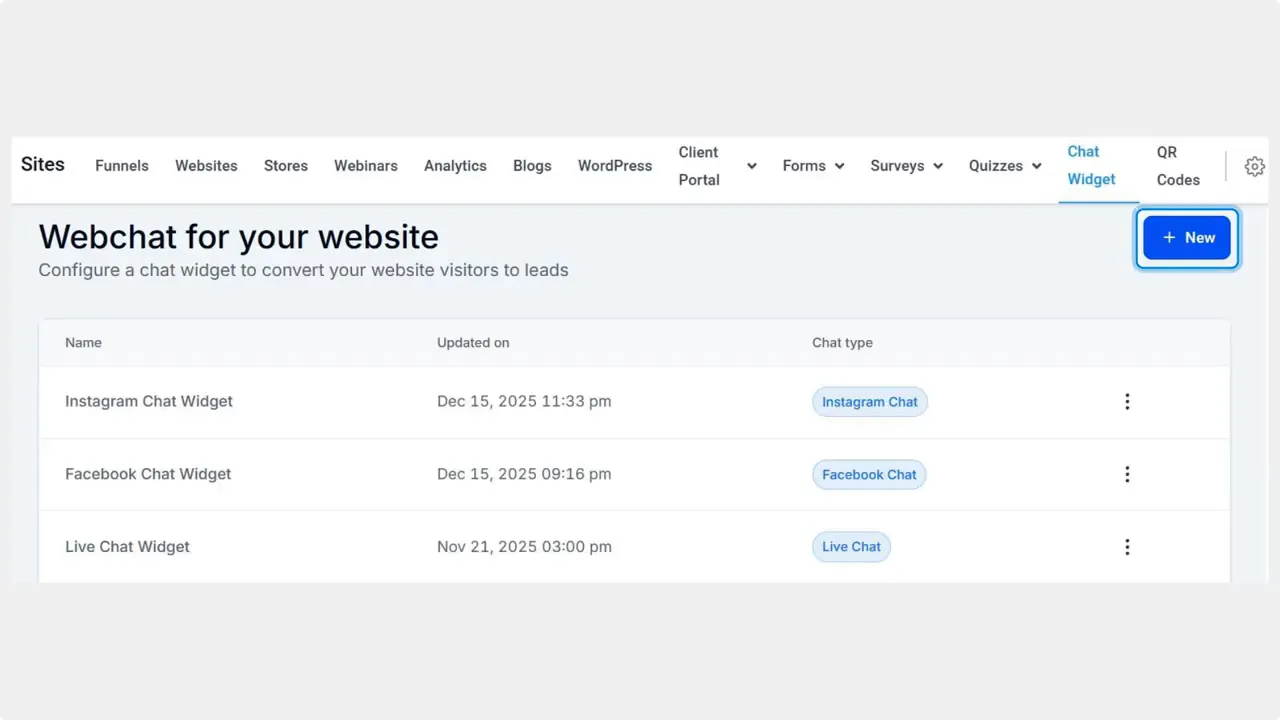
Choose Facebook or Instagram as the chat type.
Select the Meta channel you want to use. Picking the right platform ensures customers message you on their preferred app.

Connect a Page or account in the Chat Window tab.
Switch to the Chat Window tab and choose a connected Facebook Page or Instagram account. If the account is not connected yet, follow the platform prompts to link it.
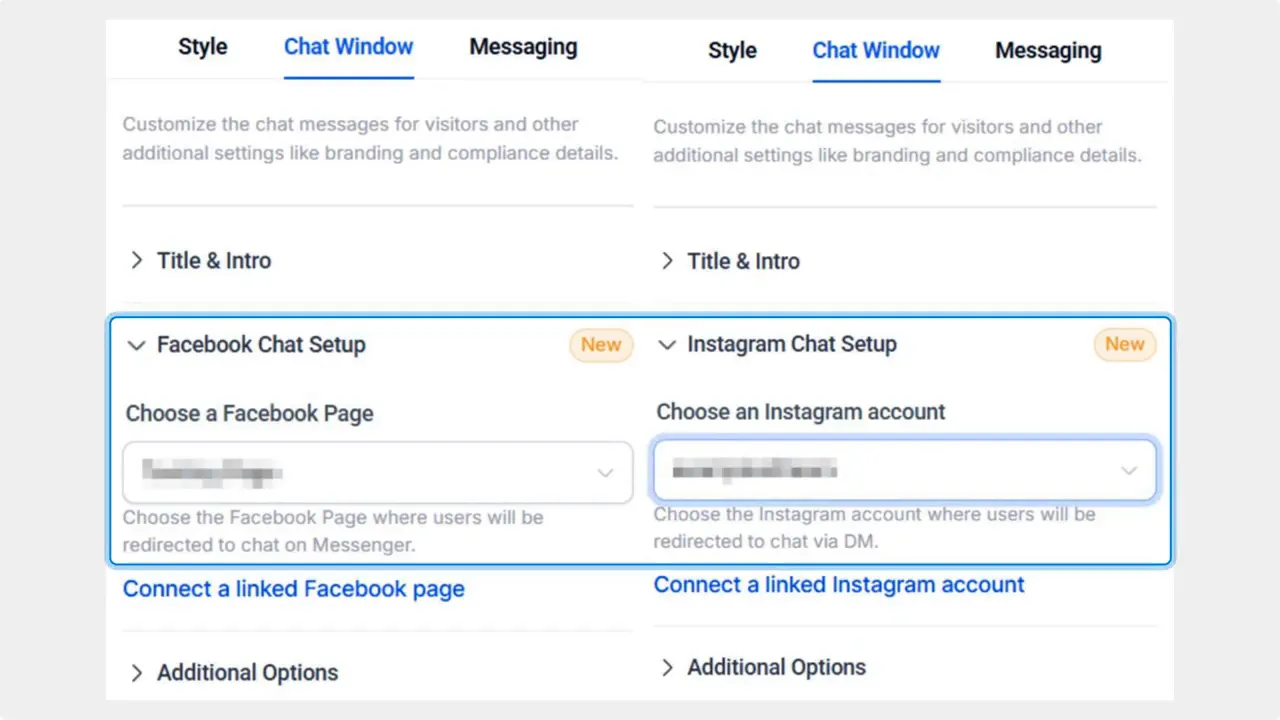
Save and embed the widget.
Save your widget settings, then get the embed code using the Get Code option and place it on the pages where you want the chat to appear.

What this setup gives you
These Meta chat widgets provide a predictable and unified messaging experience similar to our WhatsApp integration. They reduce manual steps by integrating onboarding flows and handling Page or account connections. That lowers friction for customers and increases operational efficiency for teams.
Best practices to get results
Keep the greeting and prompts clear. Tell customers what they can ask or do via chat.
Connect automated flows where it makes sense. Use automation for common questions and lead capture to save time.
Place the widget on high-traffic pages and landing pages tied to social ads.
Monitor messages across Meta channels so response times stay fast and consistent.
How this helps your business
Using a Meta chat widget keeps conversations in the customer’s preferred platform while letting your team manage interactions from one place. That reduces drop-off from switching apps, improves conversion from social traffic, and makes message management simpler.
How do I connect a Facebook Page or Instagram account?
Open the Chat Window tab in the widget settings and select a connected Page or account. If the Page or account is not yet connected, follow the platform prompts to authorize the connection before saving the widget.
Can the chat widget handle automated onboarding?
Yes. These widget types support integrating onboarding flows and automated responses so you can capture leads and answer common questions without manual intervention.
Will customers leave our site to message us?
No. The widget connects customers to Facebook or Instagram messaging without forcing them to leave your pages, keeping the experience seamless.
How do I embed the widget on my site?
After saving the widget, choose Get Code to copy the embed snippet. Paste that snippet into your site pages where you want the chat to appear.
What are the main benefits of using Meta messaging widgets?
They create a unified, predictable experience across channels, reduce friction during lead capture, improve operational efficiency, and help drive sales from social traffic.
This article was created from the video How to Create a Facebook or Instagram Chat Widget








