





Track Link Clicks by Platform and Campaign in Social Planner

Pinnacle’s Social Planner now shows exactly how every shared URL performs across platforms. You get a platform-by-platform breakdown, trend visualization over time, and campaign-level insights—all without spreadsheets or third-party link trackers.
What this feature does
With the built-in link shortener and analytics, we can:
Attach a shortened link to any post in Social Planner.
See link clicks by social network to compare platforms at a glance.
View link performance by campaign so we know our top and lowest performing URLs.
Visualize trends over time to spot improvements or drops in engagement.
How to use it (step by step)
Create a new post in Social Planner and click the chain icon to add a link from the Link Shortener.
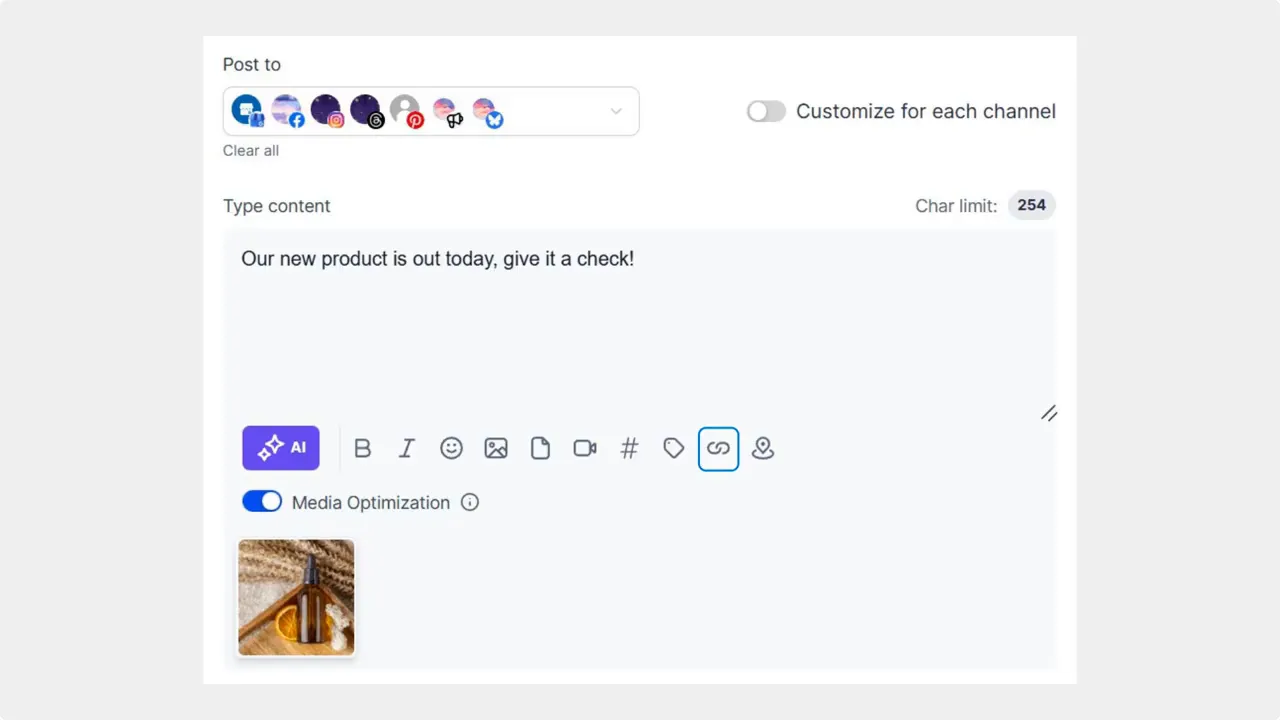
Click the chain icon in the post composer to add a shortened link.
Publish the post. After publishing, go to the Statistics section to review link performance.
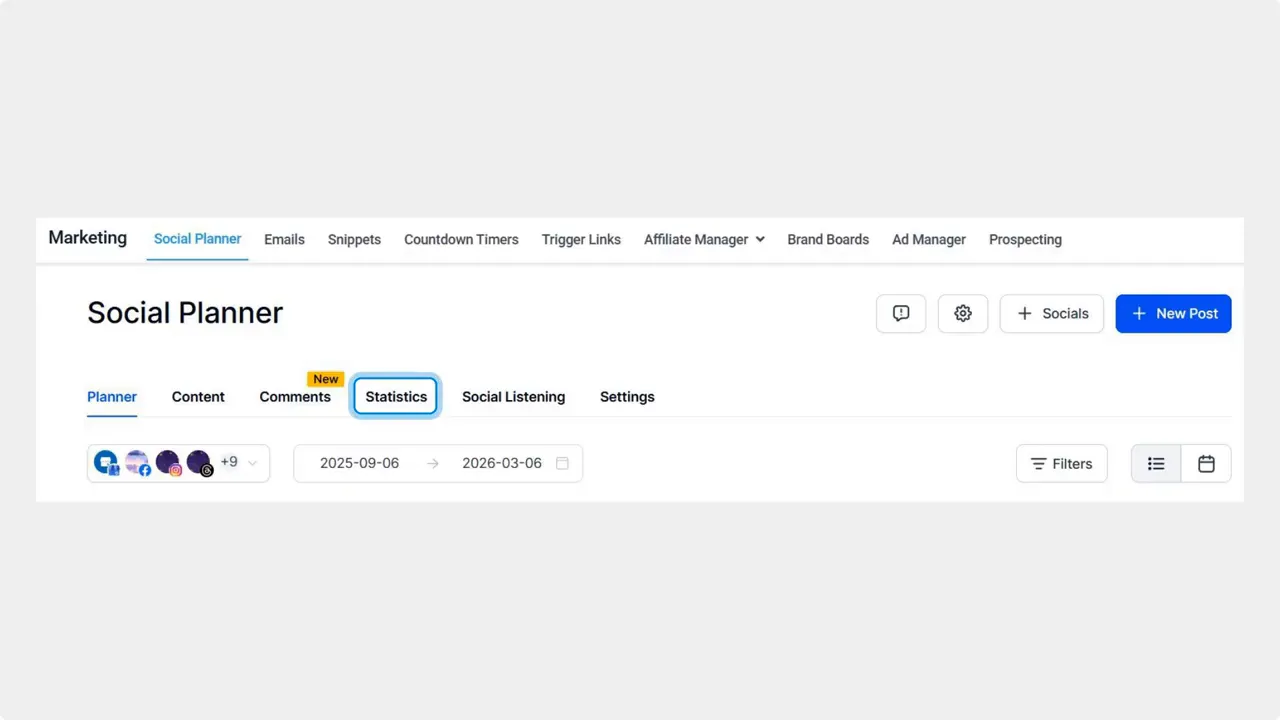
Open the Statistics tab after publishing to review link performance.
Open Link Clicks by Social to see a platform-by-platform breakdown of total clicks. This shows which networks drive the most traffic.

Platform-by-platform breakdown of link clicks — use this to compare networks at a glance.
Check Link Performance to find the top five or lowest five clicked links by campaign name. This helps attribute traffic back to specific posts and campaigns.
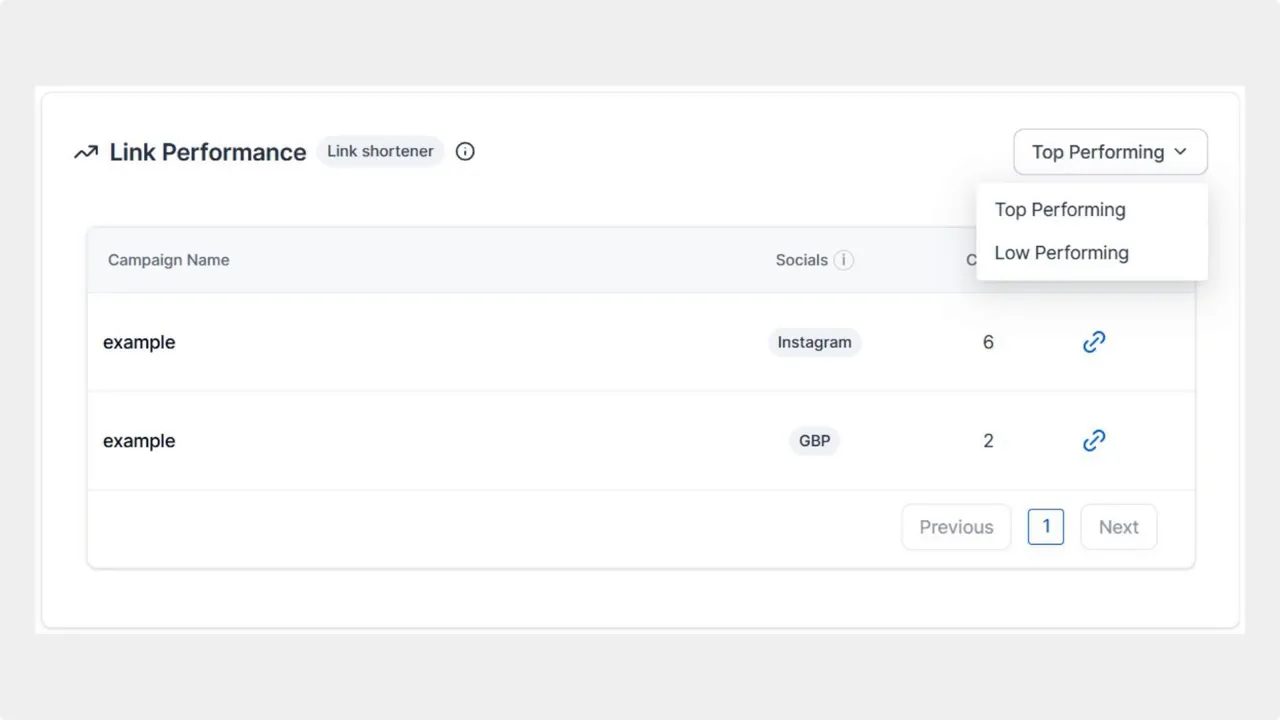
Link Performance table showing campaigns, socials and click counts with the Top/Low performing filter.
Why this matters for your marketing
Assign budget with confidence. When we know which platforms and campaigns drive clicks, we can spend smarter.
Centralize data. Replace manual spreadsheets and third-party trackers with a single source of truth.
Act faster. Trend visualization makes it easy to spot what’s working and scale it.
Improve ROI. Doubling down on top-performing URLs lowers cost per lead and improves results over time.
Practical tips and best practices
Use campaign names consistently. Clear naming makes attribution in Link Performance reliable.
Shorten every public URL. That ensures clicks are tracked the same way across platforms.
Compare platforms weekly. Look at Link Clicks by Social to find shifts in audience behavior early.
Focus on the top five. The quick winners often reveal repeatable content formats or messaging.
Keep experiments small and measurable. Use unique campaign tags for A/B tests so results show up cleanly in analytics.
How to turn metrics into action
Start by identifying the top-performing platform and campaign for a given period. Move a portion of promotional spend toward those posts and formats. Pause or revise the lowest-performing links and test alternative copy, creative, or landing pages. Use the campaign-level breakdown to tie clicks to leads and revenue where possible.
Frequently asked questions
Can we track clicks for every platform where we post?
Yes. Link Clicks by Social provides a platform-by-platform breakdown of total link clicks so we can compare performance across networks.
Does Link Performance show campaign-level results?
Yes. Link Performance highlights the top five or lowest five clicked links by campaign name, making attribution straightforward.
Can this replace our spreadsheets and third-party trackers?
It can. Centralized, built-in link analytics reduce the need for manual spreadsheets and external link trackers for most use cases.
How do we add a shortened link to a post?
When creating a post in Social Planner, click the chain icon to add a link from the Link Shortener. Publish the post and then review clicks in Statistics.
How quickly do clicks appear in statistics?
Clicks update in near real time. We recommend checking the Statistics dashboard after publishing and again over the next 24 to 48 hours for trend context.
How should we name campaigns for best results?
Use simple, consistent names that include the campaign goal, date, and channel when relevant. Clear names make it easier to filter and compare link performance later.
This article was created from the video Track Link Clicks by Platform and Campaign in Social Planner








