





TikTok Comments in Your CRM: Reply Faster and Boost Reach
Interacting with your audience often helps build rapport because it makes your business feel more approachable. And on TikTok, that matters even more. Brand interaction culture is especially strong there, which means replies are not just good customer service. They also help keep your content active and visible.
When you can respond to TikTok comments directly from your CRM, the process gets much easier. You stay in one workspace, avoid platform switching, and keep the conversation moving without extra friction.
This is exactly what the TikTok comment reply feature inside Pinnacle Social Planner is built to do.
Why replying to TikTok comments matters
TikTok rewards interaction. When people comment and brands reply, the conversation stays active. That activity can work in your favor because interactive posts are more likely to keep getting attention.
But there is another reason this matters. Replies make your business feel human. A direct response shows there are real people behind the brand, and that helps build trust over time.
Managing those replies from your CRM adds a practical benefit too. It keeps your workflow cleaner and more focused.
- Better engagement: Replies help keep comment threads active.
- Stronger relationships: Direct responses can make customers feel heard.
- Useful feedback: Comments often reveal questions, needs, and ideas.
- Higher efficiency: You can respond without jumping between tools.
Where to find TikTok comments in Pinnacle
To manage TikTok comments, start inside your Marketing section.
From there, open the Social Planner tab and go to the Comments area. This is where you can review incoming engagement and handle replies from the same workspace you already use to manage social content.
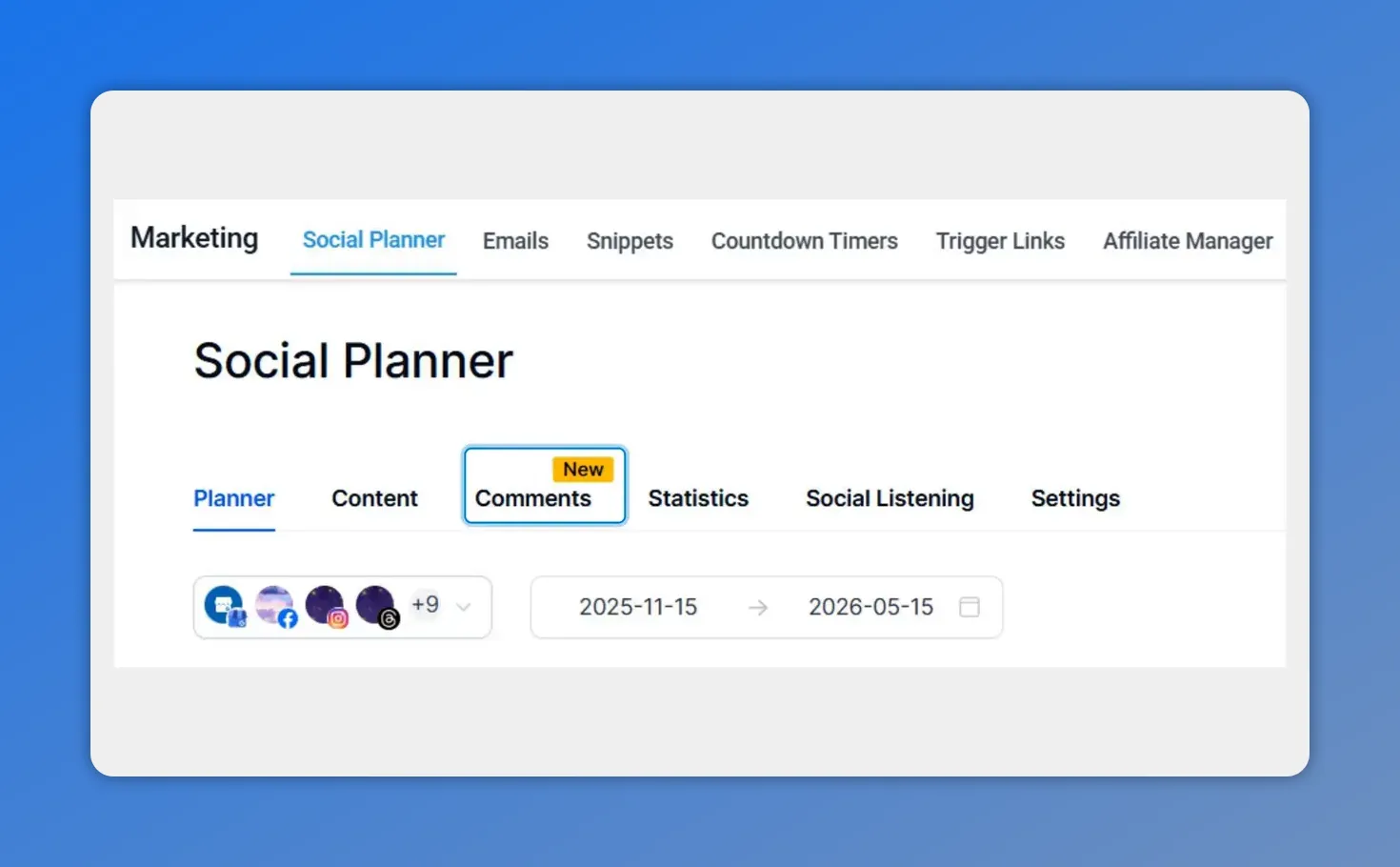
In Pinnacle’s Social Planner, you’ll find the TikTok comment area by selecting the highlighted “Comments” tab—keeping everything in one place.
Keeping comment management inside Pinnacle helps reduce distractions. Instead of opening another app, signing in again, and bouncing between tools, you can stay focused on the task in front of you.
How to reply to a TikTok comment from your CRM
The process is simple and quick. Here’s how it works.
1. Open the Comments area in Social Planner
Inside the Marketing section, navigate to Social Planner, then select Comments.
This is your starting point for reviewing TikTok engagement from inside Pinnacle.
2. Select View More Comments
To reply to a specific comment, click View More Comments. This opens the detailed view so you can see the conversation more clearly and choose the exact comment you want to respond to.
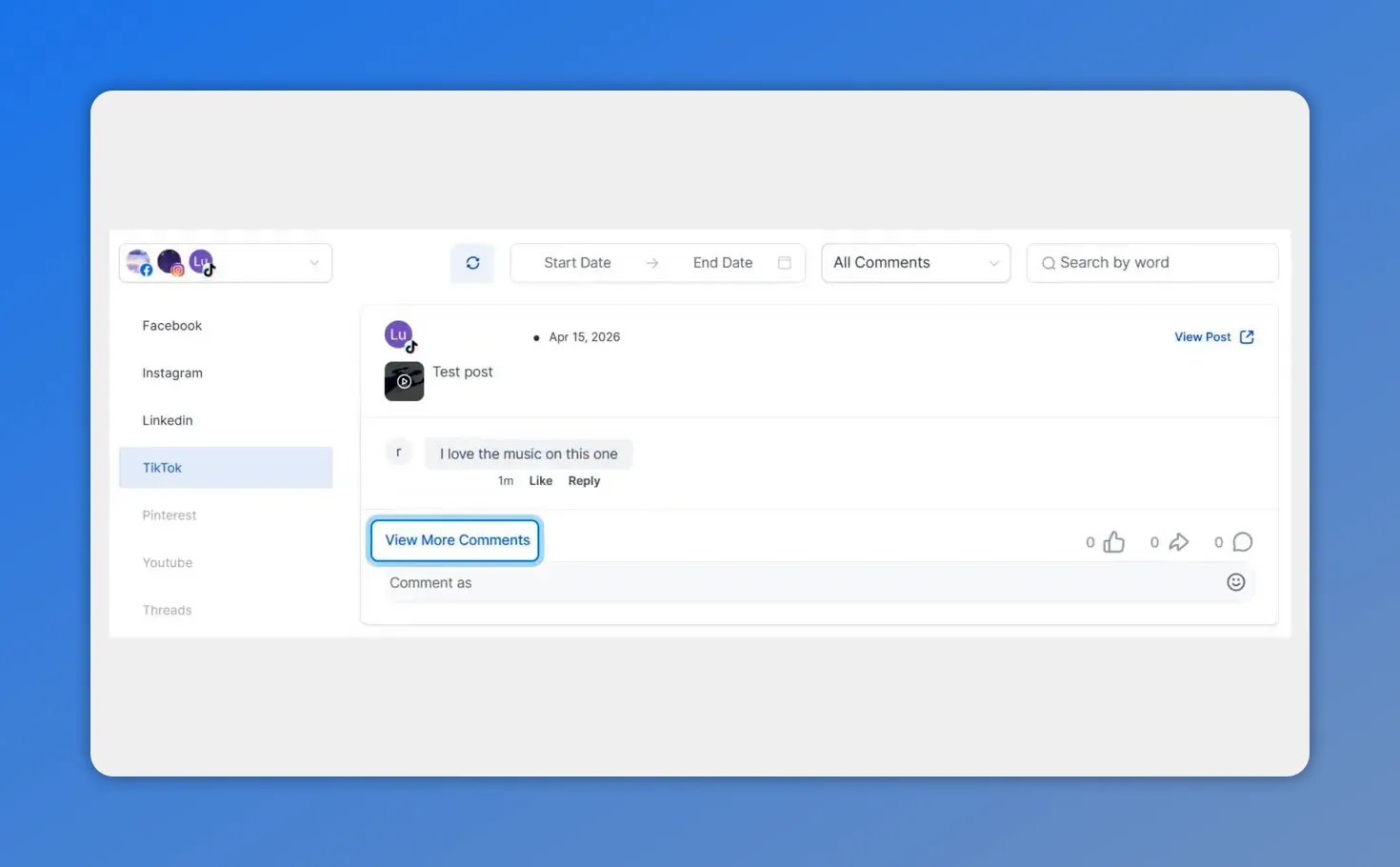
Here’s the Comments view for TikTok, including the specific thread and the “View More Comments” button you’ll use to open a conversation to reply.
3. Click Reply under the comment
Once you are in the detailed view, find the comment you want to answer and click Reply directly underneath it.
This keeps your response tied to the right message and makes the interaction feel personal and organized.
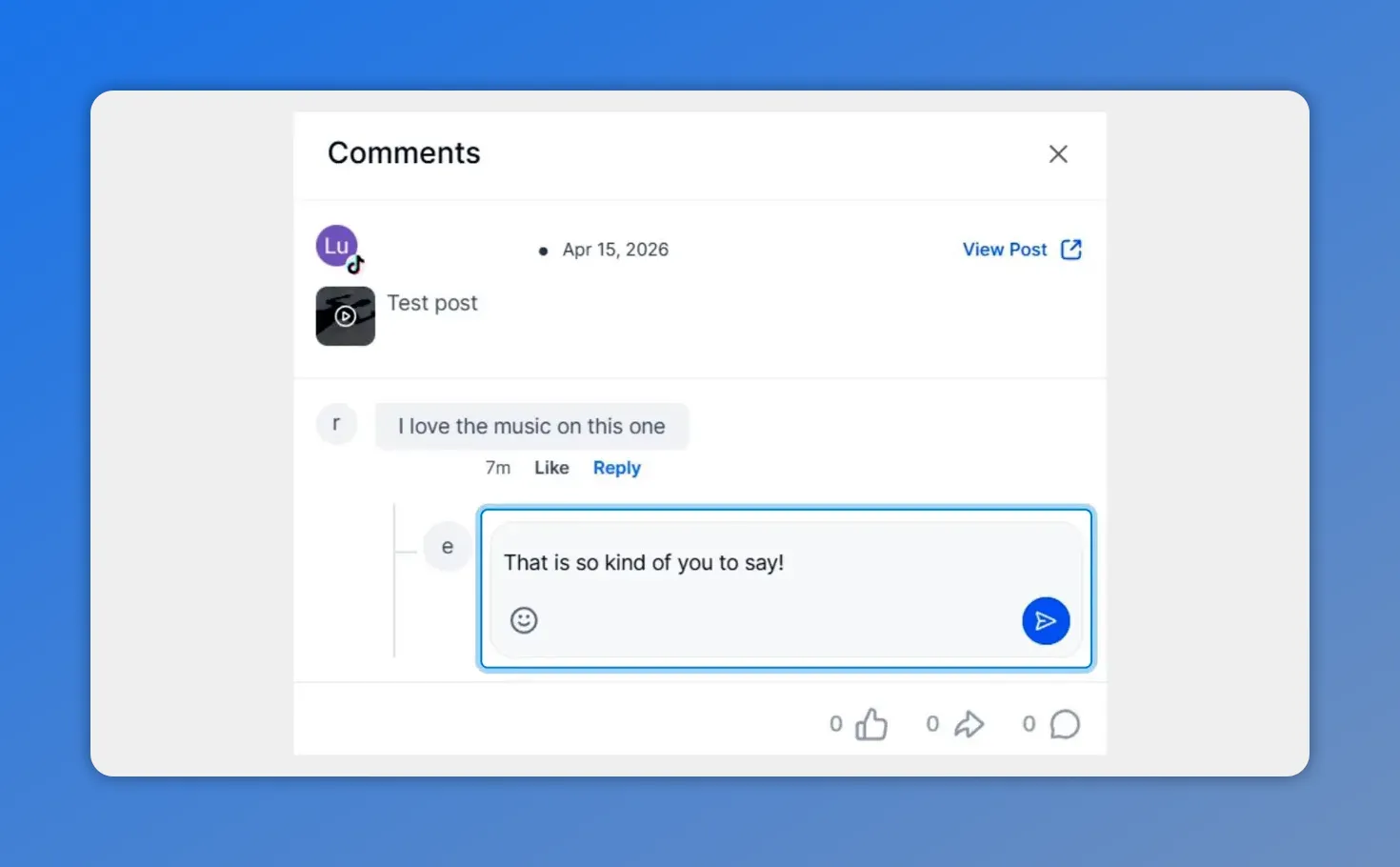
After clicking Reply, the message text bubble appears—type your response to send directly from your CRM.
4. Type your response in the text bubble
After clicking Reply, type your message into the text bubble below the comment.
That’s it. You can write and send your response from the same workspace, without switching platforms.
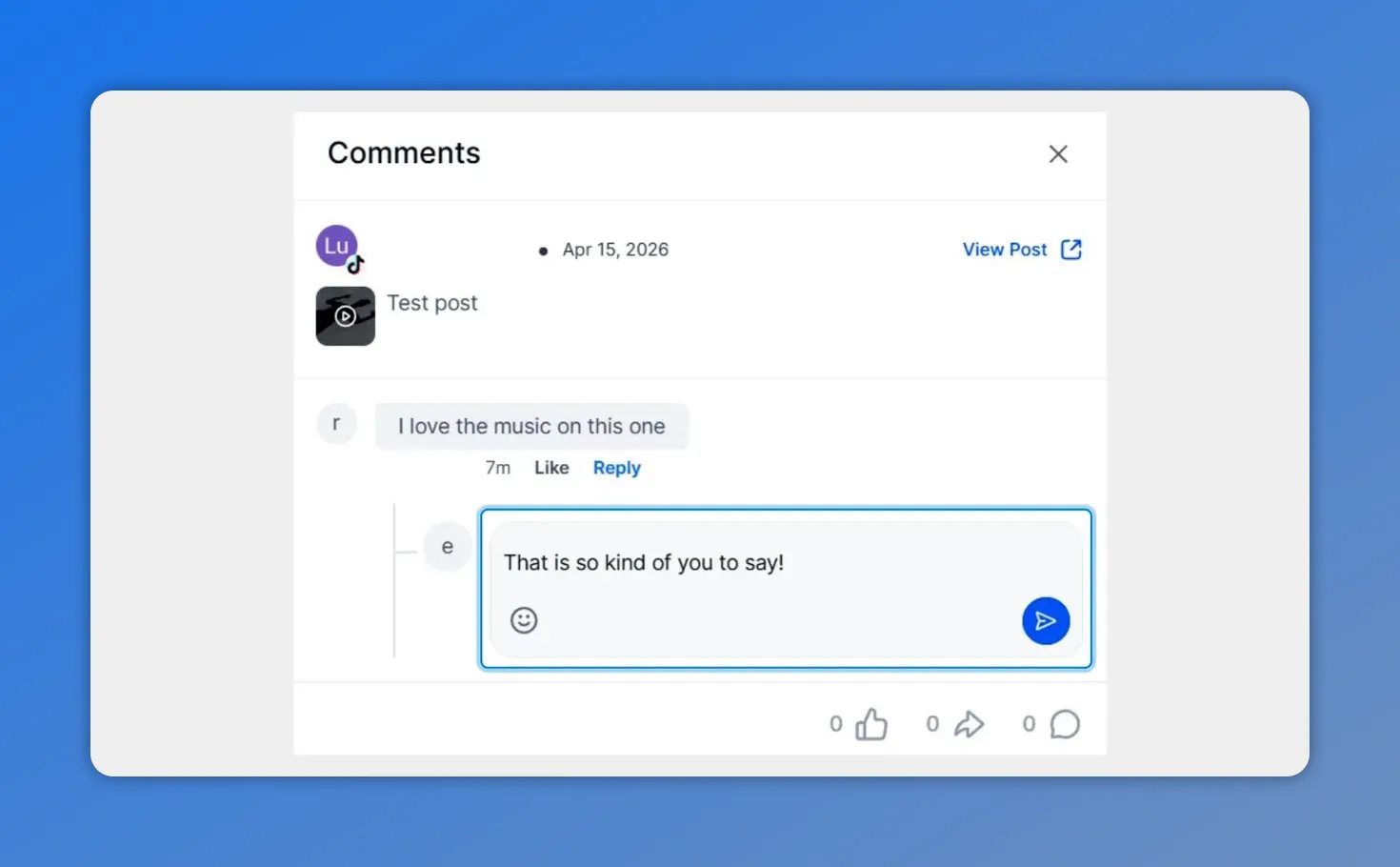
With the reply box open, you can type your TikTok response in the same CRM workspace.
Why replying from Pinnacle is more efficient
Replying from your CRM may sound like a small workflow change, but it solves a few common problems.
First, it helps you avoid distractions. Opening social apps can easily pull your attention away from the actual work you need to finish. Staying inside Pinnacle keeps your process tighter.
Second, it reduces credential friction. There is no need to stop and deal with extra logins or move between systems just to answer a comment.
Third, it improves consistency. When replying is easier, it is more likely to get done quickly and regularly. And consistent engagement is what helps strengthen customer relationships over time.
- No platform switching: Reply where you already work.
- Less friction: Avoid extra sign-ins and interruptions.
- More effectiveness: Faster replies make community management easier to sustain.
How this can help your TikTok reach
There is a practical reach benefit here too. When you continue the conversation in your comments, you give the algorithm more signals that people are engaging with your content.
That does not mean every reply guarantees more exposure. But it does mean active conversations can support stronger performance than ignored comments.
And because TikTok is built around interaction, staying responsive can help you get more value from the content you are already publishing.
A simple habit worth building
If your team already uses Pinnacle for planning and managing social content, replying to TikTok comments from the same place is an easy habit to add.
A good next step is to open your Marketing section, go to Social Planner, check the Comments area, and reply to a recent TikTok comment. It is a small action, but it supports engagement, customer trust, and a smoother workflow.
And over time, those small actions add up.
FAQ
Where do we find TikTok comments in Pinnacle?
Go to the Marketing section, open Social Planner, and then select the Comments area.
How do we open a comment thread to reply?
Click View More Comments to open the detailed view for that conversation.
How do we reply to a specific TikTok comment?
In the detailed view, click Reply under the comment you want to answer, then type your response in the text bubble below it.
Why is replying from the CRM useful?
It helps you stay in one workspace, avoid distractions, reduce login friction, and respond more efficiently.
Can replying to comments help TikTok performance?
Yes. Active conversations can support engagement signals on TikTok, which may help your content continue reaching people.
Does this feature help with customer relationships too?
Yes. Direct replies show that there are real people behind the brand, which can help build trust and loyalty.
This article was created from the video TikTok Comments in Your CRM: Reply Faster and Boost Reach








