





Subscriptions & Invoices in Contact Details
Managing and creating customer Subscriptions & Invoices keeps your bottom line consistent and customer satisfaction high. By accessing them through the Contact Details, you can take control of this process in a convenient way.
⭐️Why Is This Feature Beneficial To Your Business?
Increased Efficiency: This feature allows you to quickly handle customer subscriptions and invoices directly from their profile.
Minimize Errors: Handling Subscriptions & Invoices directly in the customer’s profile you ensure the action is always performed with the correct person.
Enhanced Control: This enables you to include customers to subscriptions or invoices that have been skipped keeping the control in your hands.
⭐️How To Create and Schedule Subscriptions & Invoices in Contact Details:
Navigate to the Contacts section and click on the contact you want to add a Subscription or Invoice.

Click the $ icon to the right side of the contact.

Open the Action drop-down menu and select Create subscription/invoice.

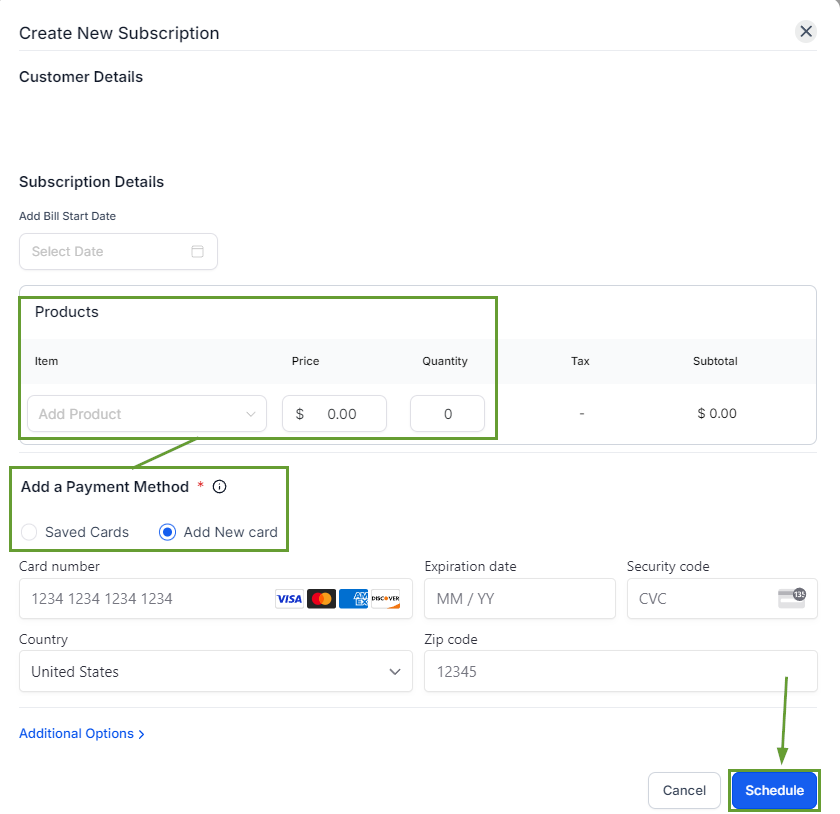
Fill in the details for the subscription or invoice and send it as normal.
Subscriptions and Invoices are the center of payment management for your business, they allow you to keep track of income and keep transparent communication with your customers at all times. This feature allows you to take advantage of these tools to the max!








