





SLA Performance Dashboard: Measure Response Times and SLA Adherence
Service level agreements (SLAs) are only useful if we can see how performance is actually going. SLAs help define expectations like response time, but without visibility into results, it is hard to know where things are falling short or why.
That is why we added an SLA Performance Dashboard to Pinnacle’s Conversations Analytics. It brings key SLA data into one place so we can track response times, SLA adherence, and performance trends. Then we can drill into user and channel details to pinpoint what needs improvement.
In this guide, we will walk through how to use the dashboard step by step, including what metrics matter and how to use sorting and filters to find bottlenecks.
What the SLA Performance Dashboard helps you measure
The dashboard is built to answer three core questions:
- How quickly are responses happening? (response time visibility)
- Are we meeting the SLA targets? (SLA adherence)
- Are things improving or getting worse? (overall performance trends)
And beyond that, we can break performance down so we can act. Instead of only knowing that something is off, the dashboard supports investigation at the user and channel level.
Navigate to Conversations Analytics
To start, head to the Analytics tab inside the Conversations section.
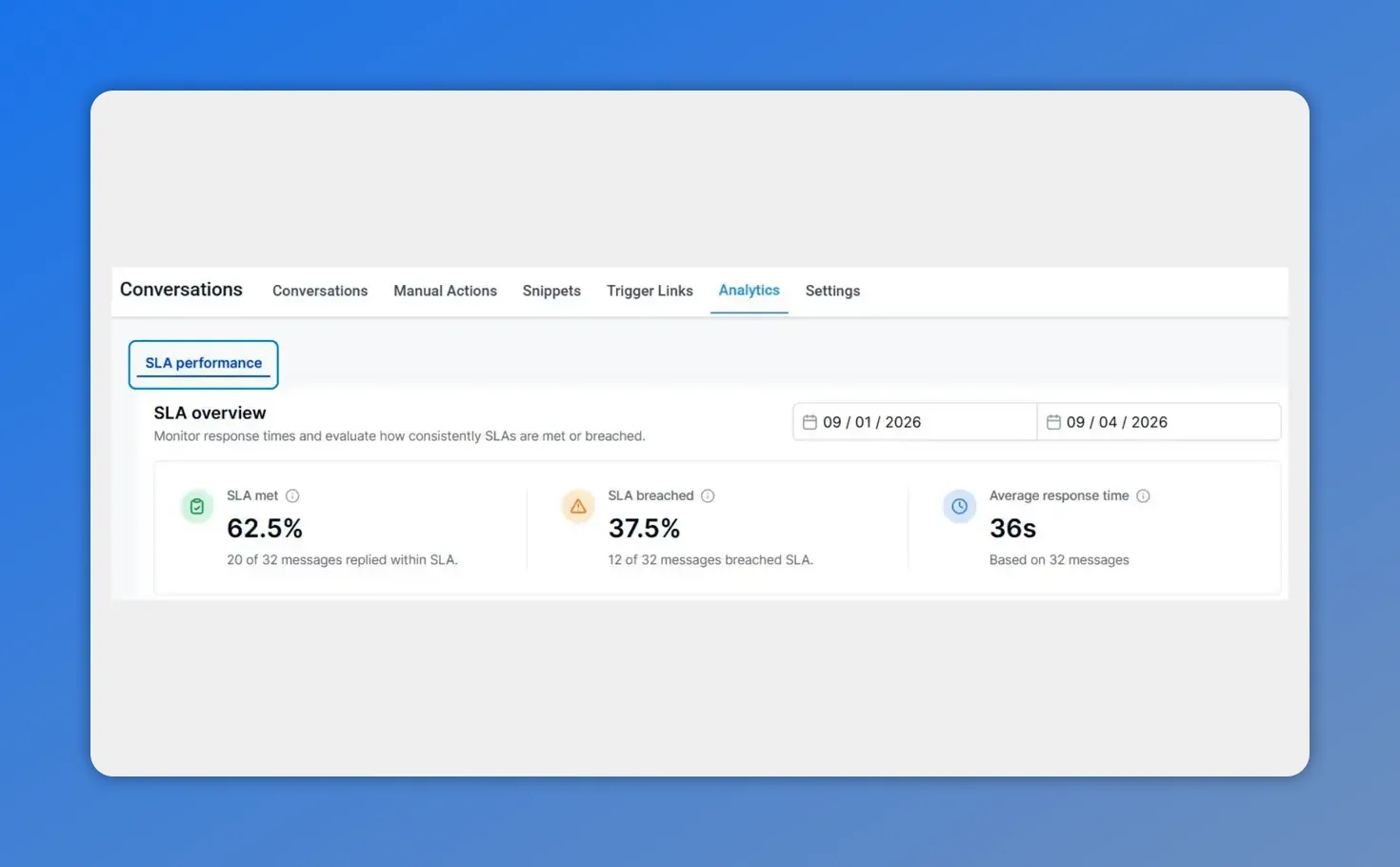
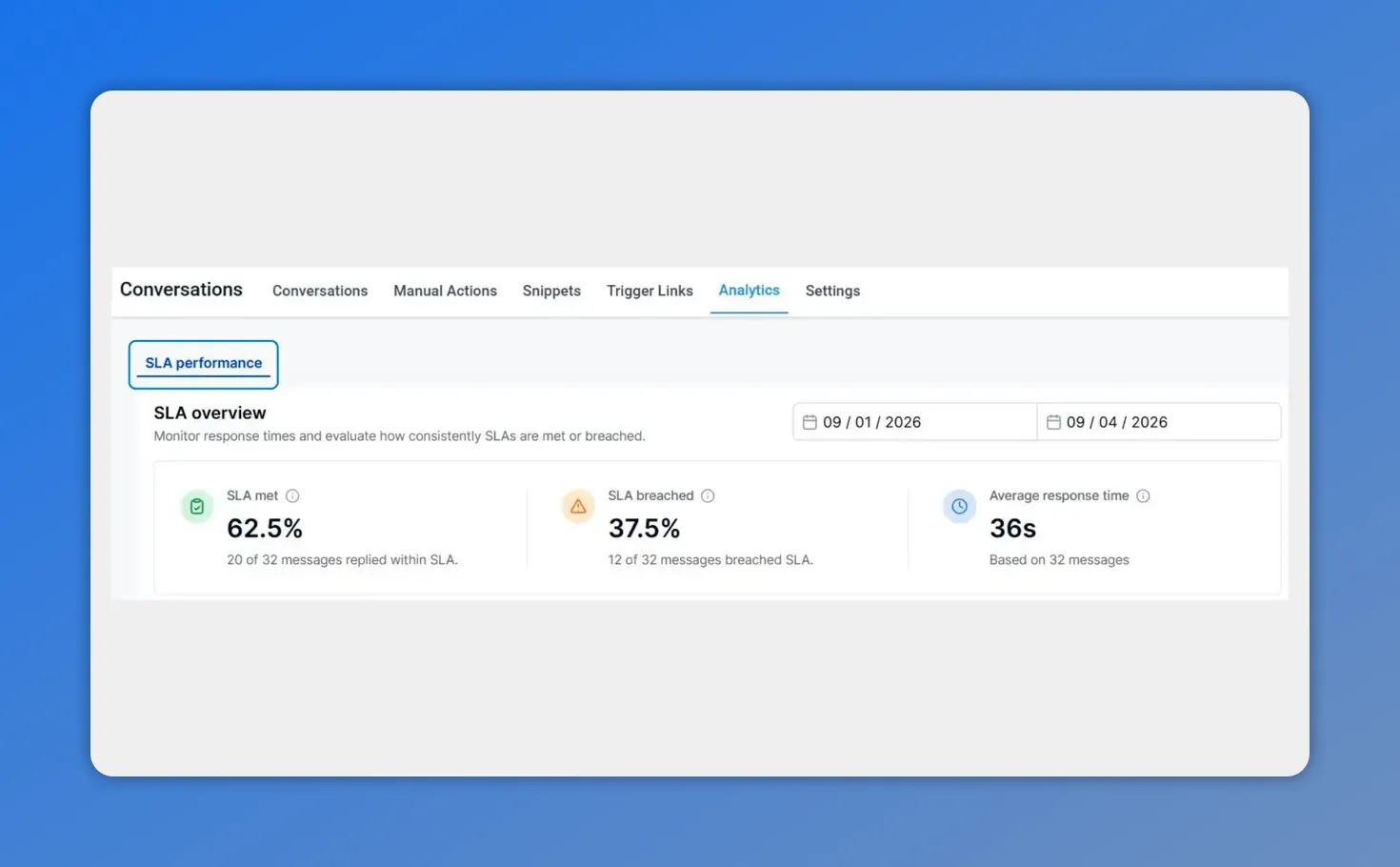
On the Analytics page, you can see the SLA overview for your selected date range—showing SLA met, breached, and average response time.
Select a time range and check the SLA overview
Once you are on the Analytics page:
- Select a time range.
- Review the overview to see overall SLA performance health.
This overview is where we start. It gives us a baseline view of how well SLAs are being met during the selected period, so we know whether we are dealing with a consistent issue or something that started recently.
Switch metrics to analyze performance trends
Next, use the trend chart dropdown to switch between different metrics.
This makes it easier to compare and understand patterns across time, not just snapshots. Depending on what you select in the dropdown, we can focus on things like:
- Response time
- How many SLAs were met vs. breached
- Other SLA and performance-related measures available in the chart
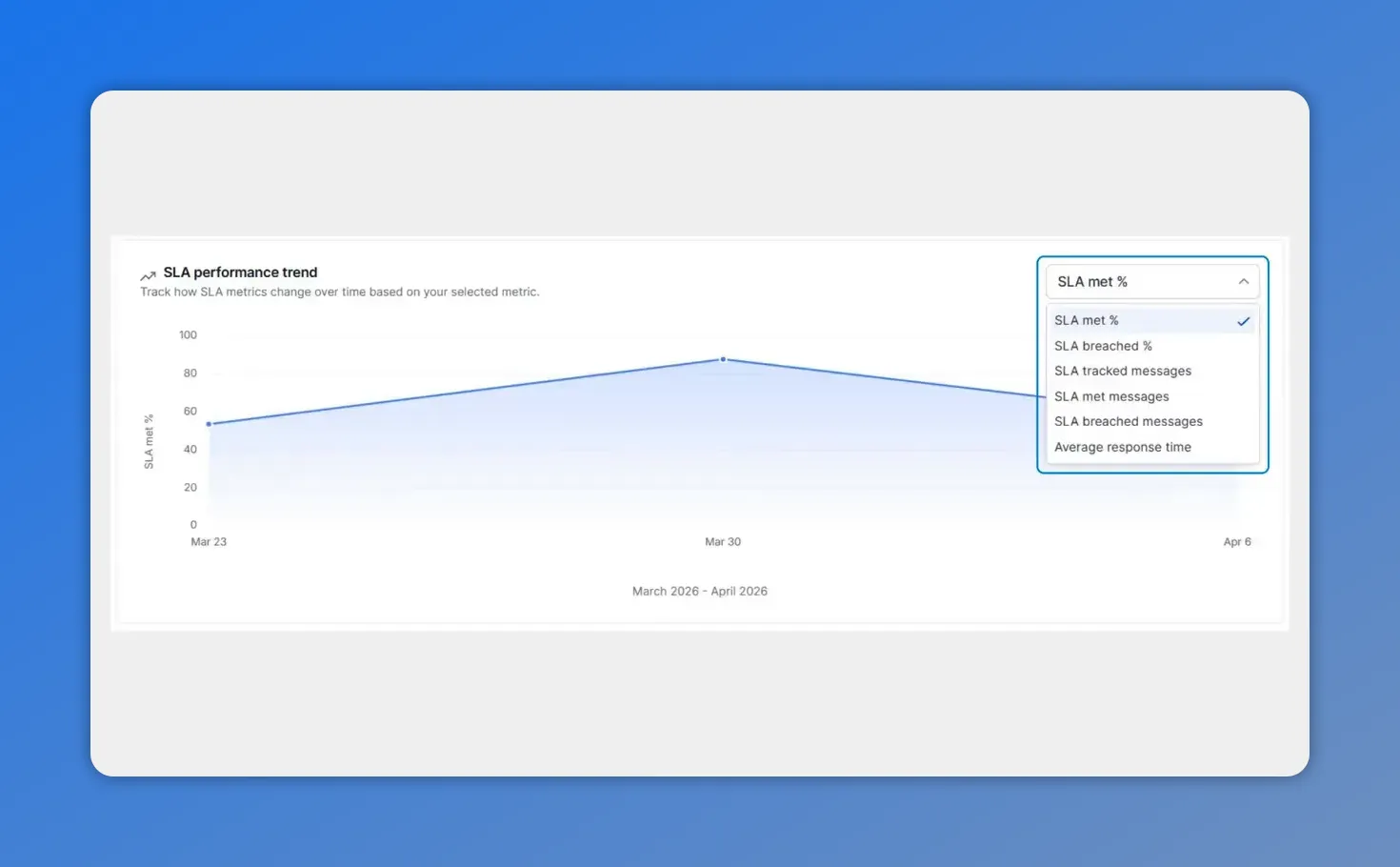
Switch the trend chart metric (e.g., SLA met %, breached %, tracked messages, or average response time) to spot patterns over time.
With the right metric selected, we can spot trends faster and decide what to investigate next.
Analyze user and channel reports using sorting and filters
After we review the trends, we typically need answers to a more practical question: who or what is driving the performance?
That is where user and channel reports come in. Use sorting and filters to drill into specific insights.
- If performance dips, we can identify which users or channels are contributing most.
- If performance is uneven, we can find outliers that need attention or coaching.
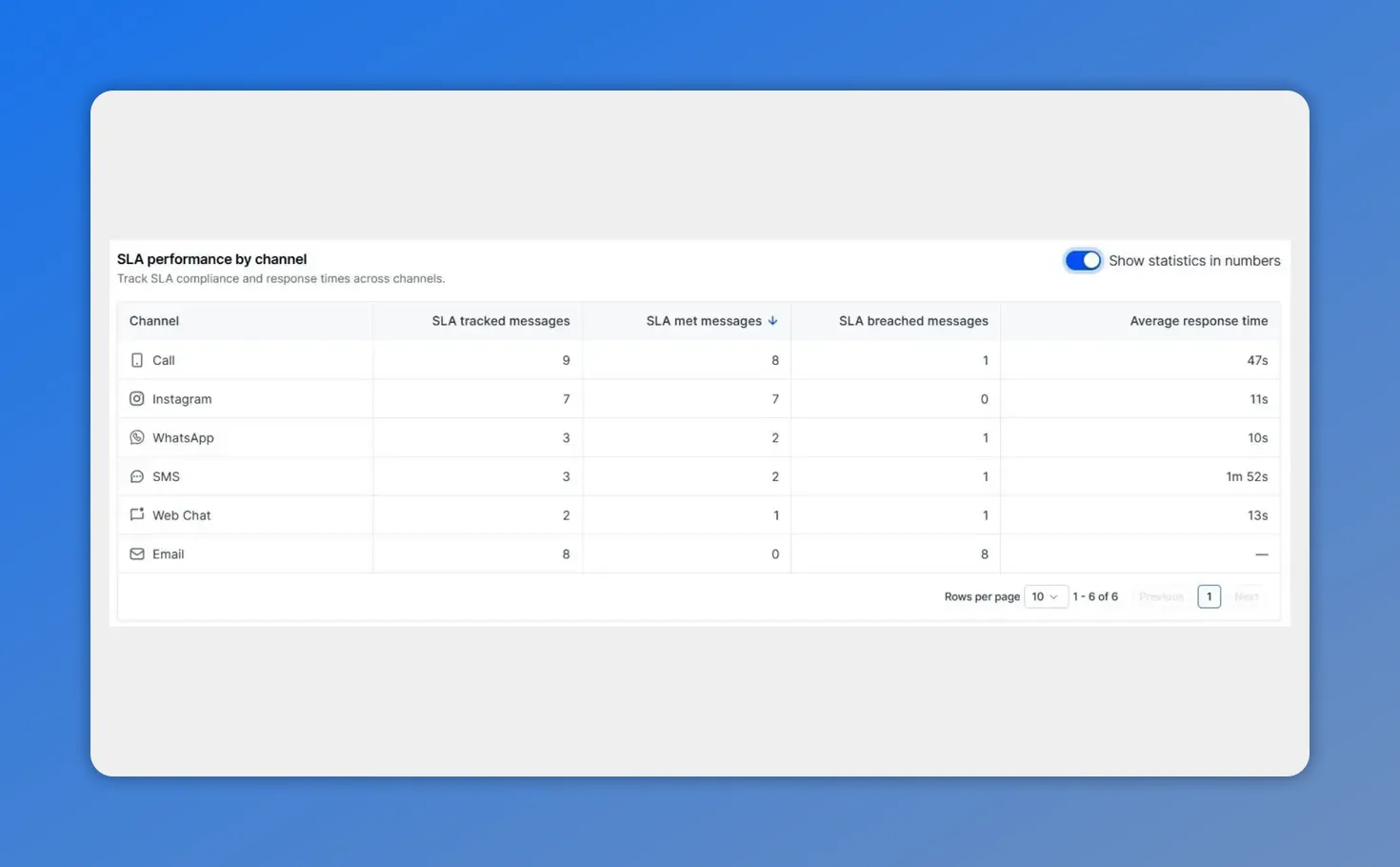
Use the SLA performance table by channel to see how many messages met or breached SLAs and compare average response times.
This feature helps us aggregate relevant data and visualize how many messages meet or breach SLAs. Because the breakdown is available at both a user and channel level, it becomes much easier to pinpoint where improvements are needed.
Why this data makes coaching and accountability easier
Clear visibility into SLA performance simplifies improvements. It also makes it easier to reward the right behavior and correct issues when they show up in real results.
Instead of debating whether goals are being hit, we can rely on the dashboard to show SLA adherence patterns and where response time performance needs support.
Reporting accuracy rules you should know
To keep the dashboard meaningful, it follows specific reporting rules. This matters because SLA metrics can get skewed if the underlying data includes incomplete evaluations.
Only include completed SLA evaluation
Only messages with completed SLA evaluation (meaning they are evaluated as met or breached) are included.
Exclude conversations marked as read without a reply
Conversations that are marked as read without a reply are excluded. This prevents the data from being skewed by interactions that do not contain the information needed for SLA evaluation.
Common ways teams use this dashboard
Once we know how to access and interpret the SLA performance dashboard, it becomes practical for day-to-day operations. Here are a few ways teams typically use it:
- Spot patterns early by watching overall SLA performance trends over time.
- Detect issues by channel or user when the overview shows a dip or gap.
- Prioritize fixes before targets are missed by acting on the underlying bottlenecks rather than reacting after performance slips.
FAQ
How do we find the SLA Performance Dashboard?
We start by going to the Analytics tab inside the Conversations section. From there, we select a time range and use the SLA overview and trend chart to explore response time and SLA adherence.
What metrics can we compare in the trend chart?
Use the trend chart dropdown to switch metrics. We can analyze response time and also compare how many SLAs were met versus breached (along with other SLA and performance measures available in the chart).
Can we break SLA performance down by user and channel?
Yes. The dashboard includes user and channel reports. We can use sorting and filters to drill into specific insights and pinpoint where improvements are needed.
Is the SLA data accurate for every message?
The dashboard includes only messages with completed SLA evaluation, either met or breached. It also excludes conversations marked as read without a reply to avoid skewed results.
Why does SLA adherence visibility help teams?
Clear visibility into SLA performance makes it easier to spot patterns, coach teams based on measurable results, recognize top performers, and correct issues when performance falls short.
Next steps
Open Analytics inside Conversations and explore the SLA Performance Dashboard. Start with an overview for your chosen time range, switch metrics in the trend chart, and then drill into user and channel insights so you can take action with confidence.
This article was created from the video SLA Performance Dashboard: Measure Response Times and SLA Adherence








