





Setup Fee In Recurring Invoices
When onboarding a new client, you can add a setup fee to the first invoice while maintaining the regular monthly charges.
Setup Fee In Recurring Invoices: This feature allows you to add a one-time setup fee to their recurring invoices, providing a flexible billing solution.
⭐️ Why Does It Matter To Your Business?
Flexibility: Easily incorporate setup fees into recurring billing cycles.
Accuracy: Ensure precise billing by distinguishing one-time fees from recurring charges.
Professionalism: Present detailed and clear invoices to clients.
⭐️ How To Setup Fee in Recurring Invoices:
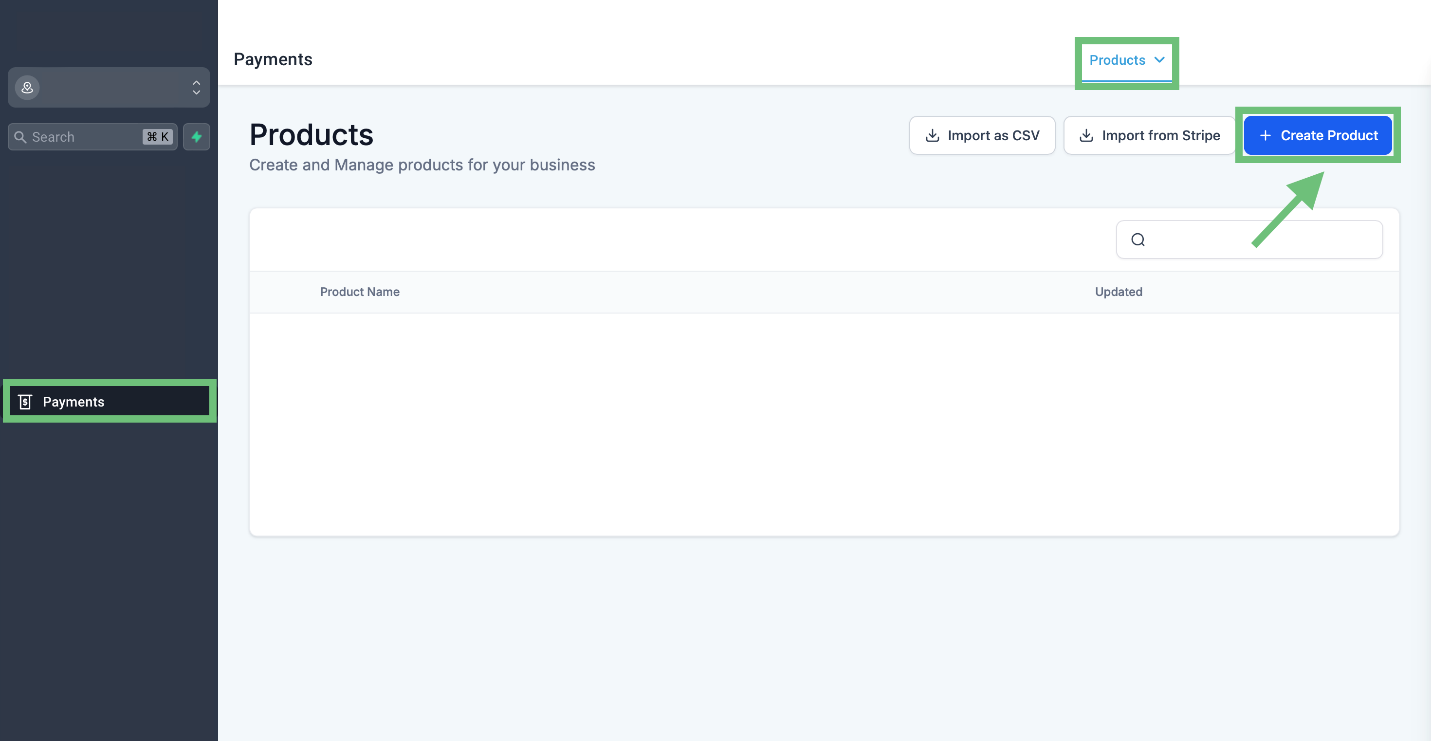
Access the “Payments” tab from the left navigation menu. Click on a product from the upper navigation menu and create a new product.
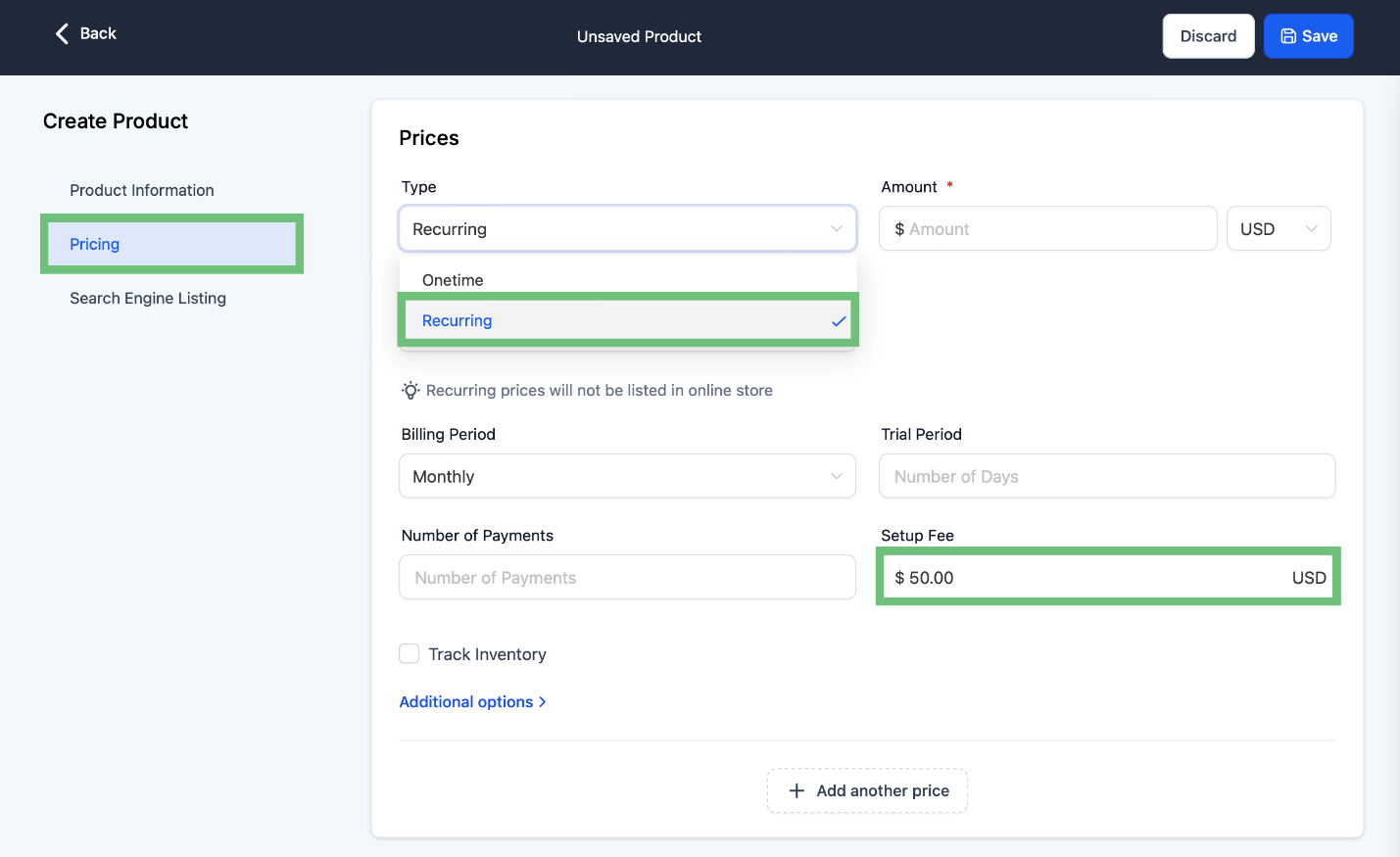
Now click on pricing, select the type of recurring, and also add the setup fee.
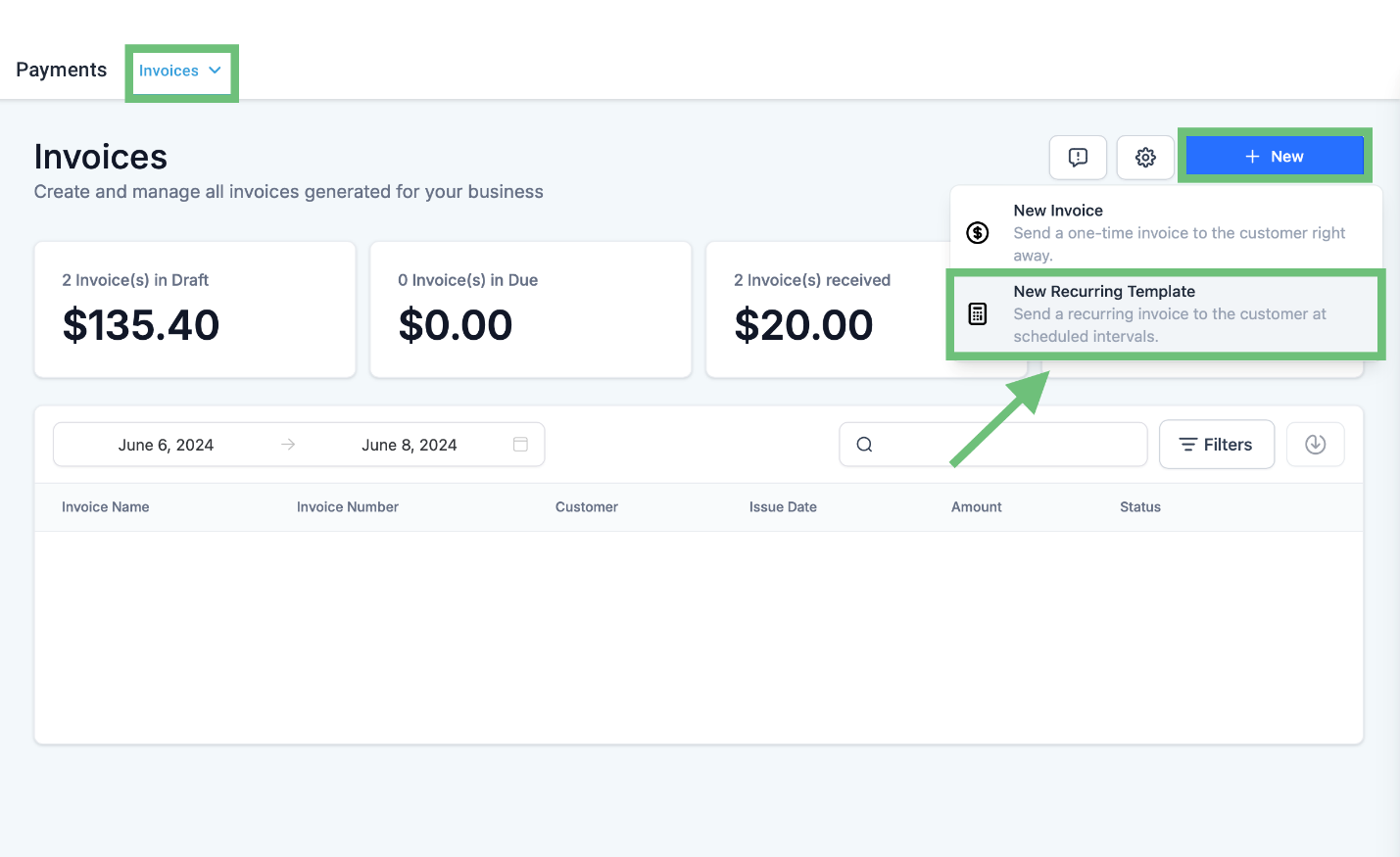
Access the invoices from the upper navigation menu and click on “+ New > New Recurring Template.”
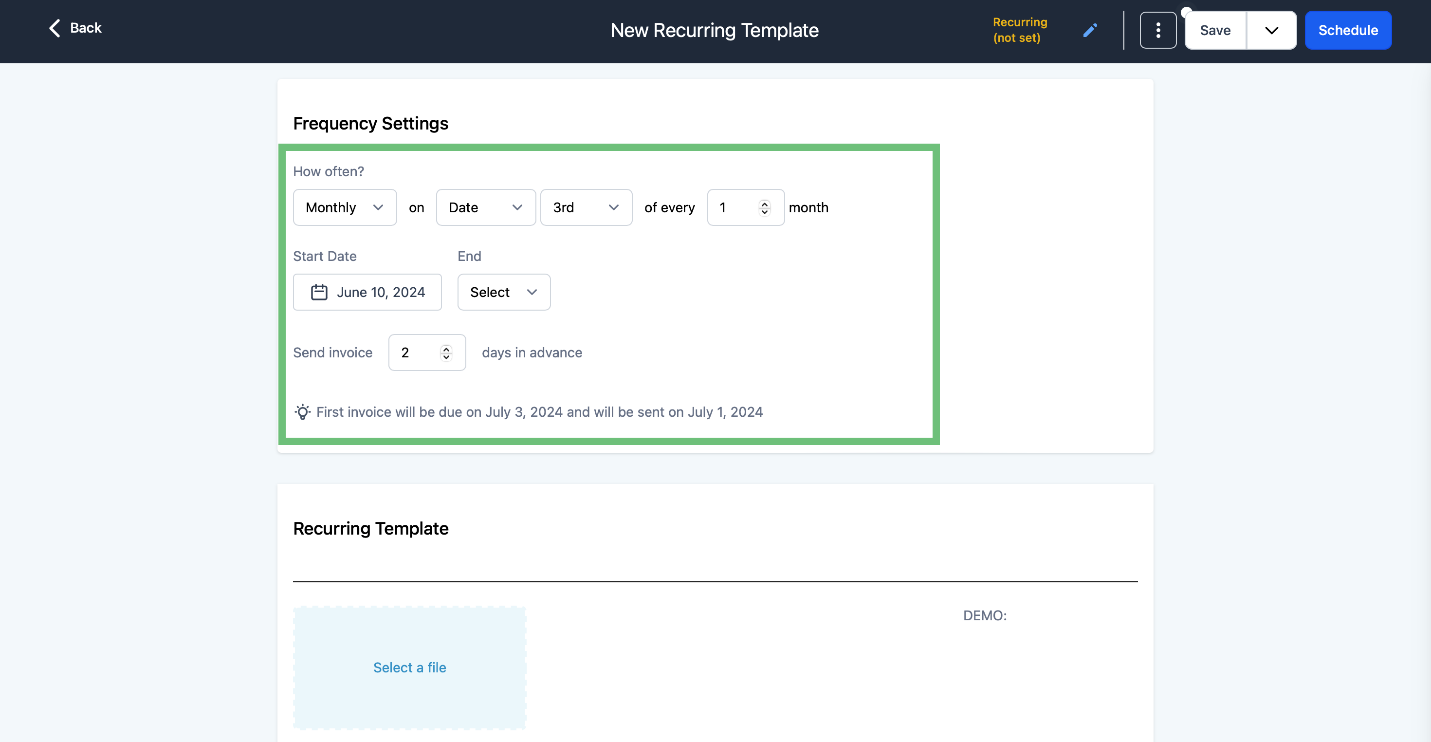
Set the frequency according to your requirements.
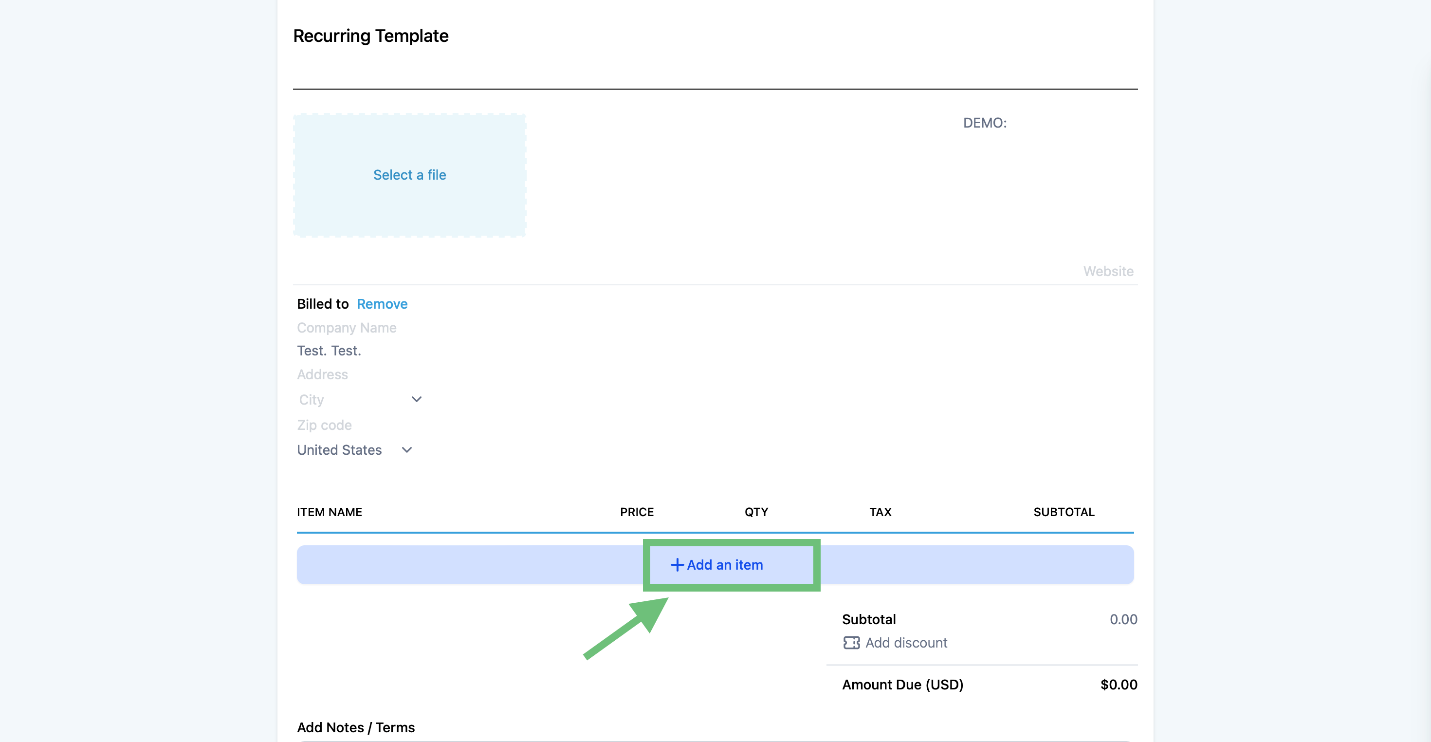
Click on + Add an item.
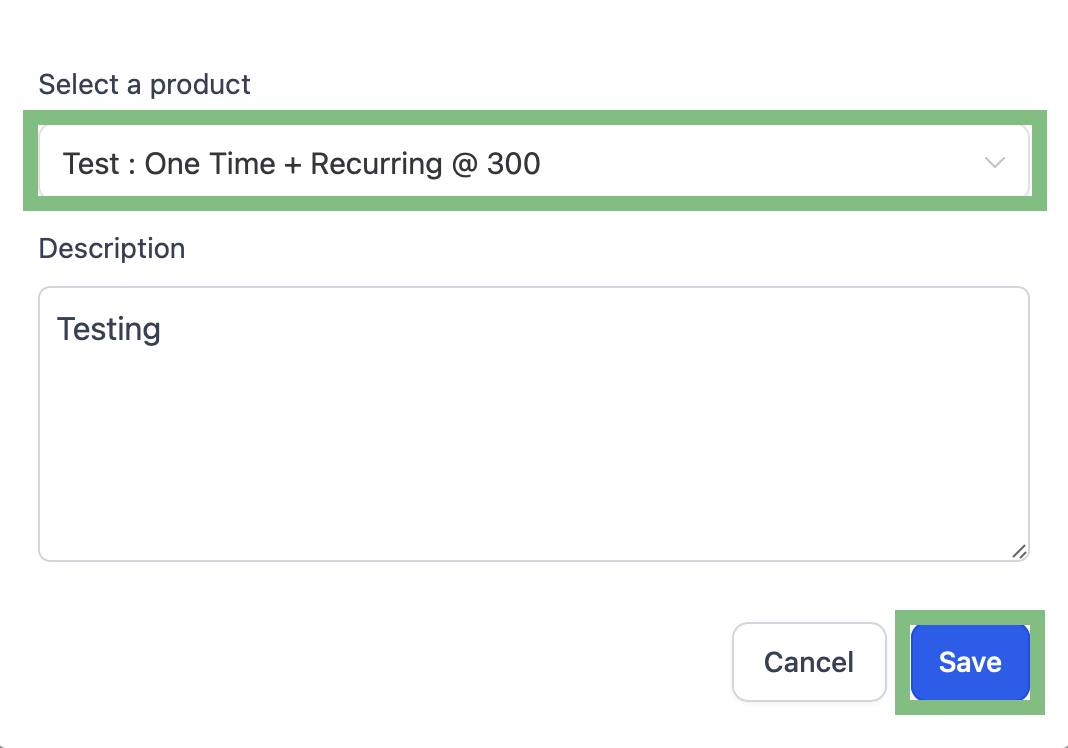
Add the product that has a setup fee in it and click the save button.
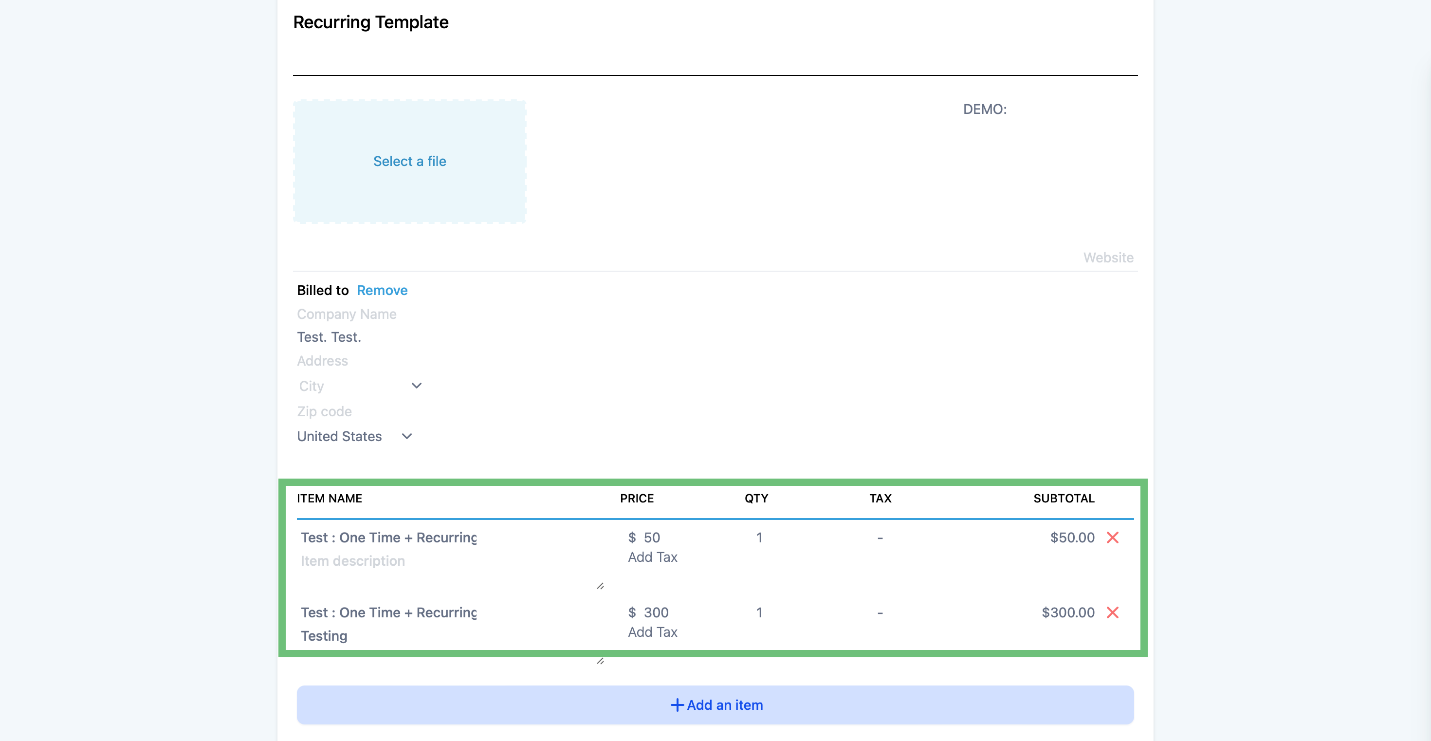
2 line items for the same product will be shown with the suffix “Setup Fee” added to the setup part of the price.
This feature enhances the CRM's billing capabilities, offering a comprehensive invoicing solution for businesses.








