





Related Products For Ecommerce
Your business can display accessories related to a main product, like suggesting phone cases and chargers when a customer views a new smartphone.
Related Products For Ecommerce: This feature enables store owners to suggest similar items on product detail pages, enhancing the shopping experience and increasing sales opportunities.
⭐️ Why Does It Matter To Your Business?
Enhanced Upselling: Suggest complementary products to increase sales.
Customized Display: Tailor the number of related products and their layout on both desktop and mobile.
Improved User Experience: Help customers discover more relevant products effortlessly.
⭐️ How To Use Related Products For Ecommerce:
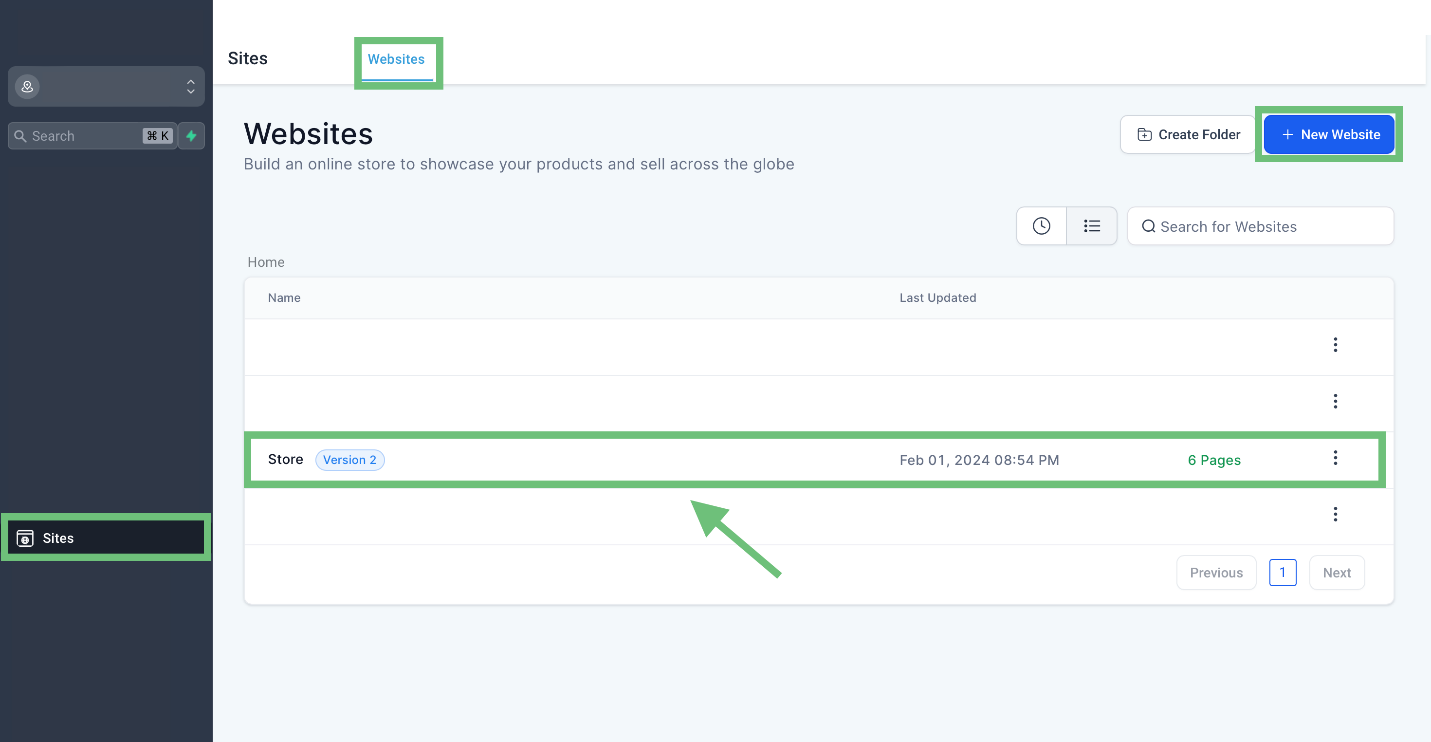
Access the “sites'' from the left navigation menu. Click on websites from the upper navigation menu and create new or edit existing websites where your store exists.
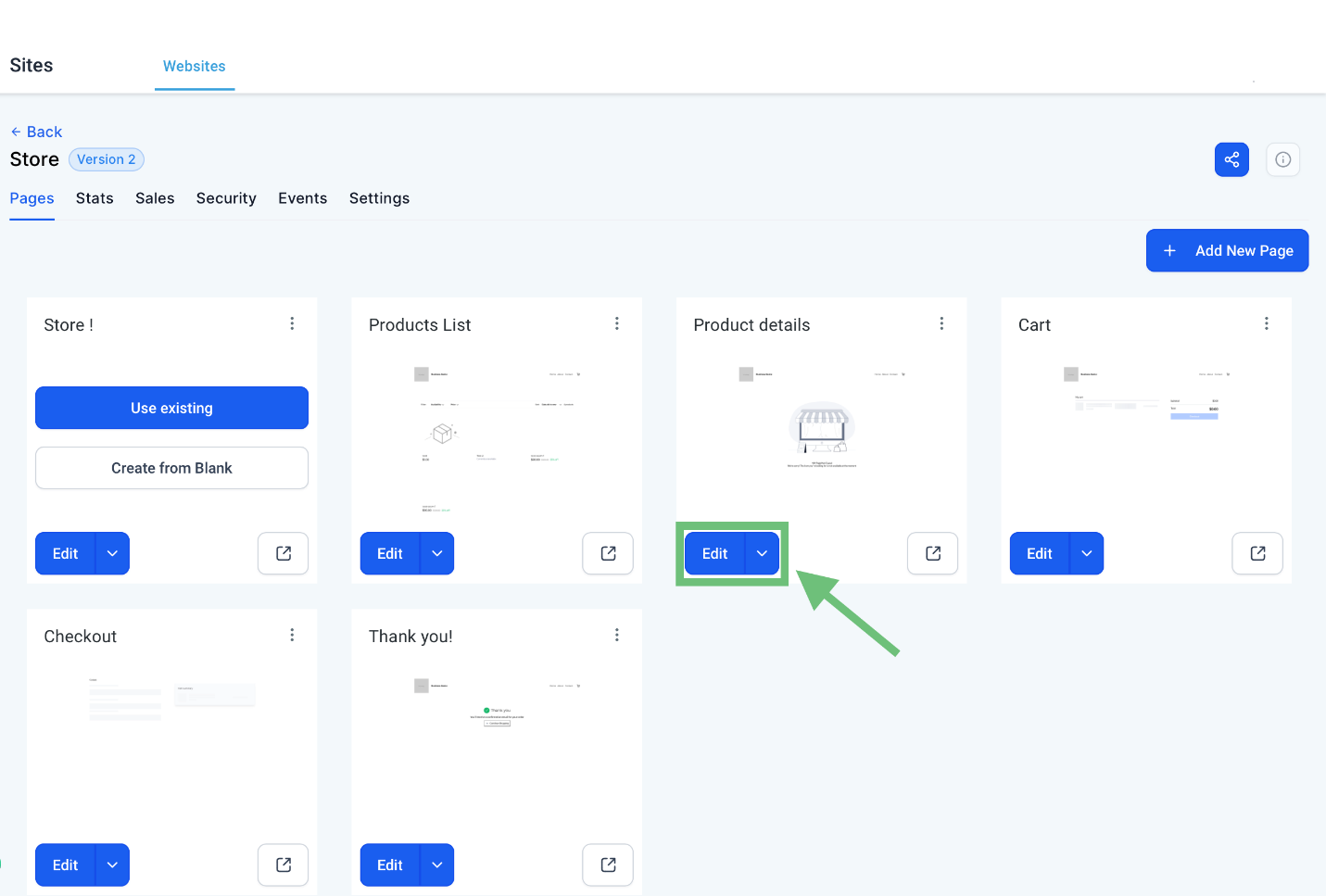
Click on the Edit button of the Product details page.
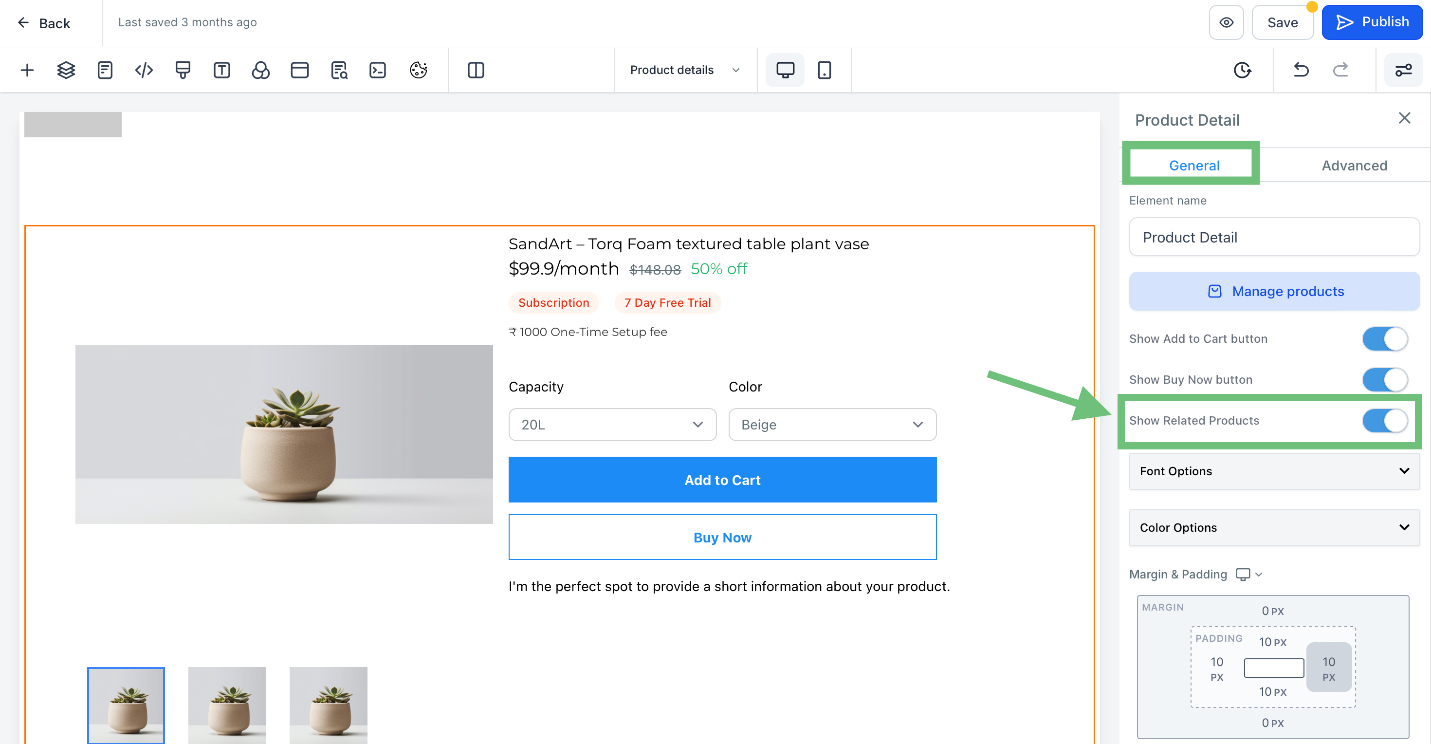
Click on element and then in generals enable the Show related products toggle.
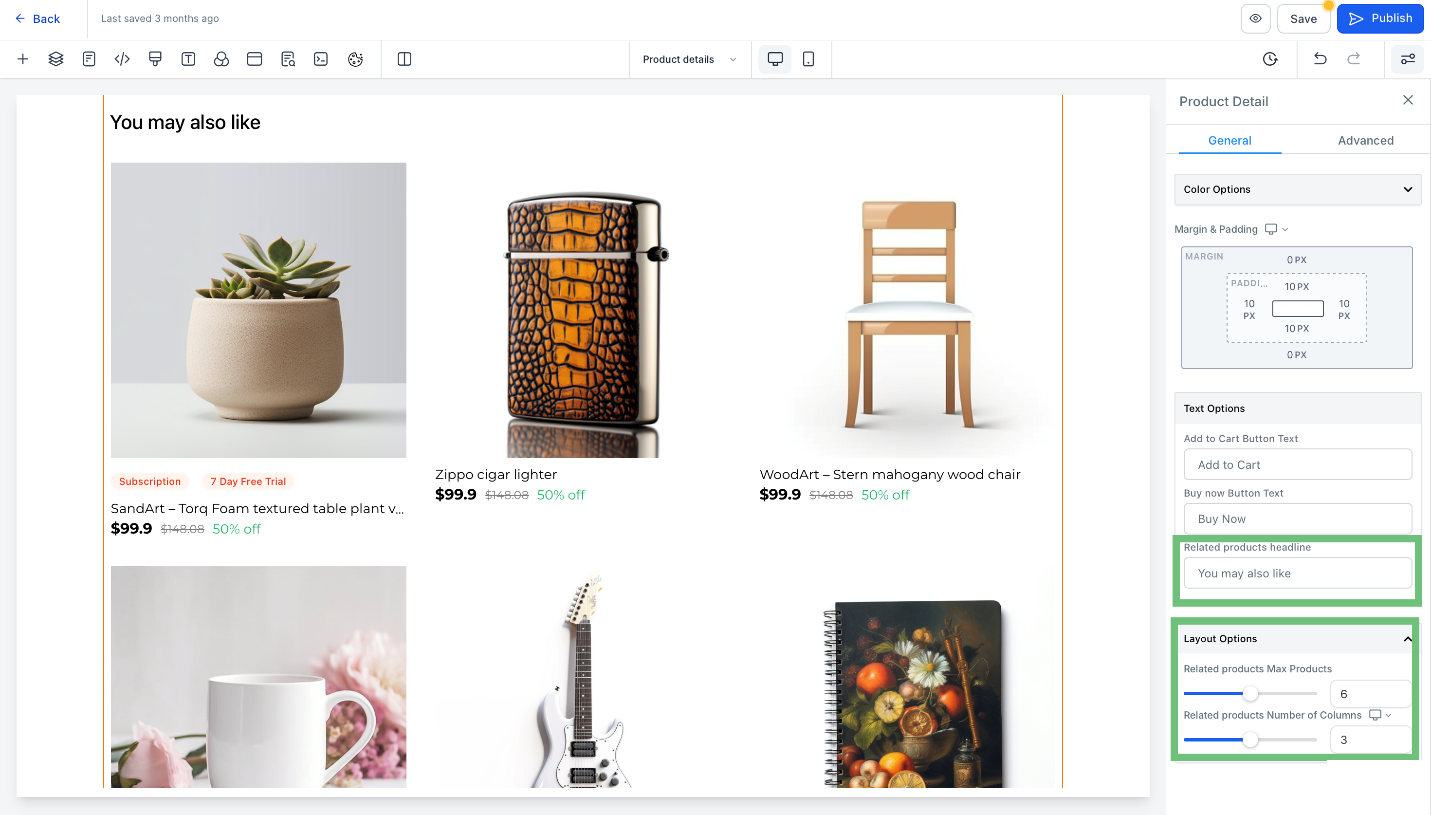
Once the toggle ON, scroll down and in text options you can change the related product headline. In layout options you can select the product and number of columns for both desktop and Mobile view.
In Preview you can see the added related product.
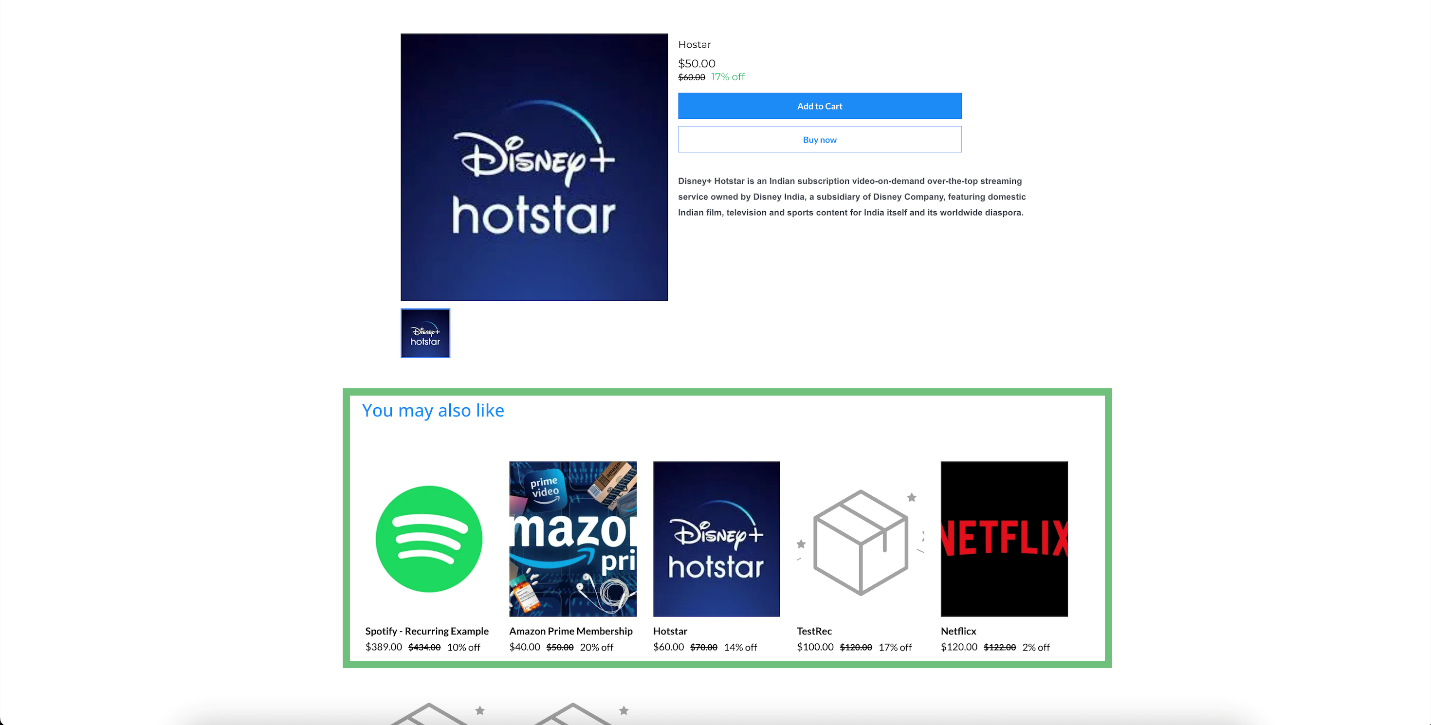
The Related Products feature helps drive additional sales by showcasing relevant items, improving customer engagement and satisfaction.








