





Limit Shipping by Postcode with Pinnacle Shipping Zones
Photo by Oksana Gogu on Unsplash
Every business faces delivery boundaries. Some local areas are simply too far for a given shipping price. We built a simple way to limit shipping and delivery by postcode so you can control where you deliver, set clearer prices, and avoid surprises at checkout.
Why postcode-level shipping control matters
Not every customer is the same distance away. By restricting shipping zones to specific postcodes you can:
Offer hyper-local deliveries with precise pricing and reliable expectations.
Exclude distant or low-margin areas so shipping stays profitable.
Keep zone management simple while tuning prices for the areas that matter most.
How postcode limits work
Here’s how the postcode controls behave and what you can enter.
Enter postcodes directly. You can add single codes or multiple codes separated by commas.
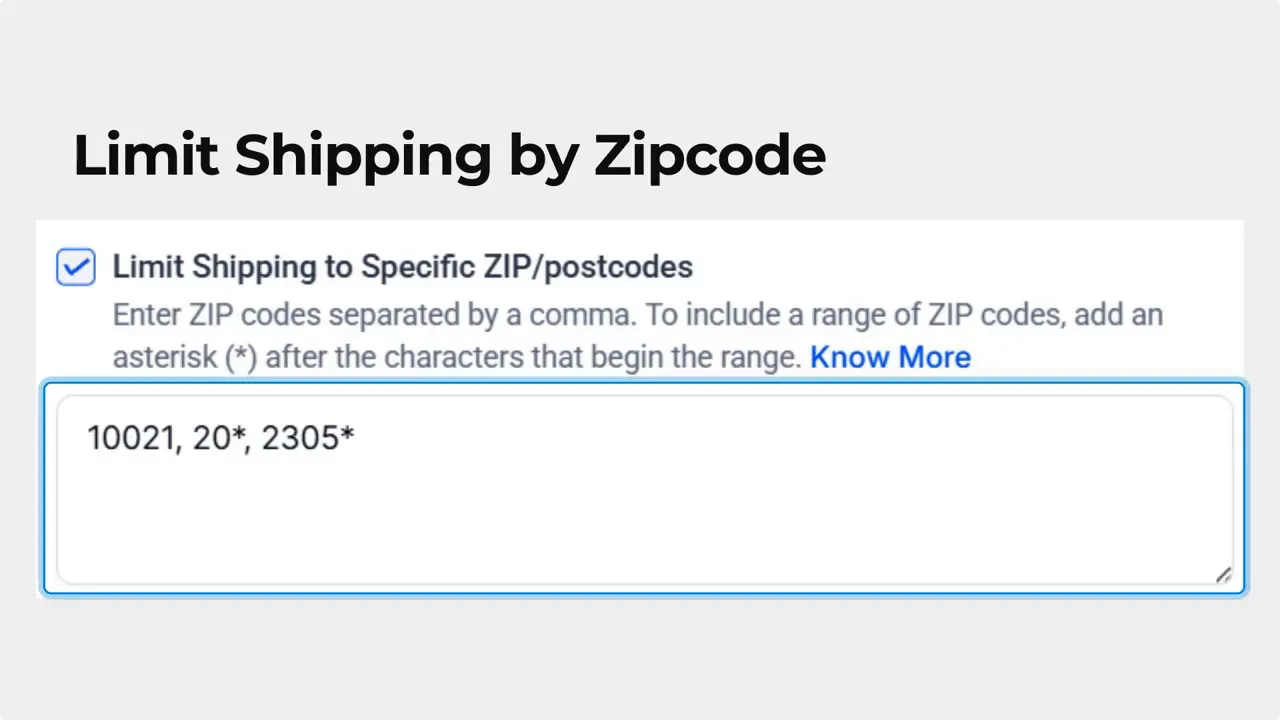
Use wildcards by adding a trailing asterisk to match a range of postcodes (for example, 1234*).

Real-time validation prevents errors. The system detects invalid or duplicate zip codes, blocks invalid characters and empty fields, and disallows improper wildcard placement.

Overview at a glance. Each Shipping Zone now displays all included and excluded zip codes below the zone for quick reference, including wildcard entries.

How to create a postcode-limited zone
Follow these steps inside the Payments settings to set up a zone limited by postcode.
Open Settings and go to the Payments section. Then choose Shipping and Delivery.

Click the Add Zone button in the top right of the page.
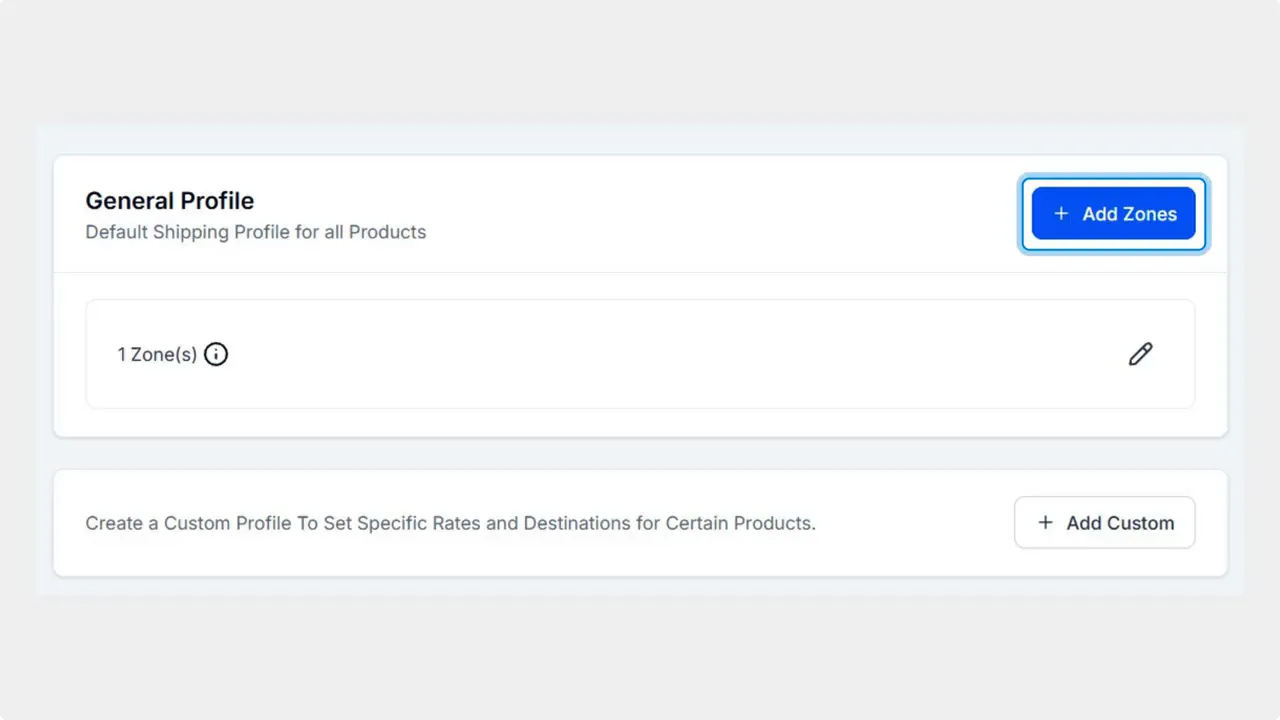
Check Limit Shipping to specific postcodes and enter your desired zip codes.

Click Add to save the zone. The zone will now apply only to the postcodes you entered.
This helps your business enable hyper-local deliveries or exclude certain areas easily, resulting in better managed areas and easier price setting for your shipping.
Best practices for setting postcode limits
Start broad, then tighten coverage. Use wildcards to capture whole neighborhoods before refining with specific codes.
Check the Shipping Zone overview after saving. The list shows included and excluded postcodes so you can spot mistakes quickly.
Use postcode limits alongside delivery windows and fees. Fine-grained zones make pricing decisions clearer.
Keep a short list of excluded areas that consistently cause issues. It is easier to maintain than dozens of tiny zones.
Implementation tips
Validation prevents common mistakes, but it helps to plan your zones. Map out the primary delivery areas first, then use postcode wildcards to expand outward. When prices hit a threshold, exclude low-margin areas instead of inflating prices for all customers.
FAQ
Which postcode formats are accepted?
Single postcodes and comma separated lists are accepted. A trailing asterisk works as a wildcard to cover postcode ranges (for example, 1234*).
How does validation help when entering postcodes?
Real-time validation flags invalid or duplicate entries, prevents empty fields and improper wildcard placement, and rejects invalid characters so zones are accurate when saved.
Where can I view the postcodes for a shipping zone?
The Shipping Zone overview displays all included and excluded zip codes beneath each zone. Wildcard entries are shown there as well for quick reference.
Can postcode limits help with pricing?
Yes. Limiting zones by postcode lets you set prices for compact, high-volume areas and exclude distant zones to keep shipping profitable and predictable.
Who should use postcode-limited zones?
Businesses that deliver locally, have variable delivery costs by distance, or want clearer control over covered areas should use postcode-limited zones.
Need help?
We built these controls to make local delivery management simpler. If you want guidance on how to structure zones for your market, our team at Pinnacle can help refine your setup.








