





Payment Widgets on the Dashboard
Your dashboard gives you a quick overview of your business's health, with a focus on what matters most—your financial performance. The new Payment widgets make it easy to track all money-related activities directly from your dashboard and simplify reporting for future insights.
⭐️Why Is This Feature Beneficial To Your Company?
Improved Insights: You can check your revenue, failed payments, refunds, and more insights with real-time-updated widgets directly in your dashboard.
Financial Planning: This simplifies your planning by helping you monitor payment success rates and refund trends, and keeping your asset tracking updated.
Enhanced Strategies: Understand your revenue channels and customer payment behaviors, helping you adjust strategies for better conversions and advertising.
⭐️How To Add Payment Widgets on the Dashboard?
Navigate to the Dashboard section and click the pencil icon to edit.

Select Add Widget, scroll to the Payments category, and choose the widget you need.

Customize filters, switch chart types, and apply themes.
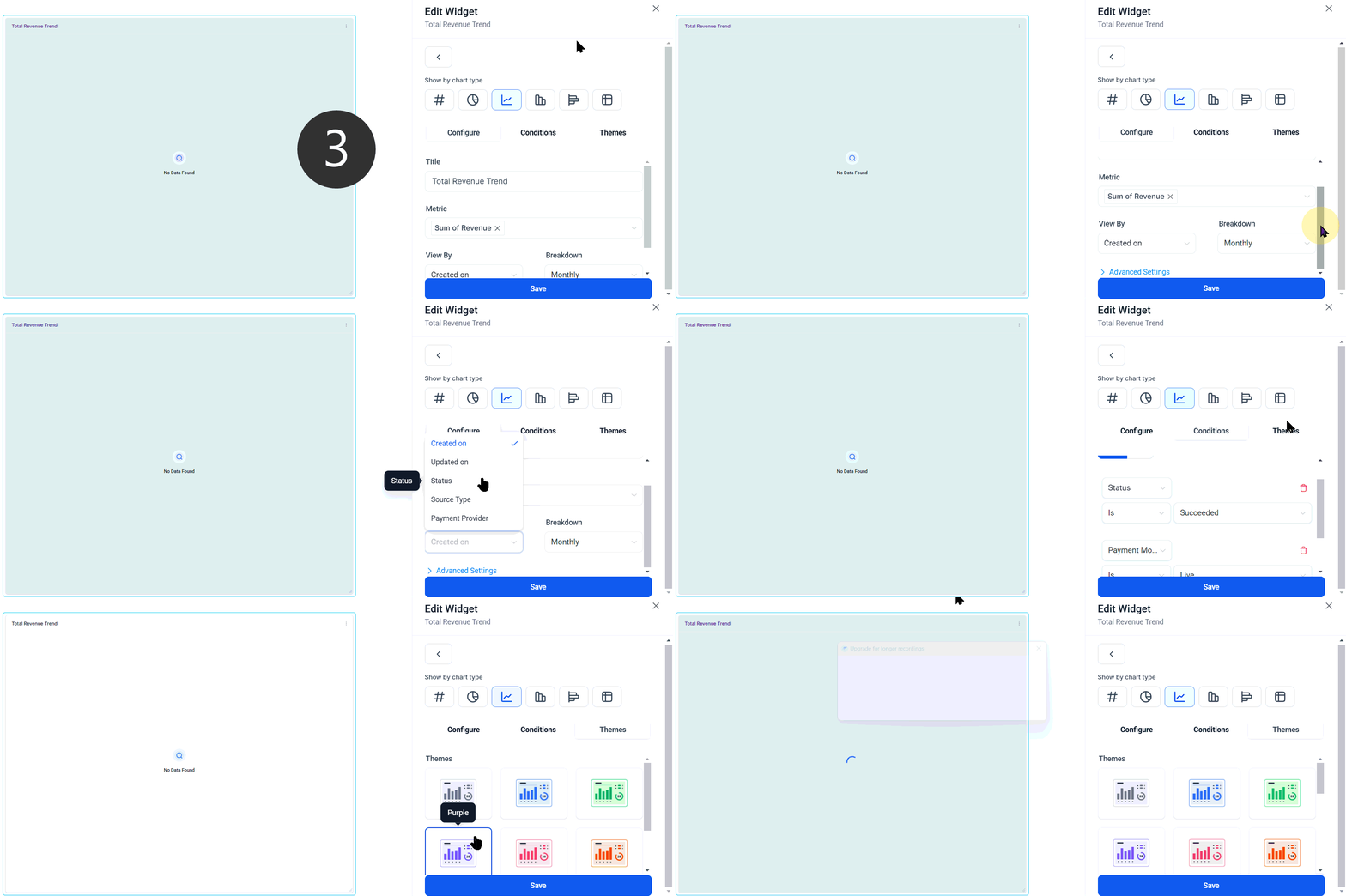
Click Save to update your dashboard.

Keep your dashboard up to date and build a sustainable wealth model for your business with these widgets, which present payment-related information in a clear and easily digestible format.








