





How to Use AI Agent to Automate CRM Workflows in One Step

Until now, most workflows have worked the same way. Every decision had to be mapped out in advance. Every branch had to be planned. Every condition had to be anticipated. And every field often had to be manually mapped one by one.
The AI Agent action changes that.
Instead of building brittle workflow logic for every possible scenario, we can describe the goal, choose the tools the agent is allowed to use, and let it plan the sequence of work inside a single step. That means the agent can decide inputs, handle edge cases, evaluate CRM context, and execute actions without needing a long chain of branches.
What the AI Agent action actually changes
The biggest shift is simple: we move from predefined workflow logic to goal-based automation.
In a traditional setup, we tell the workflow exactly what to do at each decision point. With AI Agent, we tell the system what outcome we want, then give the agent access to the right tools so it can figure out how to get there.
That makes workflows more flexible and much easier to maintain.
Fewer rigid branches: We do not need to predict every possible path ahead of time.
Less manual mapping: The agent can determine the inputs it needs as it executes.
Better edge-case handling: It can respond to situations that would normally require extra conditions or fallback logic.
One-step execution: Planning, decision-making, and actions can all happen within a single workflow step.
This is what turns a workflow from a fixed flowchart into something much closer to a real CRM operator inside Pinnacle.
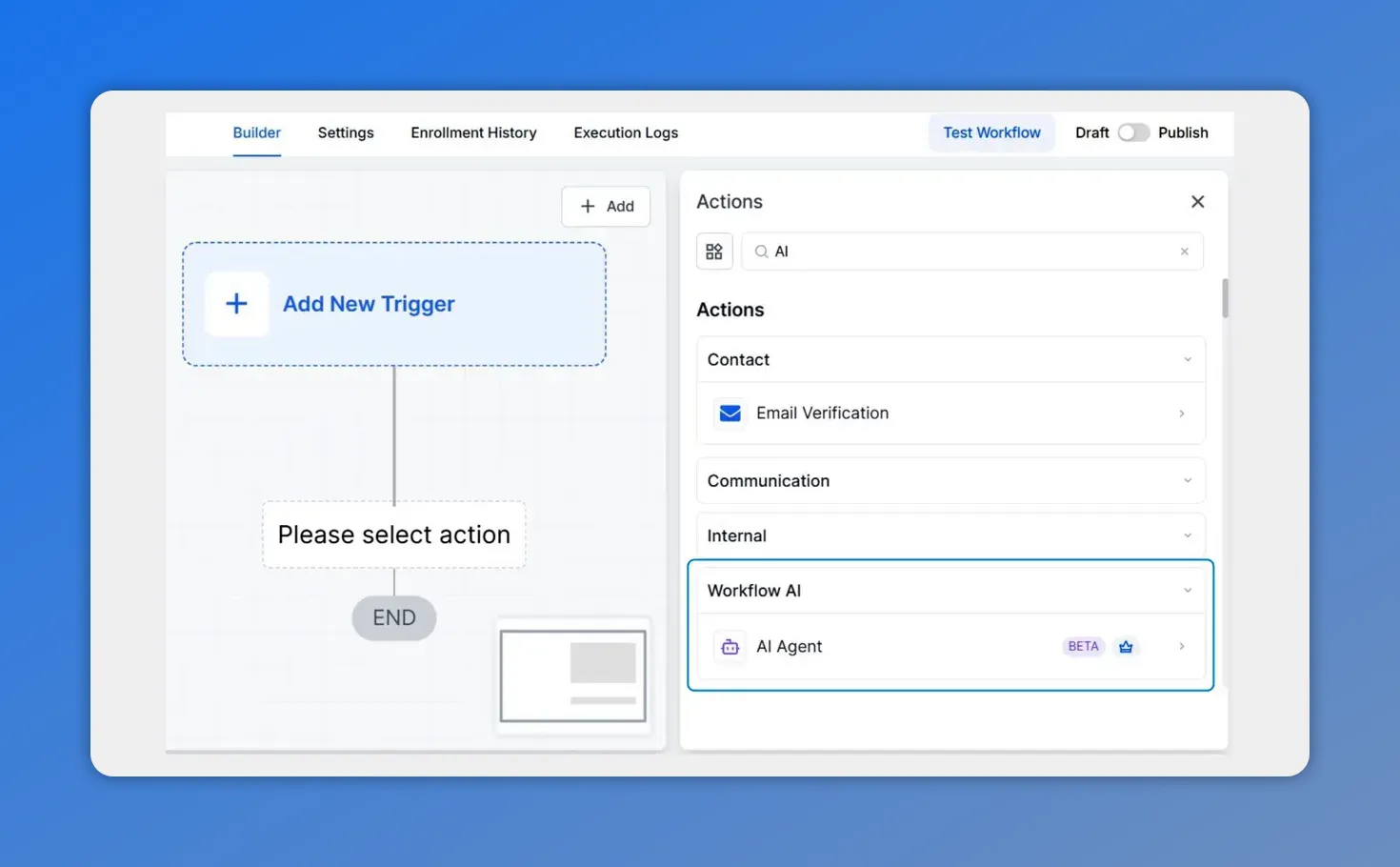
Inside the workflow builder, you add the AI Agent action from the Actions panel—replacing rigid branches with goal-based automation.
How to add AI Agent inside the workflow builder
Getting started is straightforward. Inside the workflow builder, add the AI Agent action.
That action becomes the place where we define the agent’s role, give it instructions, and assign the tools it can use.
From there, the setup usually follows four parts:
Add the AI Agent action to the workflow.
Choose a template or start from scratch.
Write clear instructions describing the goal.
Attach the tools the agent needs to do the job.
That is the core setup. Once those pieces are in place, the agent can begin reasoning through the task and executing it in context.
Choose a template or build your own
When setting up the agent, we can either start with a template or use Build Your Own.
Templates are useful when we want a faster starting point. They help when the use case is already close to a common pattern and we want a structure we can adjust.
Building from scratch makes more sense when the process is unique, when the decision logic is more specific, or when we want full control over how the instructions are written.
The choice really comes down to speed versus customization:
Use a template when we want a quicker setup.
Use Build Your Own when we want to define the agent from the ground up.
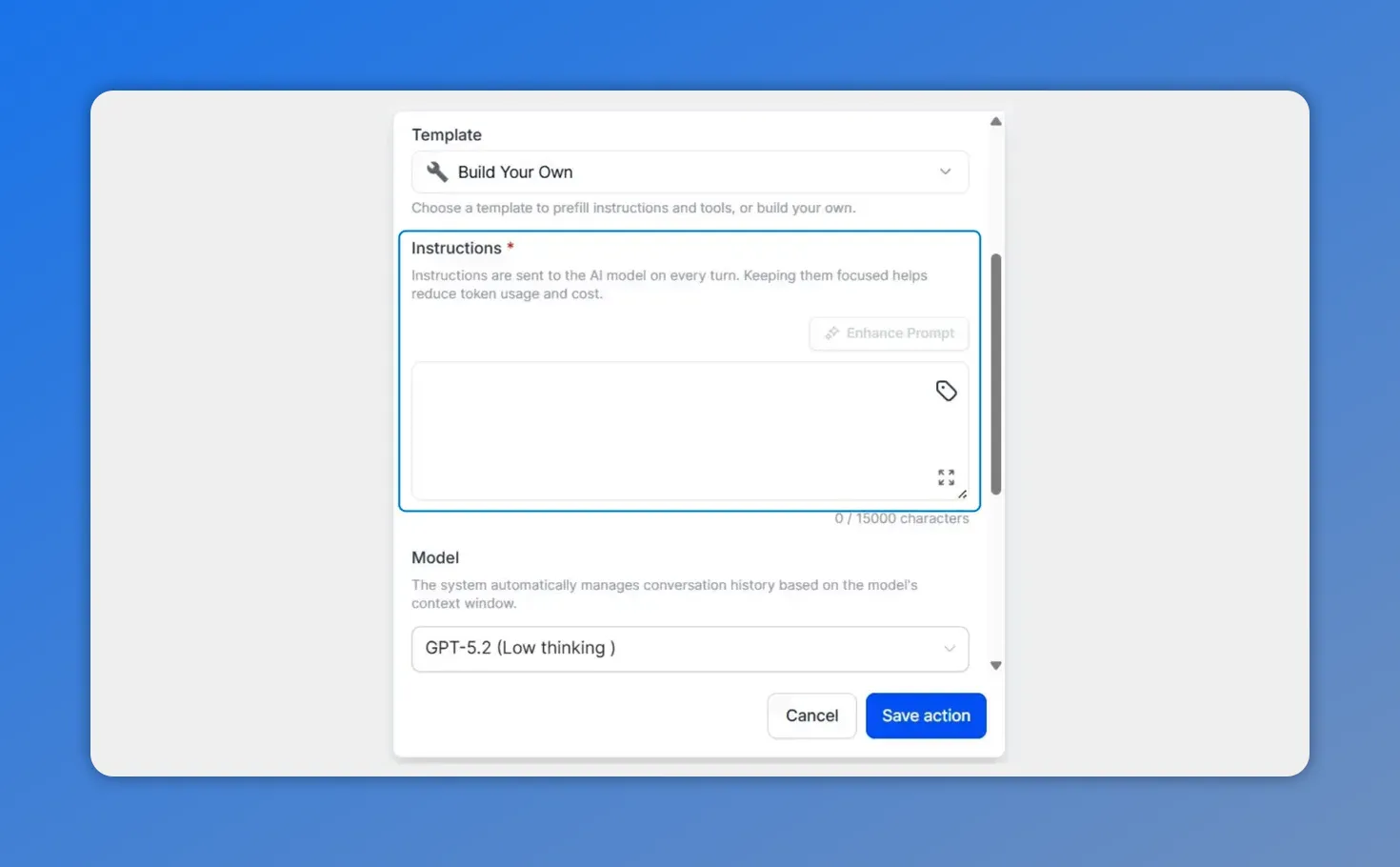
This view highlights the Instructions area where you provide the goal-based prompt the agent will follow inside the workflow step.
Write instructions based on the goal, not just the steps
The instruction field is where the agent gets its job.
And this is one of the most important parts of the setup. The stronger and clearer the instructions, the more reliable the agent will be.
Instead of writing a narrow command, write instructions that describe:
What the agent should accomplish
What context matters
What actions it is allowed to take
What to do when information is missing or unclear
The key idea is that we are giving the agent a goal, not scripting every branch by hand. That allows it to plan the sequence for itself.
In practice, that means the agent can:
Determine the right order of actions
Choose which inputs are needed
Account for unusual cases
Execute the task inside the workflow step
If we want better outcomes, we should be direct and specific. Clear goals produce better reasoning than vague prompts.
Add the tools your agent can use
After writing instructions, the next step is selecting tools.
Tools define what the AI Agent is allowed to do. They are what turn the agent from a text generator into an operator that can actually perform work.
Each agent can use up to 10 tools.
That tool set matters because the agent uses it to plan and execute. If the right tools are available, it can choose the best sequence for the task. If a needed tool is missing, its options become limited.
When choosing tools, keep them aligned with the job you want the agent to perform. The goal is not to attach every possible tool. The goal is to give the agent the right ones for the task.
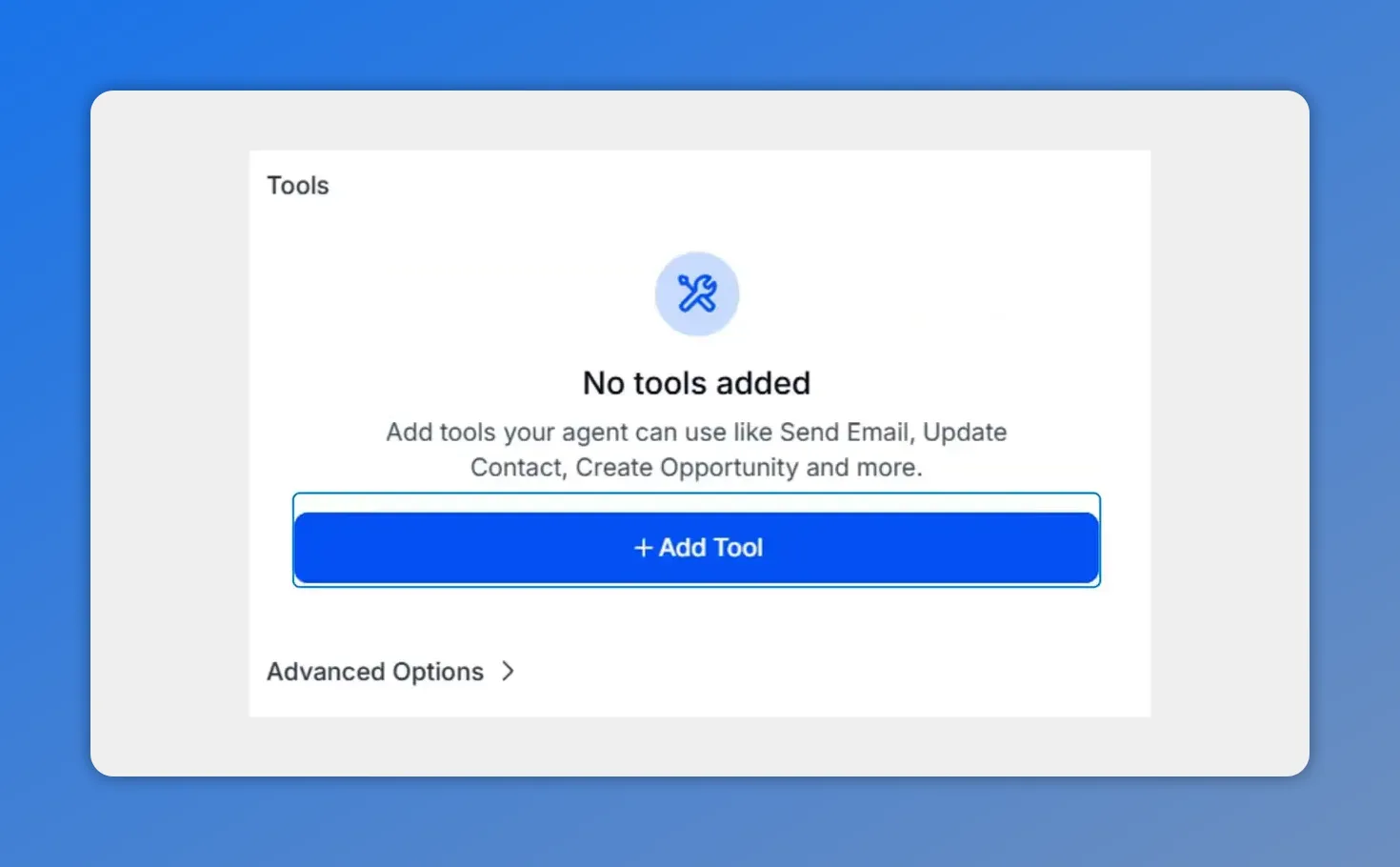
In the Tools section, you add the CRM actions the agent is allowed to perform—no tools means the agent can’t execute anything.
How the agent uses CRM context to make better decisions
One of the most useful parts of the AI Agent action is that it can search and pull information from across the CRM.
That gives the agent much broader awareness during execution. Rather than acting on a single trigger field alone, it can evaluate the larger contact record and related business context before deciding what to do.
This broader context can include things like:
Contact data
Pipeline stages
Calendar availability
Opportunity history
Custom fields
That is why the AI Agent can behave more like a self-regulating CRM assistant. It does not just follow a static route. It checks context, makes a judgment call, and then acts.
For automation teams, this is a major improvement over hardcoded branching. It means decisions can be made with more complete information and with less manual logic built around them.
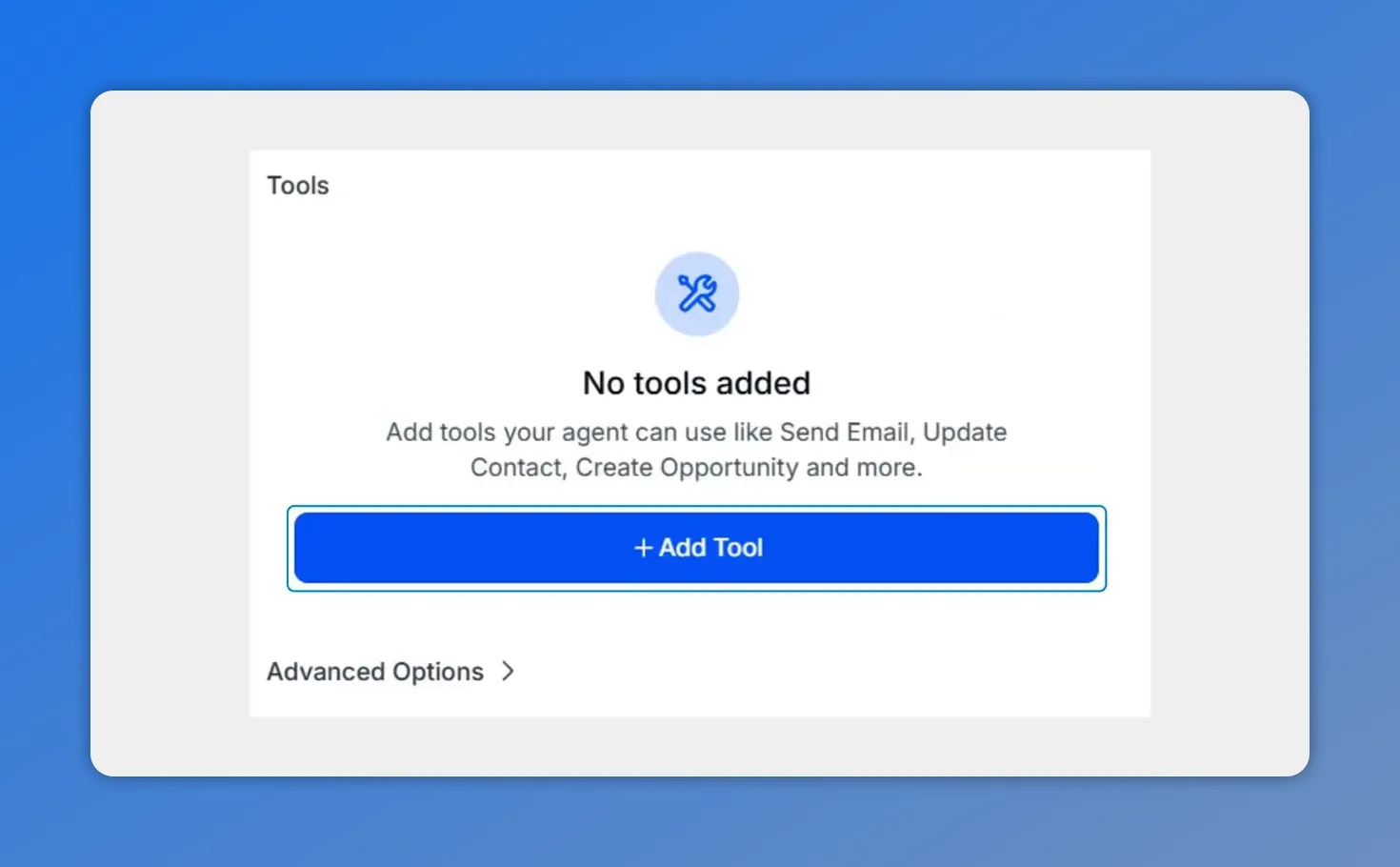
This is the Tools area of the AI Agent action—when no CRM actions are added, the agent has no way to execute work.
Use advanced options for memory, outputs, and model selection
The AI Agent action also includes advanced options that help improve reliability and make the output easier to use in downstream workflow steps.
Memory
Memory allows the agent to retain a rolling summary of past executions for the same contact. That helps it respond with continuity instead of treating every run as completely isolated.
For repeat interactions or multi-step CRM processes, that can make the agent’s behavior more consistent.
Structured outputs
Outputs can be configured as plain Text or as JSON with a user-defined schema.
This matters when the result of the AI Agent needs to feed other automation steps or external integrations. Text works well for general responses. JSON works better when we need clean, predictable structure.
Structured outputs are especially useful when downstream actions depend on specific fields or values.
Model selection
We can also choose the model the agent runs on. Available options include:
GPT-5.2
GPT-5.1
GPT-5 Nano
The recommended default for most use cases is GPT-5.2 Low thinking, which balances quality and speed.
This flexibility helps us match the model to the workflow. Some tasks need stronger reasoning. Others need faster execution. Having that control makes the AI Agent more practical across different CRM operations.
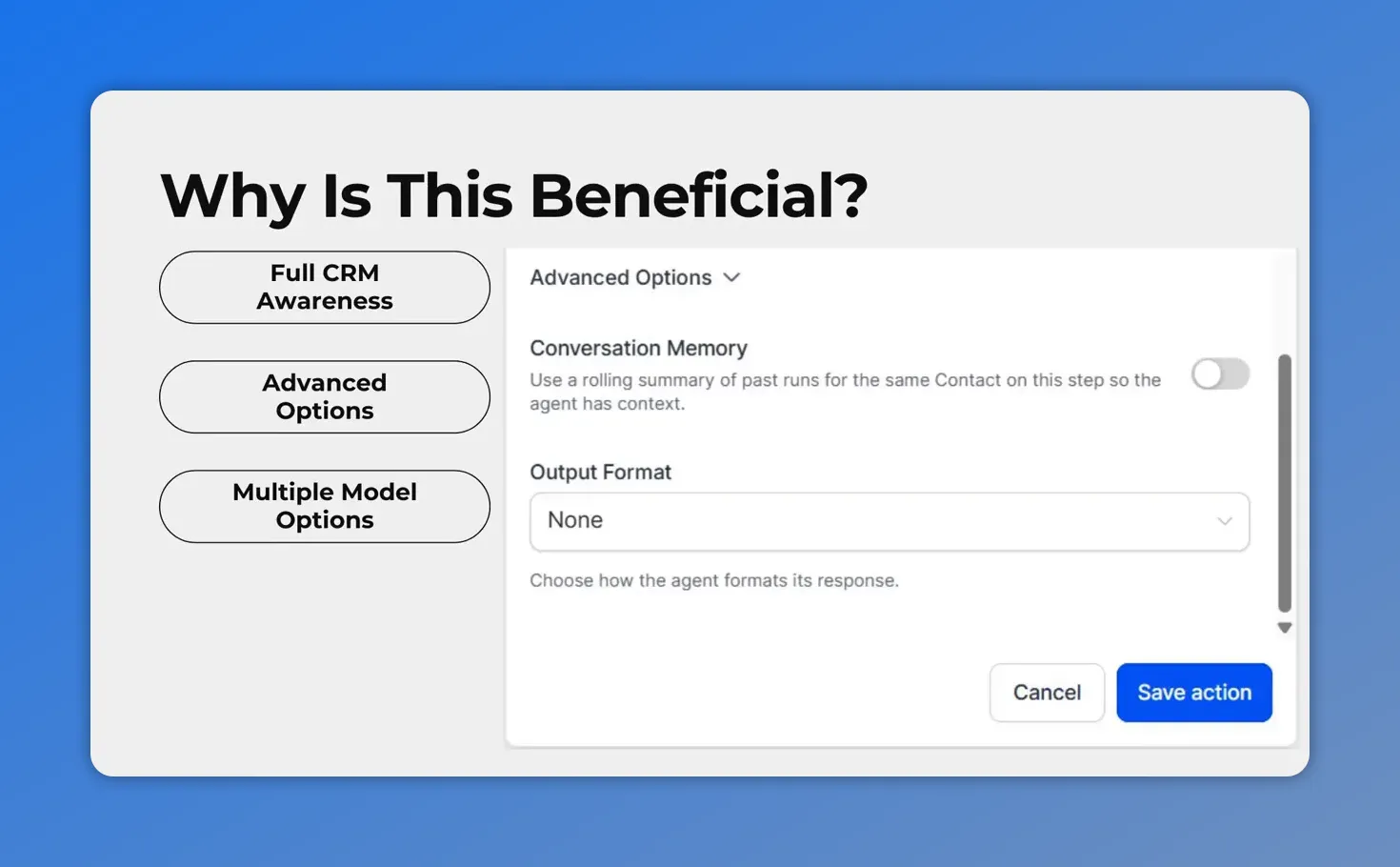
Advanced options let you control how the agent maintains CRM continuity—like using conversation memory and choosing an output format.
Why this approach is better than traditional workflow branching
The real value of AI Agent is not just that it uses AI. It is that it changes how automation is designed.
Instead of building long, fragile workflow trees, we can centralize planning, decisioning, and execution in one place.
That leads to a few clear benefits:
Less brittle automation: We are no longer forced to hardcode every branch ahead of time.
Faster iteration: It is easier to refine instructions than to rebuild large logic trees.
Lower manual overhead: Field mapping and exception handling become less of a bottleneck.
More consistent decisions: The agent can evaluate context and choose a path based on the information available at runtime.
That is what makes the AI Agent action feel less like another workflow step and more like a true CRM agent operating inside Pinnacle.
What a good setup looks like
A strong AI Agent setup is usually simple and focused.
We want:
A clear goal
The right tools
A model that fits the task
Output formatting that works with the rest of the workflow
Testing to confirm the results match expectations
And once the agent is configured, the next step is to run a test execution. That helps validate the output, confirm the logic is working, and refine the instructions if needed.
Small prompt adjustments can often improve the result quickly, especially when we sharpen the goal or clarify how edge cases should be handled.
Where AI Agent fits best in CRM operations
The AI Agent action is especially useful when a workflow needs judgment.
If a process is completely fixed and always follows the same path, standard automation may still be enough. But when the next action depends on context, history, availability, record data, or multiple business signals, AI Agent becomes much more useful.
That is where one-step decisioning has the biggest impact. We can replace multiple conditions and fallback branches with a single, smarter action that evaluates the record and chooses the right path during execution.
For teams working in workflow automation and CRM operations, that can simplify maintenance while improving how decisions are made.
FAQ
What is the AI Agent action in Pinnacle workflows?
The AI Agent action is a workflow step that lets us describe a goal, attach tools, and allow the agent to plan and execute the task inside a single step. It can evaluate CRM context, decide inputs, handle edge cases, and perform actions without needing every branch predefined.
How many tools can an AI Agent use?
Each AI Agent can use up to 10 tools.
Should we use a template or build the agent from scratch?
Use a template when we want a faster starting point. Use Build Your Own when the workflow is more specific and we want full control over the instructions and setup.
What kind of CRM data can the agent use?
The agent can search and pull context from across the CRM, including contacts, pipeline stages, calendar availability, opportunity history, and custom fields.
Can the AI Agent return structured data?
Yes. The output can be configured as text or as JSON with a user-defined schema, which is useful for downstream workflow steps and integrations.
Does the AI Agent support memory?
Yes. Advanced options allow the agent to retain a rolling summary of past executions for the same contact, which can improve continuity and consistency over time.
Which model should we choose?
Available options include GPT-5.2, GPT-5.1, and GPT-5 Nano. The recommended default for most use cases is GPT-5.2 Low thinking because it balances quality and speed.
What is the main benefit of using AI Agent instead of traditional branching?
The main benefit is flexibility. Instead of hardcoding every possible condition and path, we can give the agent a goal and the tools it needs, then let it reason through the best next action based on live CRM context.
Final takeaway
The AI Agent action makes workflow automation more practical for real CRM decisions.
We no longer have to predict every branch in advance. We can define the goal, assign the tools, choose the model, and let the agent handle planning and execution in one step.
That means fewer brittle workflows, less manual setup, and better decision-making inside Pinnacle.
If the goal is to automate complex CRM workflows with more context and less maintenance, this is the feature to start using.
This article was created from the video How to use AI Agent to automate CRM workflows in one step








