New Margin & Padding Control
Exciting news! Our CRM's latest update revolutionizes the Funnel Builder experience, introducing a more intuitive interface for precise control over margin and padding settings. Effortlessly enhance your design aesthetics with sliders, pre-canned options, and a streamlined UI, providing an elevated and efficient design process.
New Margin & Padding Control: Our CRM's latest update enhances the Funnel Builder, providing an improved interface for seamless control over margin and padding settings. Now, effortlessly customize your design with precision using sliders, pre-canned options, and an intuitive UI.
⭐️ Why Does It Matter To Your Business?
Enhanced Design Control: Enjoy a more refined and user-friendly interface to precisely adjust margin and padding settings for a polished and customized design.
Effortless Navigation: Easily switch between pre-canned options, units (pixels, percentages, em), and utilize sliders for quick adjustments, simplifying the design process.
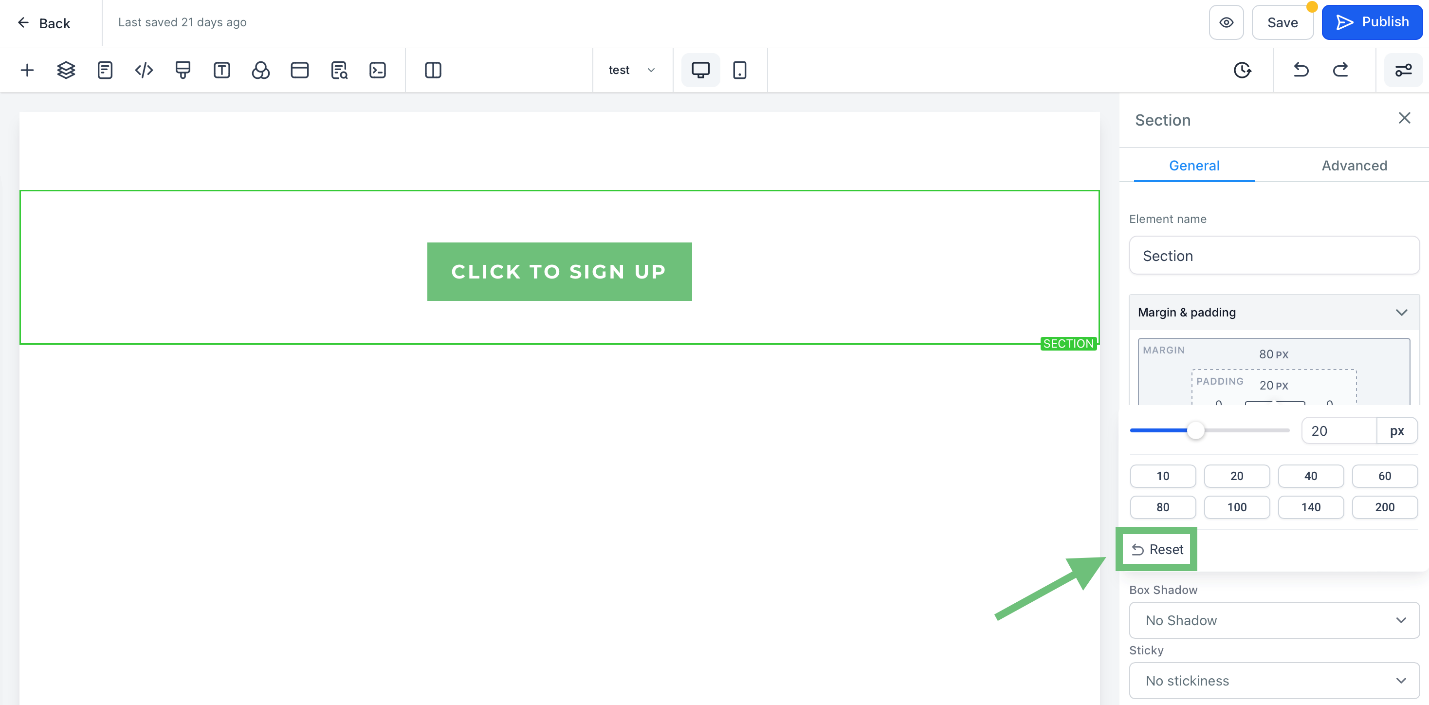
Intuitive Reset Functionality: With a simple click, reset your margin and padding settings to streamline the design workflow and ensure consistency.
⭐️ How To Use New Margin & Padding Control:
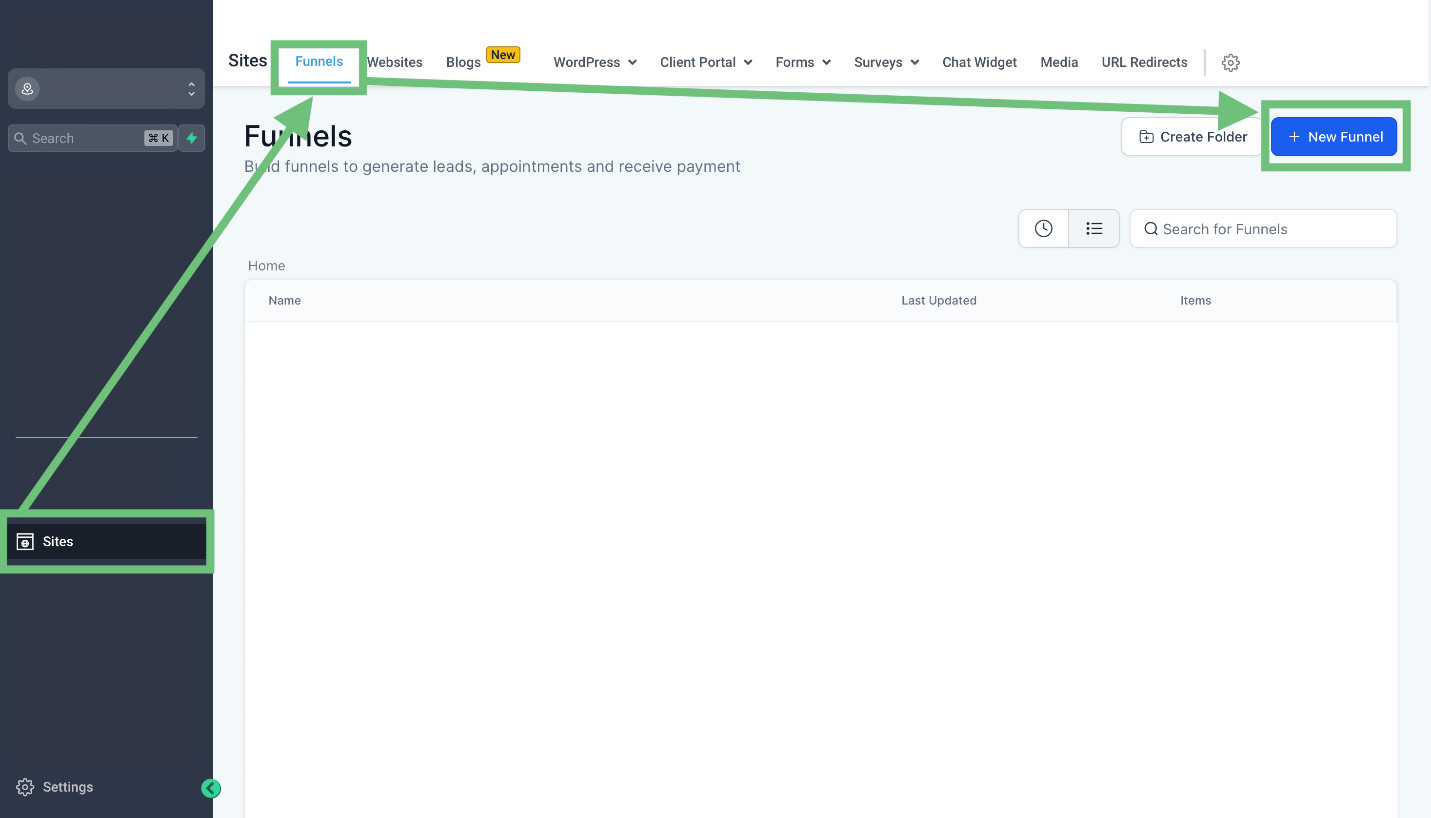
Access the sites tab from the left navigation menu and go to funnels > + New Funnel or Edit an existing one.
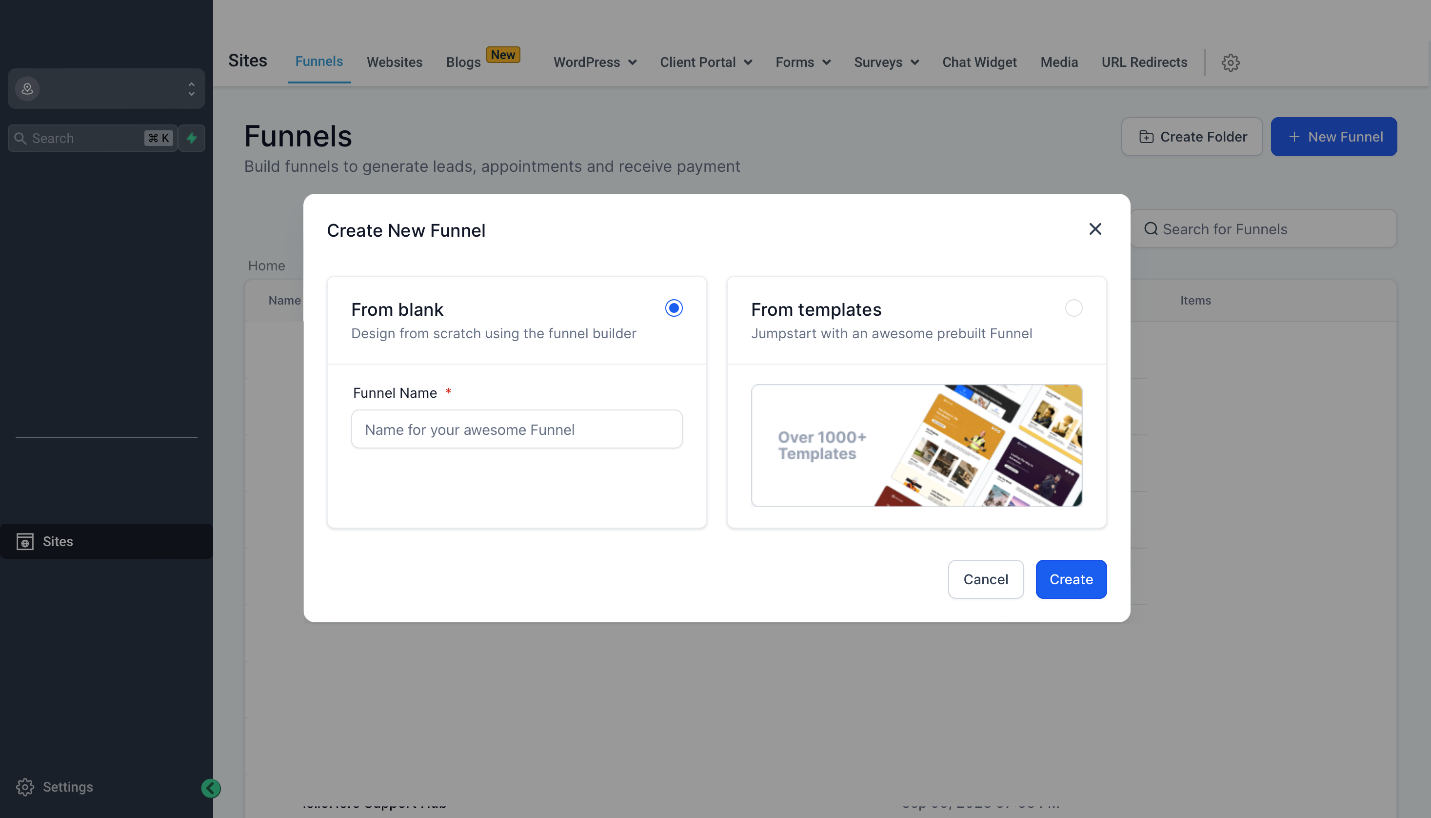
Now choose to create from blank or use a template.
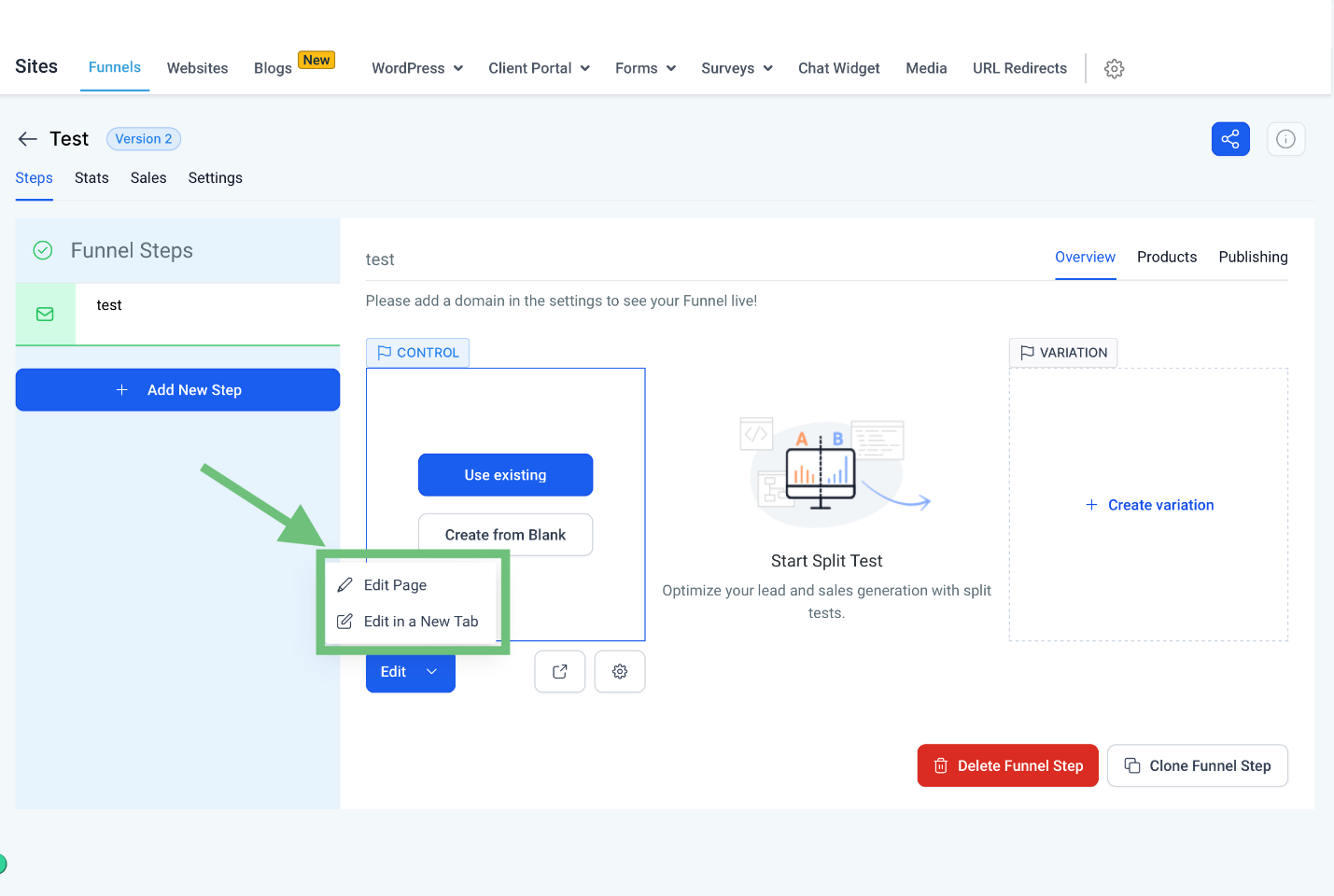
Now click on edit button to enter the funnel builder.
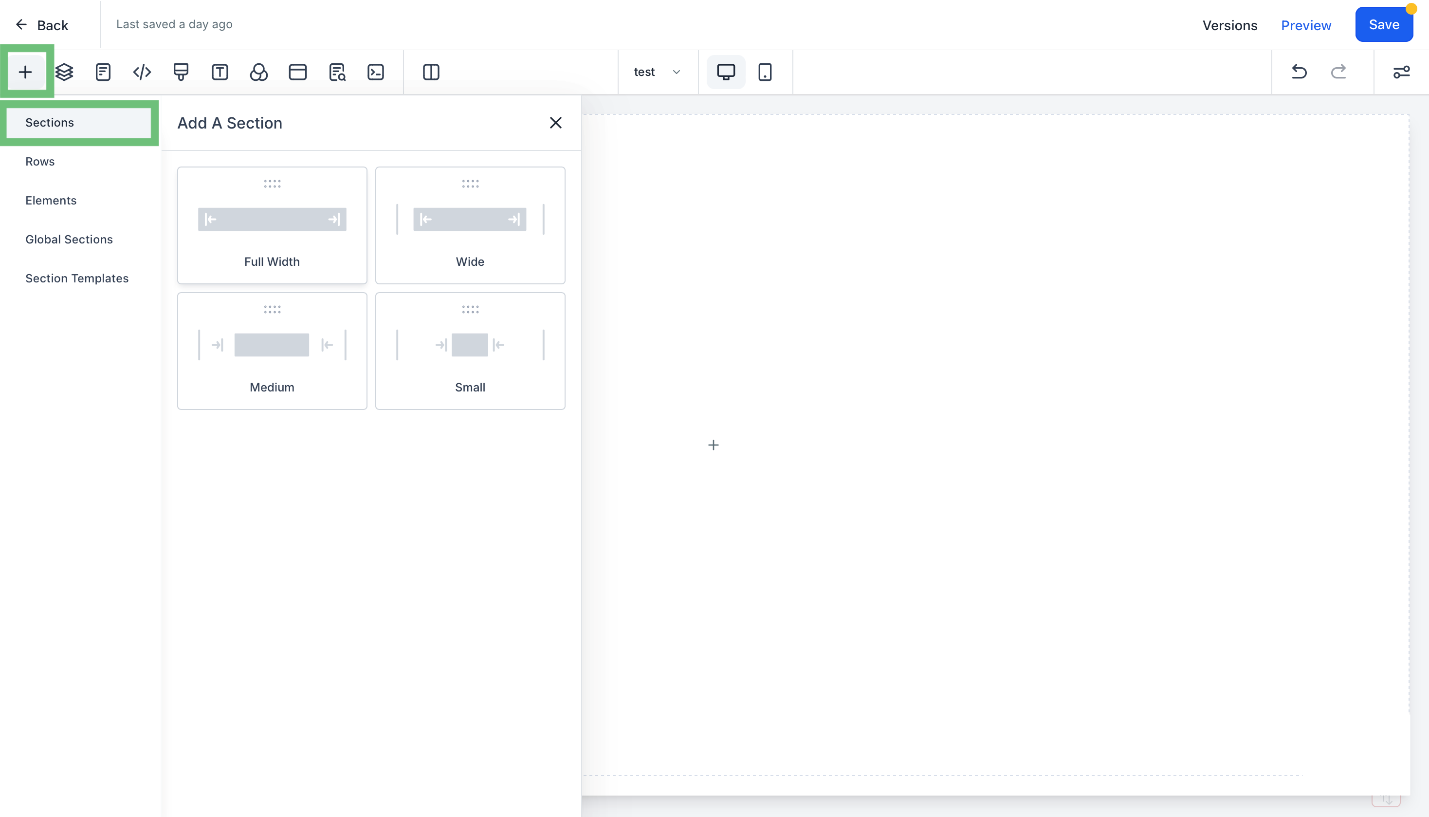
Click on the “+” button to add a section of required size.
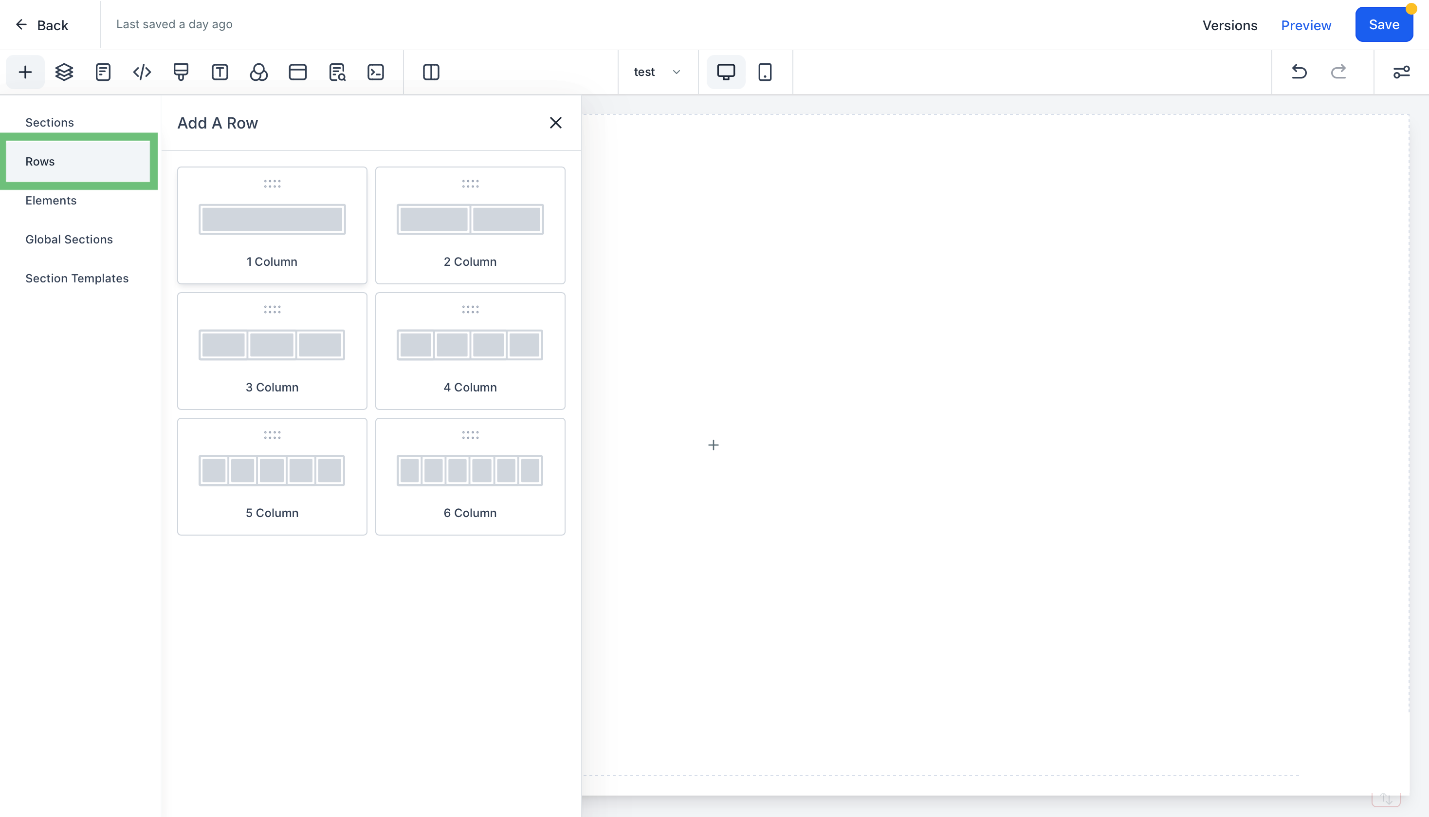
Add a row with the required number of columns.
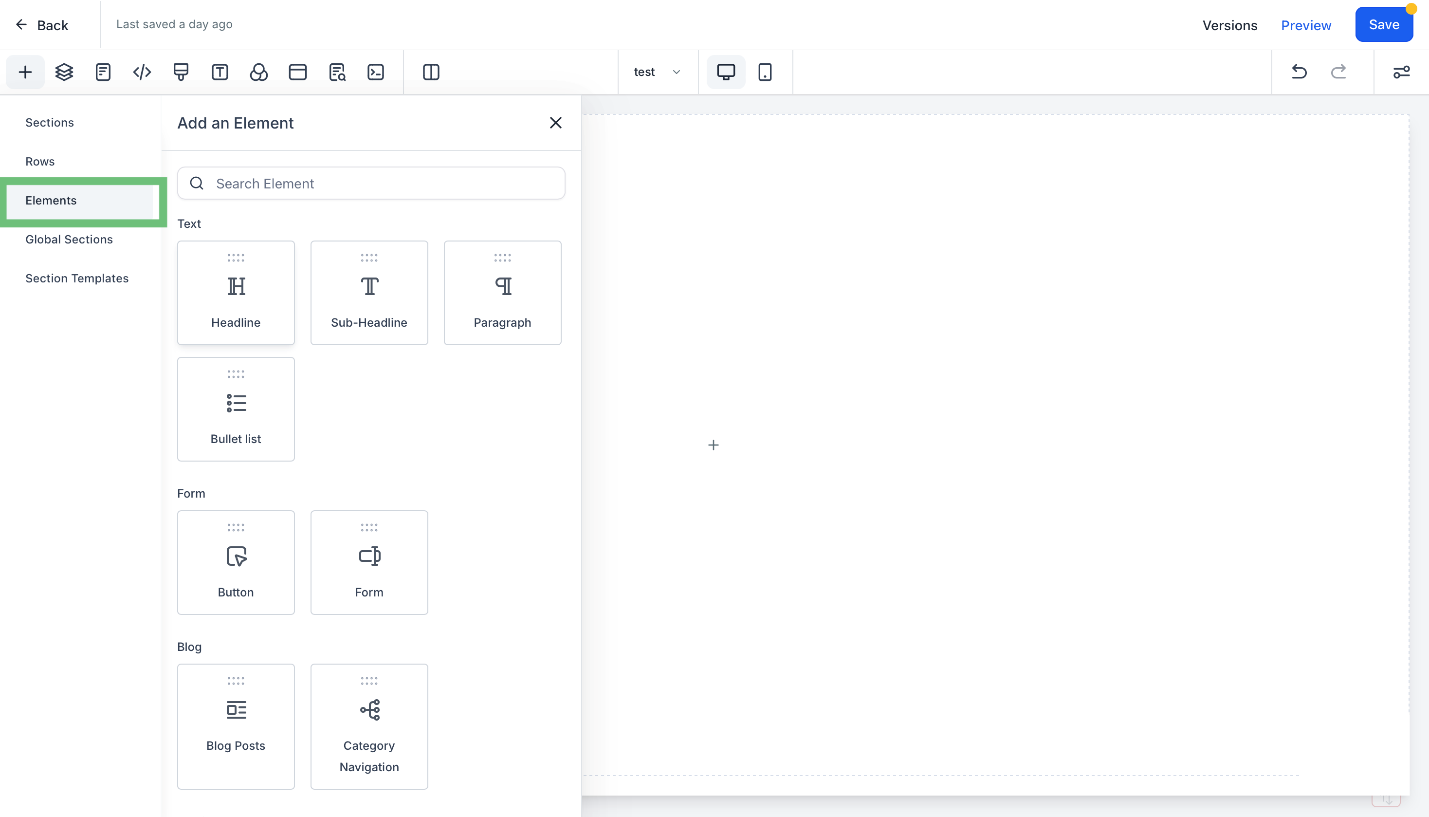
Now you can add the required element form the elements list.
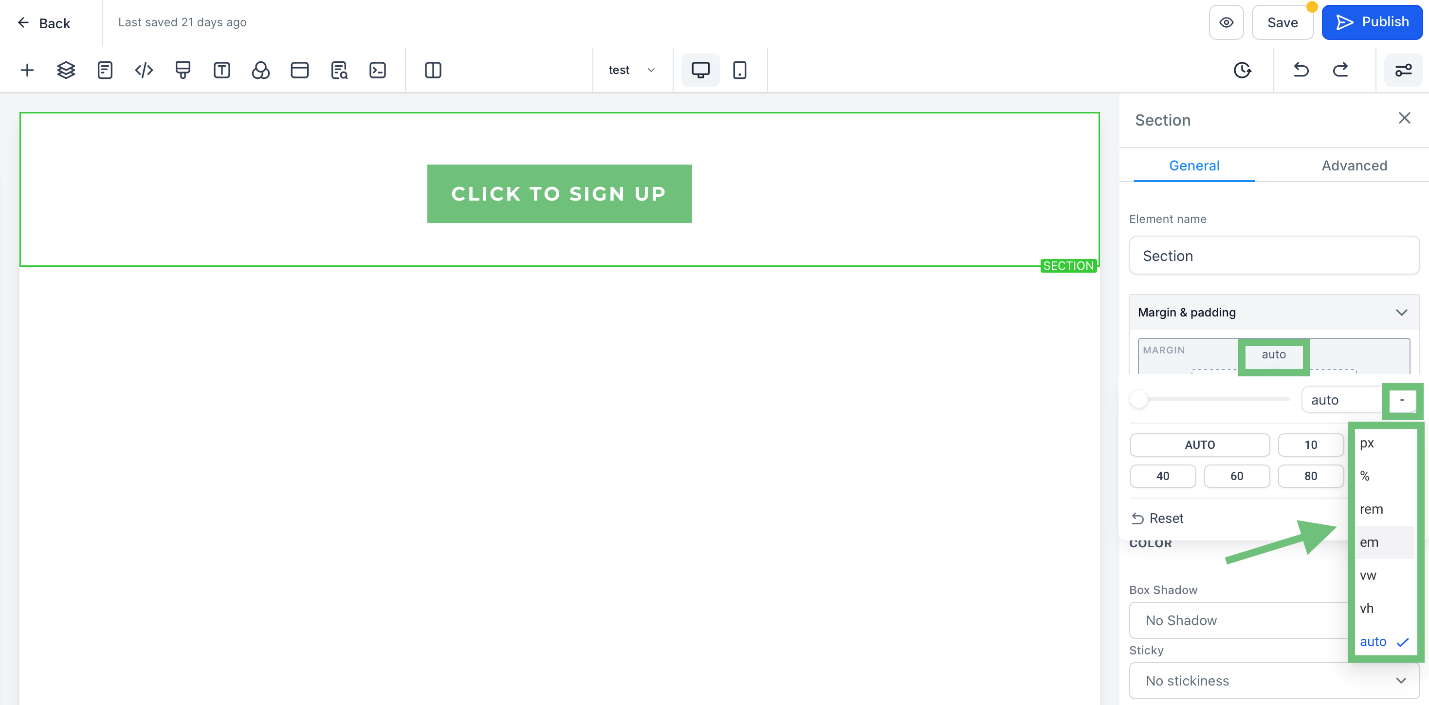
There are new features for the margin and padding like (px,%,rem etc).
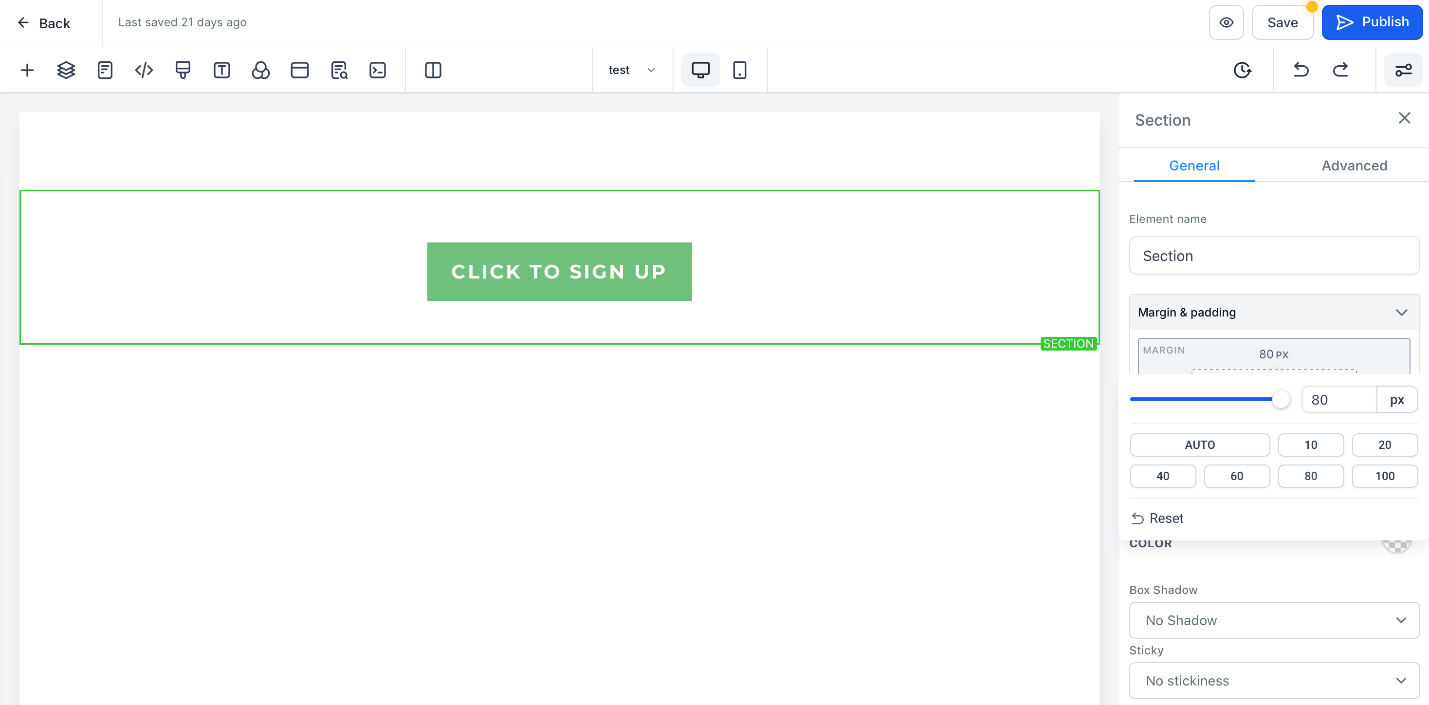
For example, we chose “Auto” and added the margin, and you can. See the margin effect in the sections.
You can reset the changes by clicking on the reset button in the settings.
Enhance your design experience with our CRM's improved Funnel Builder interface. Quickly and effortlessly tailor your margins and paddings for a more polished and professional look. Check it out now for an optimized design workflow.