Multi-File Upload Supported On Forms

February 22, 20241 min read

Introducing a groundbreaking enhancement to our CRM: the ability to enable multi-file upload on forms. Now, streamline your file management with the convenience of uploading and organizing multiple files effortlessly, ensuring a more efficient and controlled experience for your small business needs.

Multi-File Upload Supported On Forms: Enable multi-file upload on forms, allowing users to easily upload and manage multiple files on the CRM.👇🏻

⭐️ Why does it matter to your business?

  1. Efficient File Management: Easily drag and upload multiple files, streamlining the process.

  2. Enhanced Control: Delete incorrect files before finalizing the upload.

  3. Improved Accessibility: Upgraded handling of file uploads in CSV exports, email notifications, and autoresponders, providing links to individual files for better organization.

⭐️ How To Use Multi-File Upload Supported On Forms:

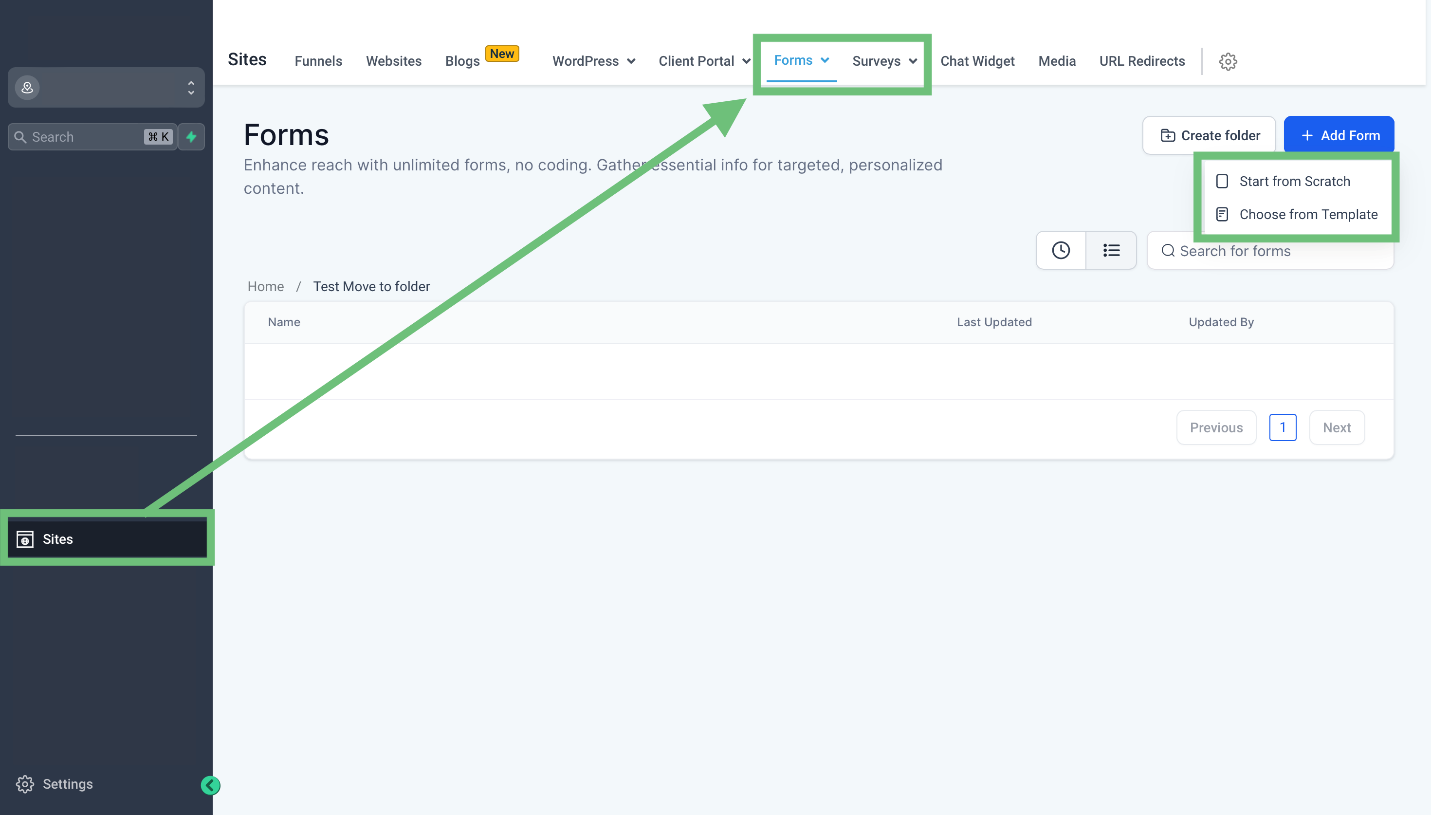
  1. Access the sites tab from the left navigation menu and select Forms/Surveys and choose to start from scratch or use a template.

    A green arrow pointing to a white boxDescription automatically generated
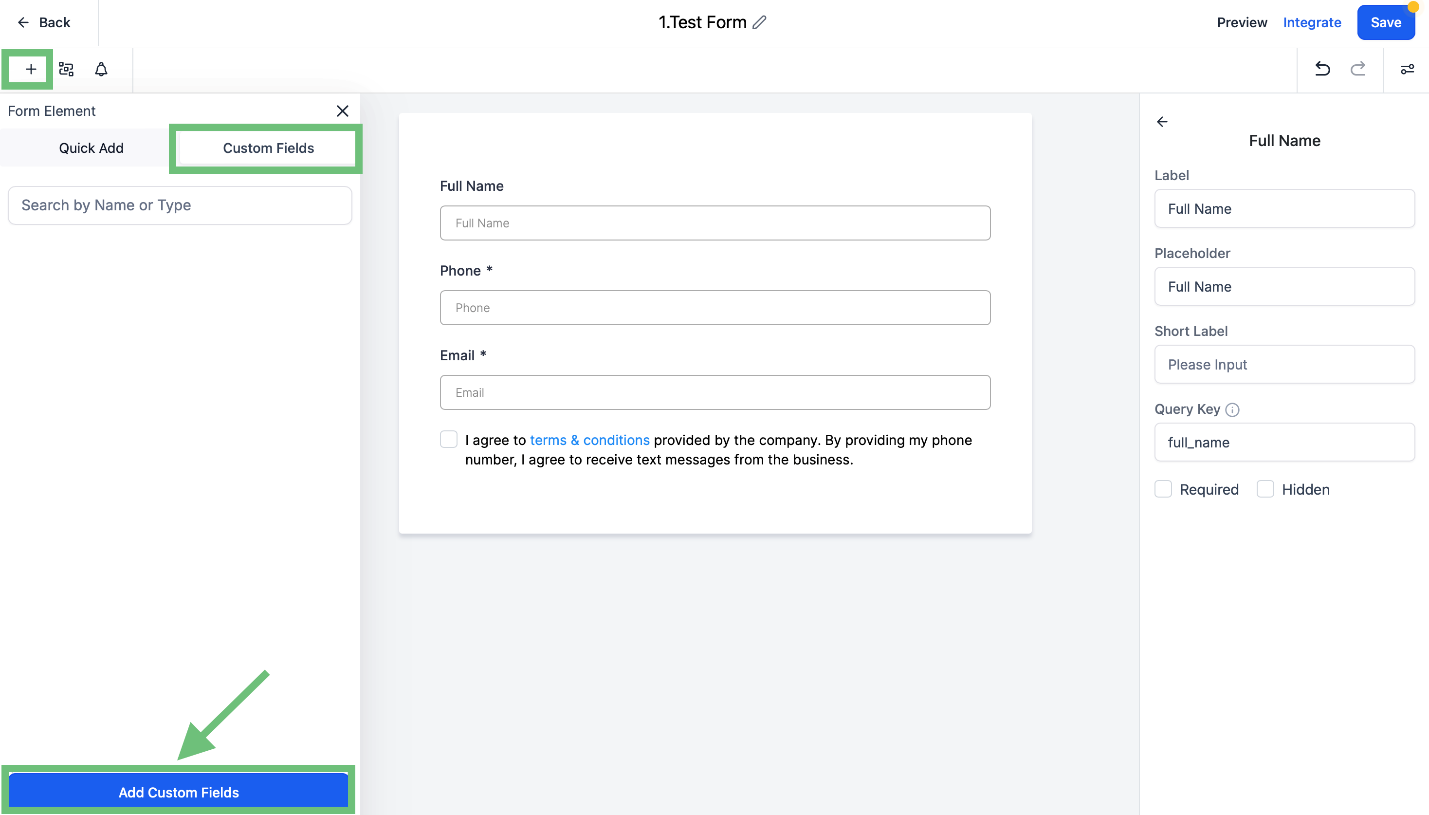
  2. In the Builder click on the “+” button and select the custom field and click on the “Add Custom Fields” button.

    A screenshot of a computerDescription automatically generated
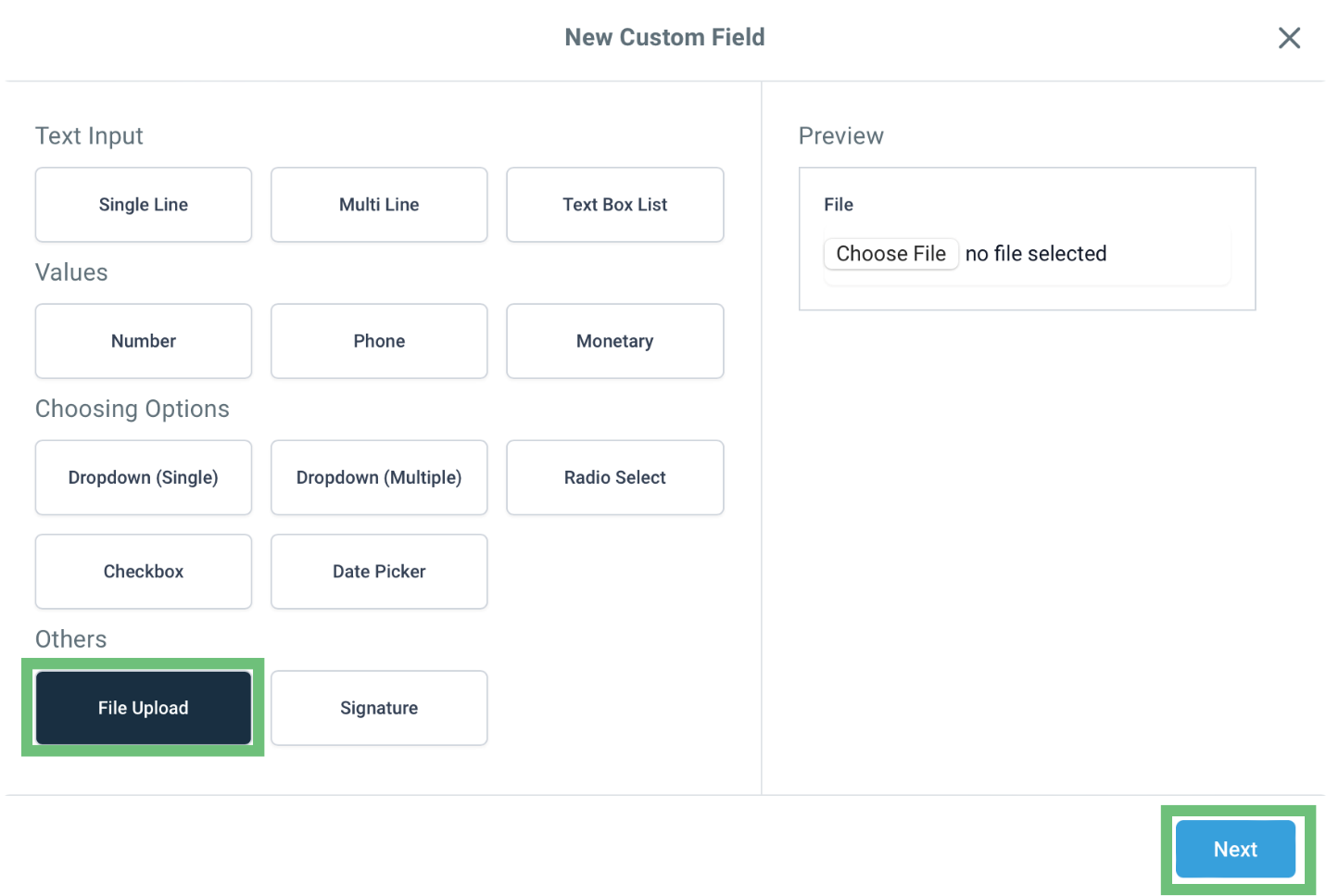
  3. And select “File Upload” and click Next.

    A screenshot of a computerDescription automatically generated
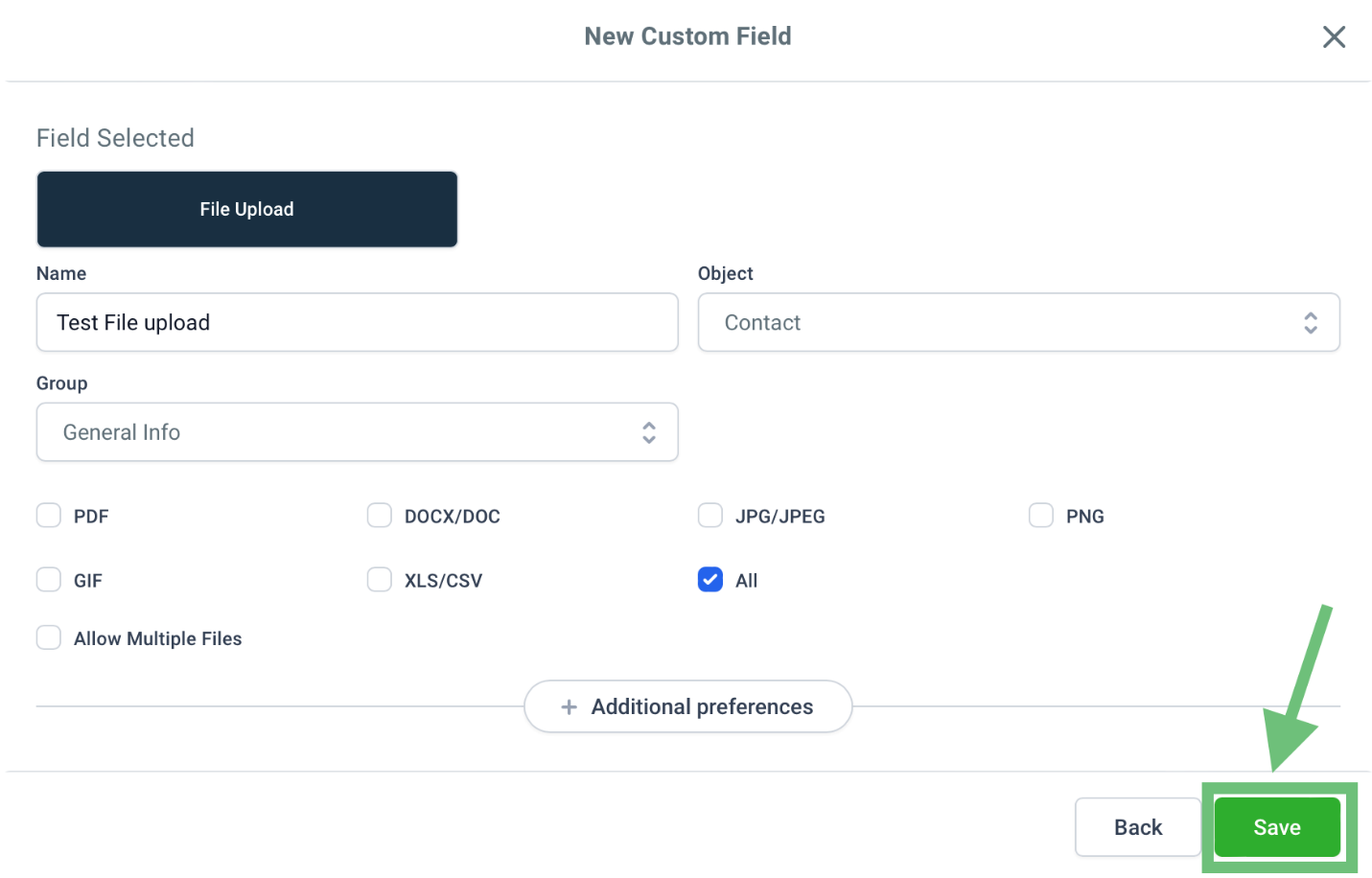
  4. Name the custom field & check the box for all file types and hit the save button.

    A screenshot of a computerDescription automatically generated
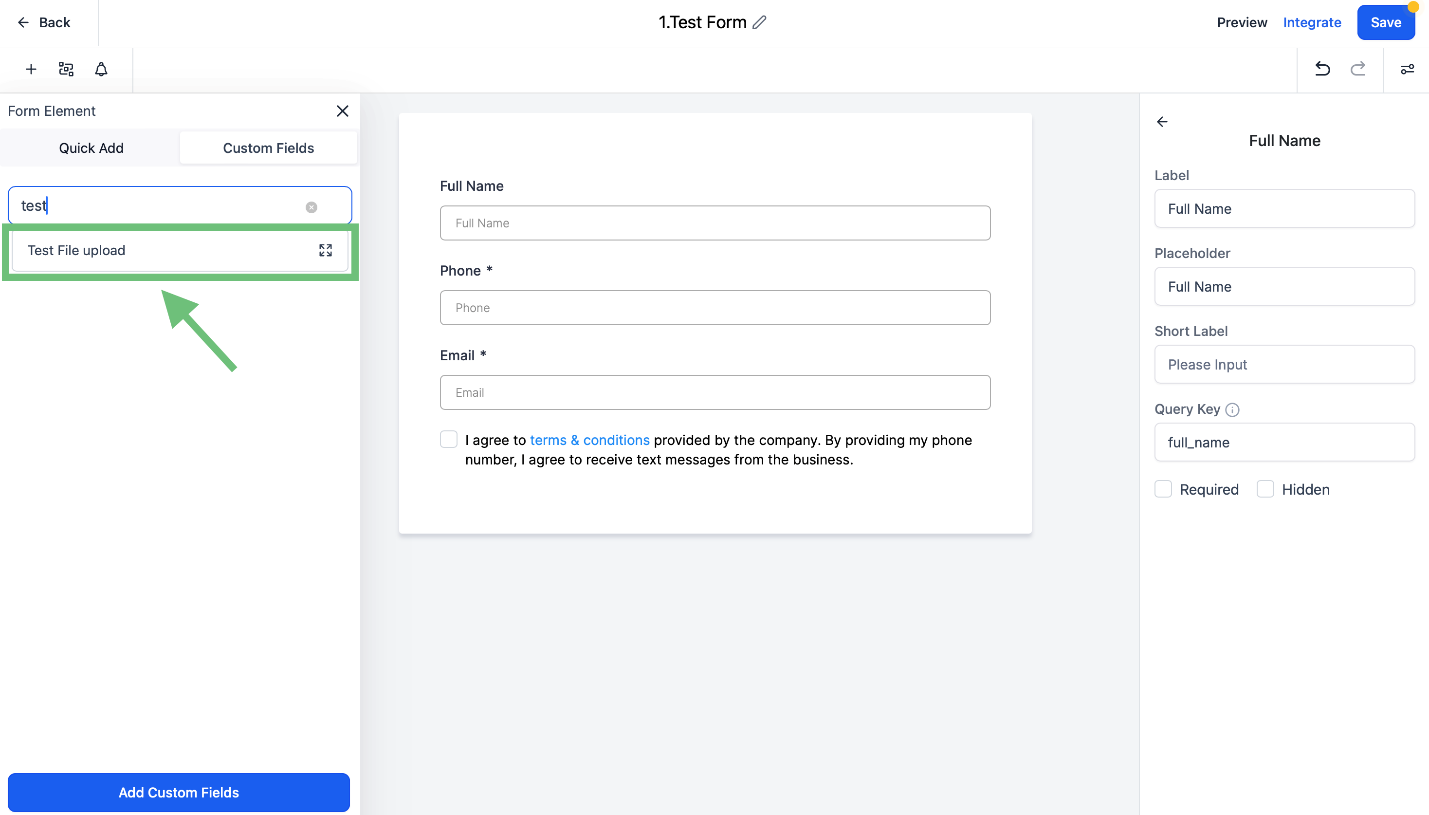
  5. Now Add the custom field you created in the Form/Survey.

    A screenshot of a computerDescription automatically generated
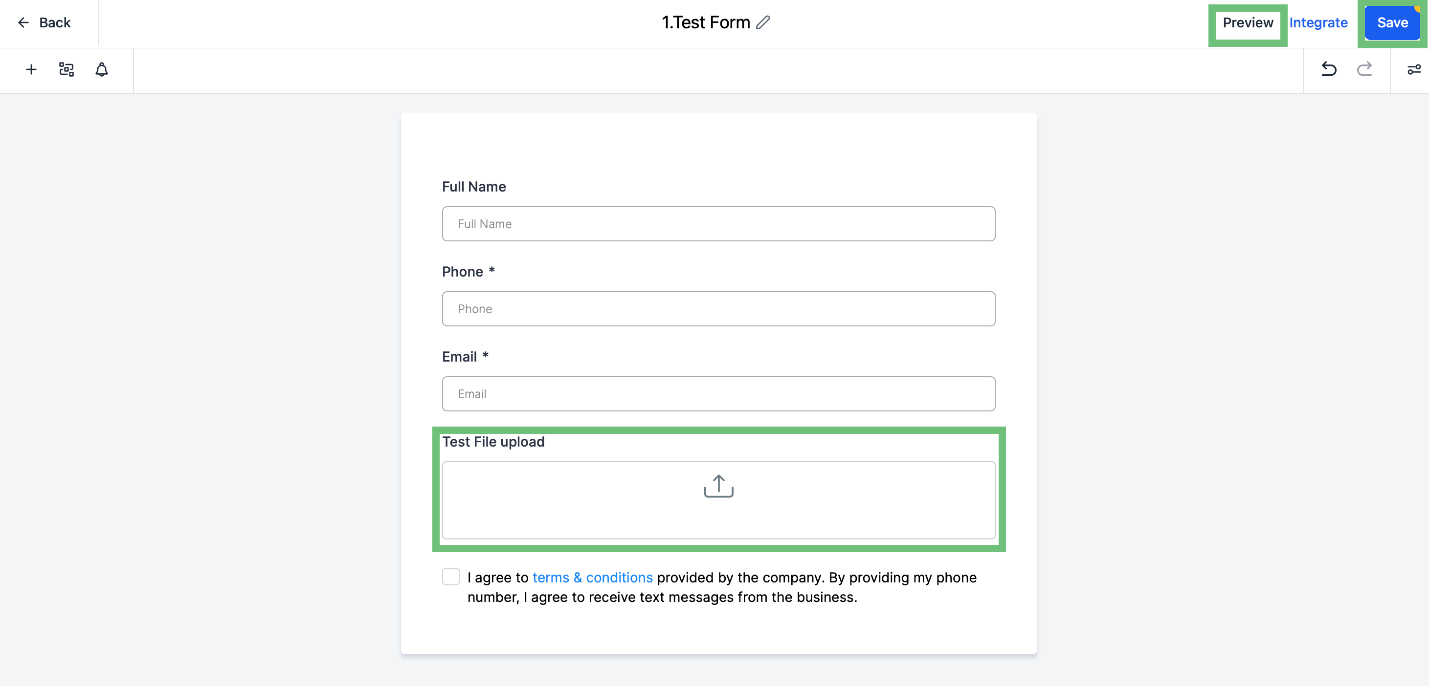
  6. You can see the newly added custom field in the builder. Click the save button and click on preview.

    A screenshot of a computerDescription automatically generated
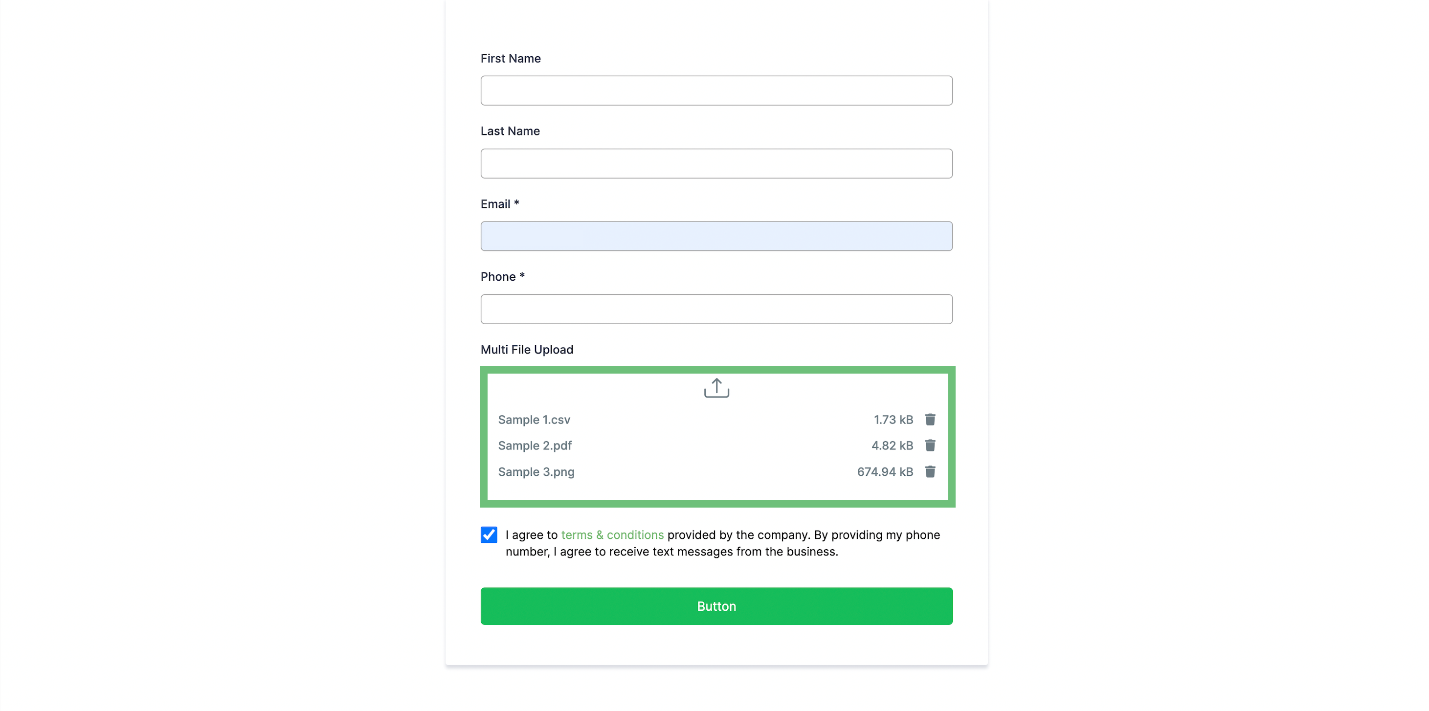
  7. While filling in the form now you can add multiple files.

    A screenshot of a login formDescription automatically generated
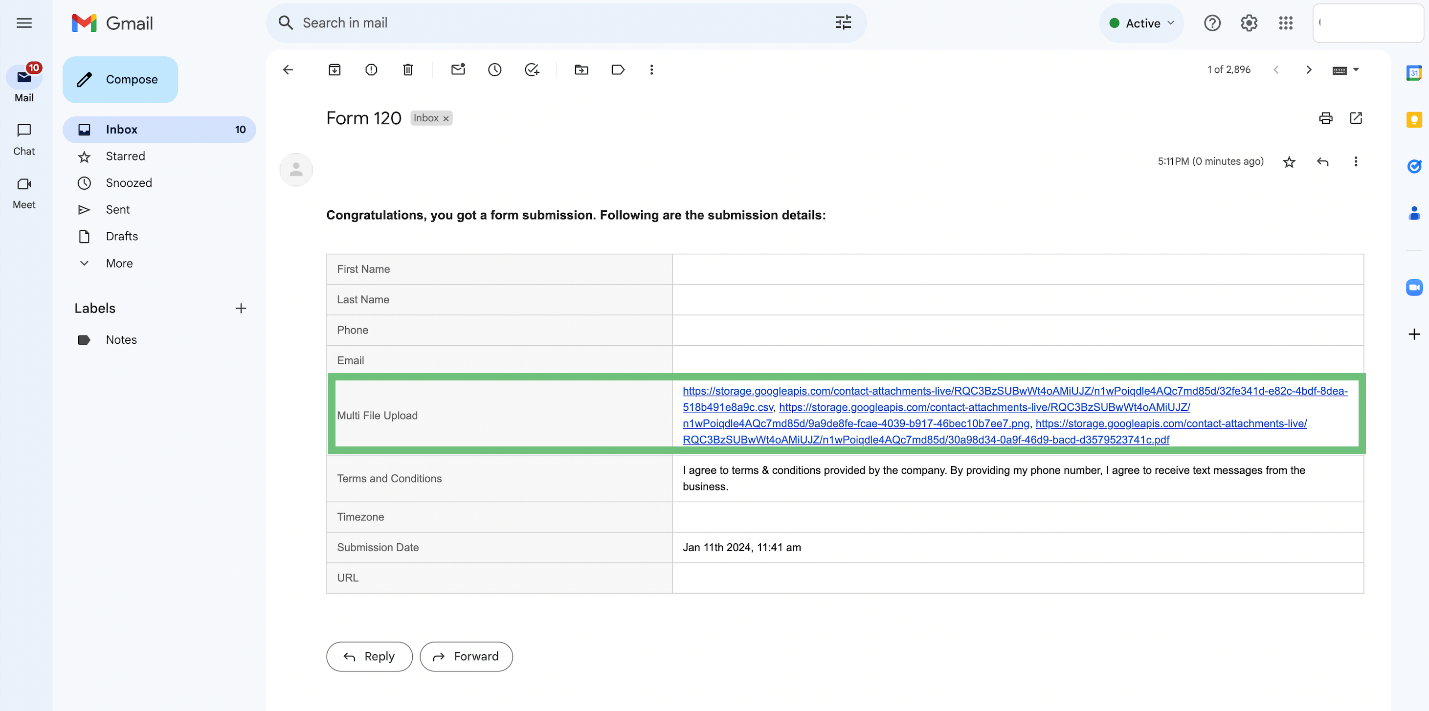
  8. In the Confirmation email you can see the multiple files field.
    A screenshot of a computerDescription automatically generated

Implementing these steps enhances your overall CRM experience, providing a more efficient and organized approach to file management.

Pinnacle AI, founded by Charles Higgins, specializes in customer relationship management (CRM) solutions. It aims to provide intuitive and powerful CRM software for businesses of all sizes, focusing on simplification and efficiency. Leveraging AI and machine learning, Pinnacle AI's platform offers automation, data analytics, and customer insights to enhance business-customer relationships. The company's core values include honesty, integrity, teamwork, and personal growth, fostering a culture of collaboration and ethical practices. Pinnacle AI stands out for its user-friendly approach and commitment to innovation in the CRM sector.

Pinnacle Ai

Pinnacle AI, founded by Charles Higgins, specializes in customer relationship management (CRM) solutions. It aims to provide intuitive and powerful CRM software for businesses of all sizes, focusing on simplification and efficiency. Leveraging AI and machine learning, Pinnacle AI's platform offers automation, data analytics, and customer insights to enhance business-customer relationships. The company's core values include honesty, integrity, teamwork, and personal growth, fostering a culture of collaboration and ethical practices. Pinnacle AI stands out for its user-friendly approach and commitment to innovation in the CRM sector.

LinkedIn logo icon
Instagram logo icon
Youtube logo icon
Back to Blog
Image

Innovation

Fresh, creative solutions.

Image

Integrity

Honesty and transparency.

Excellence

Excellence

Top-notch services.

FOLLOW US

Copyright 2025. Pinnacle Ai. All Rights Reserved.