





Map Quiz Results to Custom Fields for Real-Time Updates and Automation
Photo by Luke Chesser on Unsplash
Quizzes are a simple way to assess customers and learn how well they match your services. Mapping quiz results directly into custom fields keeps data tidy and powers better automation. We built a straight‑forward setup that saves time and removes manual tagging or external tools from the process.
Why map quiz results to custom fields?
- Centralized data — Quiz answers live in contact fields instead of scattered tags.
- Real-time updates — Fields update when a contact resubmits the same quiz, so records stay current.
- Simpler automation — Use field values in workflows, filters, and personalized messages without extra steps.
- Cleaner segmentation — Segment contacts by quiz score, interest, or readiness level using structured fields.
How to set it up
-
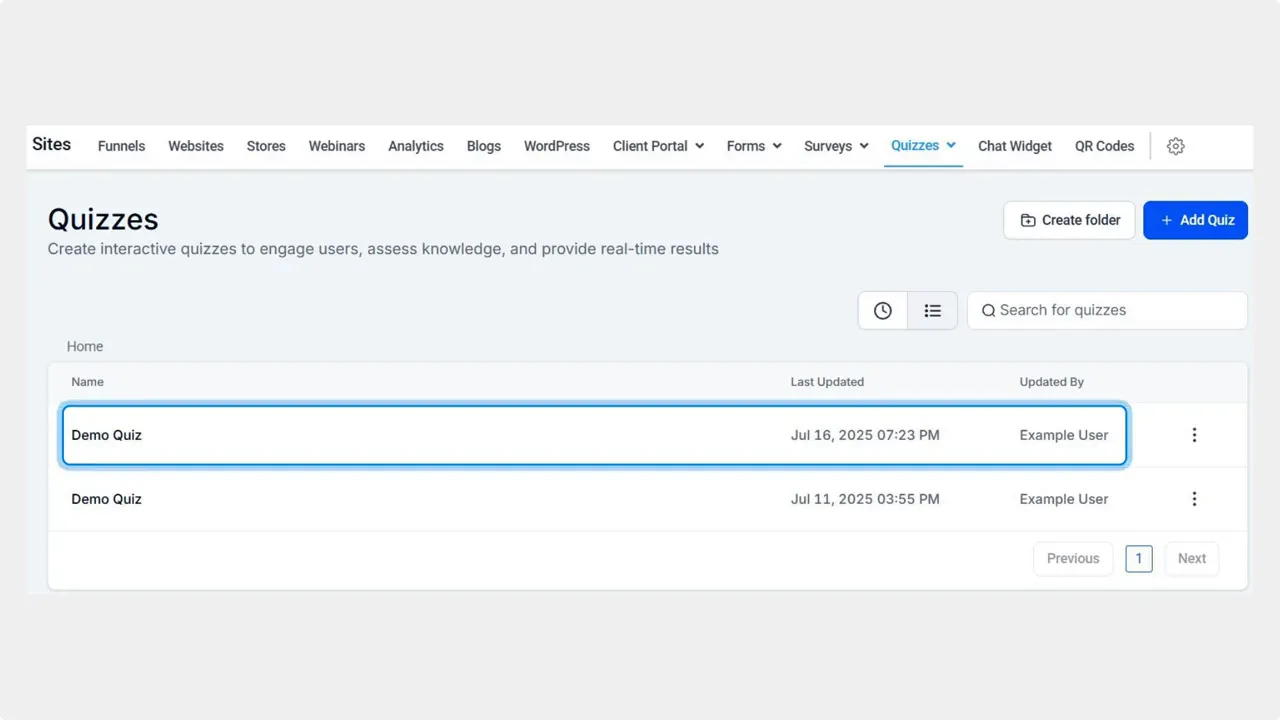
Open the Sites section and go to the Quizzes tab. Edit the quiz build where you want to collect results.
-
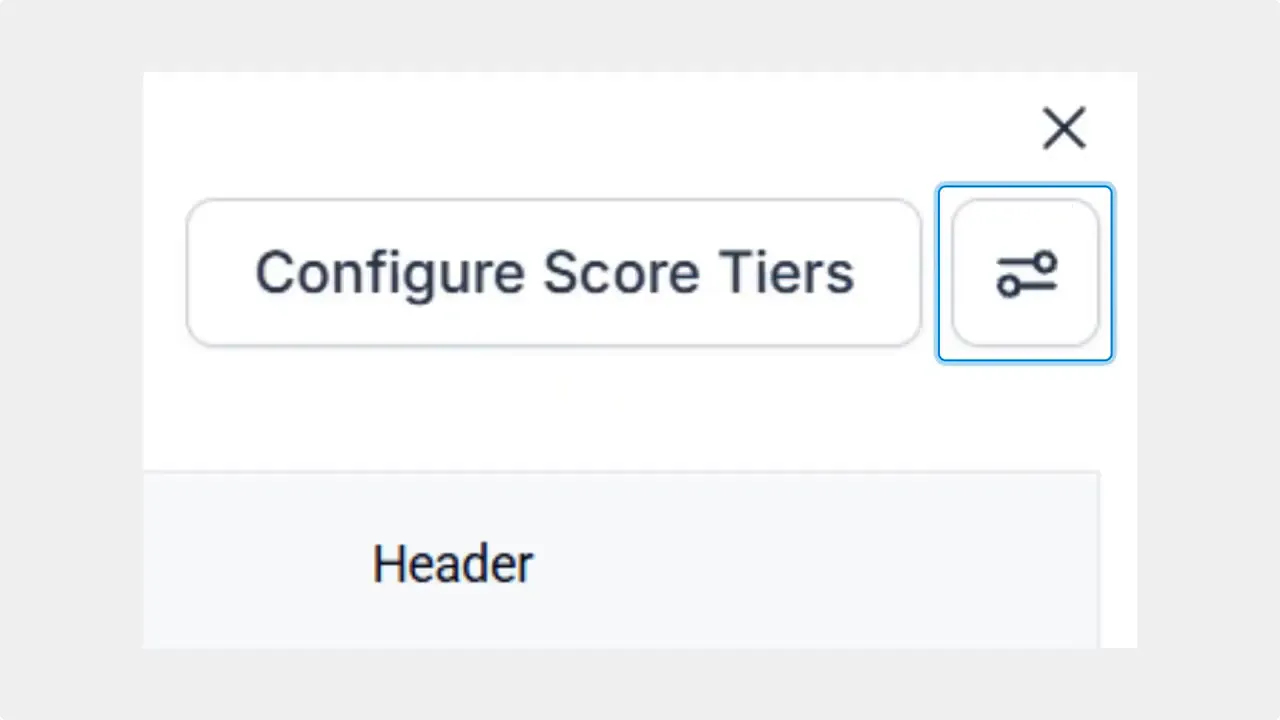
Scroll to the bottom of the builder and click Edit Template. This is where the quiz output is configured.

-
Click the dial icon in the top right corner to open the quiz settings.
-
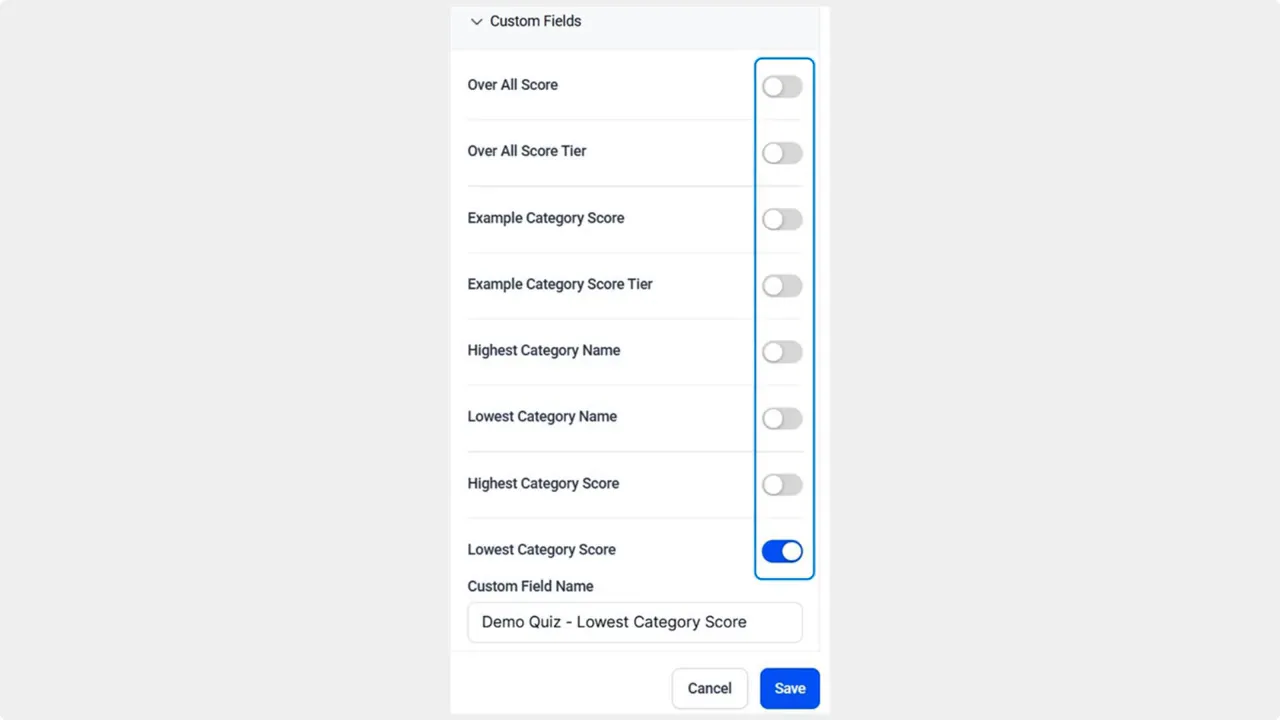
Toggle the button beside each value you want to convert into a custom contact field. Turn on only the values you need to keep things organized.

-
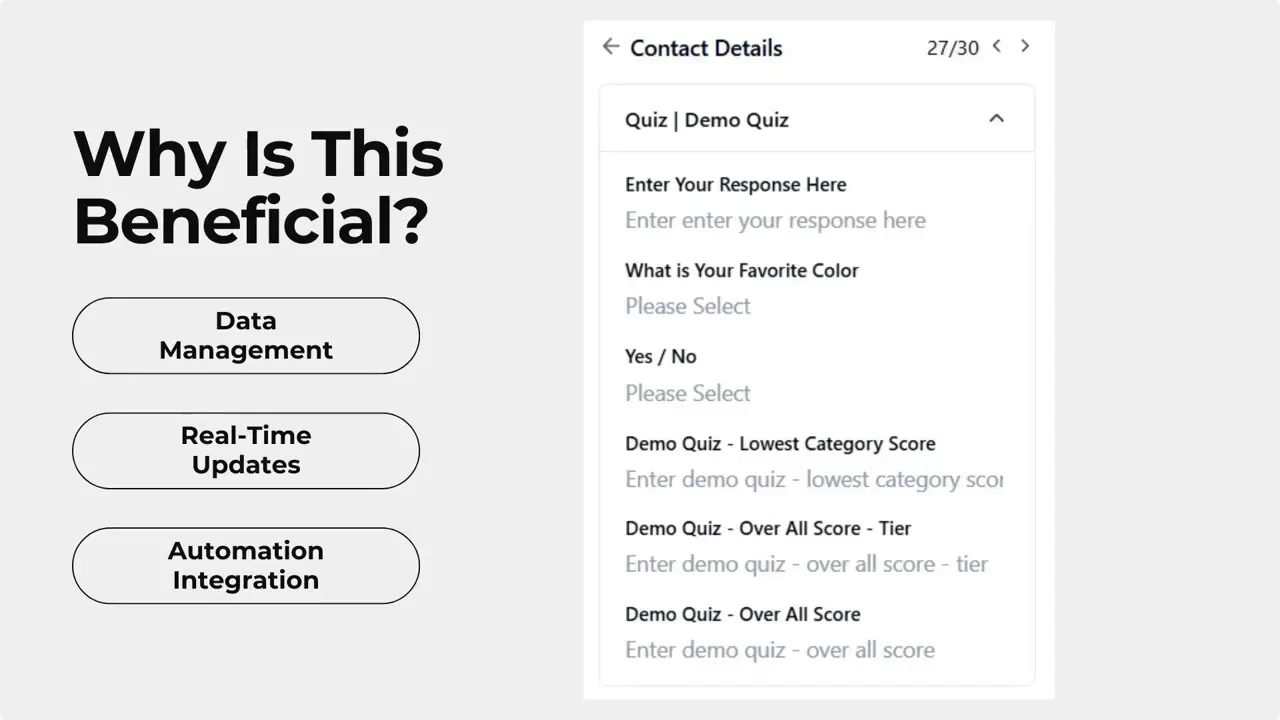
Click Save to apply the changes. From now on, selected quiz values will populate contact fields automatically.
What this changes for your workflows
This feature replaces manual tagging and external syncing. When a contact completes or resubmits a quiz, the mapped fields update automatically. That means automations can use these fields to:
- Trigger follow-up messages based on quiz readiness or score.
- Send tailored onboarding sequences according to skill level or interest.
- Filter and segment contacts for targeted campaigns.
- Keep historical consistency without relying on tag logic.
Practical examples
- Qualification flow — Map a compatibility score to a field and auto-route high-score leads to sales and low-score leads to nurturing.
- Educational drip — Store knowledge level in a field and send different lesson plans to beginners, intermediates, and advanced contacts.
- Personalized offers — Use quiz responses to show product recommendations or special discounts based on stated preferences.
Best practices and tips
- Name fields clearly so they are easy to find in automations and filters.
- Map only the values you plan to use. Too many fields create clutter.
- Decide how resubmissions should behave. Default behavior updates fields, which works well for changing preferences.
- Combine mapped fields with existing contact data to create richer personalization.
- Test the end-to-end flow: submit a quiz, confirm fields populate, and verify automations trigger as expected.
This feature helps you keep track of your quiz results without needing to use manual tagging or external tools.
Frequently asked questions
Will mapped fields overwrite previous quiz values when a contact resubmits?
Yes. Fields are kept up to date each time a contact resubmits the same quiz. This ensures the record reflects the latest responses.
Do we still need tags or external tools to use quiz data in automations?
No. Mapping quiz values to custom fields removes the need for manual tagging and external syncing. Automations can use these fields directly.
Can we map any quiz value to a custom field?
Generally yes. Toggle the values you want to capture in the quiz settings. Keep only the values you will use to avoid clutter.
Where do we find the setting to enable custom fields for quiz values?
Open the quiz builder, click Edit Template at the bottom, then open Settings using the dial icon in the top right. Toggle the values you want and save.
How does this improve segmentation and follow-ups?
Structured fields make it easy to filter contacts by score, interest, or readiness. Use those filters to send personalized messages or move contacts into specific workflows.
Mapping quiz results to custom fields is a straightforward change that streamlines data flow and makes automation more reliable. When quiz answers live in contact fields, personalization, segmentation, and follow-ups become faster and cleaner.
This article was created from the video Map Quiz Results to Custom Fields for Real-Time Updates and Automation








