





Multilingual Marketing Audit Reports: Share in 13 Languages

Prospect report sharing helps capture, engage, and convert clients by positioning us as an expert. Expanding that connection across languages increases trust and improves comprehension. With the latest update, marketing audit reports can be sent or exported in 13 different languages.
What this feature does
This update lets us choose a language when we share a report via a web URL or export it as a PDF. Prospects can also switch languages themselves while viewing the report. The process is the same as before, with a new language option added to the sharing and export steps.
How to share or export a report
Use this simple workflow to send a localized report and start more informed conversations.
Open the Marketing section and go to Prospecting, then select one of your reports.
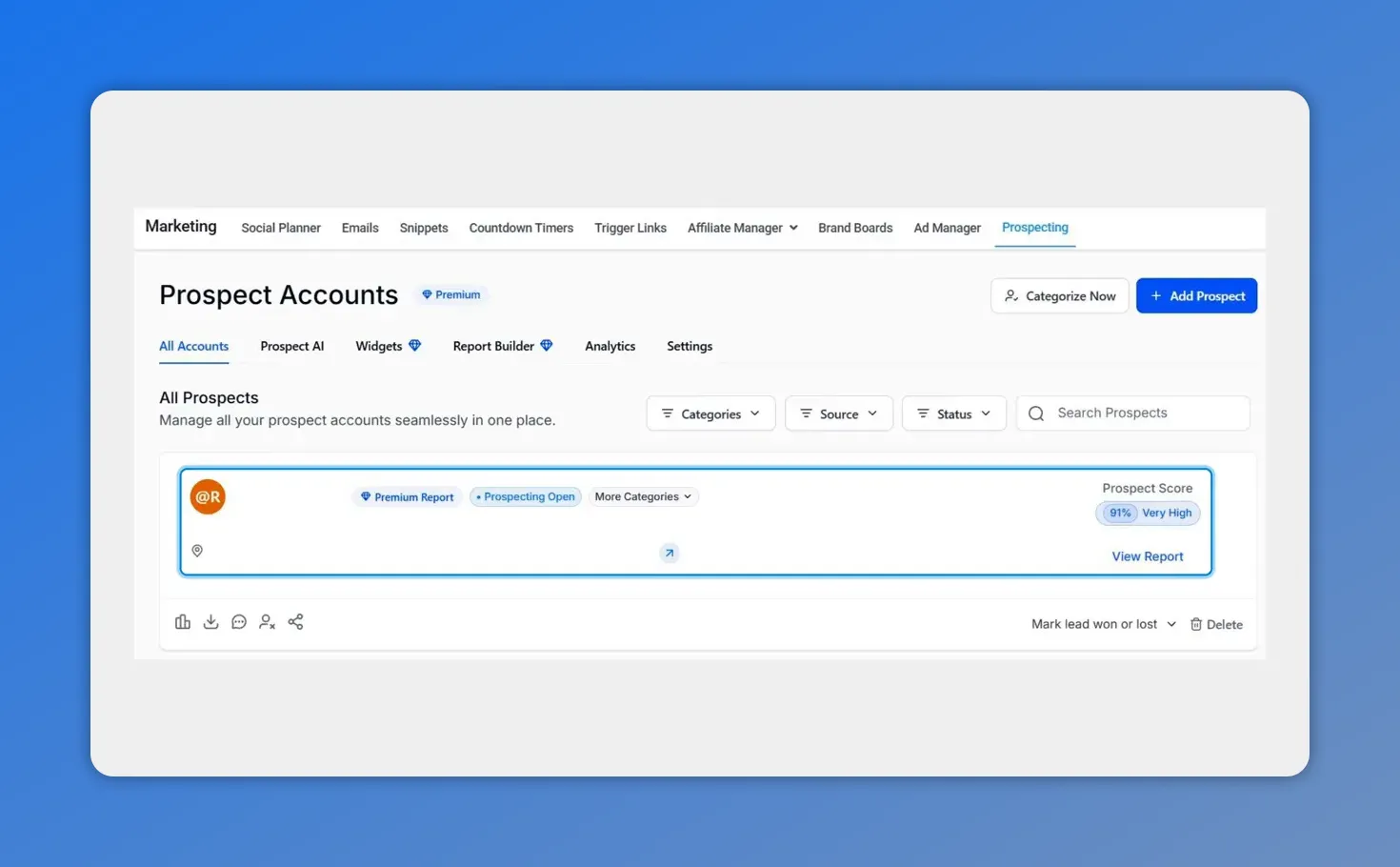
Prospect Accounts list with a selected prospect — the starting point for sharing.
Click Show Report in the top right to open the report view.
Choose Export PDF to download a copy or Share Report to send it directly.
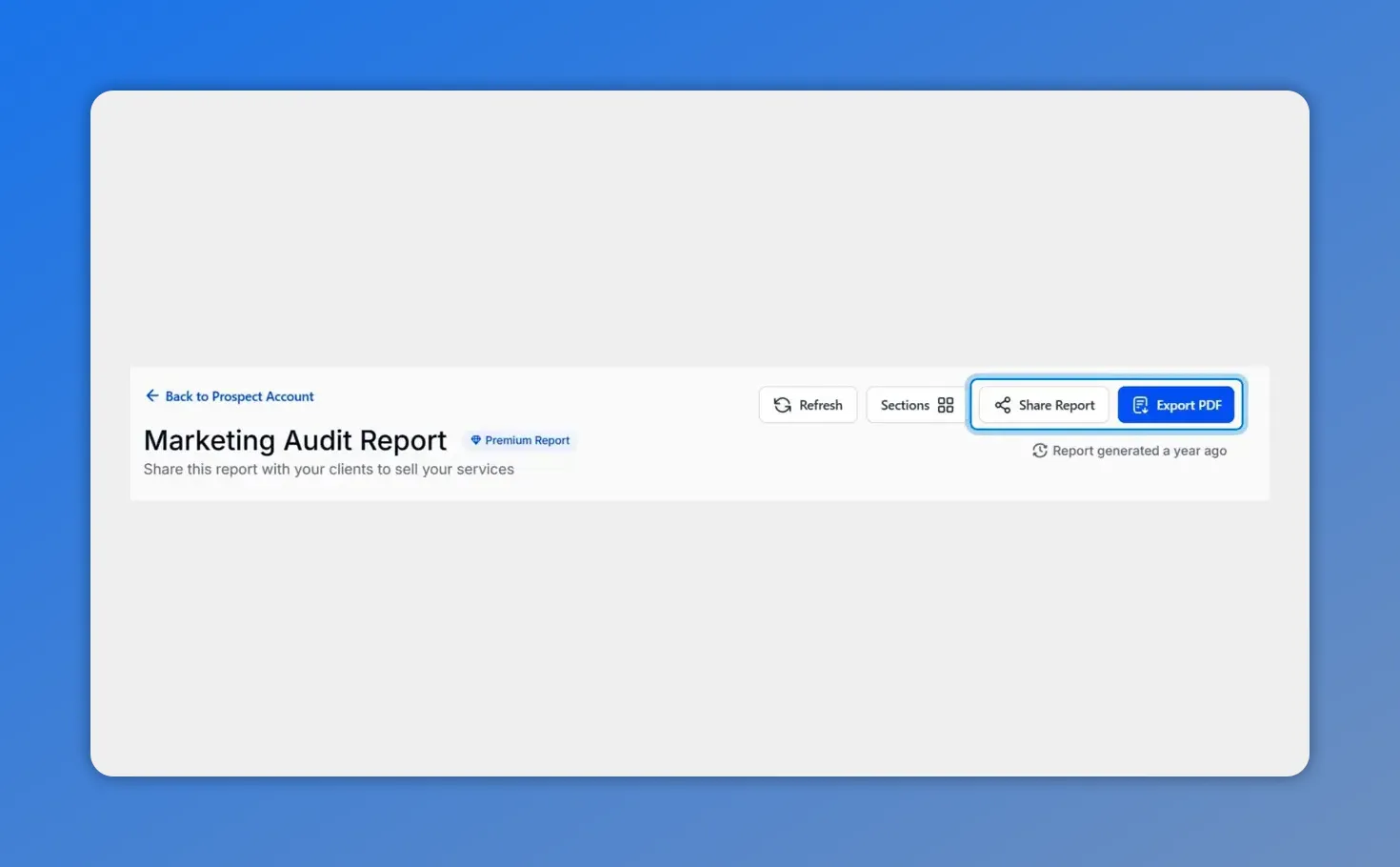
In the report view click “Share Report” or “Export PDF” to send a localized copy.
Select your sending method and pick the sharing language before sending.
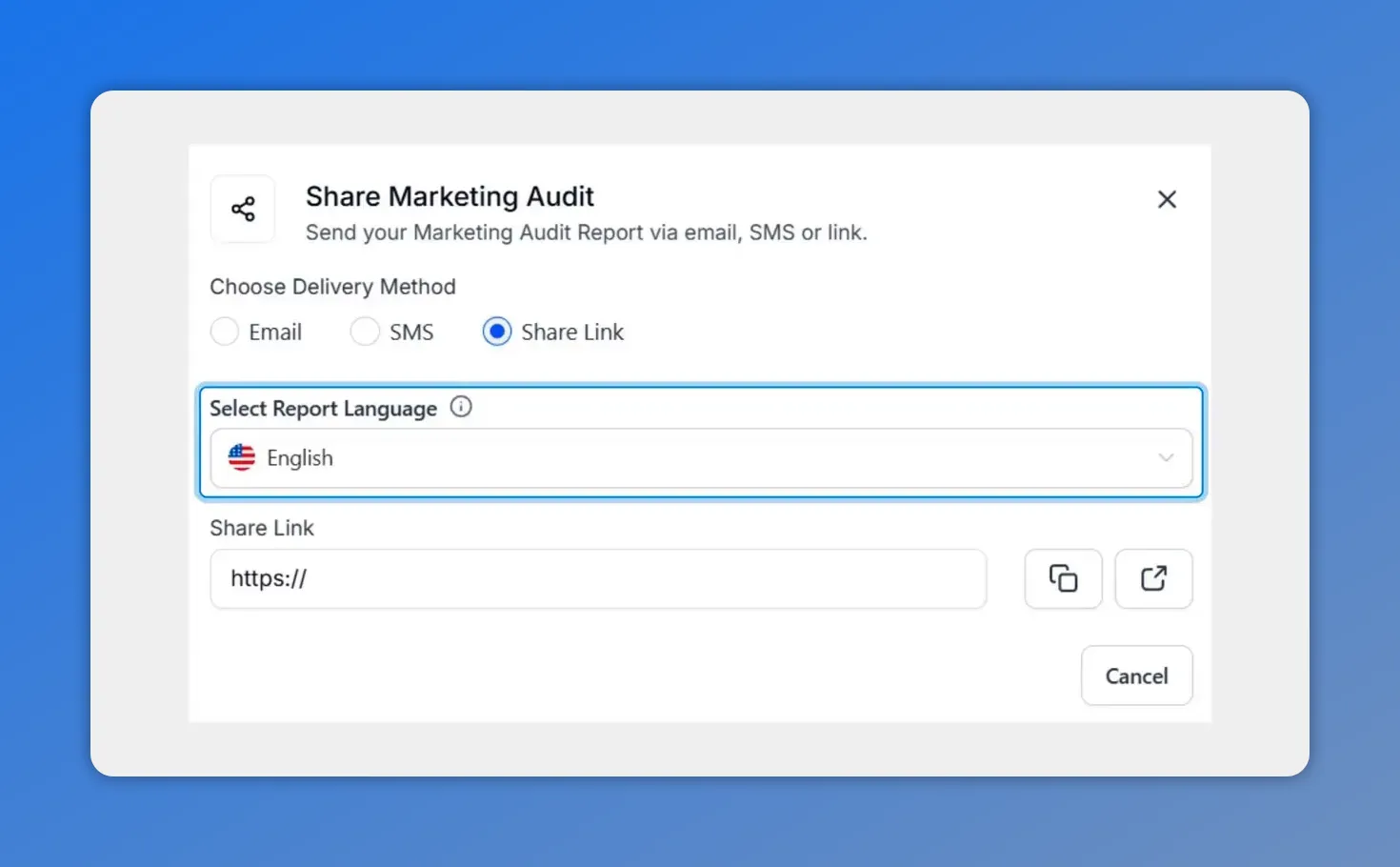
Pick the delivery method and choose the report language before sending.
Fill in contact details or copy the sharing link to give prospects instant access.
Quick tips for getting better results
Select the prospect’s preferred language when you can. It boosts clarity and response rates.
Export a PDF in the prospect’s language for proposals and offline review.
Use the web sharing link when you want prospects to interact with the report online. They can switch languages themselves if they prefer.
Keep messages short and localized. Simple language performs better across translations.
Why this matters
Removing language barriers helps us build trust and shorten the time to value. Localized reports make our recommendations easier to act on, which helps more prospects take the next step.
Common questions
Which languages are available?
The platform supports 13 languages for report sharing and PDF exports. You can choose the language from the sharing or export dialog. Prospects can switch languages while viewing the report if they prefer a different option.
Can prospects change the language after we share the report?
Yes. When a prospect opens the shared report via the web link, they can switch languages themselves from the report viewer.
Is the language selection available for both web links and PDF exports?
Yes. Choose the language when sharing via web URL and choose it again when exporting a PDF. Both options let you send a localized version of the same audit.
Where do we pick the language during sending?
After clicking Share Report, select your sending method and then pick the sharing language in the configuration before you send. For PDF exports, choose the language in the export dialog when you click Export PDF.
Start using localized reports
Open your account, go to Marketing > Prospecting, select a report, choose the language, and share or export. This small step can improve clarity and increase conversions across markets.
This article was created from the video Multilingual Marketing Audit Reports: Share in 13 Languages








