





How to Control AI Answers With Knowledge Base Triggers
Conversation AI is always learning, adapting, and responding based on what customers ask. That flexibility is useful, but sometimes you need more control. You may want a specific knowledge base to be used when certain conditions are met so answers stay accurate, consistent, and aligned with how your team wants the bot to respond.
That is where Knowledge Base triggers come in.
With this feature, we can add clear instructions inside an AI agent so the bot knows when to explicitly invoke content from a selected knowledge base. Instead of leaving every decision completely open-ended, we can guide the AI toward the right source at the right time.
Why Knowledge Base triggers matter
By default, conversation AI can autonomously decide when to query a knowledge base. That dynamic decision-making is still helpful, and it remains part of the system. But there are cases where a more deterministic setup is better.
For example, if there are specific topics, policies, or scenarios where the answer must come from an approved source, relying on a trigger gives us a cleaner and more standardized result.
Using Knowledge Base triggers helps with:
- More accurate responses by pointing the AI to the right content when defined conditions are met
- More standardized answers across customer conversations
- Better control over when a knowledge base should be used
- Fewer missed details because important information is retrieved when it matches the trigger instructions
- Greater reliability in situations where consistency matters
In short, this gives us a balance between automation and control. The AI can still make decisions on its own, but now it also has clear signals that tell it when to pull from a specific knowledge base.
How Knowledge Base triggers work
A Knowledge Base trigger is an instruction attached to a specific knowledge base inside an AI agent. That instruction acts like a signal. When the AI recognizes that the current conversation matches the scenario described in the trigger, it explicitly uses that knowledge base content.
This is useful when we want the bot to respond in a certain way under certain conditions rather than relying only on general reasoning.
If no conditions are set, or if the conditions are not met, the AI can still decide on its own whether to query the knowledge base. So the trigger does not remove flexibility. It adds a layer of guidance where needed.
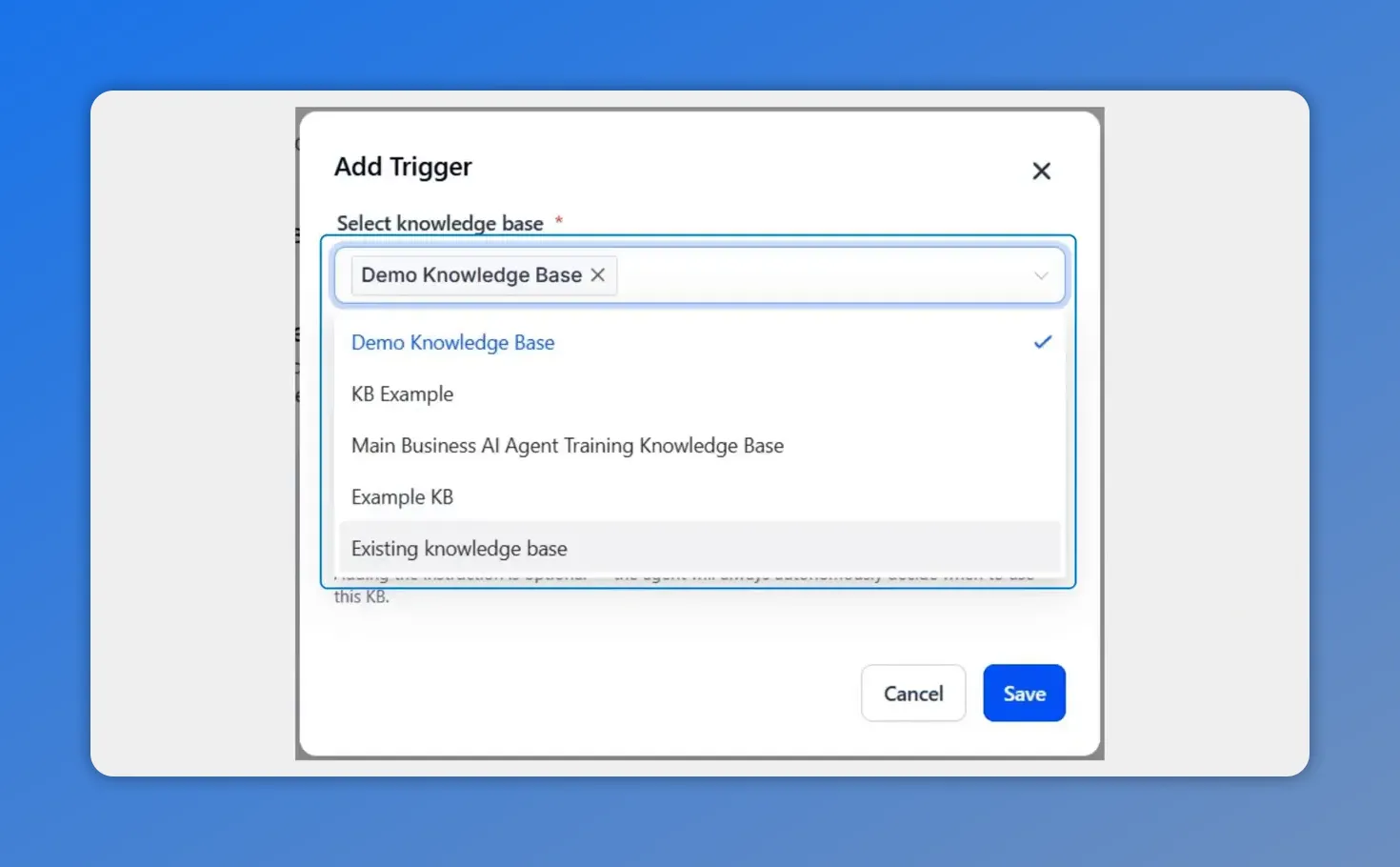
When creating a new trigger, the first step is selecting which knowledge base the agent should reference under the defined conditions.
How to add a Knowledge Base trigger in Pinnacle
The setup is simple and only takes a few steps.
1. Open the AI agent
Go to the Conversation AI tab inside the AI Agent section. From there, either create a new agent or edit an existing one.
This is where your bot training and response behavior are managed.
2. Go to Bot Training
Inside the agent, find the Bot Training section. This is where you can configure how the AI uses supporting information and reference material.
3. Click Add Knowledge Base Trigger
Select the option to Add Knowledge Base Trigger. This creates a rule that connects a knowledge base with specific usage instructions.
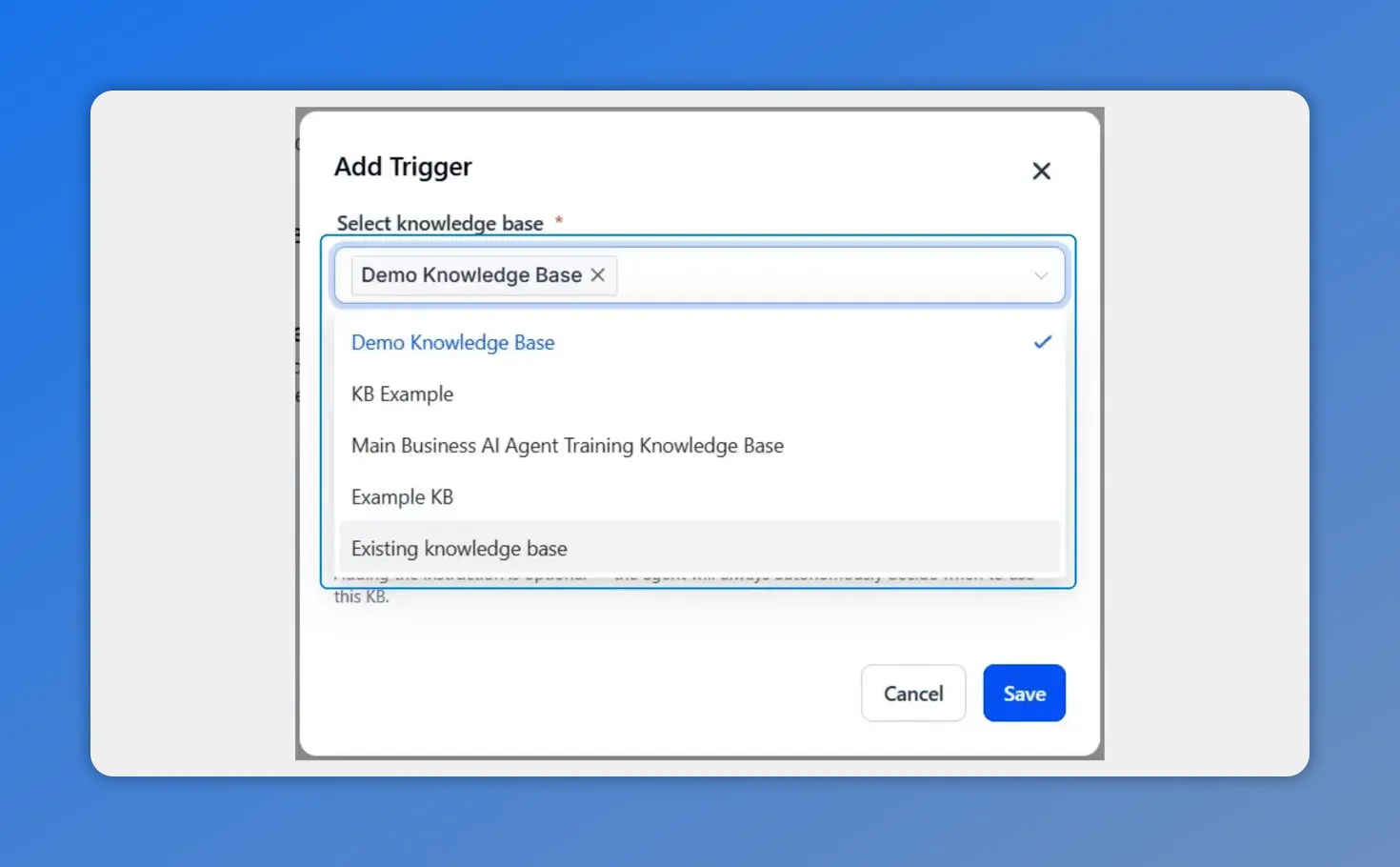
When adding a trigger, the first step is selecting which knowledge base the agent should pull from under the defined conditions.
4. Choose the knowledge base
Use the dropdown menu to select the knowledge base you want the AI to reference when the trigger conditions apply.
This step matters because the trigger is tied to a specific source of truth. If you have multiple knowledge bases, make sure you choose the one that contains the content you want used for that scenario.
5. Enter the triggering instructions
Write the instructions that tell the bot when it should invoke that knowledge base.
These instructions are the core of the trigger. They define the conditions or situations that should cause the AI to retrieve the content.
6. Save the trigger
Once the instructions are in place, click Save.
At that point, the AI agent has a clear rule it can use during conversations to decide when that knowledge base should be called.
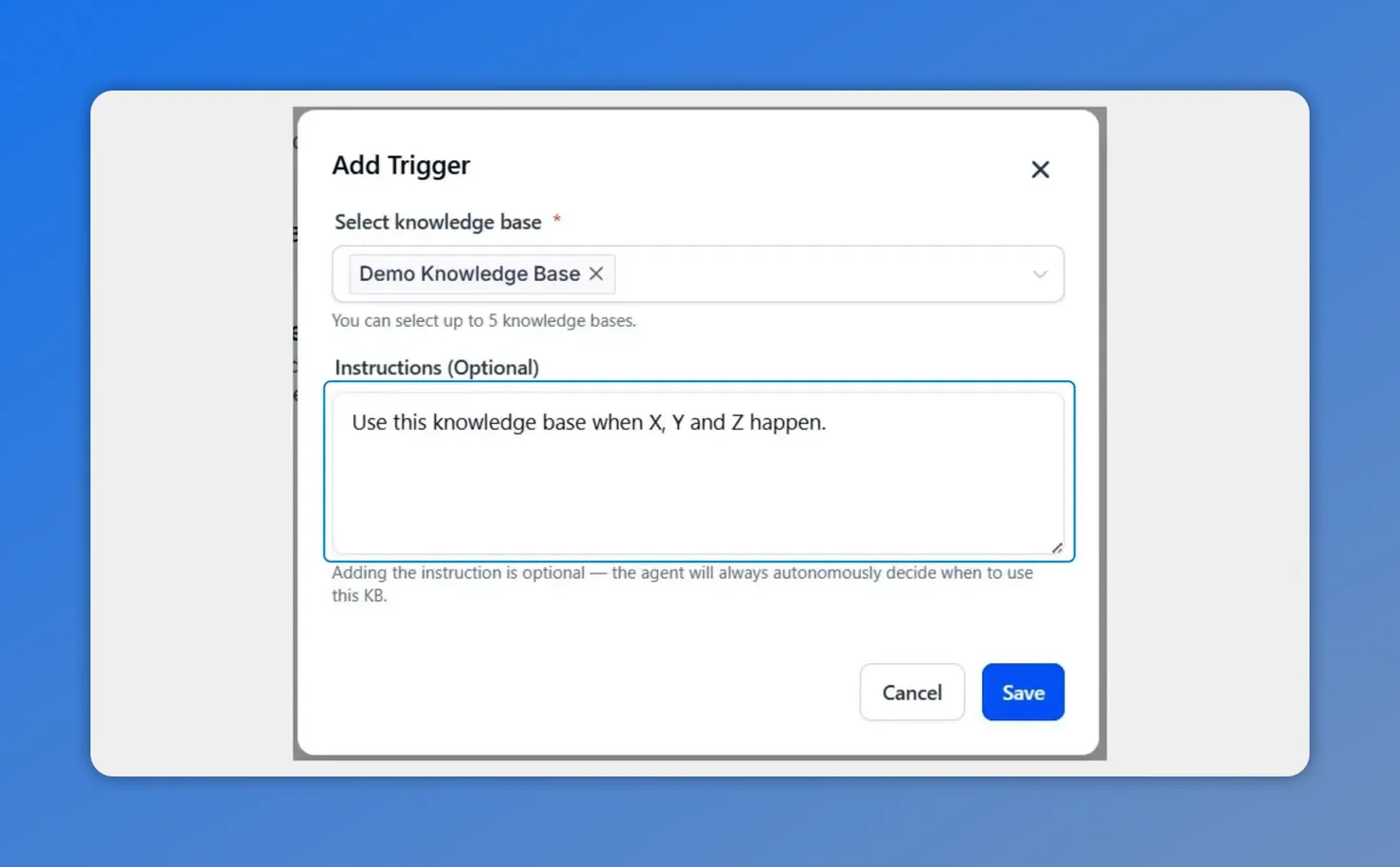
You can optionally add triggering instructions that describe when the selected knowledge base should be invoked.
What makes a trigger useful
The value of this feature is not just in adding a rule. It is in making the AI more dependable without making it rigid.
When the trigger matches the situation, the system retrieves information from the selected knowledge base. When it does not match, the AI can continue to respond dynamically and make its own decision about whether a knowledge base should still be queried.
That means we get two important benefits at the same time:
- Specific control when we need it
- Autonomous behavior when no explicit condition applies
This is especially helpful for teams that want stronger response quality without having to manually script every possible conversation path.
What happens when no trigger is set
If there are no trigger conditions configured, the AI still works normally. It can autonomously decide when to query the knowledge base based on the conversation context.
And if a trigger exists but the current situation does not match it, the AI can still fall back on its normal decision-making process.
So Knowledge Base triggers are not an all-or-nothing feature. They do not stop the model from being adaptive. They simply make certain paths more intentional.
How this improves response quality
When teams rely on AI agents for customer conversations, one of the biggest challenges is consistency. A bot may understand the topic but still miss the exact information or wording your team wants used.
Knowledge Base triggers help reduce that problem by telling the AI when it should retrieve information from a defined source. That improves:
- Accuracy, because the response is anchored to the right content
- Reliability, because the bot is less likely to miss important details
- Control, because we can shape how the AI behaves in important scenarios
- Consistency, because similar conversations can produce more standardized answers
The result is better responses and fewer gaps in the information customers receive.
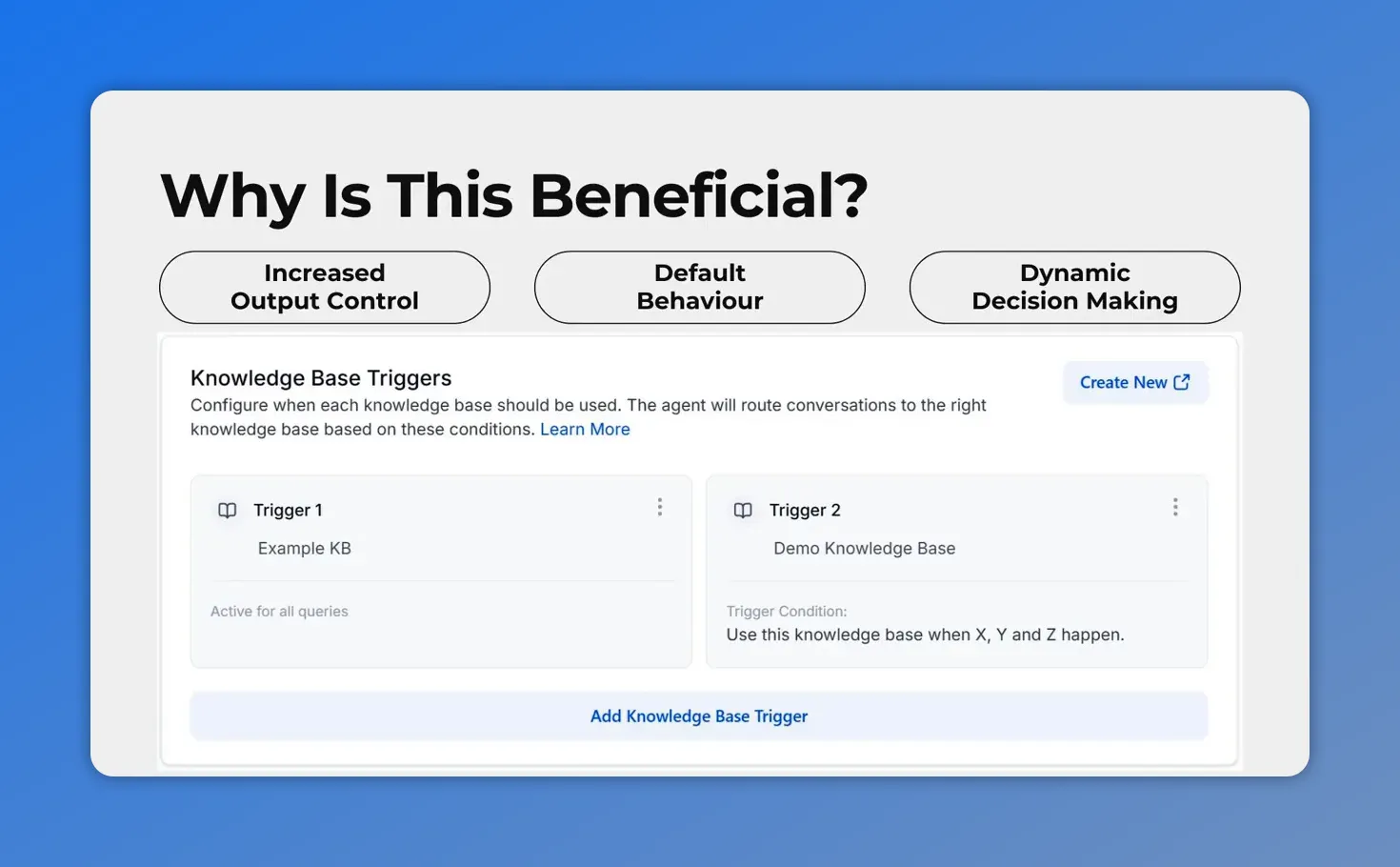
This is the Knowledge Base trigger setup screen—where you define when the AI should route a conversation to the right knowledge base.
Best practice: test common scenarios
After adding a Knowledge Base trigger, the next step is to test it against common conversation scenarios.
That helps confirm that:
- the correct knowledge base is being invoked
- the trigger instructions are clear enough
- the AI is pulling the right content at the right time
If a trigger is too vague, the AI may not match it consistently. If it is too narrow, it may miss situations where you expected it to apply. A quick round of testing makes it easier to refine those instructions and improve results.
When to use Knowledge Base triggers
Knowledge Base triggers are a strong fit anytime a conversation should pull from a specific reference source under defined conditions.
They are especially useful when your team wants:
- more consistent customer answers
- better control over AI output
- fewer missed pieces of information
- clearer alignment between AI responses and approved knowledge
If accuracy and standardization matter, adding trigger-based guidance is a practical way to improve how the AI behaves.
FAQ
What is a Knowledge Base trigger?
A Knowledge Base trigger is an instruction inside an AI agent that tells the bot when to use a specific knowledge base. It acts as a signal so the AI can retrieve the right content when certain conditions are met.
Where do we add a Knowledge Base trigger in Pinnacle?
Open the Conversation AI tab in the AI Agent section, create or edit an agent, go to Bot Training, and click Add Knowledge Base Trigger.
What happens if no trigger conditions are set?
If no trigger conditions are set, the AI can still autonomously decide when to query the knowledge base based on the conversation context.
Does a trigger remove the AI’s ability to make dynamic decisions?
No. The AI still evaluates the conversation dynamically. Triggers simply provide clearer instructions for situations where you want more deterministic control.
Why should we use Knowledge Base triggers?
They improve response accuracy, reliability, and consistency. They also reduce missed information by helping the AI retrieve the right content when the defined conditions match.
What should we do after setting up a trigger?
Test a few common scenarios to make sure the AI is invoking the correct knowledge base and returning the right information at the right time.
Final takeaway
Knowledge Base triggers give us a simple way to control AI answers more precisely. We can tell the bot when to use a specific knowledge base, keep responses more standardized, and still preserve the AI’s ability to make smart decisions when no explicit condition applies.
If you want more reliable answers and better control over customer conversations, this is a strong feature to start using. Open your AI agent, add a Knowledge Base trigger, and test the scenarios that matter most to your team.
This article was created from the video How to control AI answers with Knowledge Base triggers








