





Go Live in Community Groups with Pinnacle: Setup & Benefits
Live streaming is the most engaging way to connect with your audience. It lets you show an unscripted, authentic face and brings real-time interaction right into your community. Hosting live sessions inside your group puts the connection at your home base and makes it easier to build trust, answer questions, and create value on the spot.
Why host live streams inside your community
Live video creates instant interaction through comments and Q and A. That interaction helps people feel more engaged. It also makes your brand feel approachable and human. Beyond relationship building, live sessions open up monetization options and give members a reason to return to your group regularly.
Live streaming is the most engaging way to connect with your audience.
How to set up live streaming in your Pinnacle community
Here is the straightforward setup. Follow these steps to start streaming from your group.
-
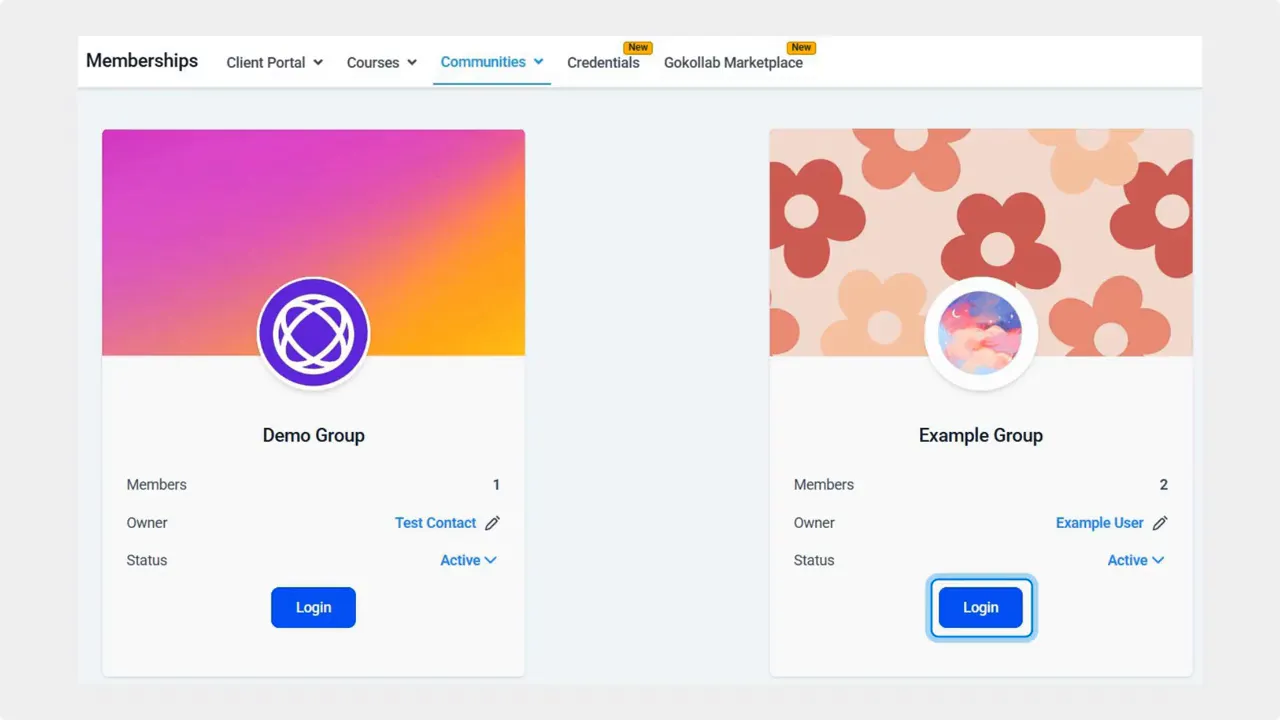
Open the Communities tab in Memberships.
Navigate to the Communities tab from the Membership section and sign in to the group you want to stream in.
-
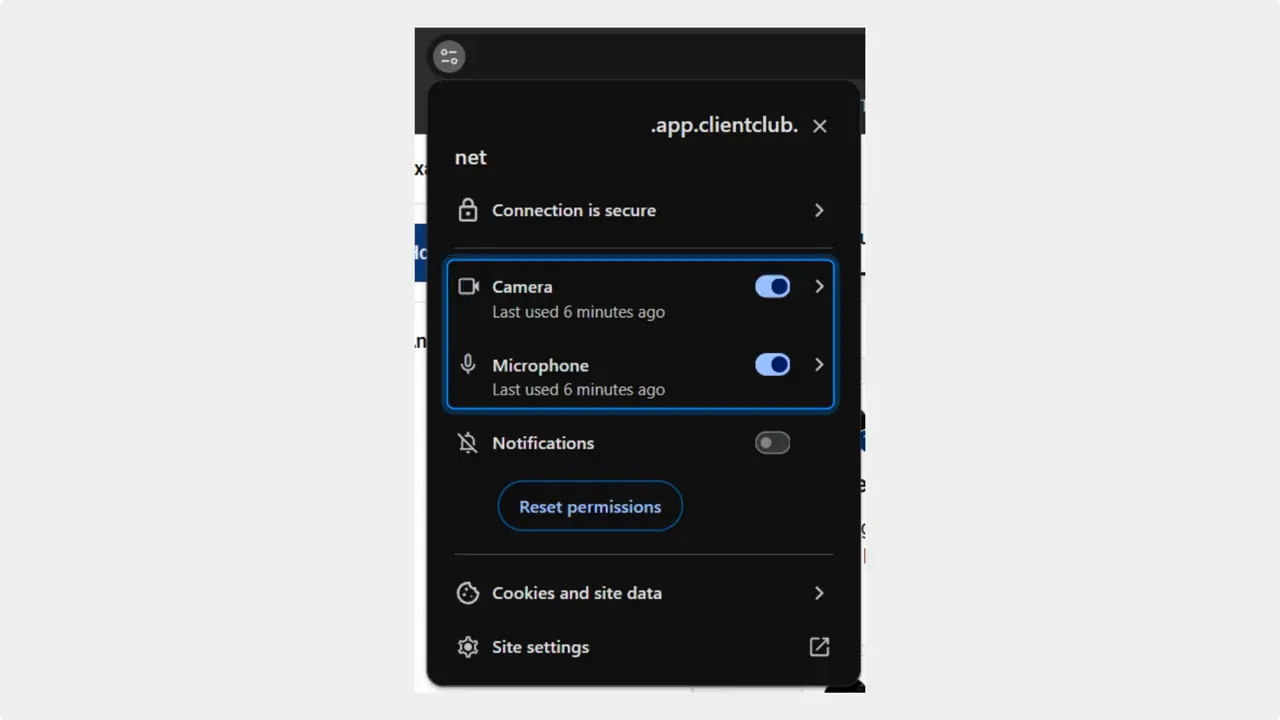
Allow camera and microphone access.
Confirm your browser or device has permission to access the camera and microphone for that group. This prevents interruptions when you go live.
-
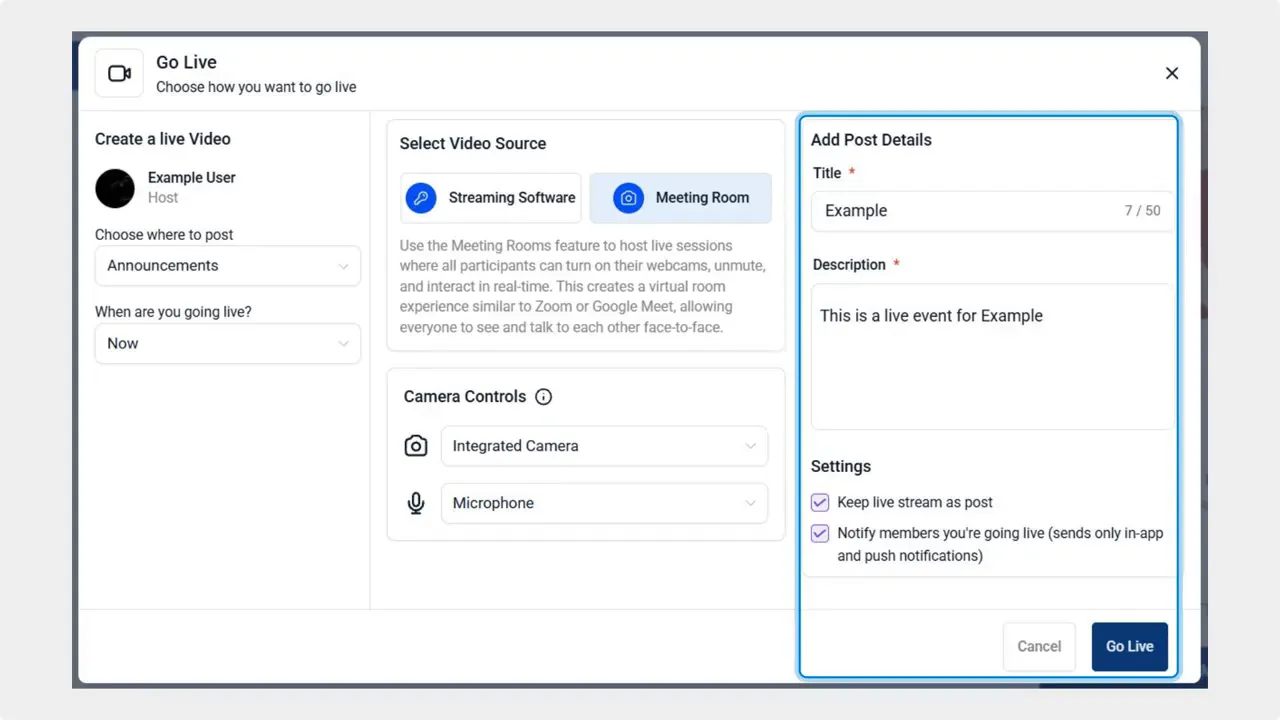
Start your live session.
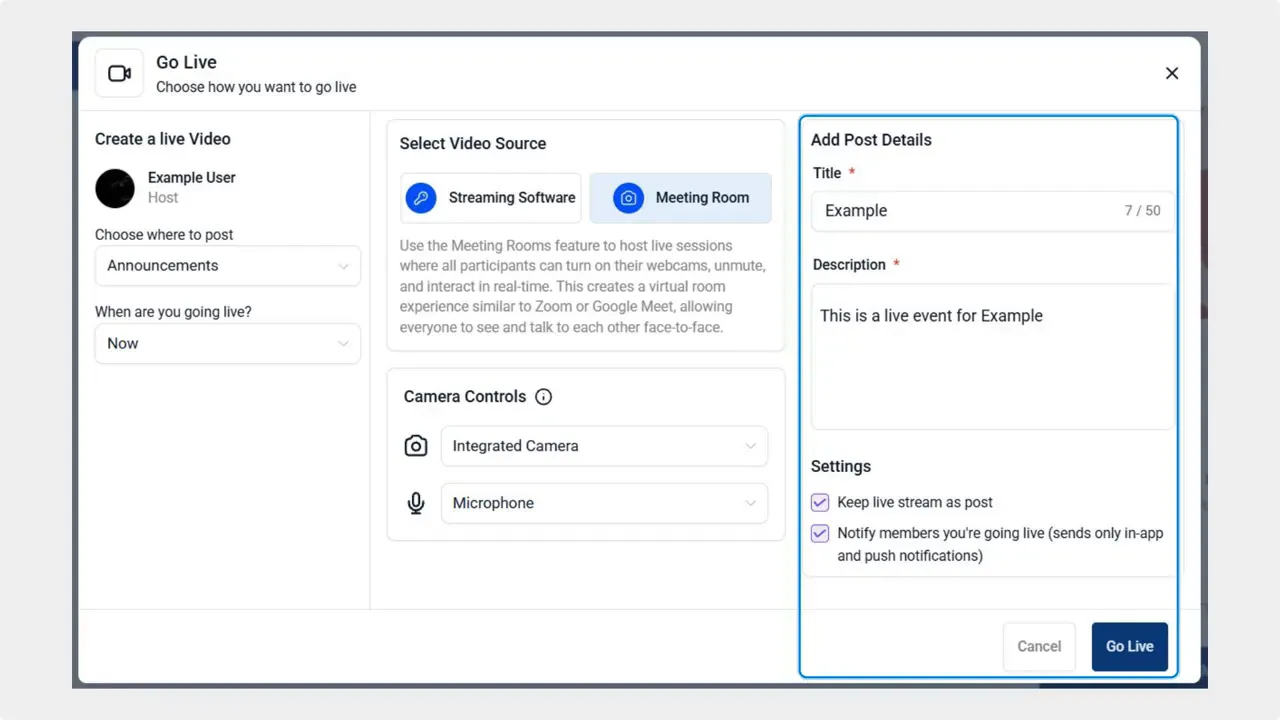
In the Discussion tab, click Go Live next to the post bar. Add a clear title and a short description that tells members what to expect, then click Go Live to begin streaming.
-
Engage while you stream.
Use comments and Q and A to respond in real time. That direct interaction keeps the session lively and valuable for participants.
Practical tips to get the most from live sessions
- Plan a simple agenda. A few talking points and a time for Q and A keep the session focused.
- Encourage participation. Prompt the audience with specific questions and moments to respond in chat.
- Keep it authentic. Unscripted moments build trust faster than polished presentations.
- Promote upcoming streams. Post reminders in your group and on other channels to build attendance.
- Use monetization thoughtfully. Offer paid workshops or exclusive access, but keep the focus on value.
Checklist before you go live
- Confirm camera and mic permissions
- Test audio and lighting briefly
- Create a short title and description
- Prepare 3 to 5 key talking points
- Decide how you will handle questions
FAQ
Can we stream directly inside a community group?
Yes. Go to the Communities tab in Memberships, log in to your group, and use the Go Live option in the Discussion tab to start streaming.
What permissions are required to stream?
Grant camera and microphone access for the group in your browser or device settings. Verifying permissions ahead of time avoids disruptions when you start.
How can live streaming help our brand?
Live sessions humanize the brand by showing an unscripted face. Real-time Q and A and comments boost engagement and build trust with members.
Are there monetization options for live streams?
Yes. Live streaming opens opportunities like paid workshops, ticketed events, or exclusive member sessions that can generate revenue while delivering value.
What makes a live session successful?
Preparation, clear communication, and active engagement. Keep the agenda simple, encourage interaction, and respond to questions in real time.
Closing thoughts
Integrating live streams into community groups is a practical way to deepen relationships and add value. Use real-time interaction to make your group more vibrant and to show the human side of your brand. When sessions are simple, consistent, and focused on members, they become a powerful part of your community offering.
This article was created from the video Go Live in Community Groups with Pinnacle Ai: Setup & Benefits








