





GBP Post Scheduler: Schedule Google Posts Across Profiles & Monitor Results
Managing Google Business Profile activity should be simple and effective. Our GBP Post Scheduler centralizes your upcoming feed and real-time updates so you can present a polished, professional presence and connect with customers more easily.
Overview: What the GBP Post Scheduler Does
The GBP optimization page brings key posting tools into one place. From a single dashboard you can:
See scheduled posts at a glance and edit them when needed.
Open the Social Planner Builder to craft or customize content.
Schedule across multiple profiles while keeping monitoring centralized.
Generate post content with AI and publish to Google and other social profiles.
Track results in real time using the GPP Post Scheduler monitoring tools.
How to Use the Scheduler
View and manage scheduled posts
Open the Scheduled Post tab to view everything you have queued. The list gives a clean overview so you can quickly scan upcoming content and timing.
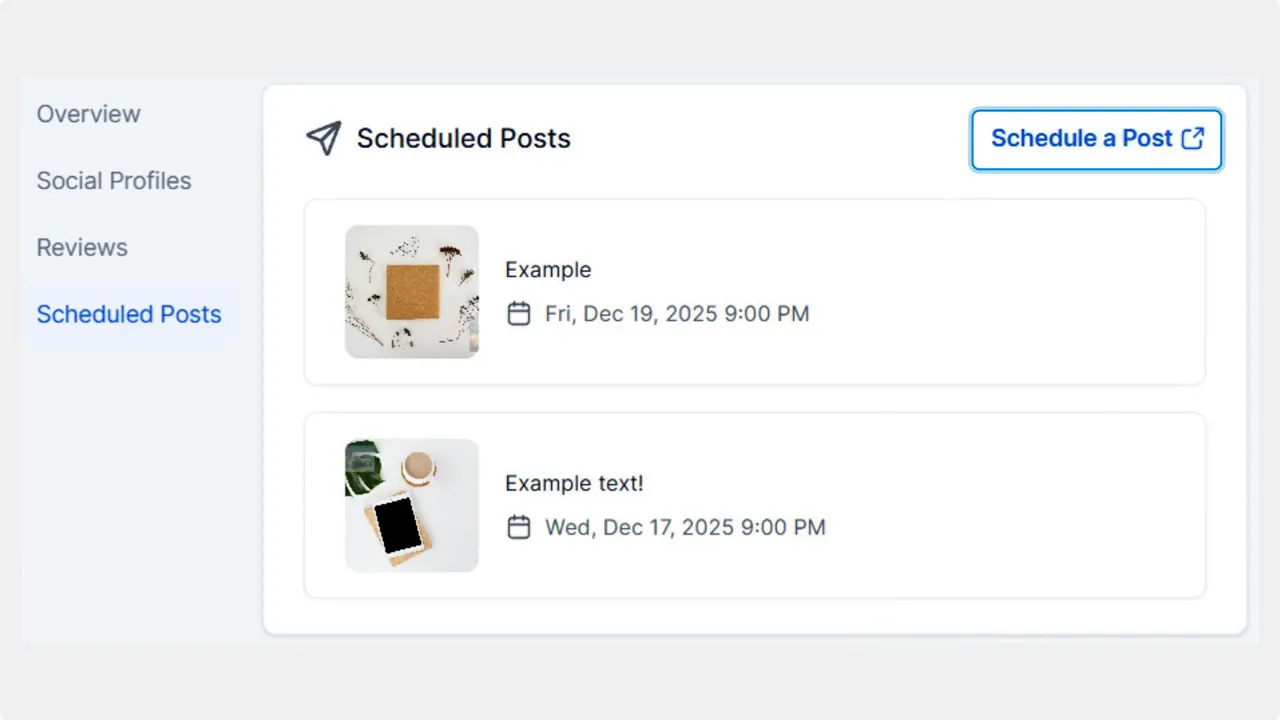
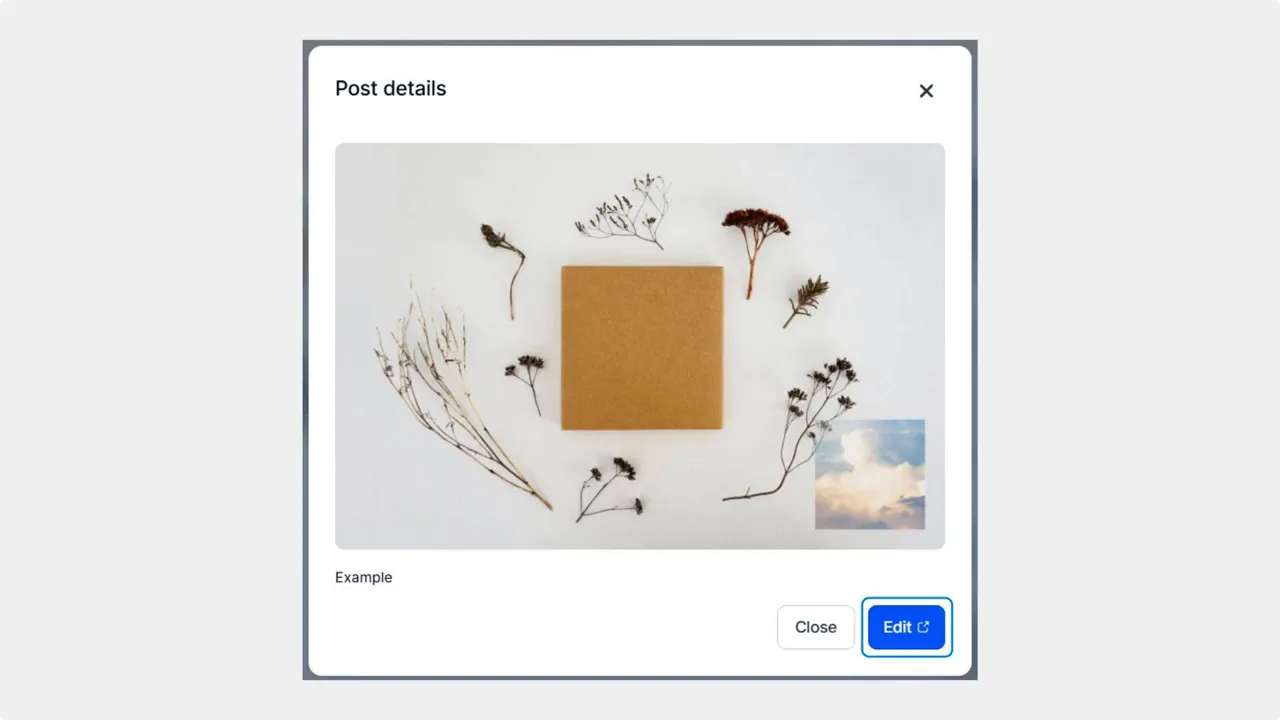
Click any post to expand its details. The expanded view shows the post content and provides an Edit button that takes you straight into the Social Planner Builder for quick changes.
Create or edit posts with the Social Planner Builder
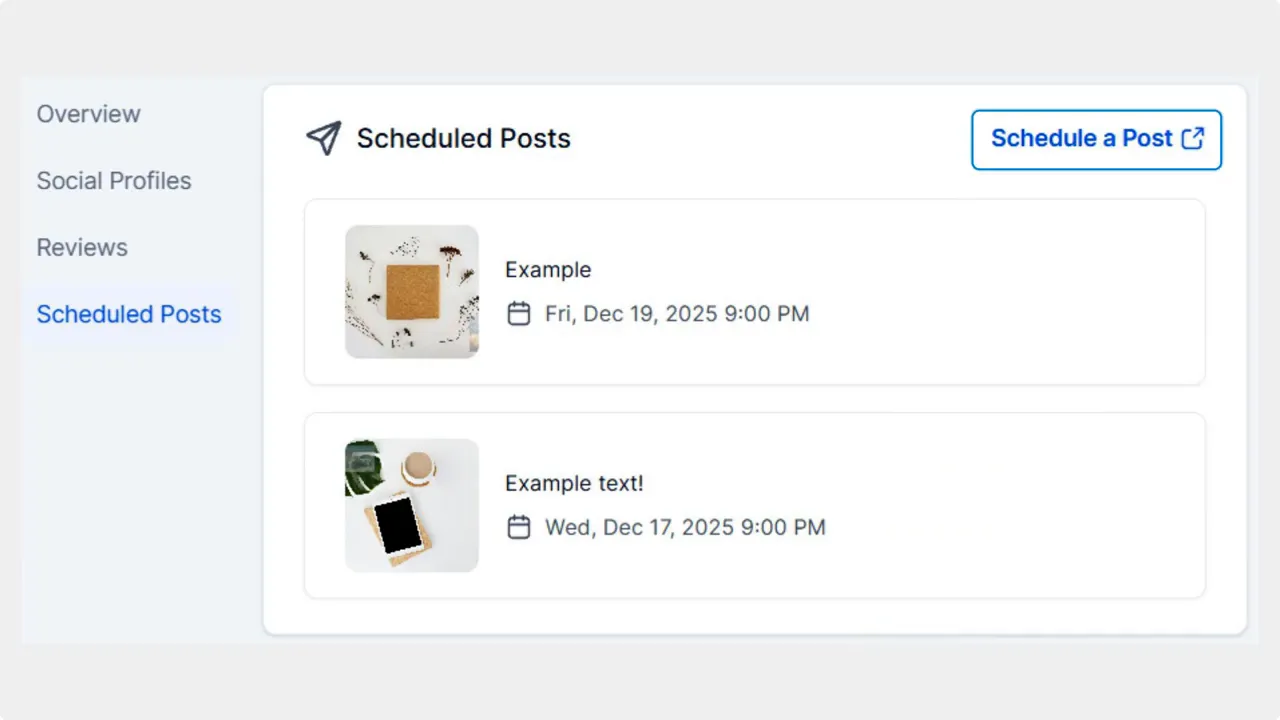
Choose Schedule a Post to open the Social Planner Builder. This is where you can write, tweak, or use AI to generate content before scheduling.
Preview recent updates and posts
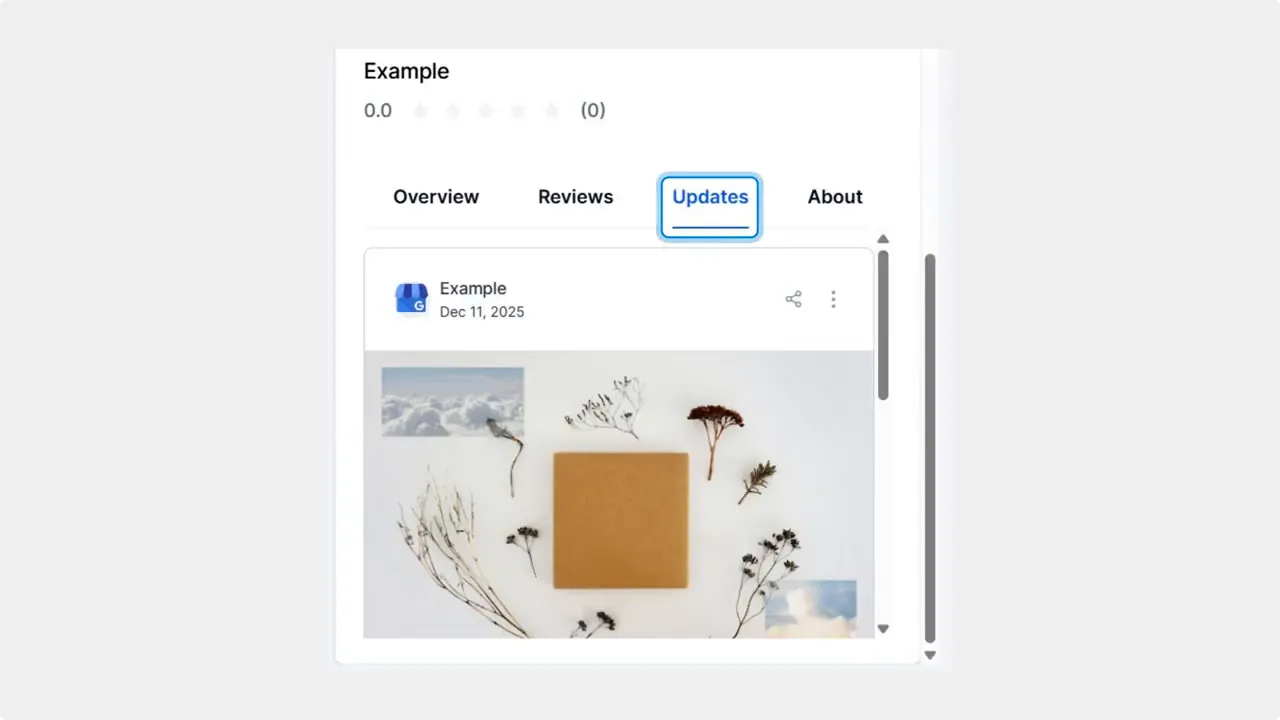
The right-side preview includes an Updates area. Click Updates to see your most recent posts and how they will appear live to customers.
Multi-Profile Scheduling and Monitoring
Our scheduler supports offers and events for multiple profiles. That means you can compose one update and publish it across several locations or accounts while keeping a single place to monitor performance. Centralized monitoring gives fast access to live data and improves local visibility.

AI content generation built into publishing
Generate post copy with AI directly in the Social Planner. The workflow lets you refine content, choose which profiles to publish to, and schedule timing without switching tools.
Track performance with GPP Post Scheduler
After publishing, monitor engagement and results from the GPP Post Scheduler. Real-time updates and post-level metrics help you see what works and where to adjust for better local reach.
Best Practices for Google Posts
Keep posts short and useful. Include clear calls to action for offers or events.
Use the preview before publishing to confirm formatting and images.
Schedule for local peak times to maximize visibility and engagement.
Reuse high-performing posts across similar profiles while tailoring details like address or hours.
Frequently Asked Questions
How do we edit a scheduled post?
Click the post in the Scheduled Post tab to expand it, then select Edit to open the Social Planner Builder. Make changes there and save or reschedule.
Can we publish the same post to multiple profiles?
Yes. The Social Planner Builder allows scheduling offers and events across multiple profiles while keeping monitoring centralized so you can track results for each profile.
Is AI available for generating post content?
Yes. AI content generation is integrated into the Social Planner, so you can create draft copy, refine it, and publish without leaving the planner.
Where do we monitor post performance?
Use the GPP Post Scheduler to monitor results in real time. It shows live data for published posts so you can measure local visibility and engagement.
What does the Updates preview show?
The Updates preview on the right side displays your most recent posts as they appear to customers, helping you confirm formatting and messaging before or after publishing.
Final Notes
Our GBP Post Scheduler keeps posting simple and centralized. Use the Scheduled Post tab to stay organized, the Social Planner Builder to create and refine content, and the monitoring tools to measure impact. This workflow saves time and helps improve local visibility across multiple profiles.
Schedule Google posts, generate content with AI, and publish to multiple profiles—then monitor everything from a single place.
This article was created from the video GBP Post Scheduler: Schedule Google Posts Across Profiles & Monitor Results








