





How To Enable WhatsApp Calendar Notifications for Higher Open Rates
Photo by Brett Jordan on Unsplash
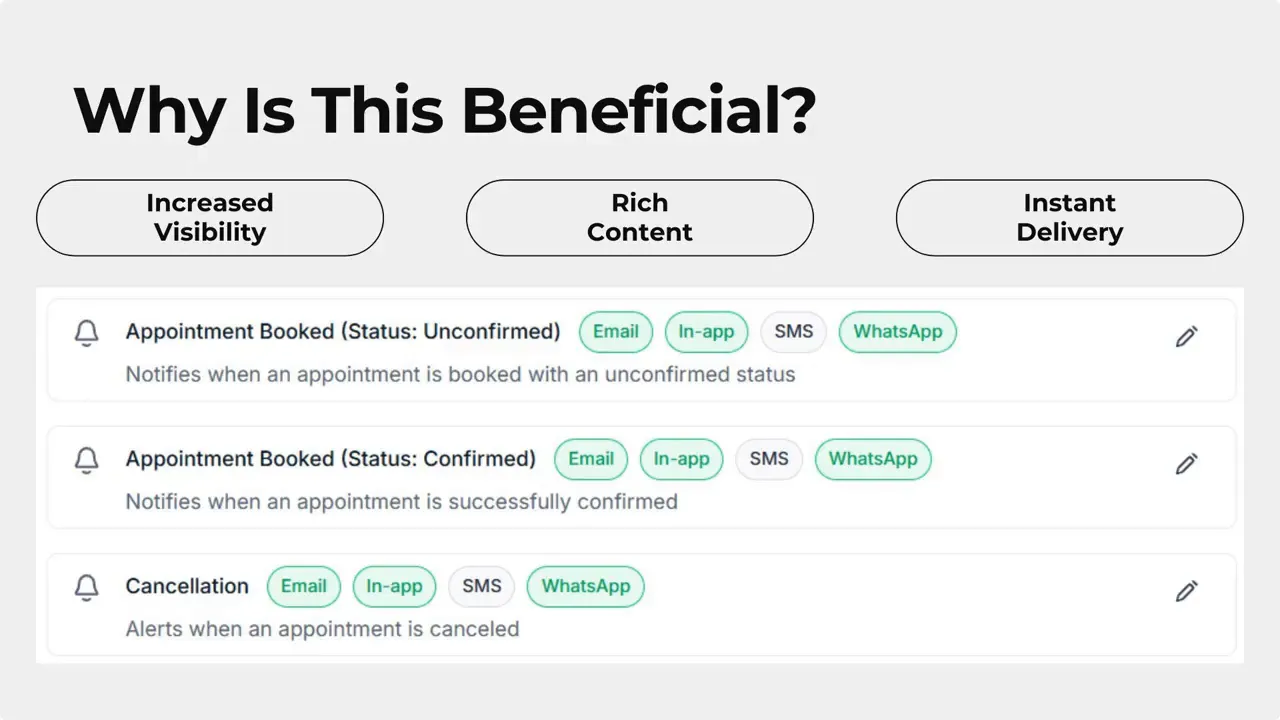
We added a new channel for calendar reminders so businesses can reach customers who prefer WhatsApp. This creates a faster, more familiar way to send appointment reminders and reduces no-shows by using a messaging channel with significantly higher open rates.
Enable WhatsApp Calendar Notifications
Here’s how to turn on WhatsApp for any calendar reminder in Pinnacle. Follow these simple steps inside Calendar Settings.
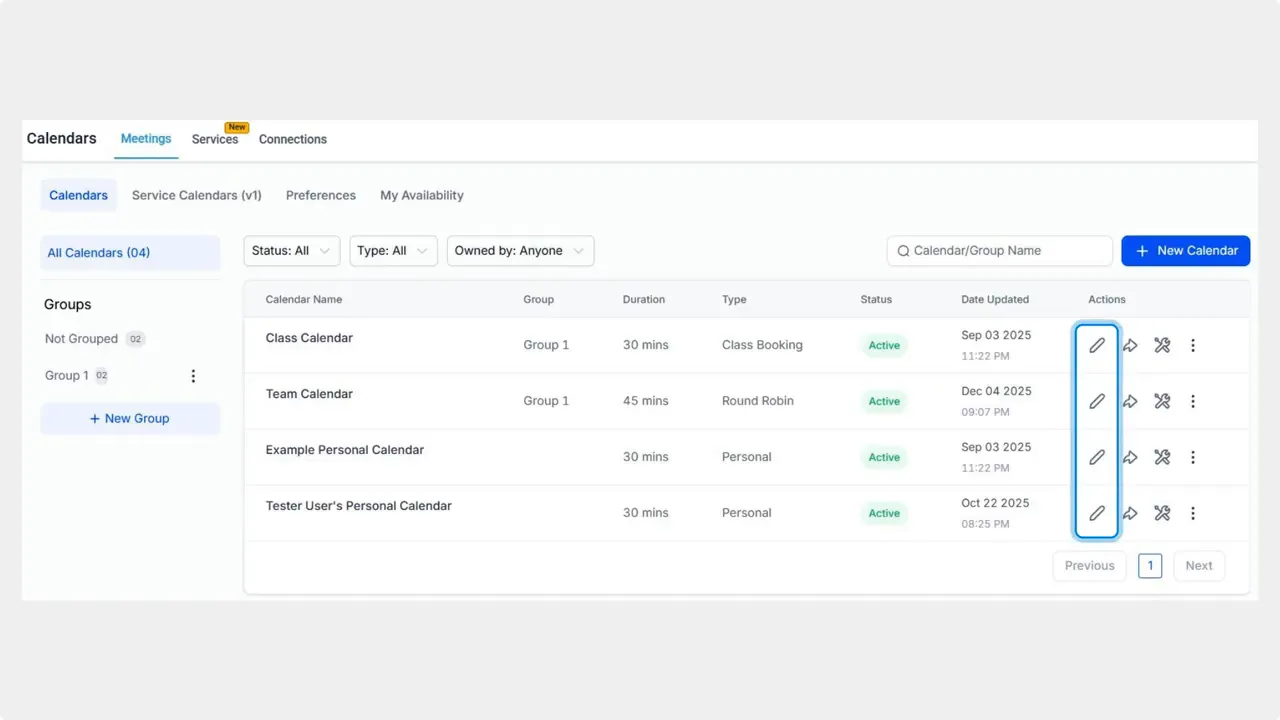
Open Calendar Settings. Click the pencil icon next to the calendar you want to update.
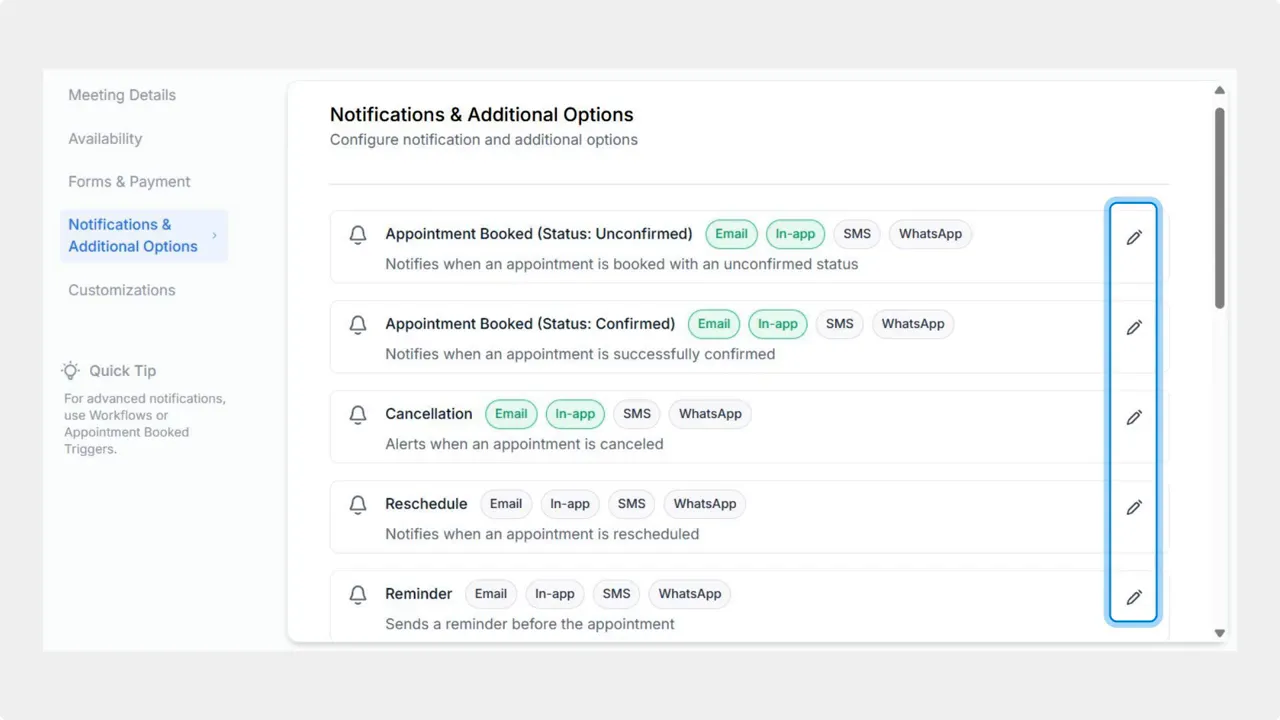
Go to Notifications and Additional Options. Switch to that tab to see reminder settings.
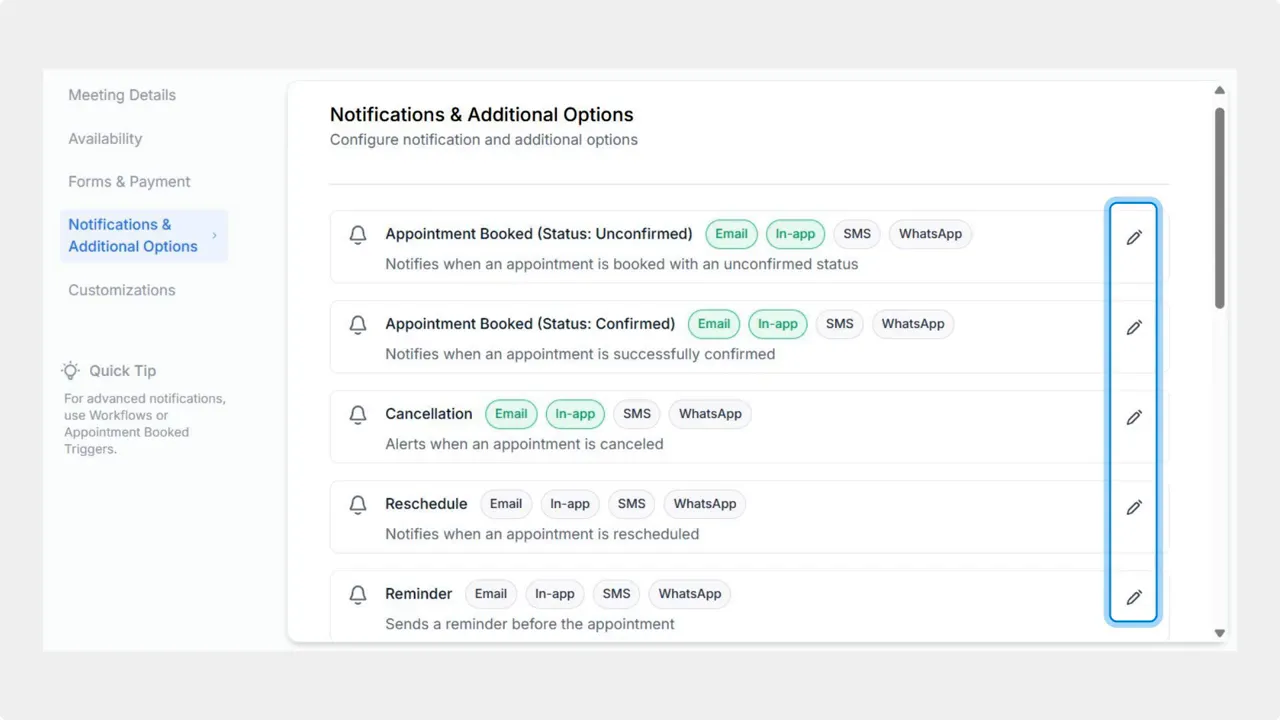
Edit the reminder you want to send via WhatsApp. Click the pencil icon next to the specific reminder.
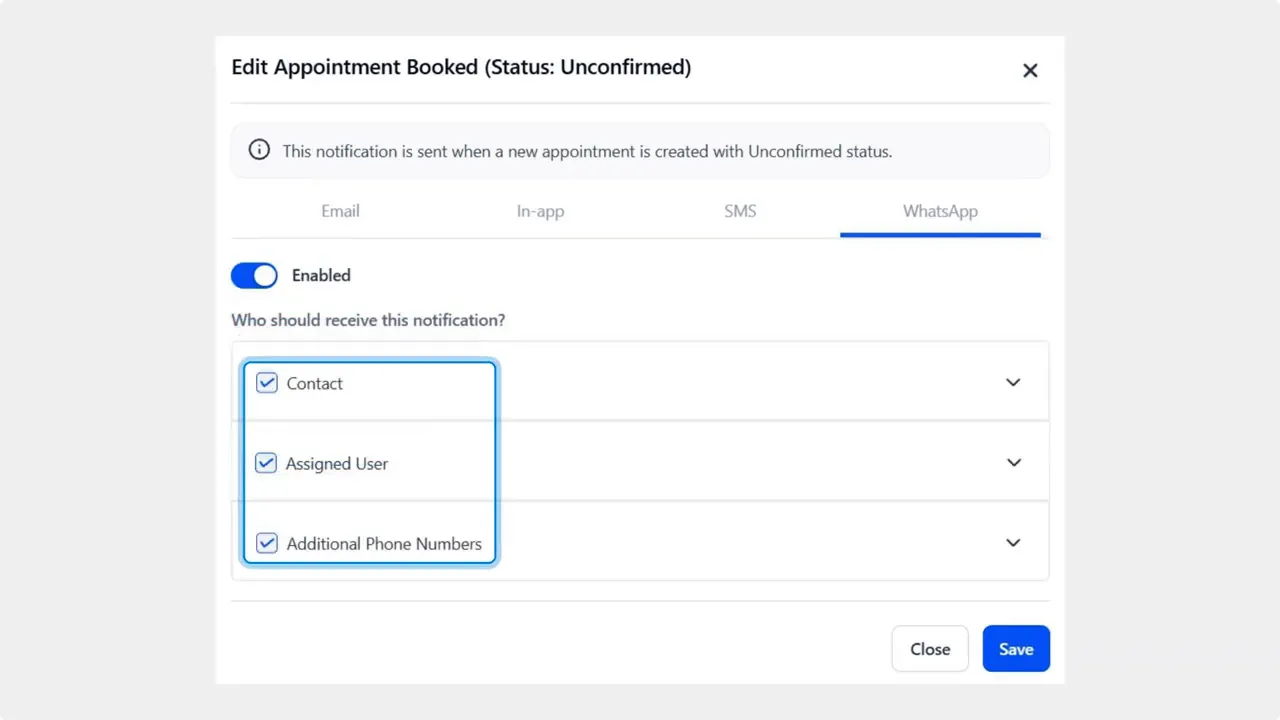
Enable WhatsApp delivery. In the WhatsApp section toggle the bar to enable WhatsApp for this reminder.

Select recipients and save. Check the box next to the recipient groups or contacts you want to notify, then click Save.
What this adds to your toolkit
Higher open rates — WhatsApp messages are seen much more often than many other channels.
Rich dynamic content — send images, videos, PDFs, and interactive buttons inside reminders.
Instant delivery feedback — know when messages are delivered to improve follow up.
Familiar sender number — customers get reminders from a number they recognize, which increases trust and response.
Reduced no-shows — timely, convenient reminders lead to better attendance and higher satisfaction.
Best practices for WhatsApp calendar reminders
Keep messages short and clear. Include date, time, location, and a single action button when possible.
Use images or a short PDF only when it adds value, such as directions or a prep checklist.
Respect local messaging rules and get consent before sending messages in regions that require it.
Monitor delivery feedback and follow up by another channel if a message is not delivered.
Use the same recognizable number for reminders to build trust over time.
Frequently asked questions
Do recipients need WhatsApp installed to receive these reminders?
Recipients must have WhatsApp to receive messages via the WhatsApp channel. If they do not, use your other available notification channels so they still get reminders.
What types of content can we include in WhatsApp reminders?
You can include plain text, images, short videos, PDFs, and interactive buttons. Use rich content sparingly to keep messages easy to read and act on.
Can enabling WhatsApp actually reduce no-shows?
Yes. WhatsApp typically has higher open and read rates than email or SMS. That immediacy and familiarity lead to better attendance and higher customer satisfaction.
How do we track delivery and opens?
Enable delivery feedback in the notification settings. Pinnacle will provide status updates so teams can see whether messages were delivered and act if a follow up is needed.
How do we turn this off for a calendar or reminder?
Go back to Calendar Settings, open the Notifications and Additional Options tab, edit the reminder and toggle WhatsApp off. Save to apply the change.
Closing note
Adding WhatsApp as a calendar notification channel gives teams a fast, reliable way to reach customers who prefer chat. This improves engagement and helps reduce missed appointments while keeping messages clear and actionable. Our team built this to make reminders more effective without adding complexity.
This article was created from the video How To Enable WhatsApp Calendar Notifications for Higher Open Rates








