





Enable Buy Now, Pay Later for Calendar Bookings in Stripe

Buy now, pay later options are growing fast because they give customers an easier alternative to traditional credit. And for businesses that sell high-ticket appointments or premium services, that flexibility can make a real difference at the point of booking.
With Stripe connected to Pinnacle, we can enable buy now, pay later for calendar bookings so customers can book immediately and choose installment-based payment options, while the business still gets paid upfront through the provider.
Why buy now, pay later matters for calendar bookings
When someone is ready to book a premium consultation, service package, or other high-value appointment, price can create hesitation. Not because the service is not valuable, but because paying the full amount all at once may feel like too much friction.
Adding buy now, pay later options helps remove that friction.
- It can increase conversions by making expensive bookings feel more manageable.
- It gives customers more flexibility with modern installment options they already know and trust.
- It supports healthier cash flow because the provider handles the installment structure while the business avoids taking on that payment risk directly.
That is especially useful for service businesses offering premium appointments, advanced consultations, or high-ticket bookings through their calendar.
Who should use this feature
This setup is a strong fit for businesses that charge more than a standard low-cost appointment. If the booking value is high enough that payment flexibility could improve the customer decision, buy now, pay later is worth enabling.
It is particularly relevant when we want customers to commit now instead of delaying the booking while they think about the full upfront cost.
How to enable buy now, pay later in Stripe for calendar bookings
The setup is straightforward. Here’s how to turn it on inside Pinnacle using your Stripe connection.
1. Open the Payments area and go to Integrations
Start in the Payments section, then open the Integrations tab.
From there, connect Stripe if it is not already connected. If it is already set up, open the option to manage it.
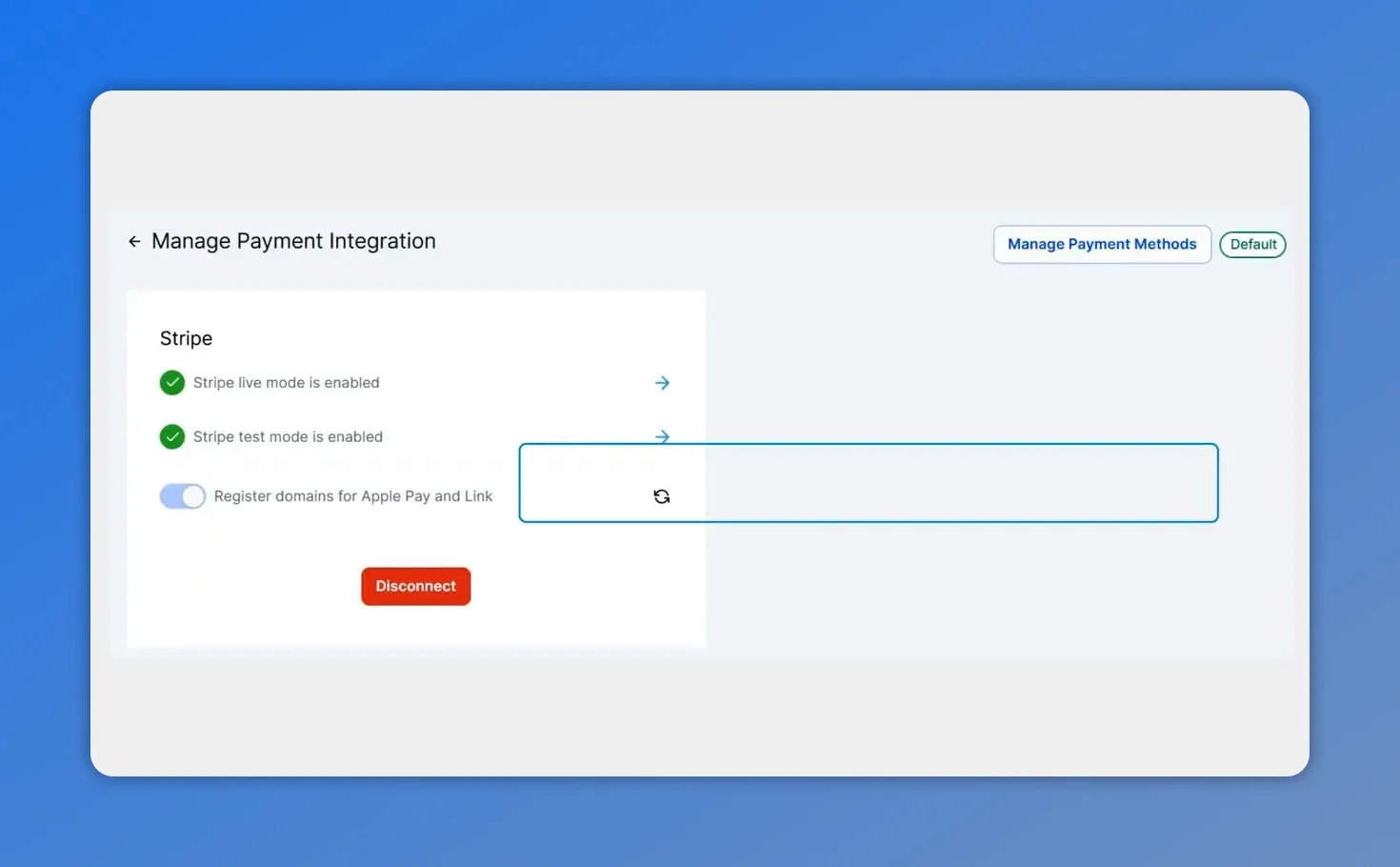
From the Manage Payment Integration screen, you can confirm your Stripe connection before configuring payment methods.
2. Open your Stripe settings
Inside the Stripe settings, select Manage Payment Methods.
This is where Stripe lets us control which payment options are available for different parts of the platform.
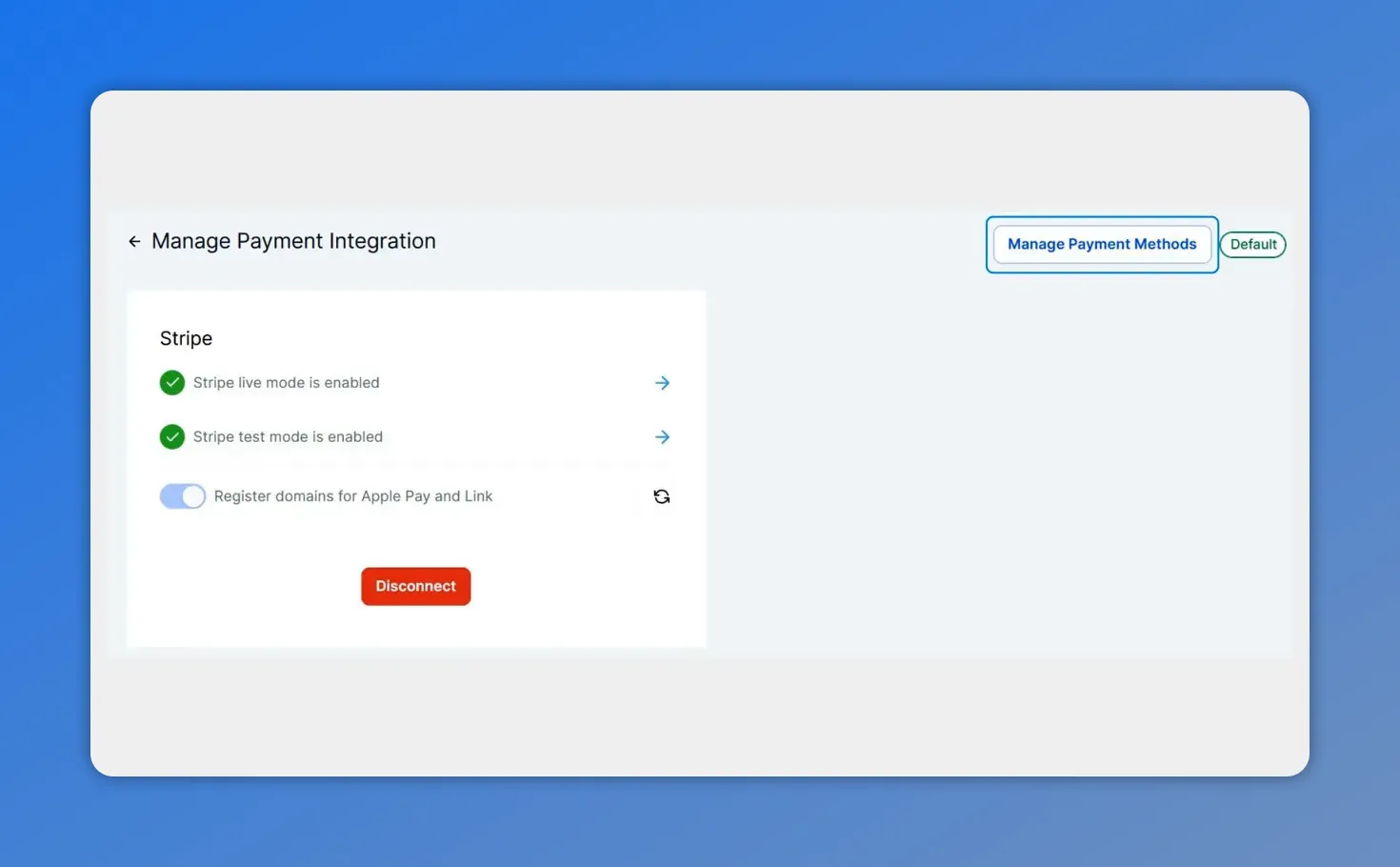
In Stripe’s settings within Pinnacle, you can manage the Stripe connection and payment integration options.
3. Choose Calendars from the product area menu
In the product area dropdown, choose Calendars.
This step matters because payment methods can be configured by product area, and in this case we want the options applied specifically to calendar bookings.
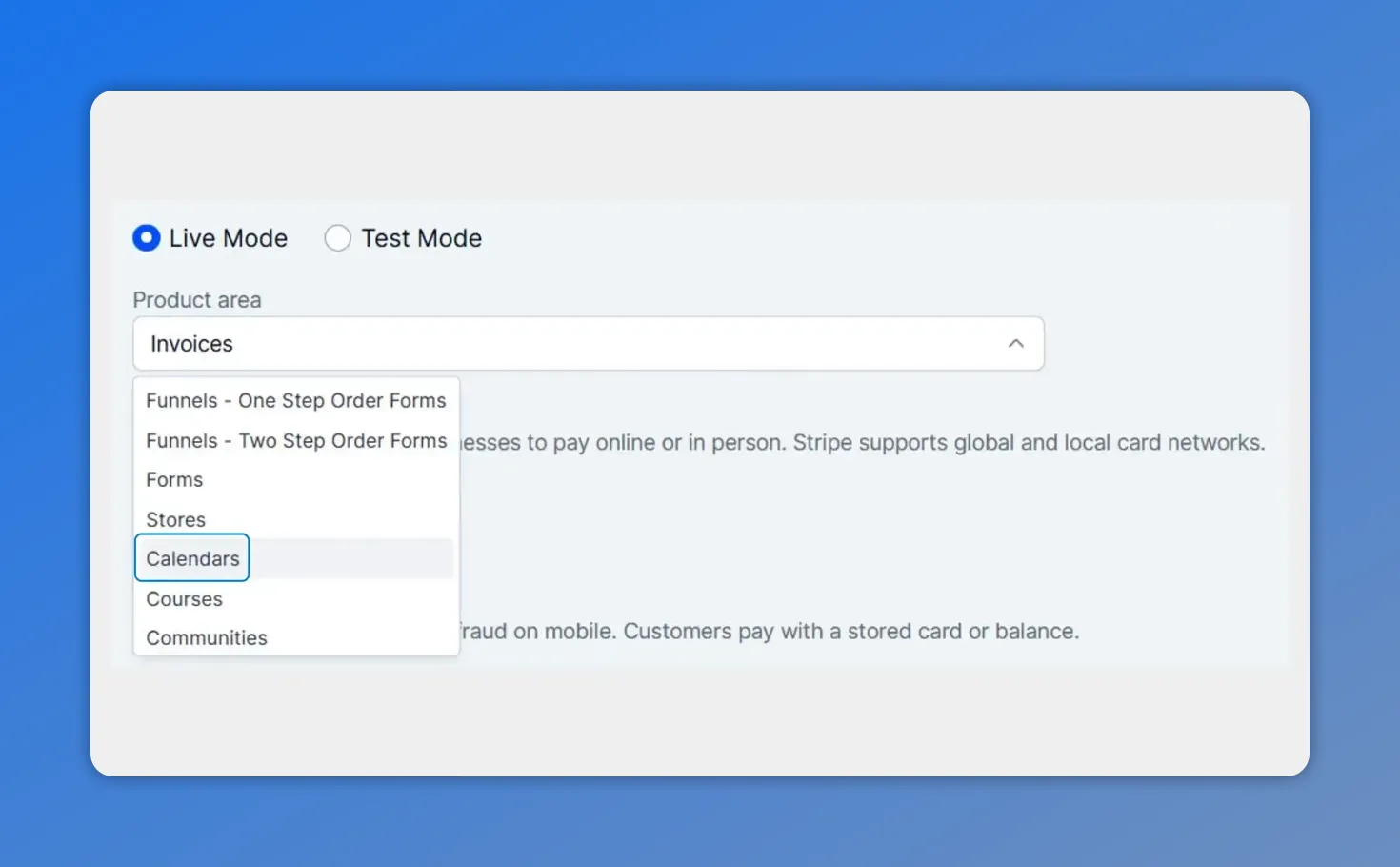
Choose Calendars in Stripe’s product area menu so your buy now, pay later settings apply specifically to calendar bookings.
4. Turn on your preferred buy now, pay later options
Once Calendars is selected, toggle on the buy now, pay later methods you want to offer.
After that, eligible customers will be able to use those payment options during the booking process.
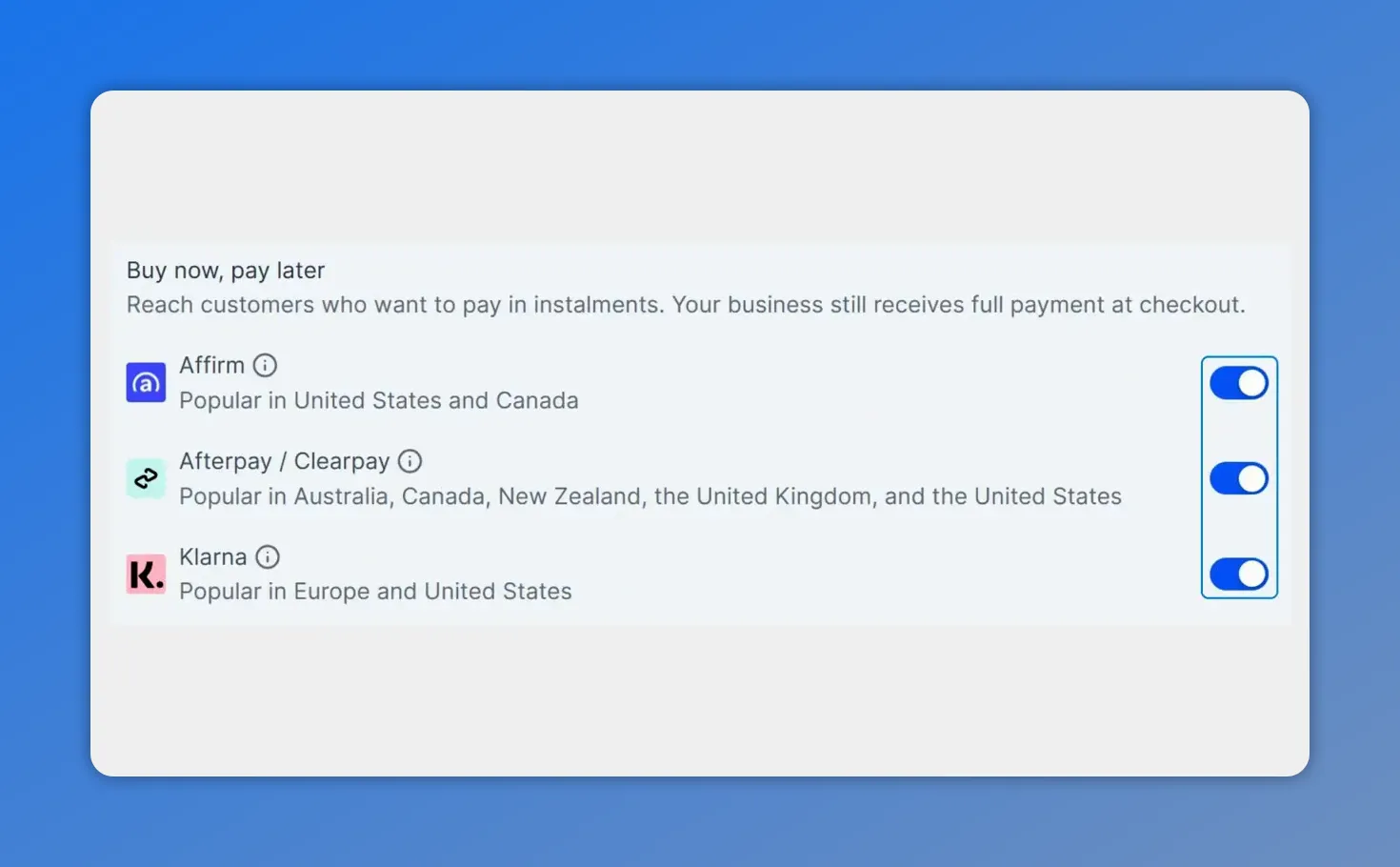
Turn on the buy now, pay later methods you want to offer for calendar bookings, so eligible customers can select them during checkout.
What this changes for your business
Enabling these payment methods does more than add convenience. It changes the booking experience in a way that can lead to more completed appointments.
Instead of asking customers to pay a large amount all at once, we give them a way to book now and spread payments over time through supported providers. That can reduce hesitation and help people act when intent is highest.
And just as important, the business does not need to become the lender. The buy now, pay later provider handles the installment side, which means we can improve payment flexibility without taking on the collection risk ourselves.
Why this can improve conversions and cash flow
There are two practical benefits here.
More bookings
Flexible payment options can encourage customers to complete the appointment instead of leaving to think it over. For high-ticket services, that extra flexibility often makes the difference between interest and action.
Upfront payment without installment risk
One of the biggest advantages is that we can improve affordability for customers while still protecting business cash flow. The provider pays upfront and manages the installment arrangement, so the business is not left trying to chase split payments manually.
That makes this a practical option for businesses that want modern payment flexibility without adding operational complexity.
Best use case: high-ticket appointments and premium services
If your business books low-cost sessions, this feature may be nice to have. But if you sell premium services, it becomes much more valuable.
Good candidates include:
- Consultations with a higher booking fee
- Premium service packages booked through a calendar
- High-value appointments where upfront price can slow down decisions
In those cases, buy now, pay later helps make the offer more accessible without changing the value of the service itself.
A simple update that makes booking easier
This is a small setup change, but it can have a meaningful impact. By enabling buy now, pay later for Stripe-connected calendars in Pinnacle, we make it easier for customers to book now, choose a flexible payment method, and move forward with less friction.
That means a smoother booking experience, better payment flexibility, and more opportunities to turn interest into confirmed appointments.
FAQ
What is buy now, pay later for calendar bookings?
It is a payment option that allows customers to book an appointment now and pay through installment-based methods supported by Stripe, instead of paying the full amount upfront in one transaction.
Where do we enable buy now, pay later in Pinnacle?
Go to the Payments area, open the Integrations tab, connect or manage Stripe, select Manage Payment Methods, choose Calendars from the product area menu, and turn on the payment options you want.
Why should service businesses use this feature?
It can reduce friction during checkout, improve booking conversion for higher-priced appointments, and give customers more flexibility without requiring the business to manage installment payments directly.
Is this mainly for high-ticket appointments?
Yes. It is especially useful for premium consultations, high-value services, and other bookings where full upfront payment may create hesitation.
Does the business take on the installment payment risk?
No. The key benefit highlighted here is that buy now, pay later providers handle the installment side, helping the business improve cash flow without taking on that risk directly.
This article was created from the video Enable Buy Now, Pay Later for Calendar Bookings in Stripe








