





Email Notifications & Auto Responders | Custom Values In Forms & Surveys
When your customer fills out a form on your website, the email notification sent to your team can now include the customer's name, email, and other personalized details, streamlining follow-up processes.
Email Notifications & Auto Responders | Custom Values In Forms & Surveys: The new feature supports custom values in form and survey email notifications, allowing for more personalized and dynamic communication within the CRM.
⭐️ Why Does It Matter To Your Business?
Enhanced Personalization: Your business can now include custom fields and values in email notifications, tailoring messages to specific contacts.
Improved Efficiency: Automate email responses with personalized information, saving time on manual updates.
Increased Flexibility: Utilize dynamic fields in snapshots and email templates for a more customized user experience.
⭐️ How To Use Email Notifications & Auto Responders | Custom Values In Forms & Surveys:
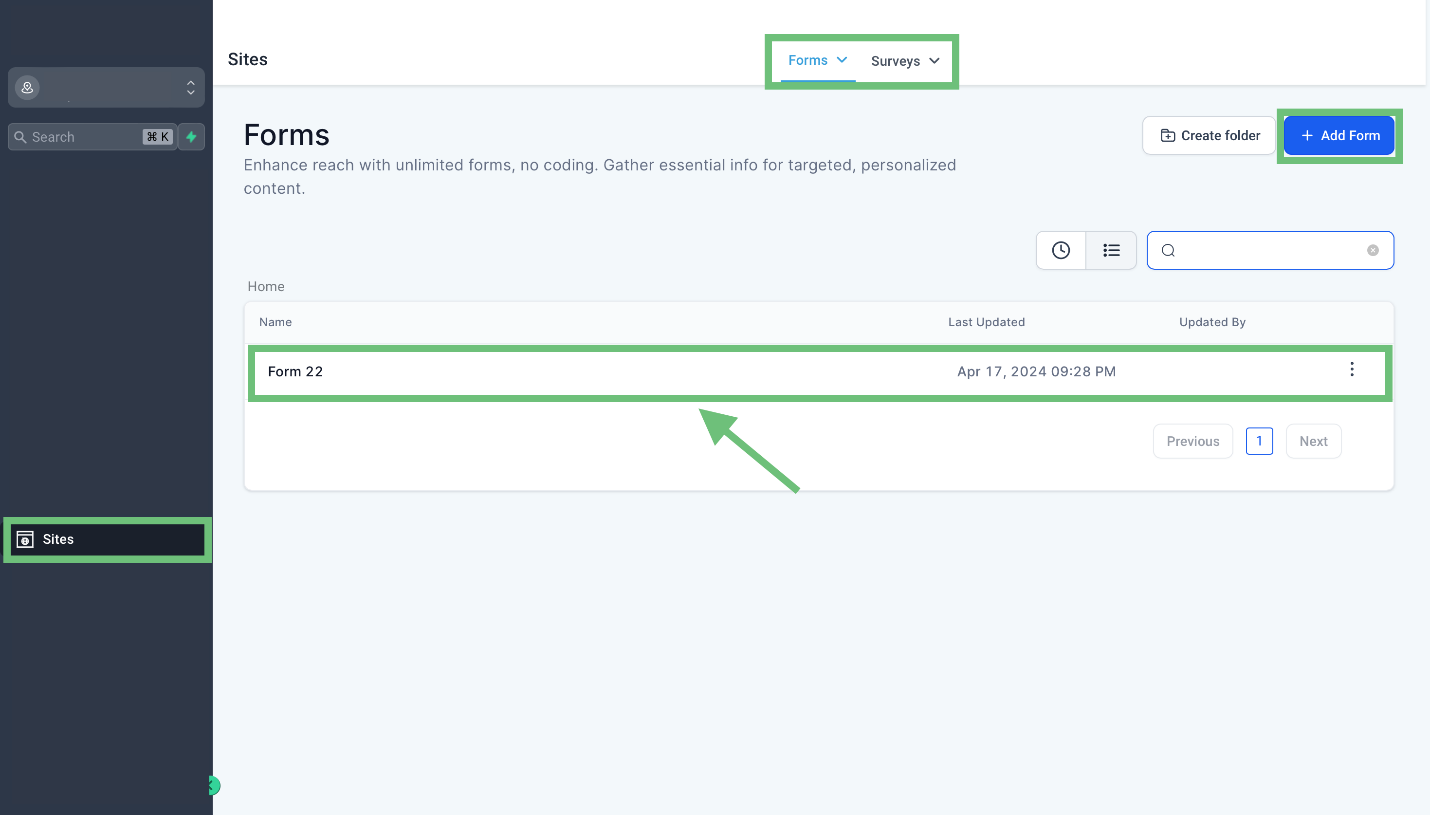
Access the “Sites” tab from the left navigation menu. Click on Forms/Surveys from the upper navigation menu and Create new or edit existing one.
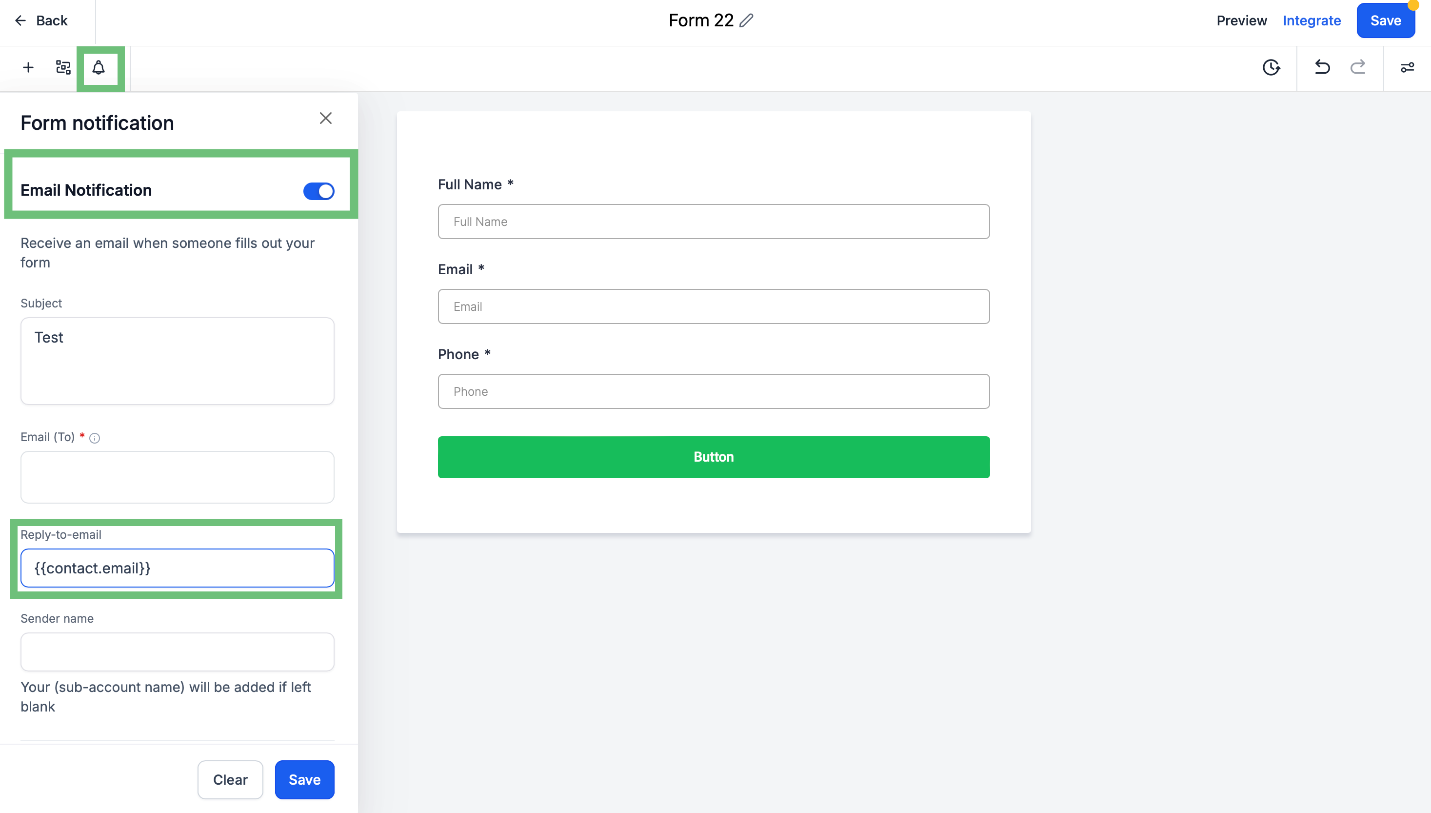
In the Builder, click on the bell icon and turn ON the Toggle Email Notification and now you can add the custom fields/values in the Reply-to-email field.
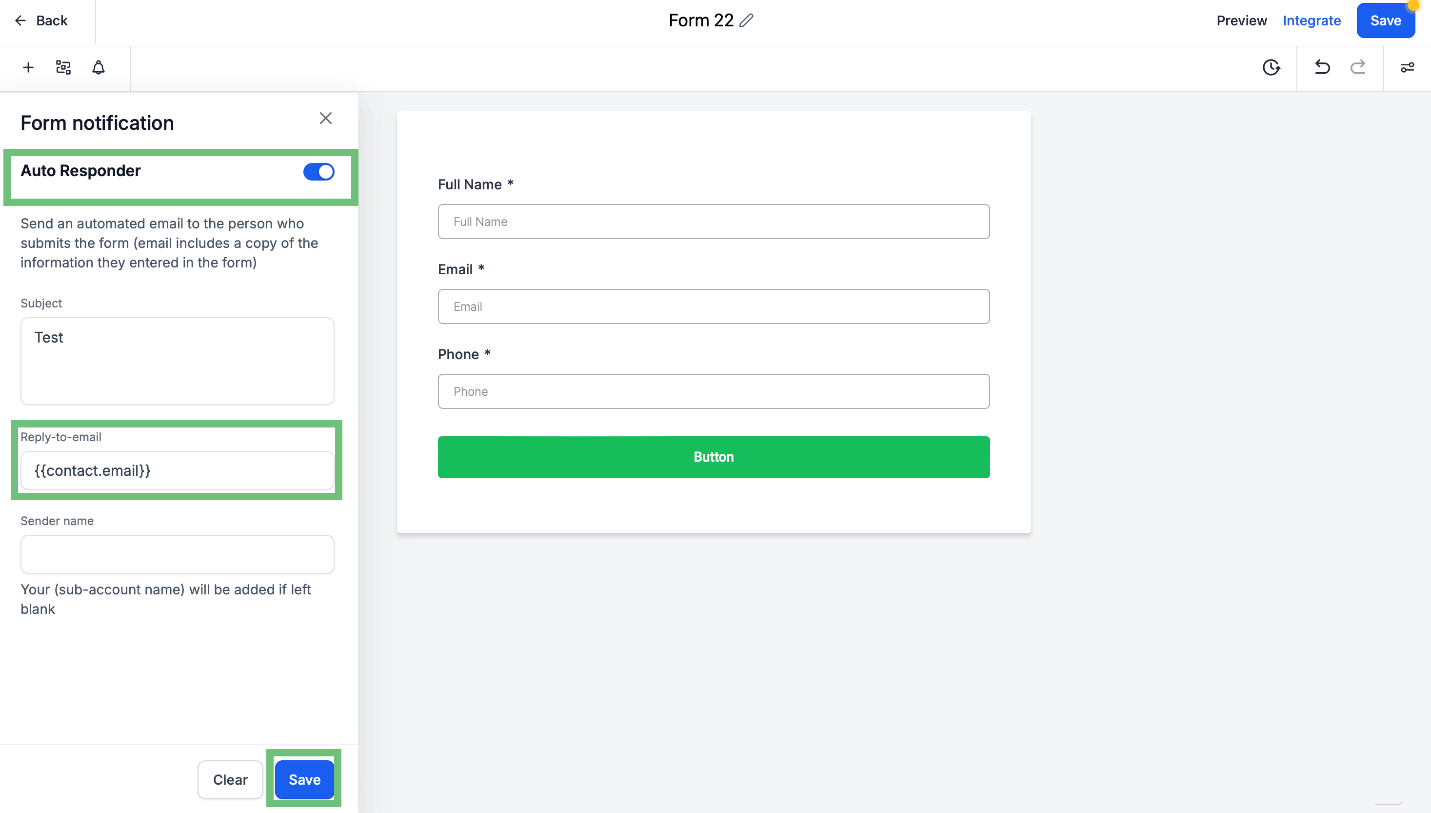
Similarly for the Auto Responder turn ON the toggle and add the Custom Field/value which you want and hit on save Button.
The Extended Custom Values in Email Notifications feature enhances the CRM's personalization and automation capabilities, improving communication efficiency and user experience.








