





Edit Service Appointments: Update Details Without Rebooking

Photo by GoodNotes 5 on Unsplash
We added a simple but powerful update to Pinnacle calendars: you can now edit service appointment details without cancelling or rebooking. That saves time, keeps contact info intact, and prevents payment confusion when a client asks for a small change.
Why this matters
Service appointments often bundle team members, equipment, and locations into a single calendar entry. Small mistakes used to force a full cancel and rebook. Now we let you correct or adjust details quickly while keeping the original appointment record and contact info.
What you can change
Date and time adjustments for reschedules and last-minute shifts
Assigned team members when staffing needs change
Equipment or location updates when a swap is needed
Contact information fixes without losing the appointment history
Step-by-step: Edit an appointment
Here’s how to update an appointment in the calendar. The process is short and obvious.
Open the appointment
Navigate to Calendar view within Calendars and click the appointment you want to modify.
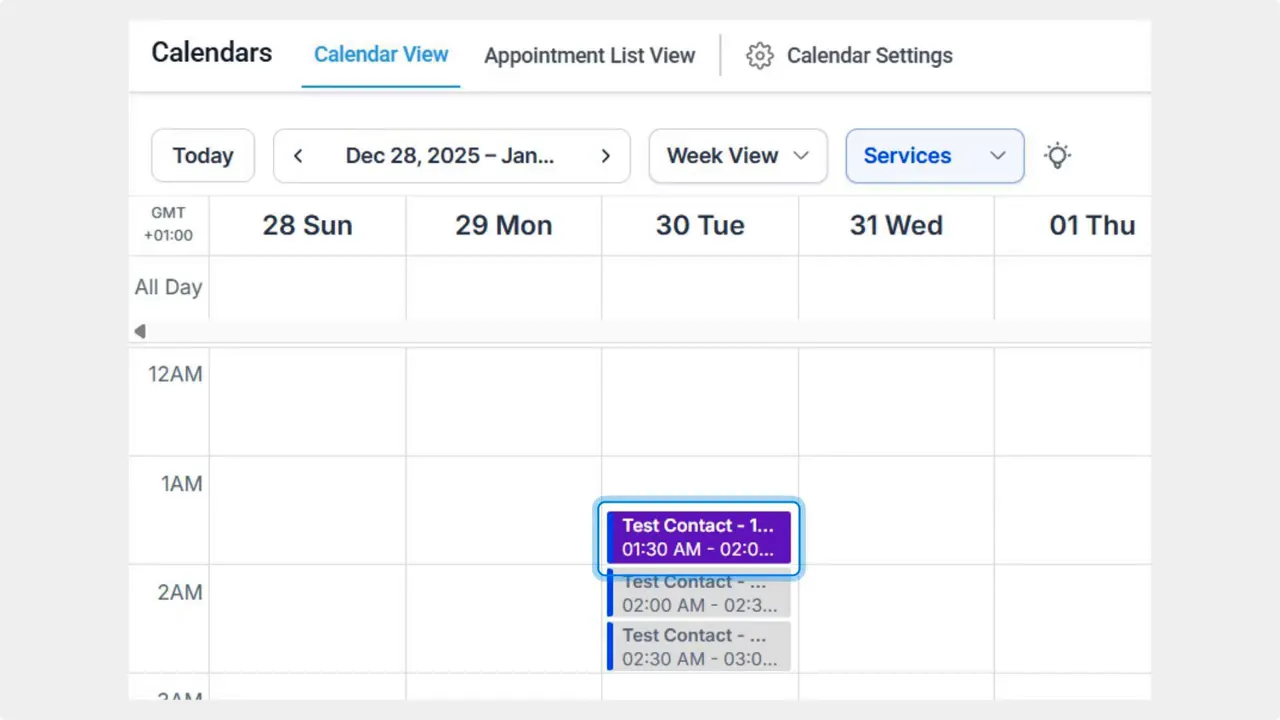
Or use the appointment list
If you prefer a list, open Appointment List view and click the three-dot icon next to the entry to open options.

Open the editor
On the right side menu, click the pencil icon to open the editing module.

Save your changes
Make the edits you need, then click Save. The appointment updates in place without requiring a cancel or new booking.
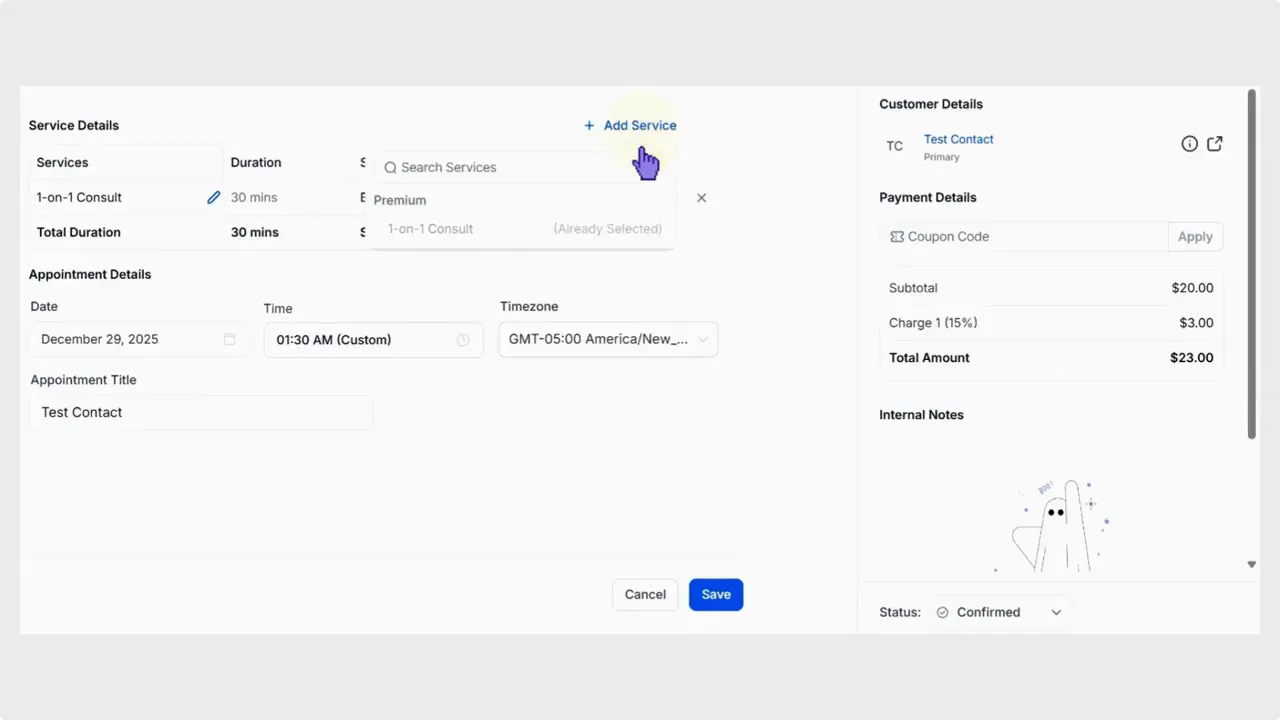
Important behavior and limits
These edits make everyday adjustments painless, but there are a few safeguards to avoid billing issues.
Paid appointments cannot be structurally changed. We prevent edits that would alter payment structure and cause double charges.
Cloning is available. You can duplicate an appointment, then modify the clone for repeat bookings or alternate schedules.
Contact info is preserved. Edited appointments retain client details so communication and history stay intact.
How this helps your operations
These changes reduce friction for last-minute client requests, corrections, and scheduling tweaks. Teams spend less time cancelling and rebooking. Payment confusion is minimized. And future bookings are simpler because duplicates can be used as a base.
Best practices
Keep a habit of cloning paid appointments when a structural change is required. Edit the clone and keep the original to protect payments.
Use the calendar view for visual scheduling and the list view for quick, administrative edits.
Confirm changes with clients when you make edits that shift times or team assignments.
FAQ
Can we change the date or time of a paid appointment?
Yes. Date and time edits are allowed. Structural edits that could impact payment setup are restricted to prevent double charges. If you need a structural change, clone the appointment and edit the clone.
Will editing an appointment remove client contact info?
No. Contact information is retained when you edit an appointment. That keeps history and communication intact.
Can duplicates be used for repeat customers?
Yes. Duplicating an appointment creates a solid base you can edit for repeat bookings. That speeds up future scheduling and keeps consistent details.
What happens if we need to change assigned team members?
Assigned team members can be changed in the editing module. Use the calendar view for visual adjustments or the list view for fast edits.
Final note
This update improves flexibility and reduces admin work. It makes small fixes simple while protecting payment integrity. We built it to handle real-world changes with minimal friction.
This article was created from the video Edit Service Appointments: Update Details Without Rebooking








