





Domain Connect Integration with Client Portal
A small online course creator wants to offer students a dedicated platform to access course materials, submit assignments, and engage with fellow learners. By connecting their custom domain to the Client Portal, the course creator ensures a seamless and branded experience for students, enhancing their learning journey and fostering a sense of community within the CRM.
Domain Connect Integration With Client Portal: This feature allows businesses to connect their custom domain to the Client Portal, enhancing branding and providing a seamless experience for clients accessing their account, thereby improving engagement and professional presentation within the CRM.
⭐️ Why Does It Matter To Your Business?
Enhanced Branding: Businesses can use their own custom domain for the Client Portal, reinforcing brand identity and credibility, which fosters trust and loyalty among clients.
Improved Experience: By connecting a custom domain, clients can access the Client Portal using a familiar URL, creating a seamless experience that enhances customer satisfaction and engagement.
Professional Presentation: Utilizing a custom domain elevates the professionalism of the client portal, leaving a lasting impression on clients and strengthening the reputation as a reliable business within the CRM.
⭐️ How To Use Domain Connect Integration With Client Portal:
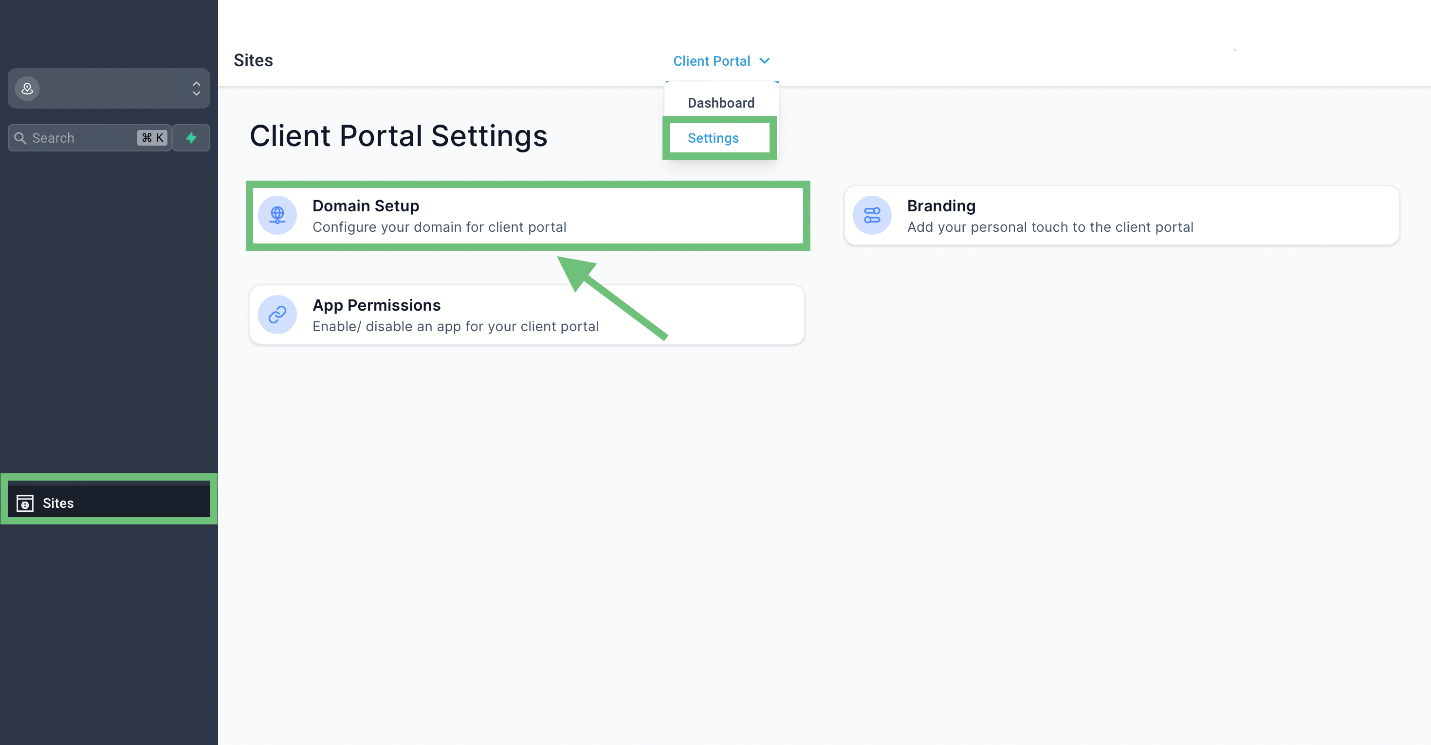
Access “Sites” from the left navigation menu and click on Client Portal Settings from the upper navigation menu. Click on “Domain Setup.”
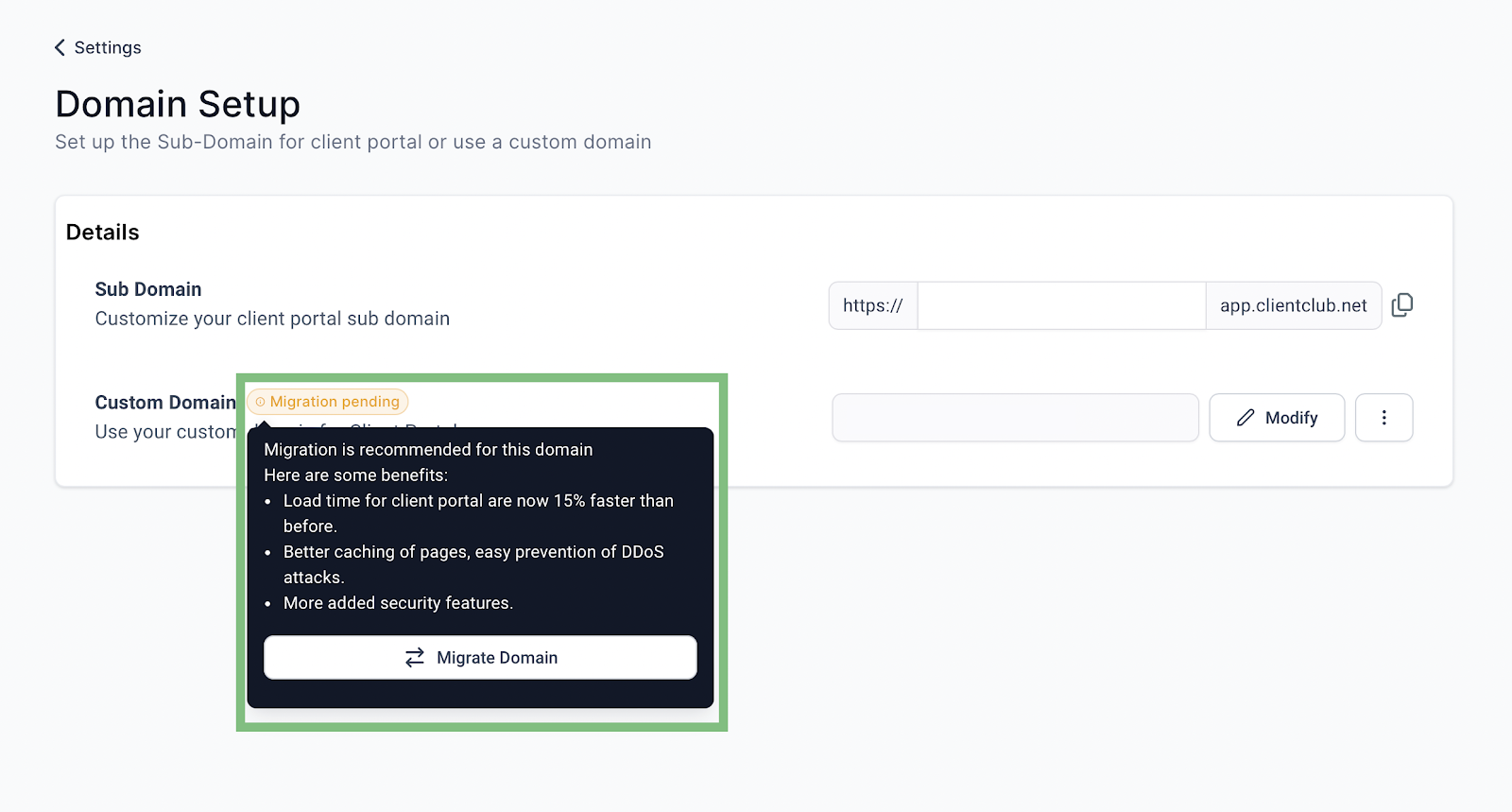
Migrate your existing domain by clicking on “Migrate Domain.”
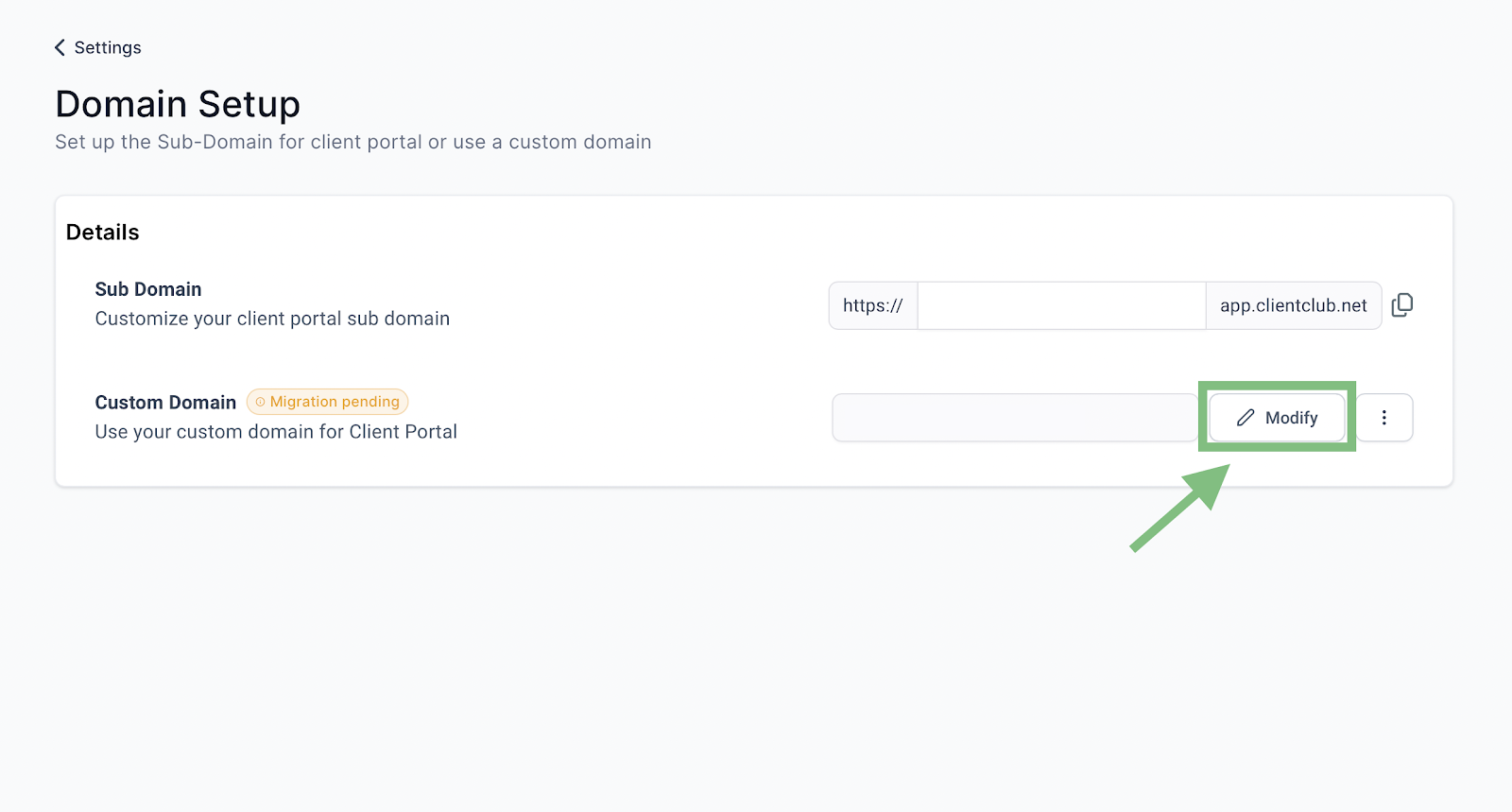
You can also modify the domain by clicking on the Modify button.
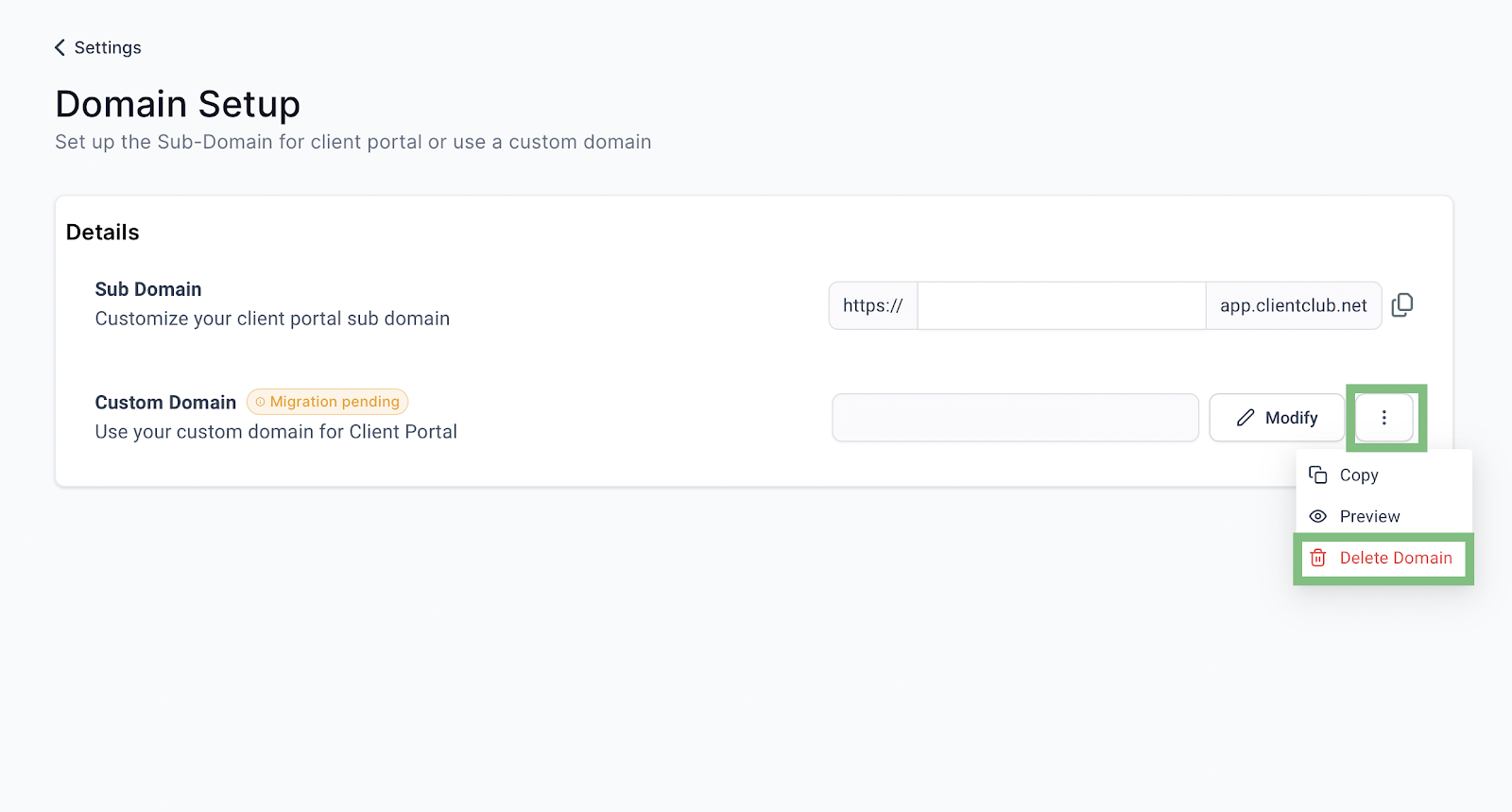
Delete/remove a domain by clicking on the three dots and clicking on Delete Domain.
Businesses can elevate their brand identity, improve experience, and maintain a professional presentation, ultimately fostering stronger client relationships and enhancing business credibility within the CRM.








