





Documents & Contracts | Added Support For Today's Date
When sending out contracts to new clients, your business can ensure the signed date is always accurate, which is crucial for legal and record-keeping purposes.
Documents & Contracts | Added Support For Today's Date: This feature ensures that the date field in contracts is limited to the current date, enhancing the accuracy and validity of document signing.
⭐️ Why Does It Matter To Your Business?
Enhanced Accuracy: Ensures the date selected by the signer is the actual date of signing, reducing errors.
Improved Compliance: Helps maintain compliance by ensuring accurate date records for signed documents.
Streamlined Process: Simplifies the signing process by eliminating the need for signers to manually select the correct date.
⭐️ How To Use Documents & Contracts | Added Support For Today's Date:
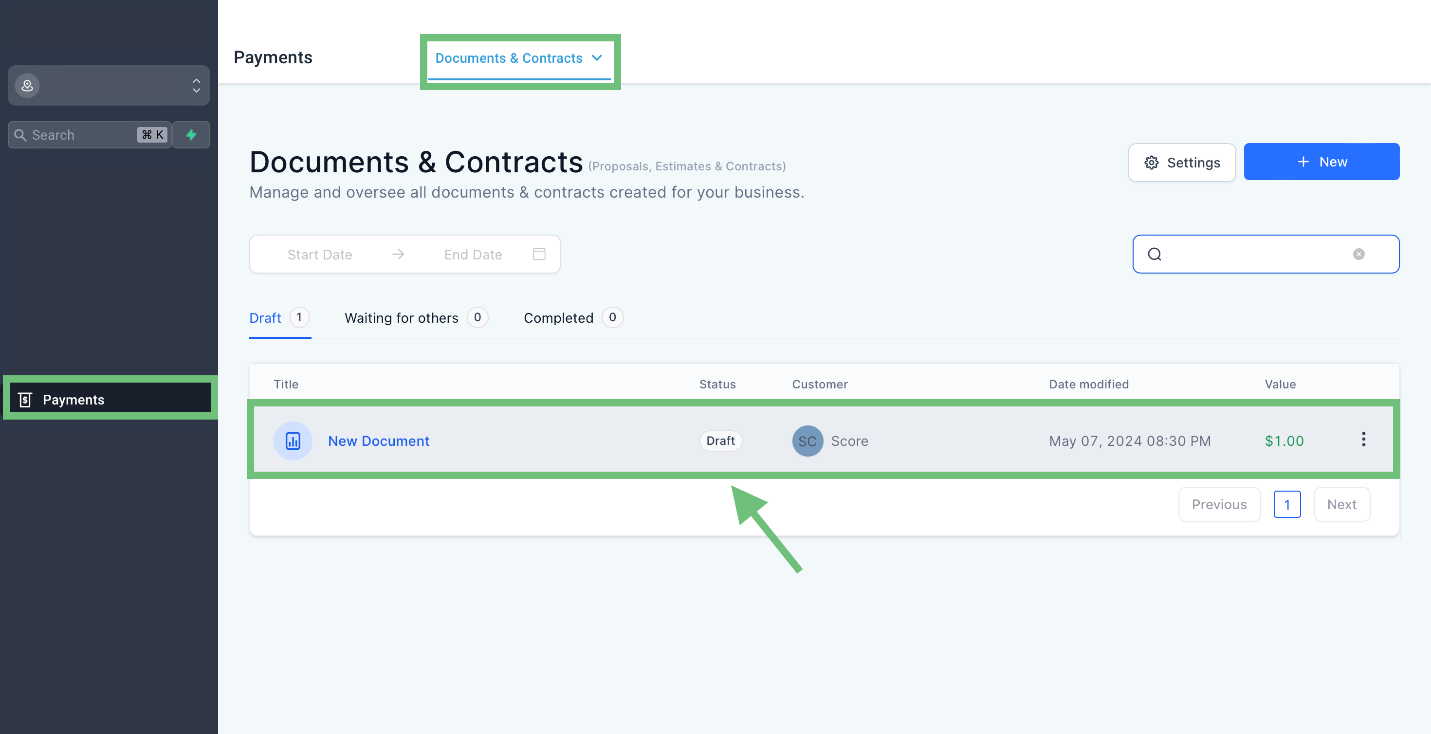
Access the “Payments” tab from the left navigation menu. Click on Document & Contracts from the upper navigation menu and then create new or edit existing ones.
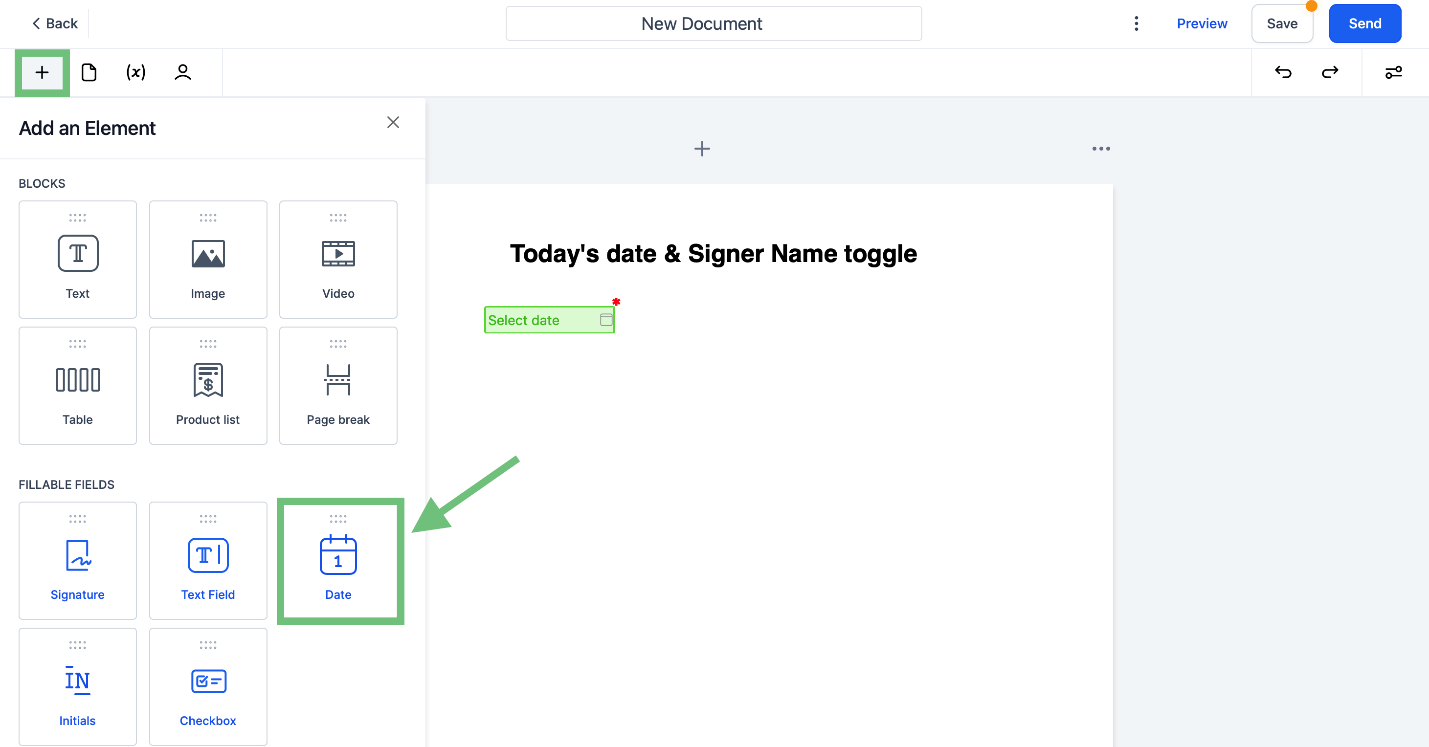
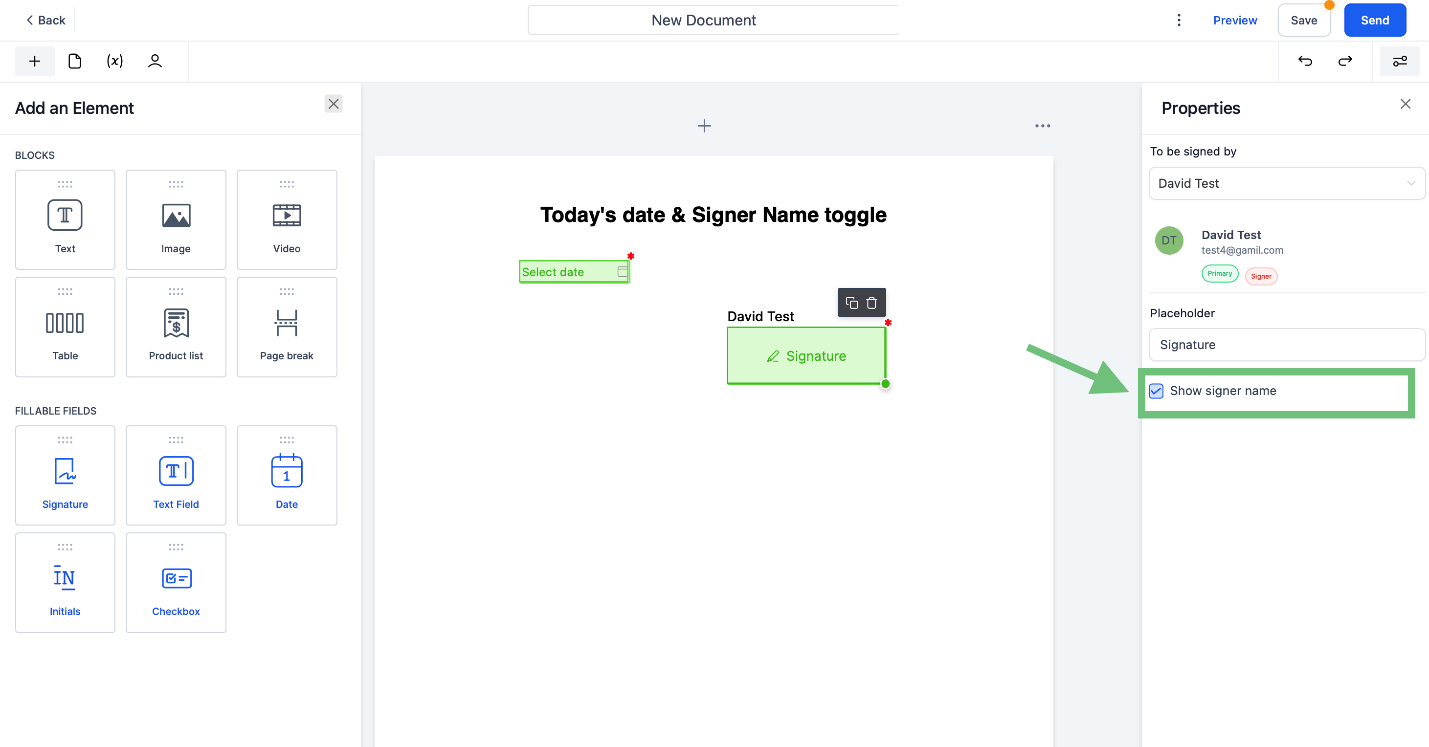
Click on the “+” icon and add the Date element from fillable fields by drag and drop.
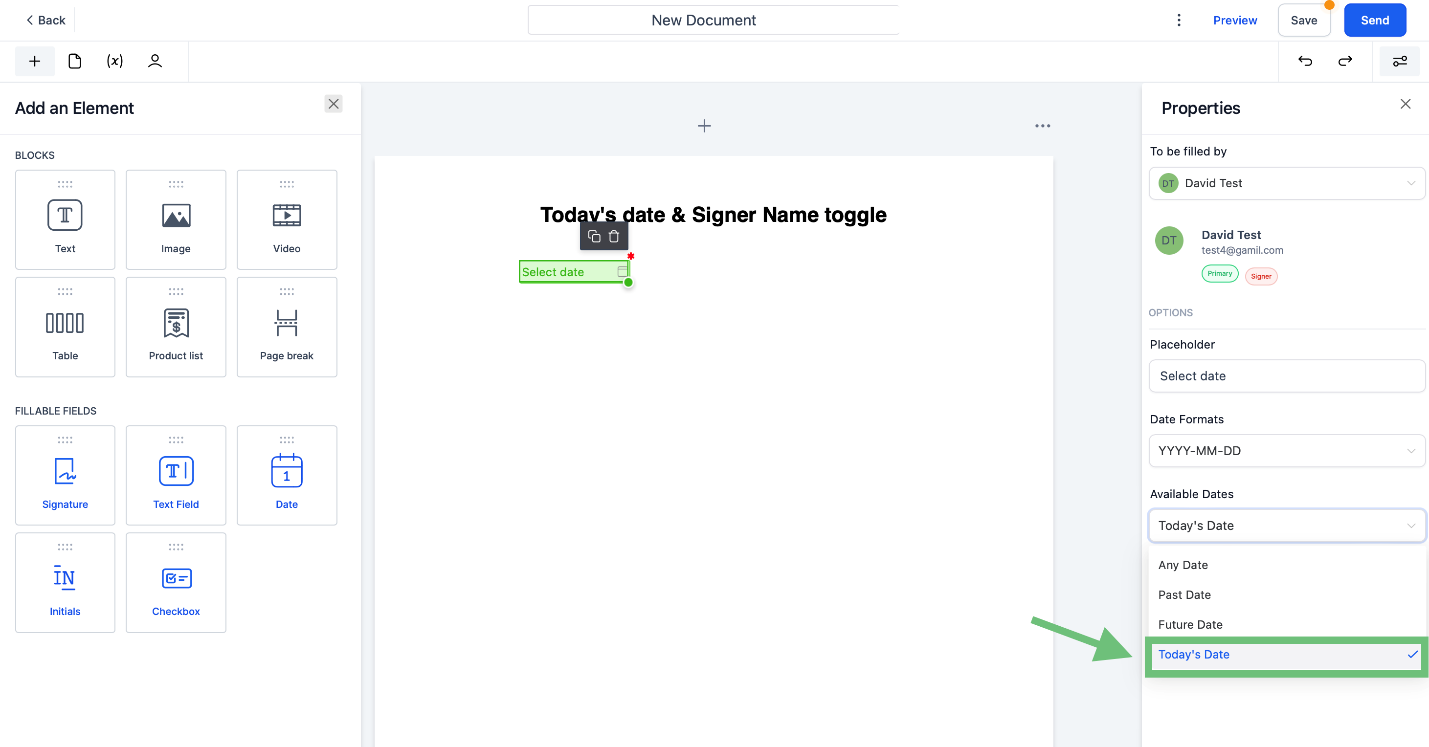
Click on the date field element, go to available dates, now you can select Today’s date as the option.
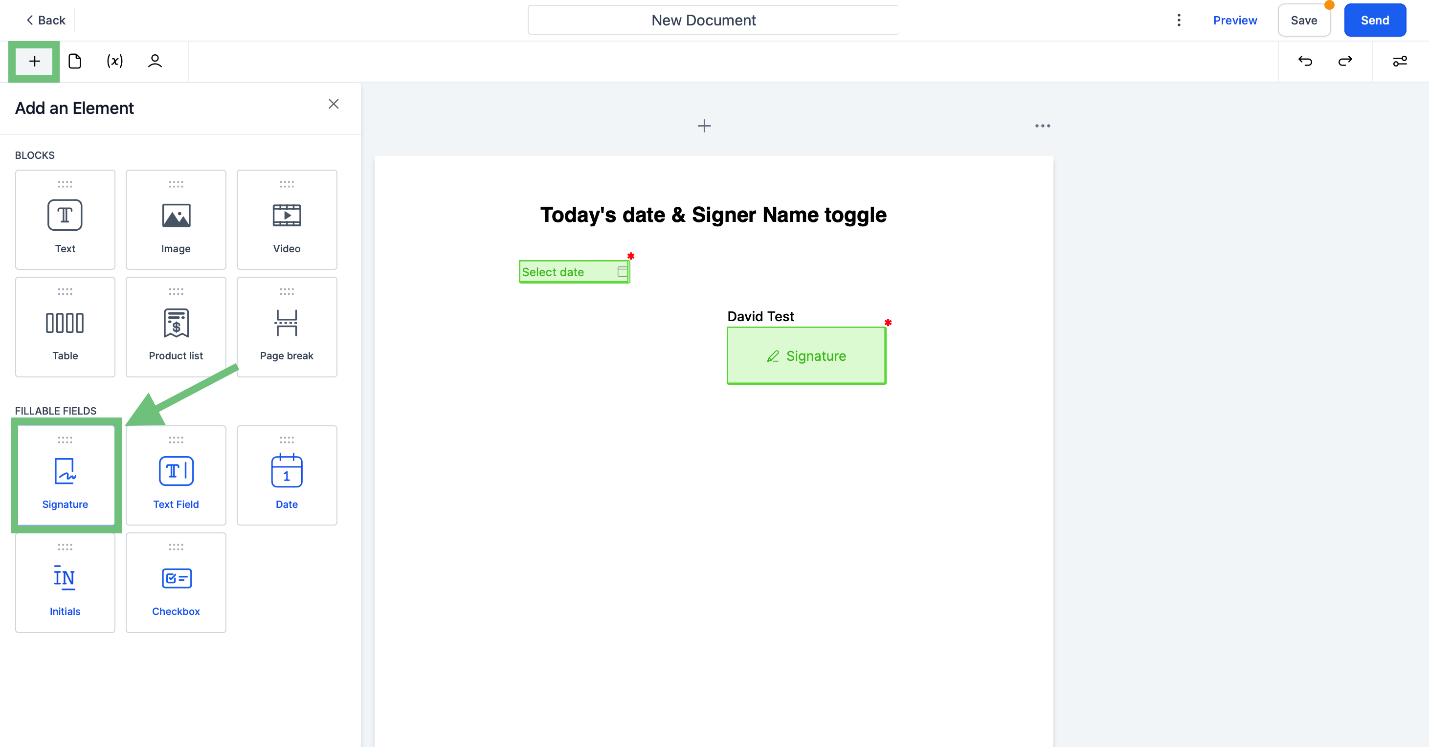
Now click on the “+” icon and add the signature element by drag and drop.
Enable/disable the checkbox in properties to show the name or not.
This feature improves the accuracy and compliance of document signing within the CRM.








