





Manage Opportunities Faster with the New Contact Details Tab

We’ve updated the Contact Page to make opportunity management faster, clearer, and easier to find.
With the new contact page design, opportunities now have a dedicated place in the right-hand panel. That means better visibility, quicker access, and a cleaner layout when working from contact details.
What changed on the Contact Page
Opportunities now appear as a standalone tab in the right panel, positioned just below Associations.
This change improves discoverability and gives opportunities a more intuitive home inside the contact record. Instead of being mixed into associations, they are now managed separately, which makes the page easier to scan and use.
And importantly, this update does not change your underlying data structure or functionality. The way your opportunity data works stays the same. The improvement is in how you access and manage it.
Why this update matters
When opportunity details are easier to find, everyday work gets simpler.
Faster workflows with fewer clicks
Better visibility into opportunity details while staying on the Contact Page
Cleaner organization by separating opportunities from associations
No disruption to your data or existing functionality
The goal is straightforward: keep the information you need visible and easy to update, right where you already work.
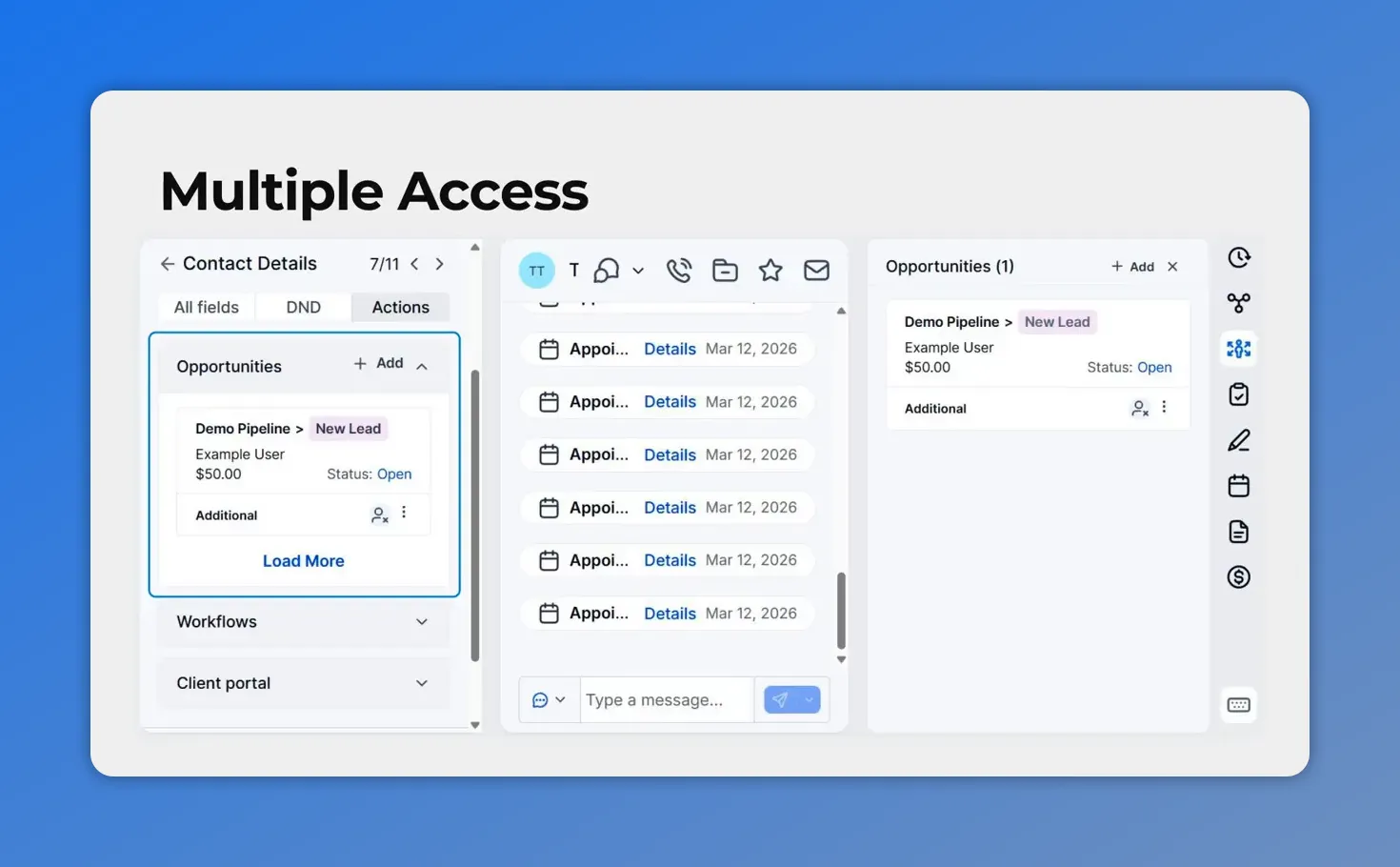
Temporary dual access during the transition
To make the shift easier, opportunities are temporarily available in two places:
Under Actions
In the new Opportunities tab on the right panel
This gives teams time to adjust to the new layout without interrupting their process.
If you already work from contact details, the new tab will likely become the quicker option. But during the transition, both access points are available.
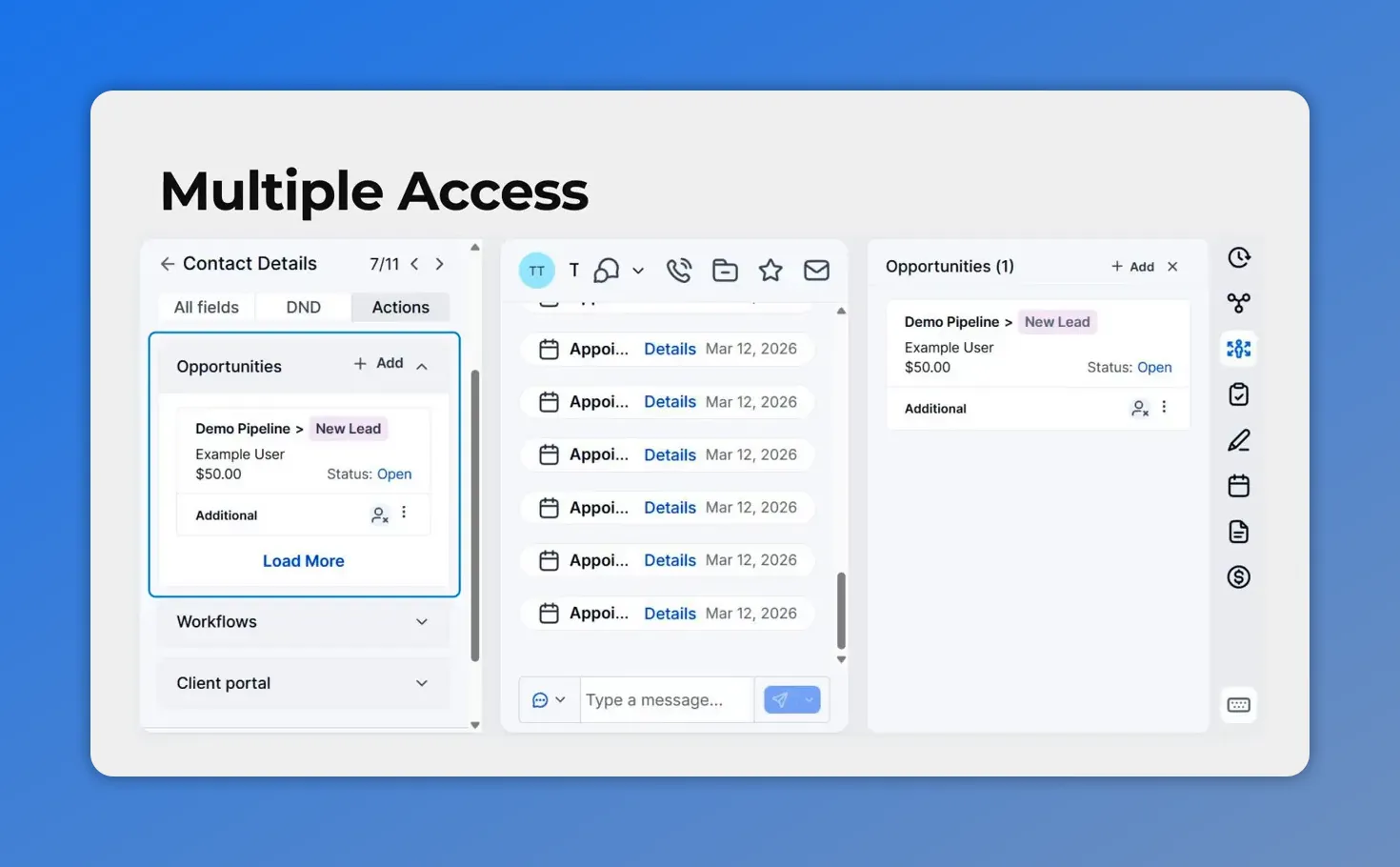
During the transition, opportunities are accessible in two places—under Actions and in the new Opportunities tab on the right panel.
Where to find the new Opportunities tab
Open any contact record.
On the right-hand panel, you’ll now see a dedicated Opportunities tab directly below Associations.
This is now the main place to view and manage opportunity details from the Contact Page.
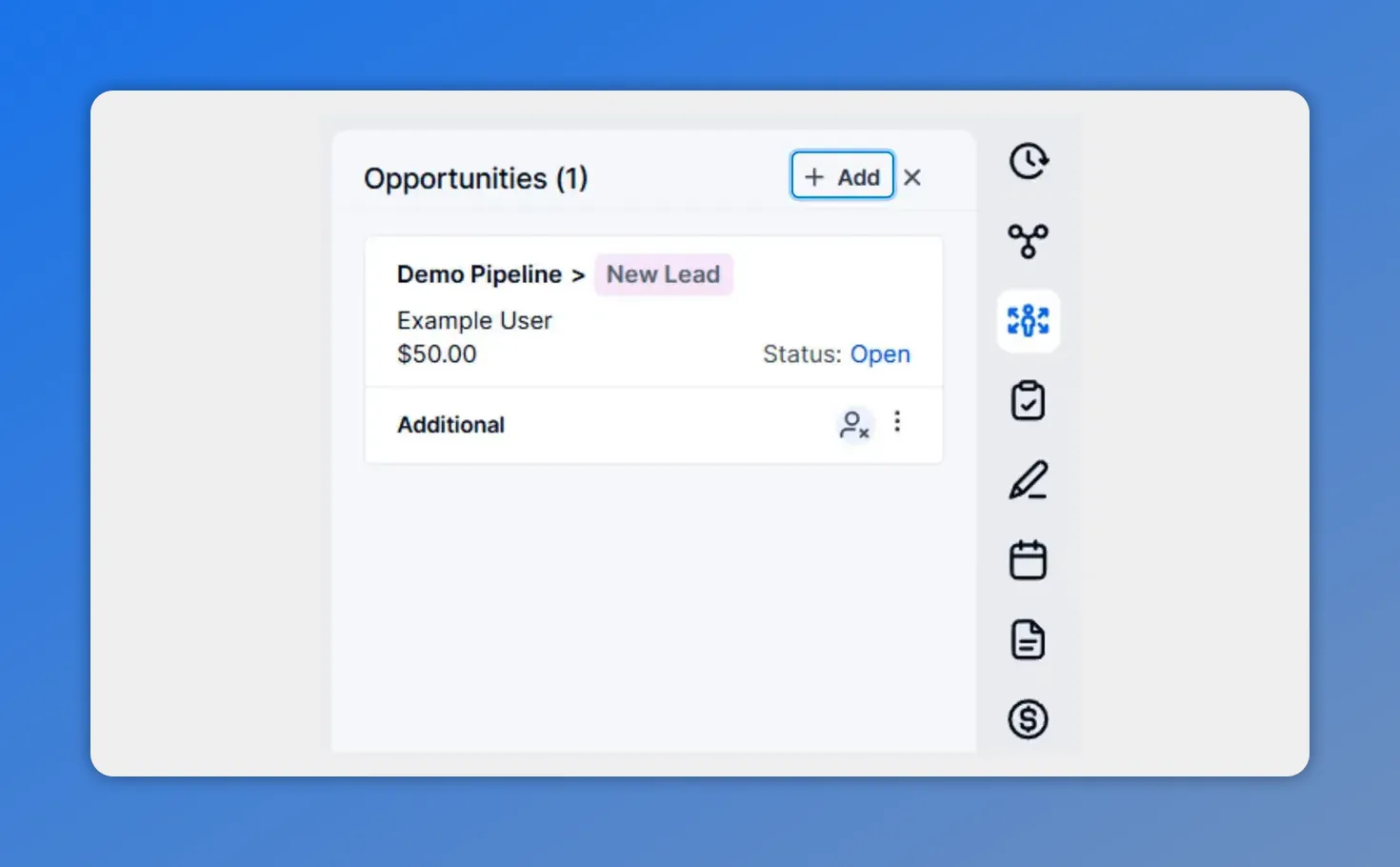
In the right panel, the new Opportunities tab shows opportunity cards with key info like pipeline, owner, and status—ready for quick actions.
How to add a new opportunity
Adding a new opportunity is simple:
Go to the contact record
Open the Opportunities tab in the right panel
Click Plus Add
This lets you create a new opportunity directly from contact details without leaving the page.
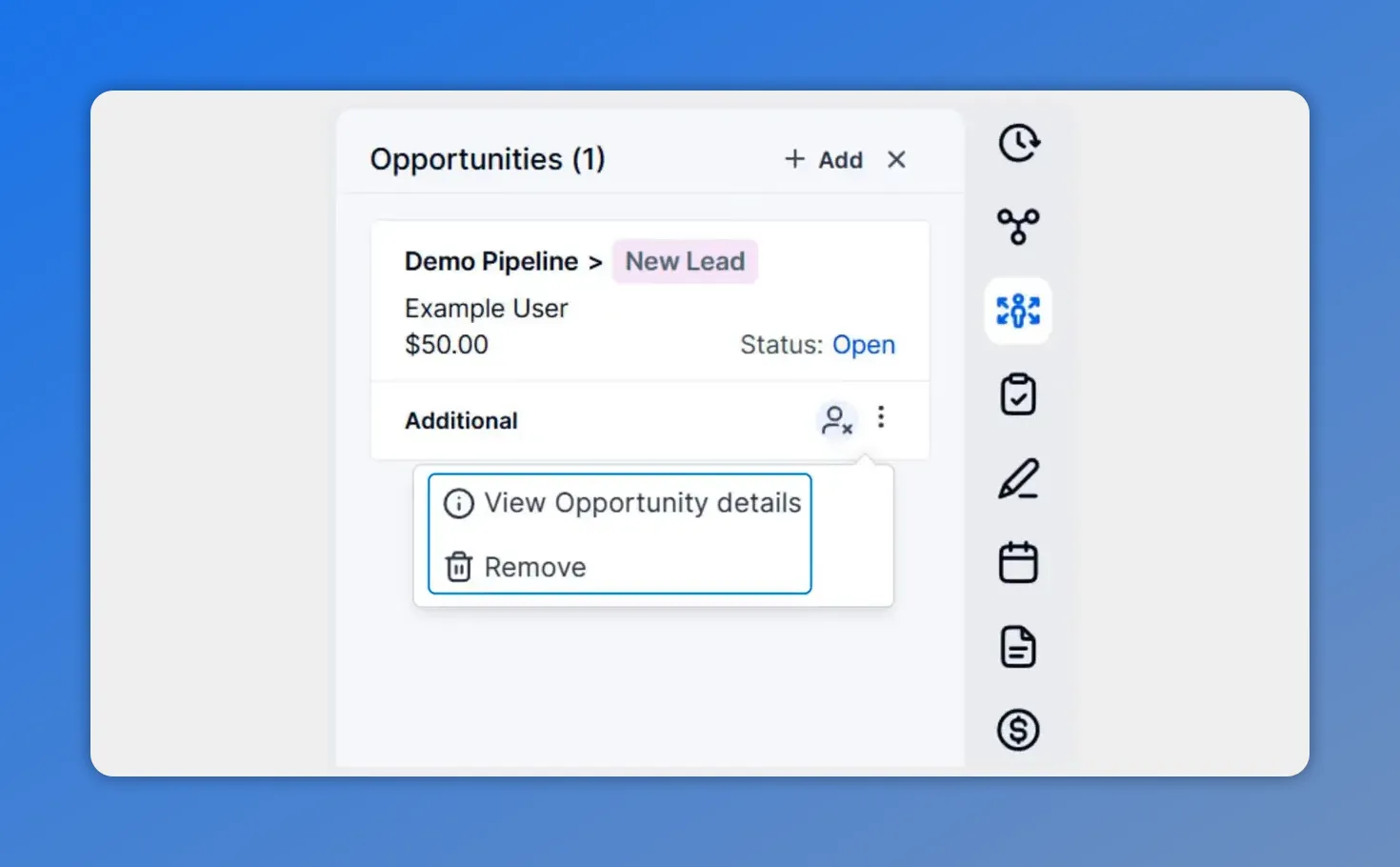
From the opportunity card, use the three-dot menu to view opportunity details or remove the opportunity.
How to edit or remove an opportunity
Each opportunity card includes a three-dot menu in the bottom-right corner.
Use that menu to:
Edit the opportunity
Remove the opportunity
This gives you quick control over existing opportunities right from the Contact Page.
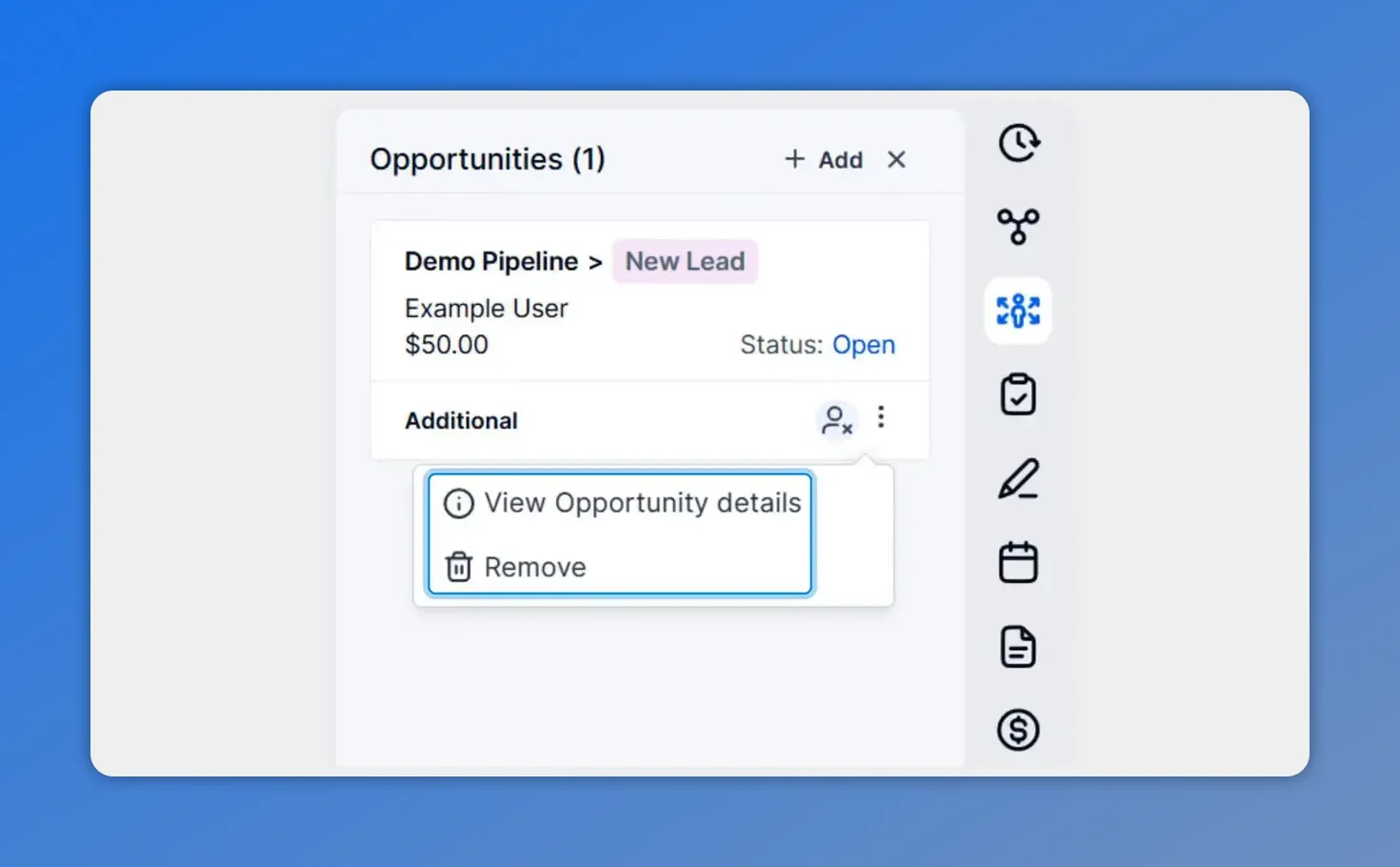
Use the three-dot menu on an opportunity card to view opportunity details or remove the opportunity.
How to open full opportunity details
You can also click directly on an opportunity card to open its details.
Once opened, you can review the information and make updates as needed. This is useful when you want more than the quick actions available in the card menu.
So whether you need to add, edit, remove, or open an opportunity in more detail, the full workflow is now available from one clear location.
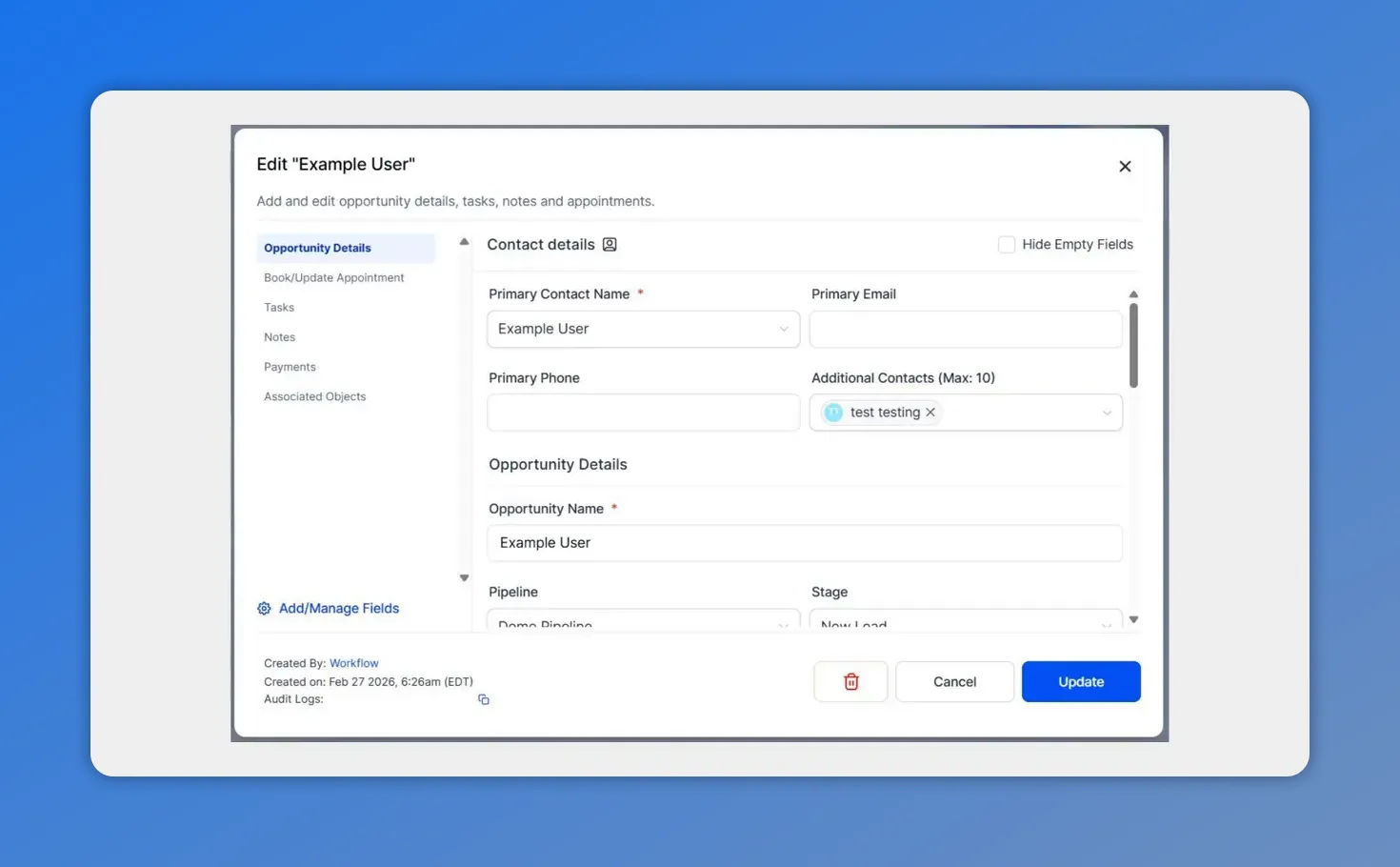
Opening full opportunity details lets you review everything in one place—useful when you need more than the quick actions on the card.
A cleaner way to manage opportunity information
Separating opportunities from associations creates a clearer view of the contact record. It keeps key details visible and easier to manage, without changing how your records function behind the scenes.
That means less hunting around for the right section and more confidence when updating opportunity information in context.
If your team works regularly from contact details, this update should make opportunity management feel more natural and more organized.
FAQ
Where is the new Opportunities tab located?
It’s on the right-hand panel of the contact record, directly below Associations.
Can we still access opportunities from Actions?
Yes. During the transition, opportunities are temporarily available both under Actions and in the new right-panel tab.
Does this update change our opportunity data or functionality?
No. Opportunities are now managed separately from Associations for a cleaner view, but the underlying data structure and functionality remain the same.
How do we add a new opportunity from a contact record?
Open the contact record, go to the Opportunities tab in the right panel, and click Plus Add.
How do we edit or remove an existing opportunity?
Click the three-dot icon on the opportunity card. From there, you can edit or remove it.
Can we open an opportunity to see more details?
Yes. Clicking an opportunity card opens the opportunity details so you can review and update the record.
Try the new Opportunities tab in Pinnacle today and manage opportunity details faster without leaving the Contact Page.
This article was created from the video Manage Opportunities Faster with the New Contact Details Tab








