





Video Testimonials in Reputation: Collect and Display Customer Videos

Photo by Vitaly Gariev on Unsplash
Trust is the single strongest motivator for customers to choose a business. Video testimonials amplify that trust. They show real people, real experiences, and real results—all in a format that converts better than text alone.
Why collect video testimonials inside Pinnacle
Collecting video reviews directly in Pinnacle makes the process smoother and more consistent. It keeps branding intact, reduces manual work, and lets us manage submissions from the same place we manage customers. That means faster turnaround and a cleaner workflow for publishing authentic customer stories.
How the video collector works
Here’s how to set up a video collector and start receiving video reviews from customers.
Open the Video Testimonials tab. You’ll find it under Reputation. This is the control center for all video review activity.

Create a new collector. Click Create Collector and fill out the basic details. Name the collector and add any instructions customers need to record their review.

Build your Questions page. Each question you add acts as a prompt for a separate video submission. Thoughtful, specific prompts lead to better responses—short, focused questions work best.

Share the collector. Use the share icon to send a request to a contact. Choose the contact and the channel, then send the request. The customer receives the request and uploads their video directly.

Manage responses in the Responses tab. View, download, or delete submissions without leaving Pinnacle. Approved videos can then be shown in your review widget without the need to download and re-upload files.
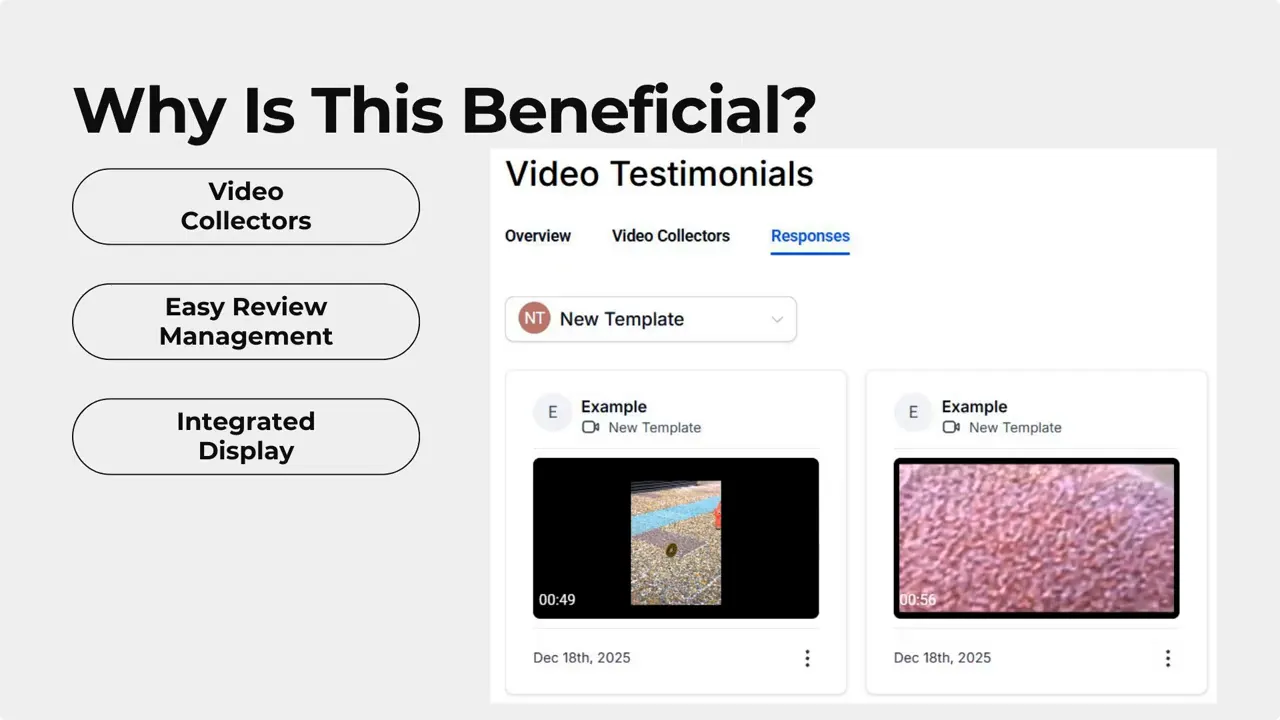
What this workflow saves you
Less manual labor. Submissions arrive inside the CRM so you do not waste time moving files around.
Consistent branding. Collectors can be customized so every request looks and feels like your brand.
Unlimited collectors. Create separate collectors for services, locations, or campaigns.
Integrated display. Videos can appear in your review widget directly, simplifying publishing.
Best practices for collecting high-quality video testimonials
Ask specific questions that guide the customer: what problem did we solve, what results did they see, and what would they tell someone considering us?
Keep prompts short and conversational. Customers record better answers when they have a clear, single thing to talk about.
Offer simple technical tips: natural light, quiet background, and holding the phone horizontally when possible.
Follow up politely if a customer hasn’t responded. A short reminder usually improves completion rates.
Common use cases
Service-based businesses collecting before-and-after experiences.
Agencies showcasing client success stories.
Local businesses highlighting community impact and trust.
Product sellers sharing unboxing and real-use testimonials.
FAQ
Can we create more than one collector at a time?
Yes. You can create unlimited collectors, which is useful for targeting different services, campaigns, or audiences.
Do customers need to upload videos manually after recording?
No. Each question prompts the customer to record and upload their video directly through the collector interface, so there is no separate download-and-upload step.
Where do submitted videos appear?
Submissions appear in the Responses area of the Video Testimonials section. From there, you can view, download, or delete them and approve items for display in your review widget.
Can we keep our branding on the request?
Yes. Collectors are customizable, so every request can reflect your brand voice and visuals for a consistent customer experience.
Does this integrate with review widgets?
Yes. Approved video testimonials can be displayed directly in the review widget without needing manual file management.
Wrap up
Video testimonials turn satisfied customers into persuasive storytellers. By collecting and managing videos inside Pinnacle, we reduce friction, keep branding consistent, and make it easier to publish authentic social proof. Use focused prompts, keep the process simple for customers, and make approvals part of your regular workflow.
We’re excited to see how this improves trust and conversions for your business.
This article was created from the video Video Testimonials in Reputation: Collect and Display Customer Videos








