





Certificate Expiration & Downloads
When you offer courses or certifications, you can set an expiration date for each certificate, ensuring that participants recertify after a specified period, such as annually for CPR training.
Certificate Expiration & Downloads: This feature allows you to set expiration dates for certificates and enhances the download process, improving the management and usability of certificates within the CRM.
⭐️ Why Does It Matter To Your Business?
Expiration Management: Your business can now set expiration dates for certificates, ensuring timely recertification and compliance.
Improved Accessibility: Users can easily download certificates from the client portal, compatible with all major browsers.
Enhanced Control: Manually expire existing certificates to maintain up-to-date records and revoke access when necessary.
⭐️ How To Use Certificate Expiration & Downloads:
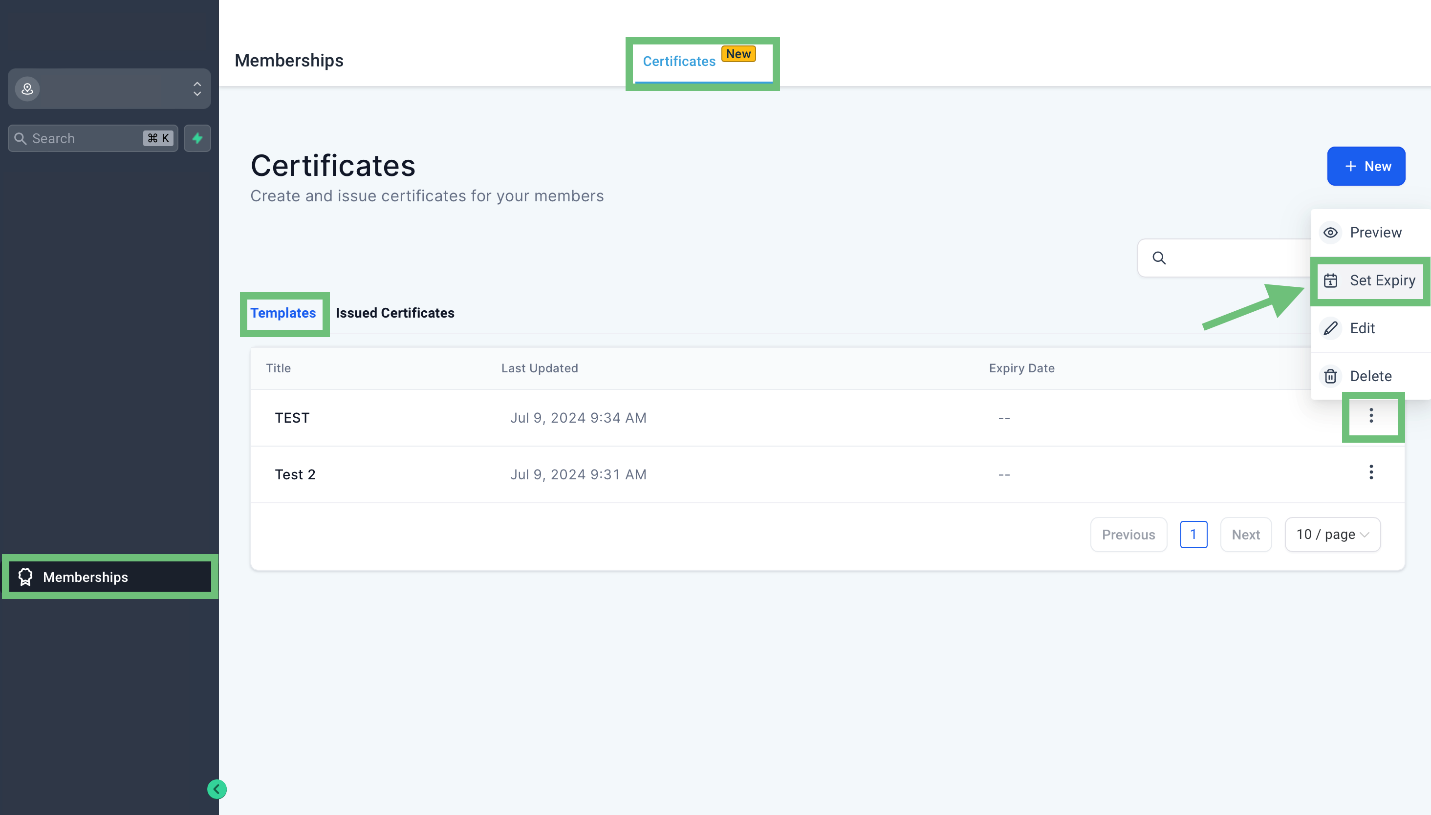
Access the “Membership” tab from the left navigation menu. Click on Certificates from the upper navigation menu and then click on templates and click on three dots > Set Expiry of existing template.
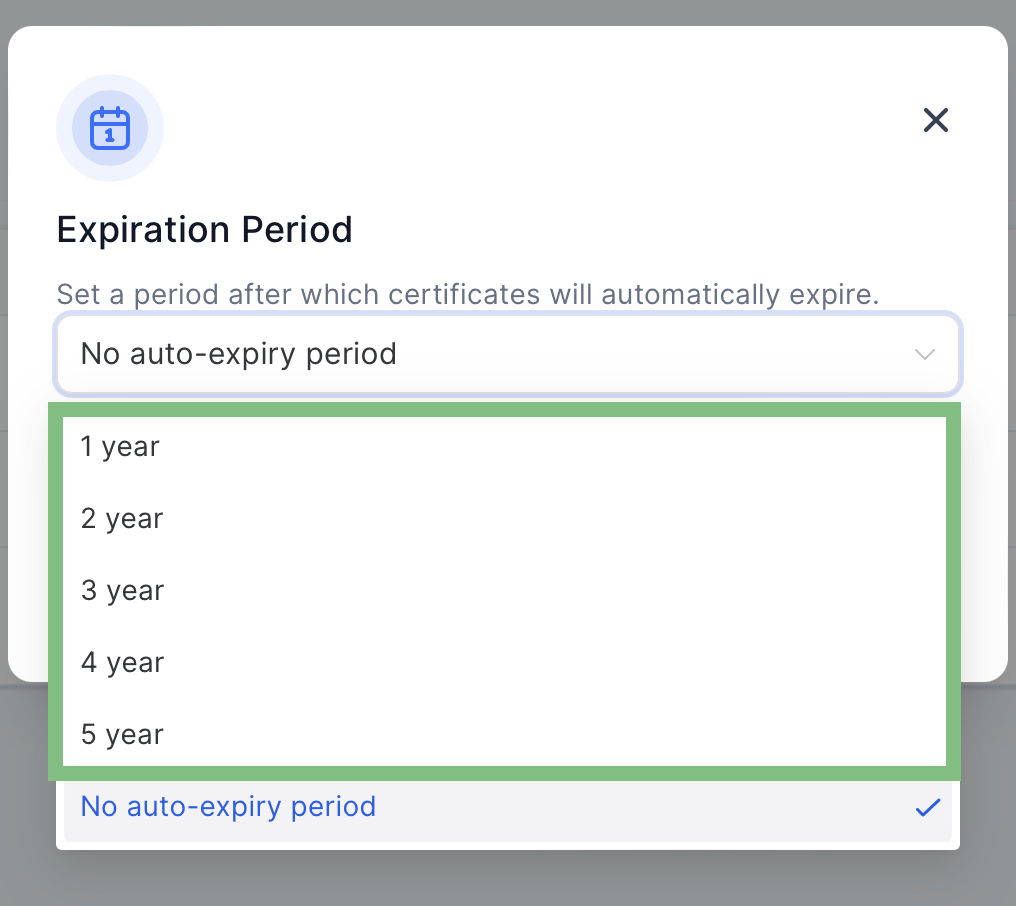
Select the expiring period according to your requirements and click on Set expiry button.
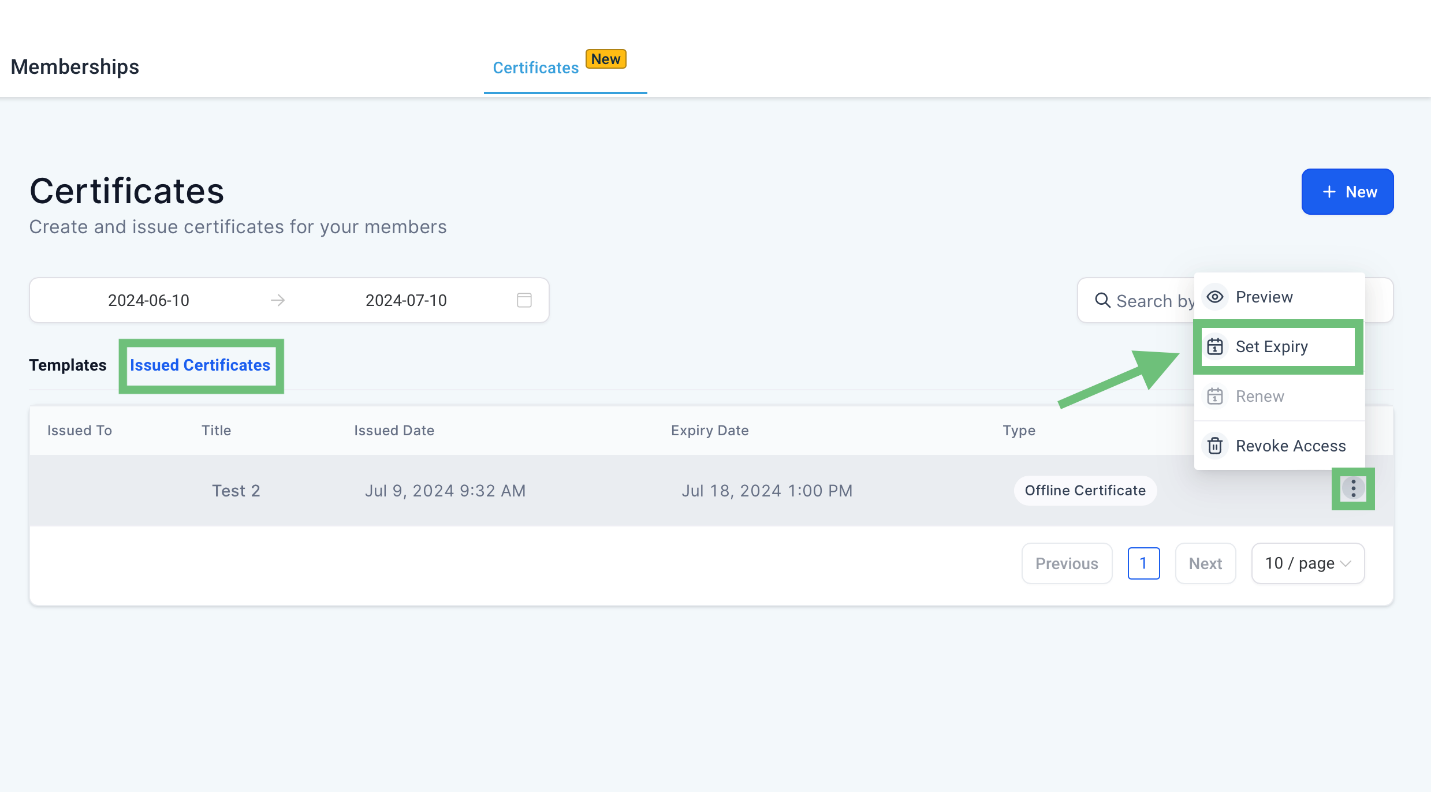
Click on Issued Certificates and click on three dots > Set Expiry.
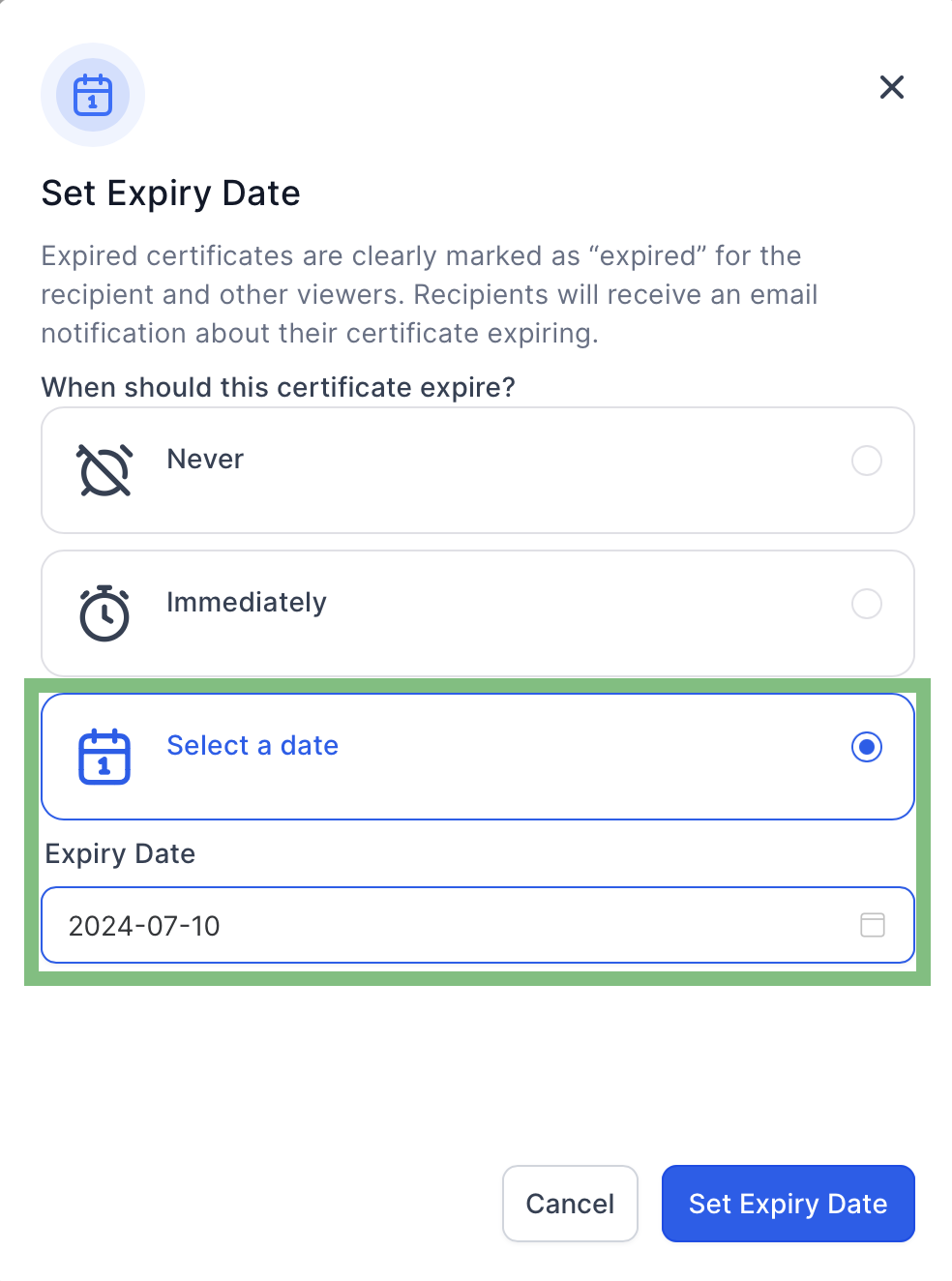
Click on Select a date and Set the Expiry Date a d hit on Set expiry Date button.
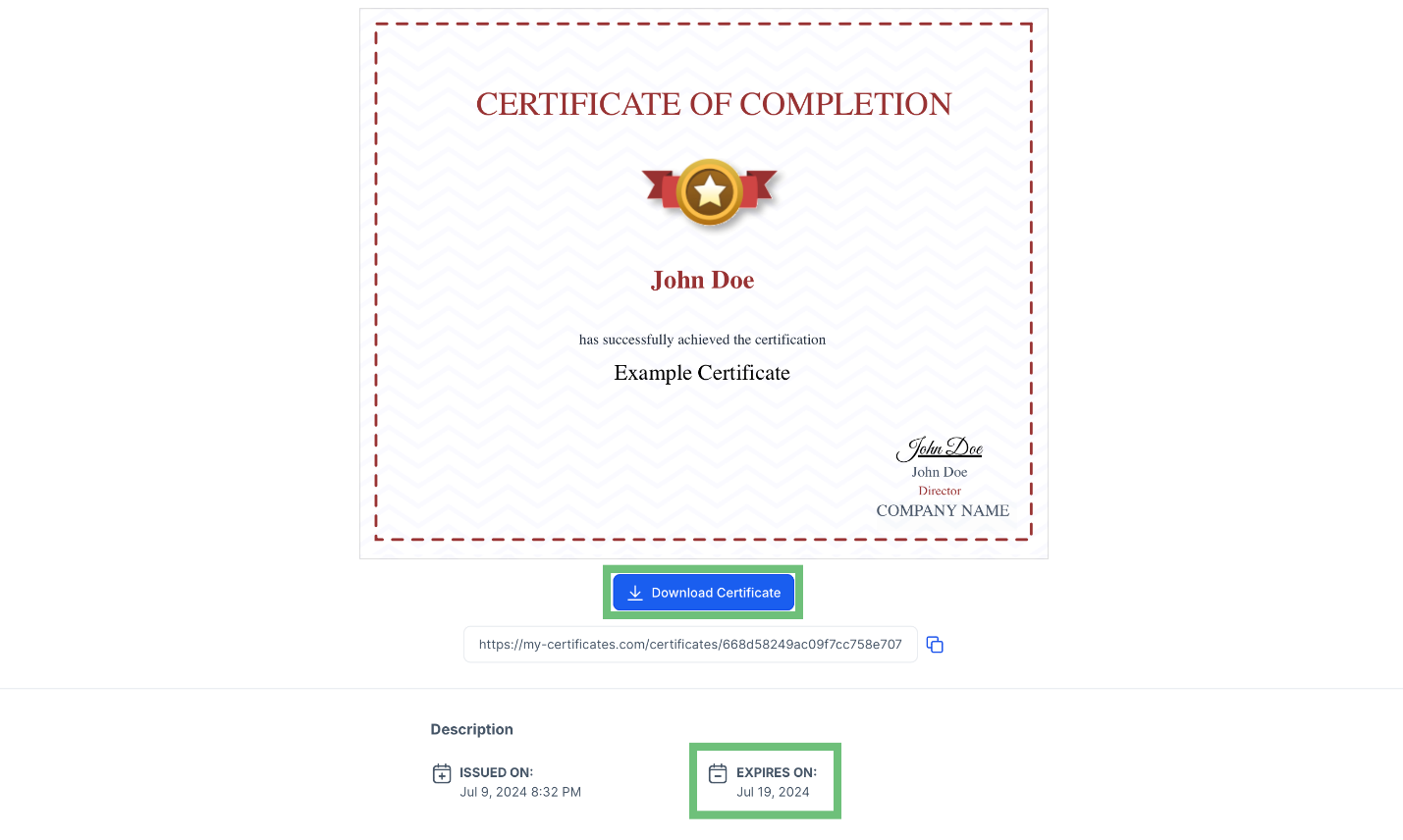
In the preview you can see the added Expiry Date and you can also download the certificate as well.
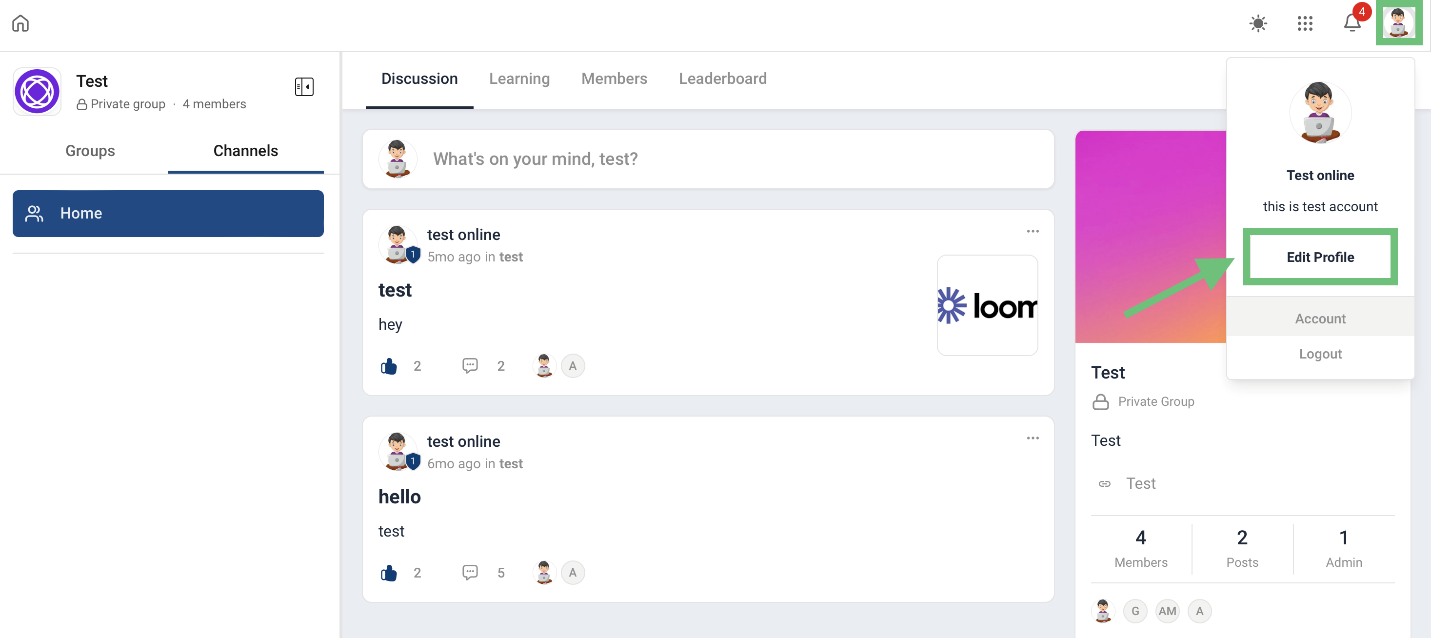
Login to your Client portal and click on the profile icon and then click on Edit profile.
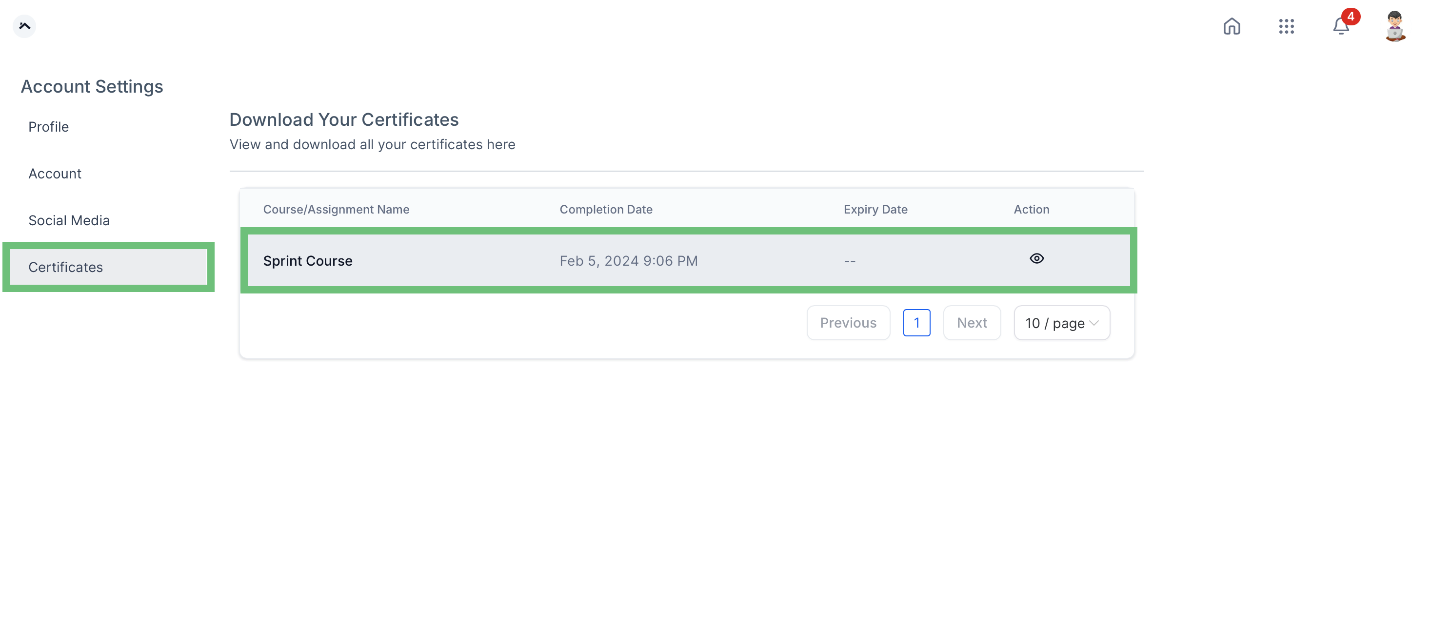
Click on Certificates And here you can also download the Certificate as well.
The Certificate Expiration and Download Enhancements within the CRM streamline certificate management, ensuring up-to-date credentials and easy access for your users.








