





Calendar Group Deletion
When you decide to restructure your business operations, this feature allows you to quickly delete outdated calendar groups, making it easier to set up new, more relevant schedules without manual individual deletions.
Calendar Group Deletion: This feature allows users to delete entire calendar groups easily, streamlining calendar management.
⭐️ Why Does It Matter To Your Business?
Simplified Calendar Management: Your business can manage and organize calendars more efficiently.
Time-Saving: When you need to reorganize or clean up your schedules, deleting multiple calendars at once saves valuable time.
Improved Organization: Helps maintain a clutter-free calendar system, improving overall productivity.
⭐️ How To Use Calendar Group Deletion:
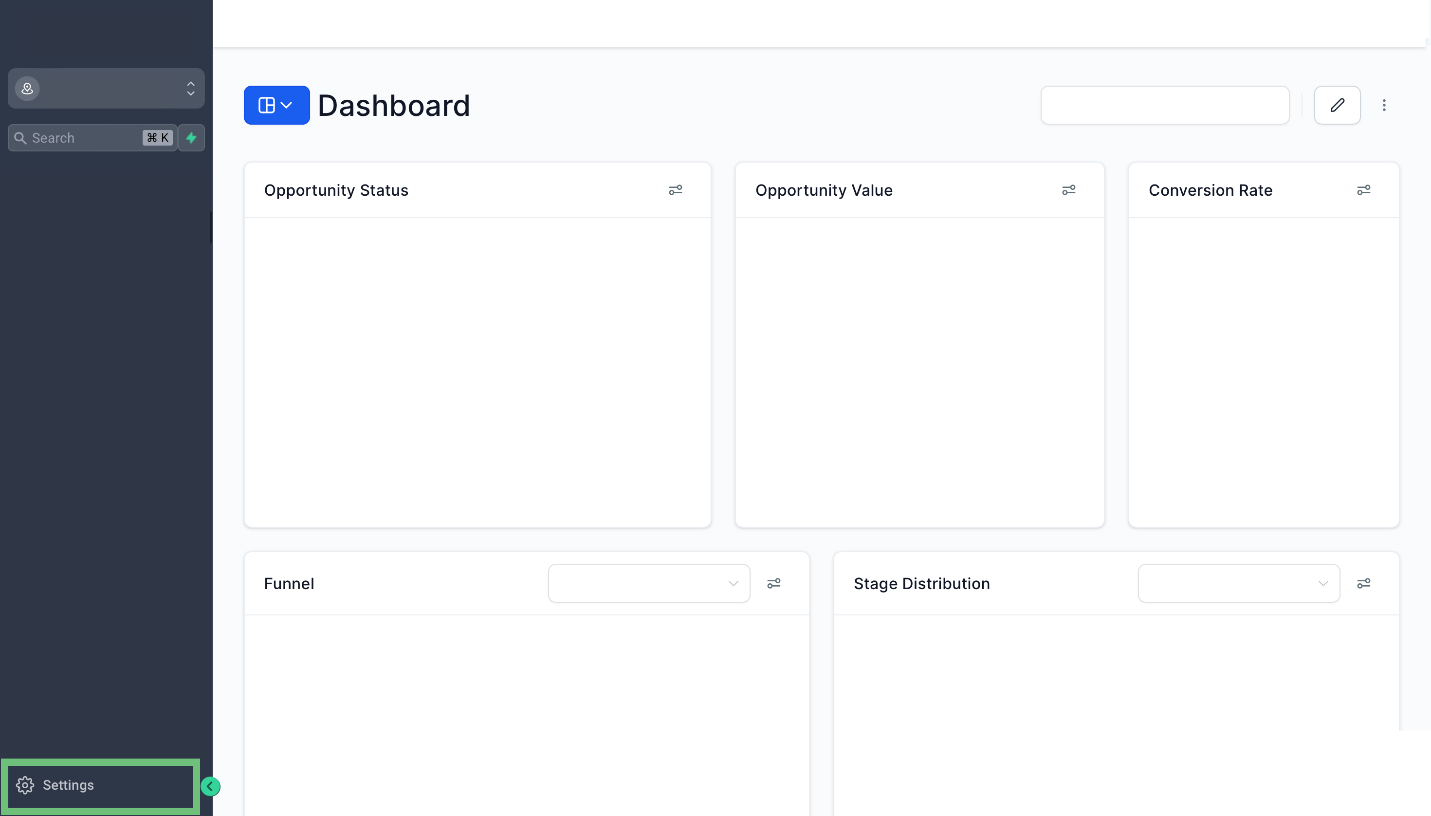
Access the Settings from your account.
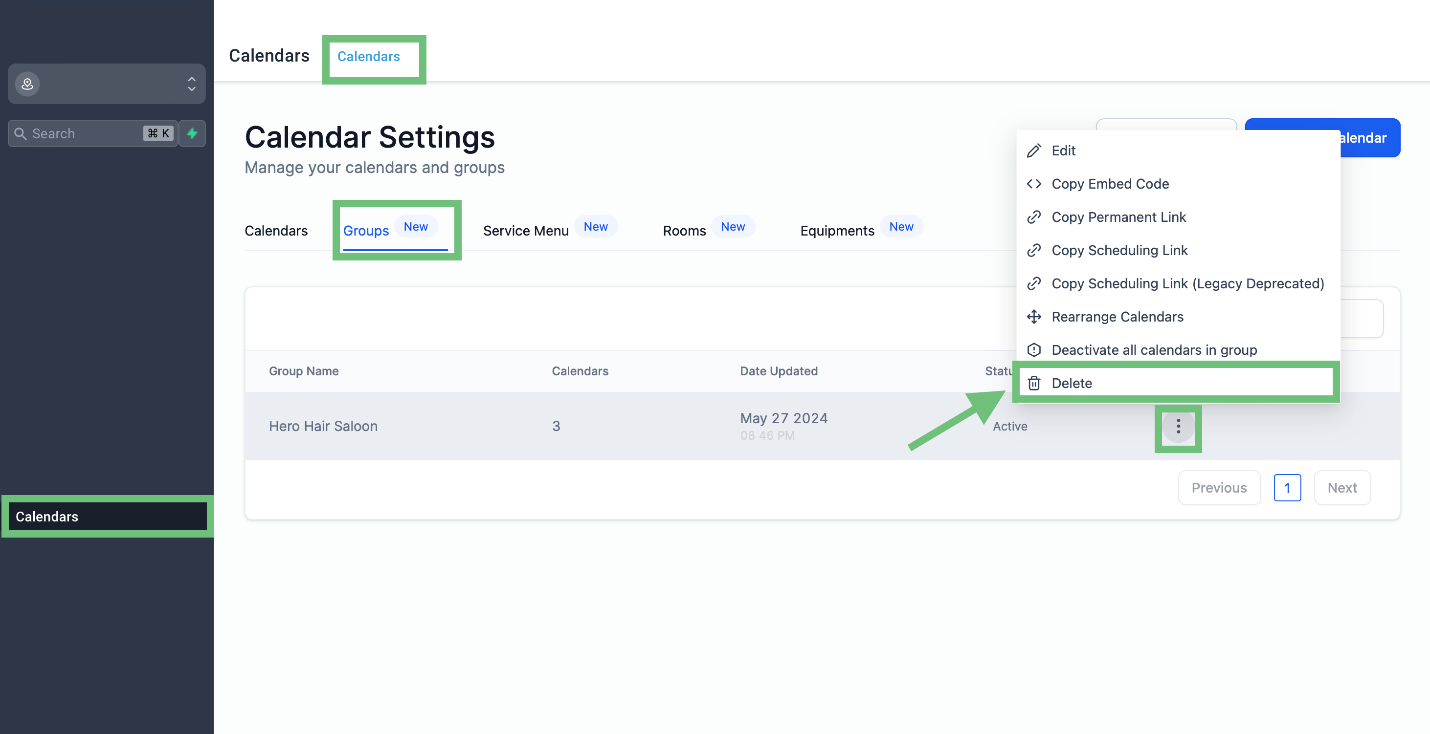
Access the “Calendars” from the left navigation menu. Click on calendar from the upper navigation menu and then click on groups and click on three dots > Delete.
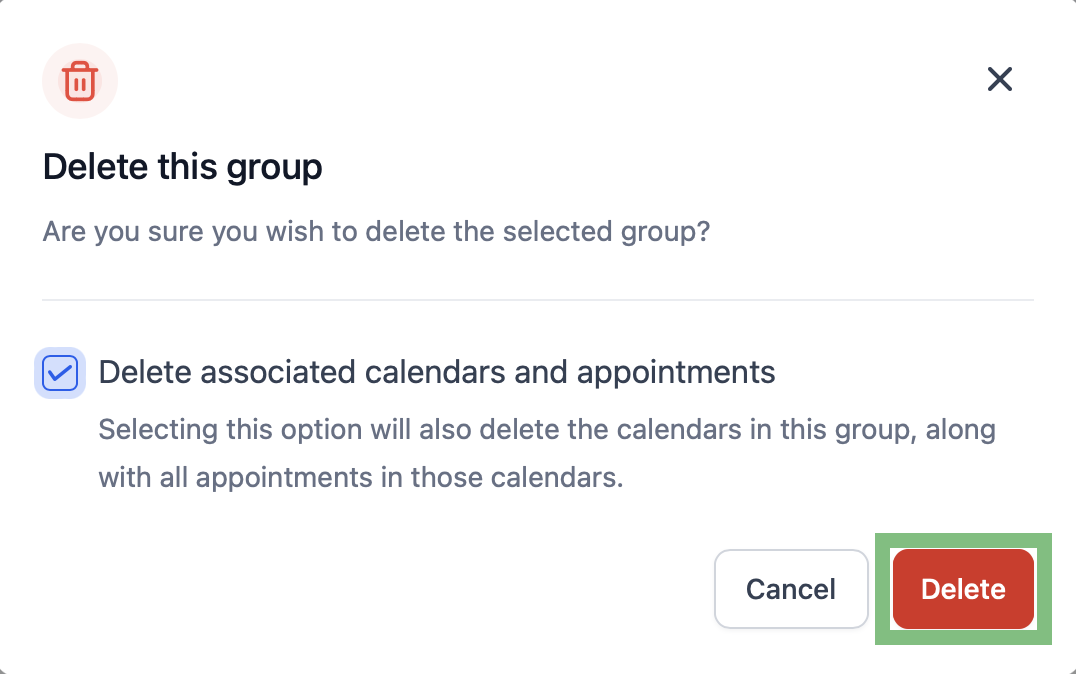
In the pop-up, check the box if you want to delete the calendars as well. Leave it unchecked if you want to retain the calendars and their appointments, and Click Confirm.
This feature simplifies and speeds up calendar management, ensuring a more organized and productive workflow.








