





Customizable Event Reminder Emails: Boost Attendance with Branded Templates
Photo by Jakob Dalbjörn on Unsplash
Events are a great way to promote interactions in your community and connect with members. A clear, engaging reminder can make or break attendance. We built a customizable event reminder email tool so teams can send reminders that look like the rest of their brand and get better results.
Why customized reminders matter
Generic reminders get ignored. Personalized, on-brand reminders get noticed. With the right template you can:
- Improve appeal — Add images, tone, and content that match your community.
- Enrich branding — Use your colors, logos, and voice so reminders feel familiar.
- Increase connection — A polished reminder shows members you care about their experience.
“The reminders you send members can make or break attendance.”
How to customize event reminder emails
Follow these simple steps inside the Client Portal to take control of your event reminders.
-
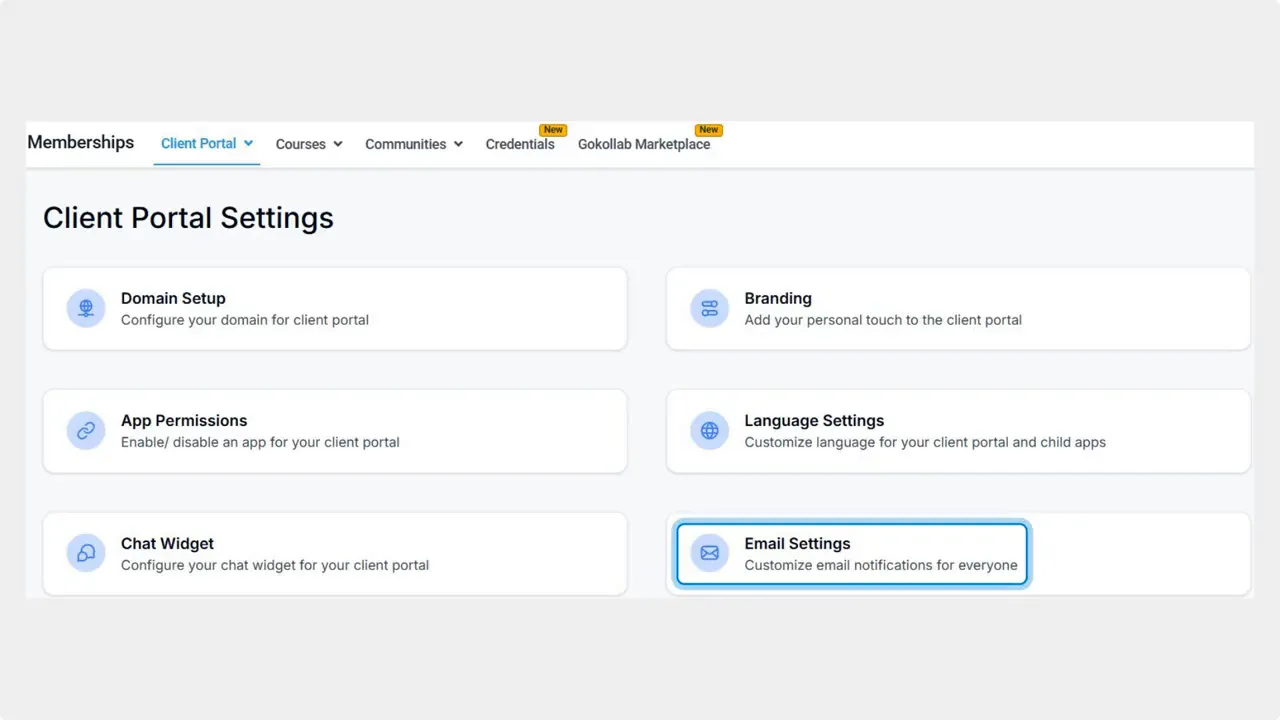
Open Client Portal settings and go to Email settings.
Start from the portal settings area and select the Email settings option to find templates and messaging controls.
-
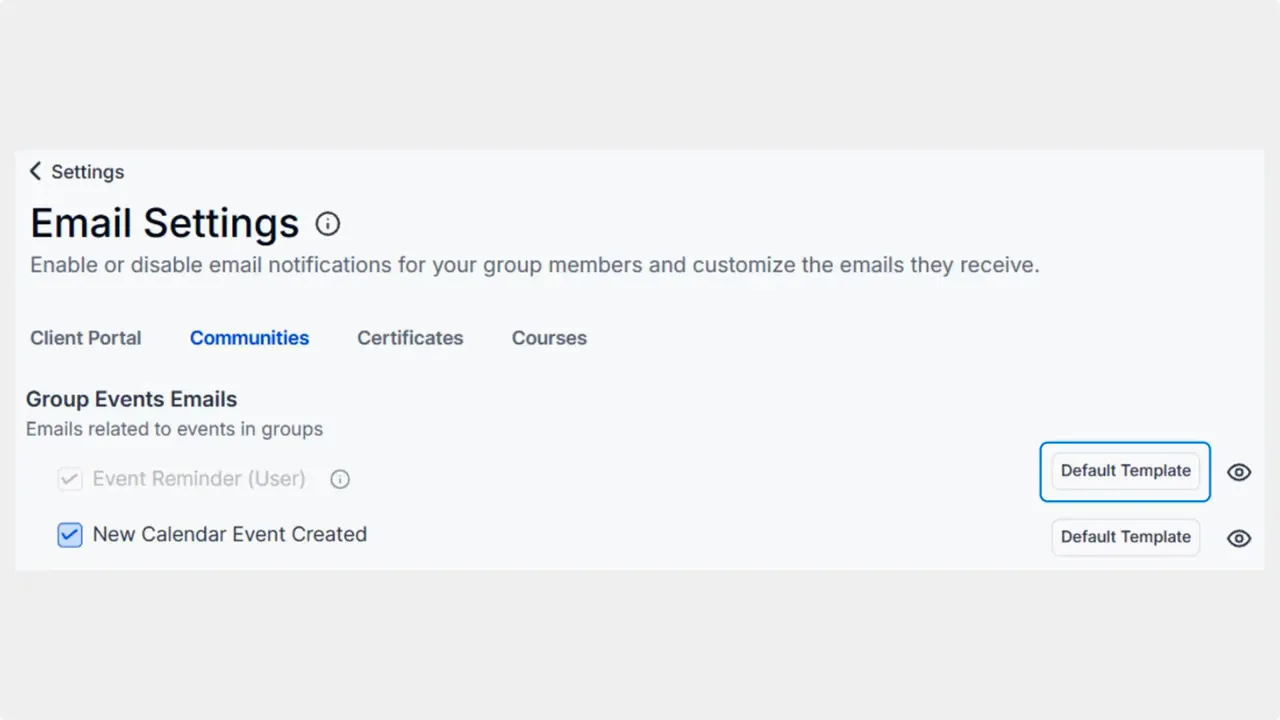
Switch to the Communities tab.
This section holds community-specific emails, including group event messages.
-
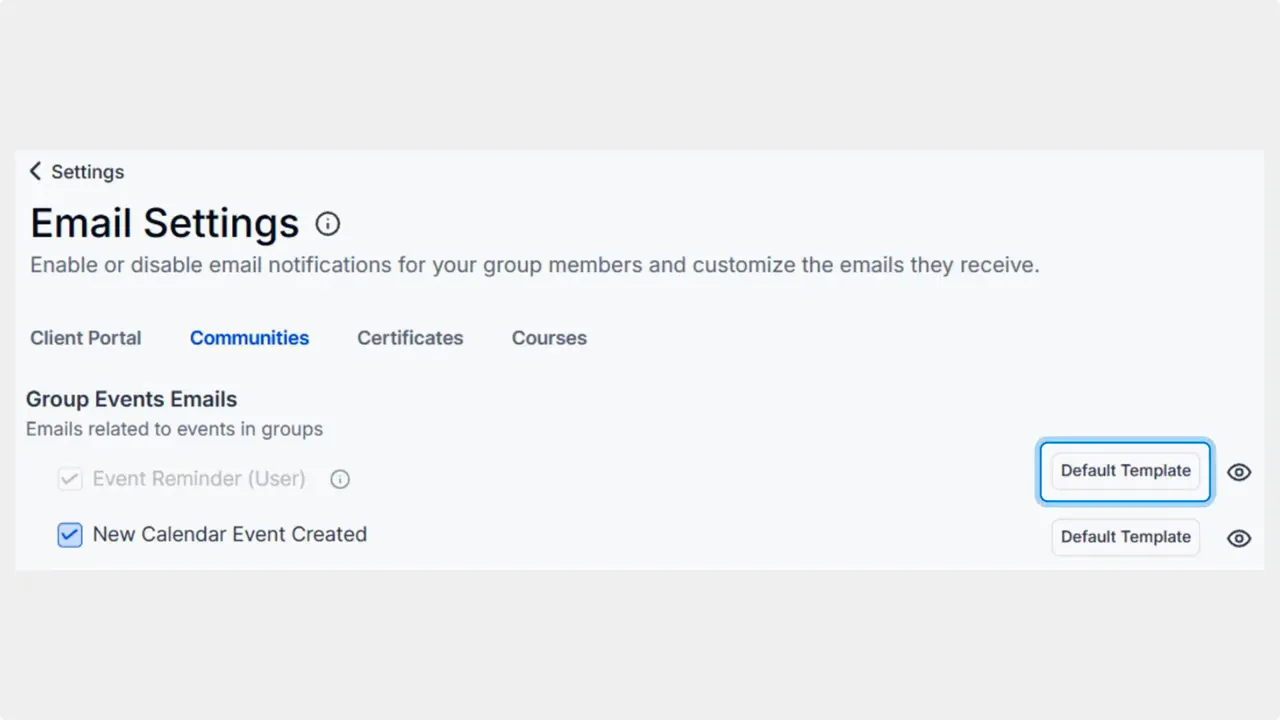
Locate Group Event Emails and find Event Reminder.
Click the Default Template control next to Event Reminder to change the default.
-
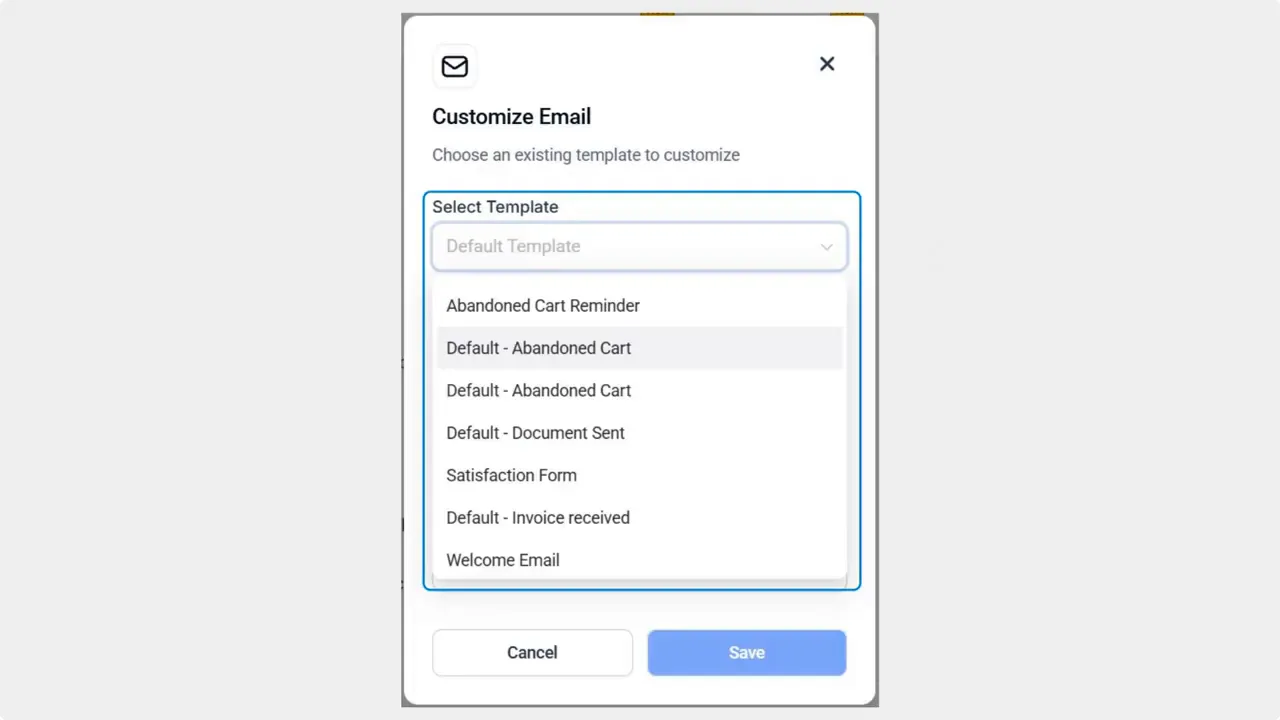
Select a template from the drop-down menu.
Choose a template that matches your tone and layout needs. Templates can include images and formatted text.
-
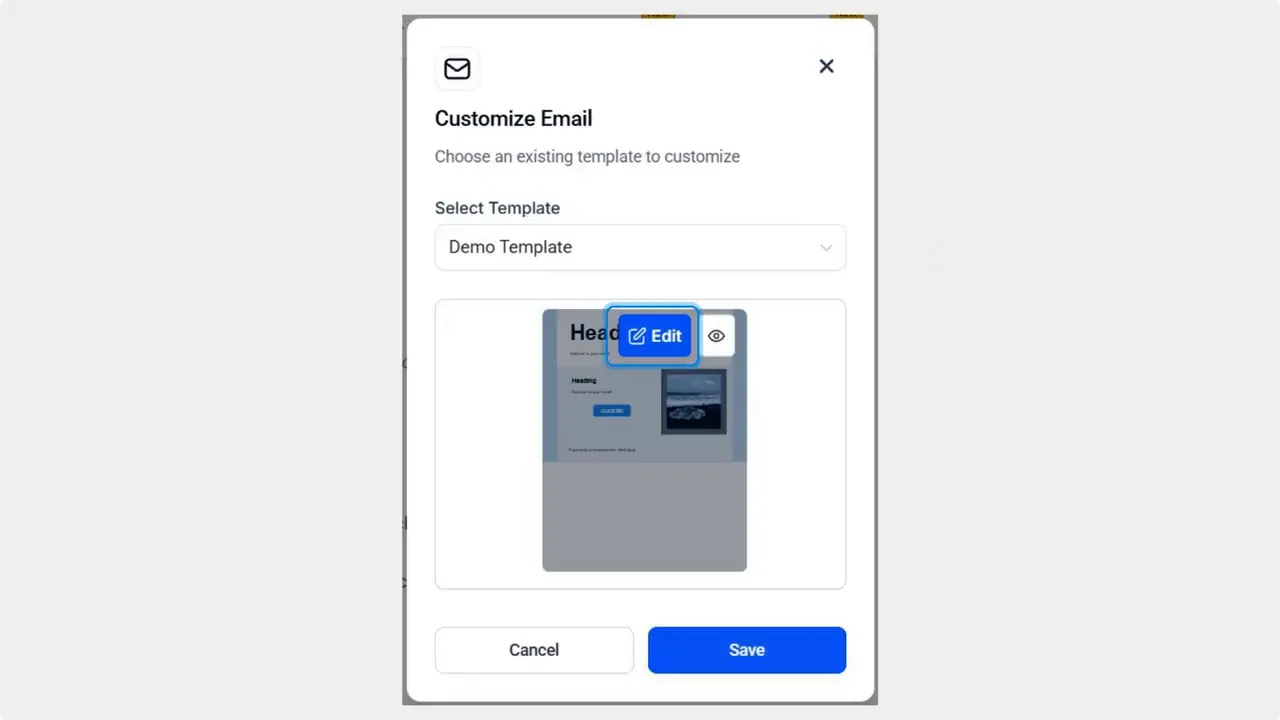
Click Edit to customize the template further.
Edit copy, add images, and tweak layout so the reminder matches your brand and message.
-
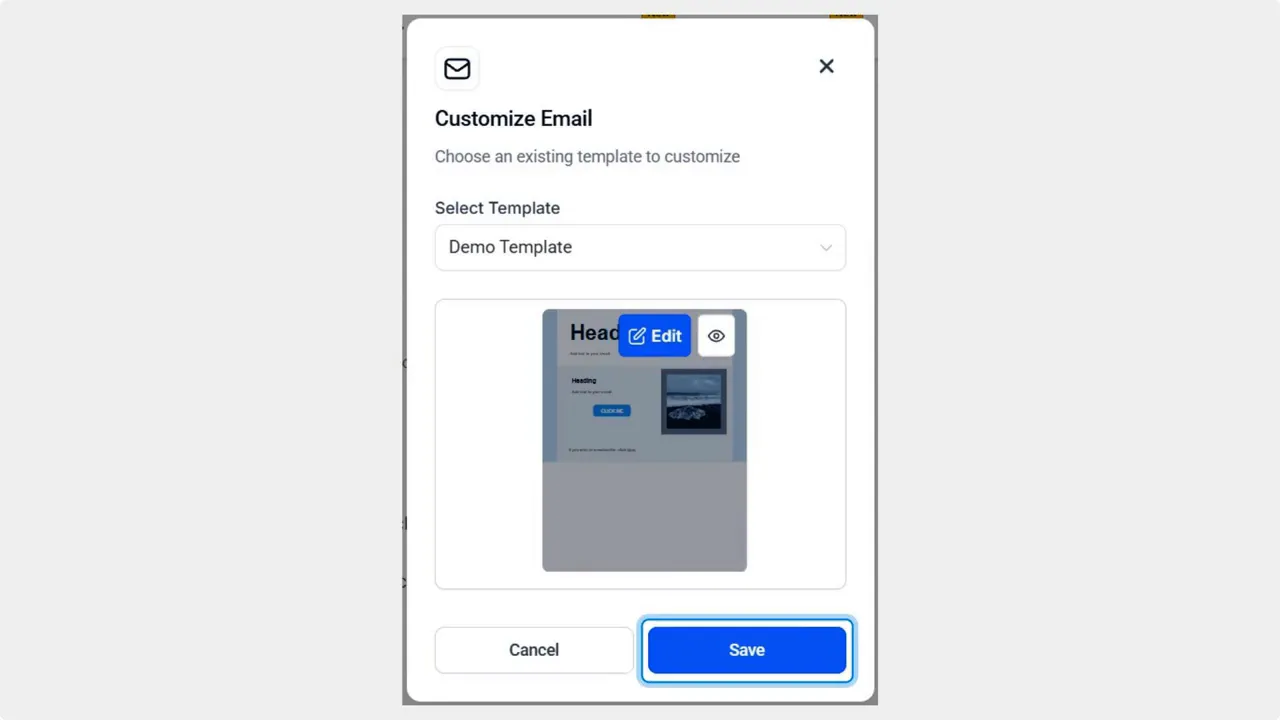
Click Save to apply your changes.
Saved templates become the default reminder sent for group events.
Practical tips to improve attendance
- Write a clear subject line — Use the event name and a time cue to increase opens.
- Personalize the first line — Use the member’s name or a short reference to their interests.
- Include a single, clear call to action — Register, add to calendar, or join now.
- Add visual anchors — A logo, speaker photo, or short banner makes the message easier to scan.
- Keep copy short — Give the essentials: what, when, why, and how to join.
- Test timing — Send one reminder a few days out and one the day of the event for better turnout.
Quick checklist before sending reminders
- Confirm event title and time are correct.
- Check links and calendar attachments.
- Verify branding elements and images display properly.
- Preview on desktop and mobile.
- Save the template as your default for future events.
FAQ
Where do we find the Event Reminder template?
You can find it under Client Portal settings → Email settings → Communities tab → Group Event Emails. Look for Event Reminder and click Default Template.
Can we add images and logos to the reminder?
Yes. Edit the selected template to add images, banners, or your logo so the email matches your brand.
Can we change the sender name and reply-to address?
Sender and reply-to settings are typically available in the Email settings area. Confirm those fields when editing templates or in the broader email configuration.
How many times should we remind attendees?
A common approach is two reminders: one a few days before and another on the day of the event. Adjust based on your audience and event type.
Will changes apply to past events?
Saved template changes become the default for future event reminders. Past sent messages are not changed retroactively.
Final notes
Customizable event reminders help increase attendance and strengthen member relationships. The steps are simple: pick a template, edit it to match your brand, and save. We built this tool so teams can deliver consistent, polished experiences across events.
We hope this helps you create reminders that get results.
This article was created from the video Customizable Event Reminder Emails: Boost Attendance with Branded Templates








