Seamlessly set up websites and funnels by automating the inclusion of DNS records for both your main domain and subdomains.

Automatically Add WWW To Domain Connect

February 28, 20241 min read

Introducing an enhanced domain connection feature in our CRM system! Now, seamlessly set up websites and funnels by automating the inclusion of DNS records for both your main domain and subdomains with a simple checkbox, making the process faster and more user-friendly than ever before.

Automatically Add WWW To Domain Connect: Automatically include DNS records for subdomains when connecting your domain, streamlining the process of setting up websites or funnels.

⭐️ Why Does It Matter To Your Business?

  • Efficiency: Seamlessly adds DNS records for both the main domain and subdomains simultaneously.

  • Simplicity: A new checkbox feature ensures automatic inclusion of subdomain records, eliminating the need for manual intervention.

  • User-Friendly: Enhances user experience by simplifying the process, making it accessible even for those less familiar with DNS configurations.

⭐️ How To Automatically Add WWW To Domain Connect:

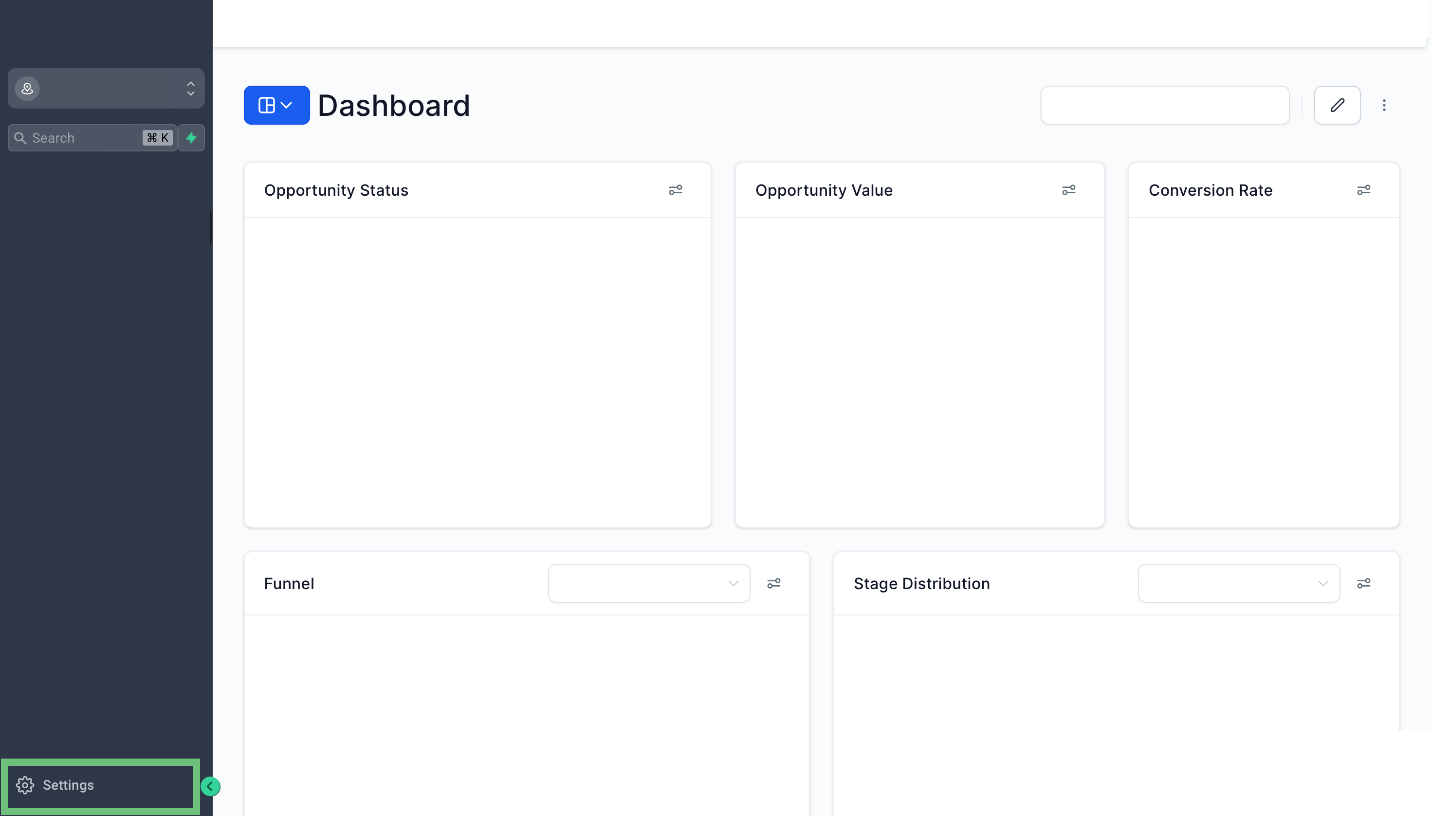
  1. Access the settings in your account.

    A screenshot of a computerDescription automatically generated
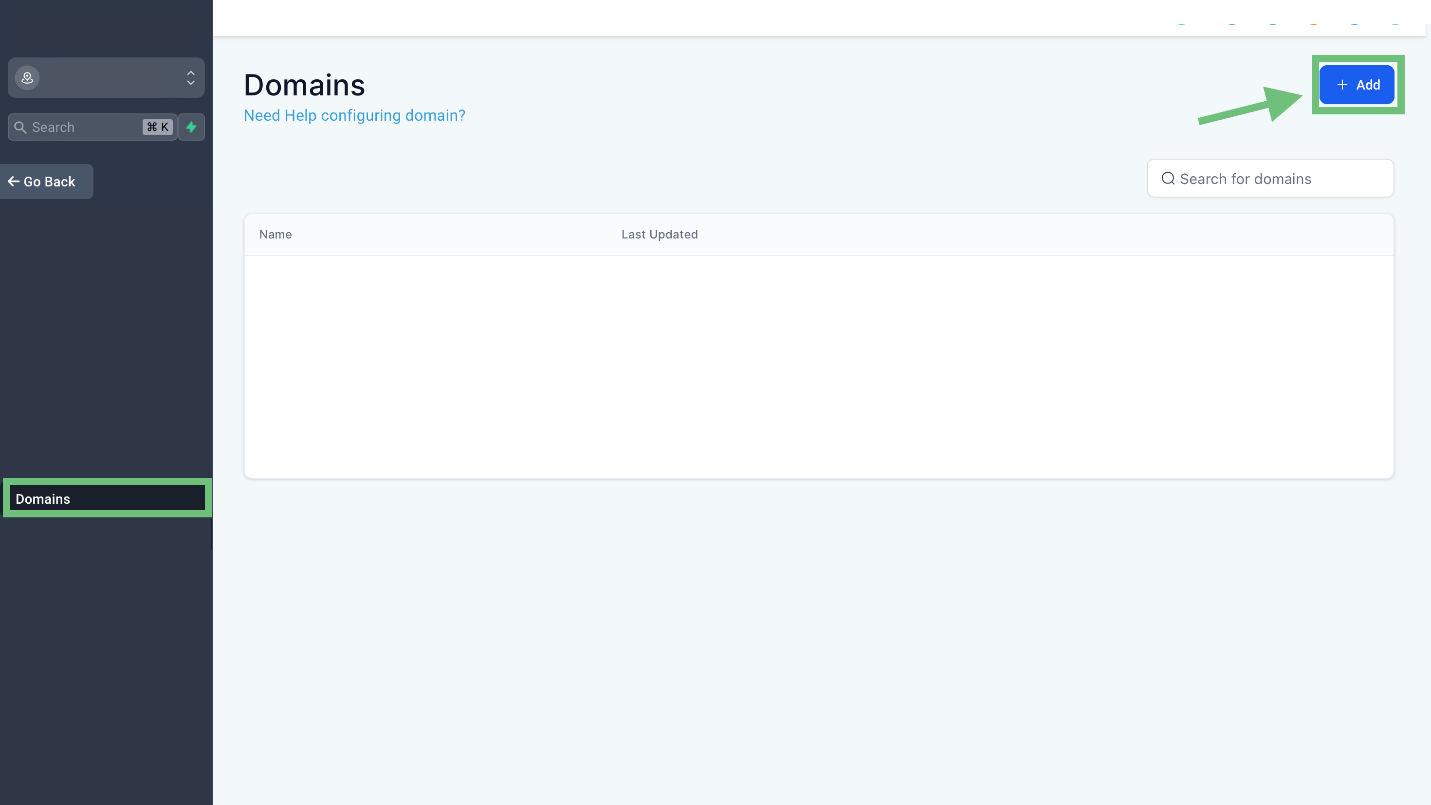
  2. Now access the Domains tab from the left navigation menu and click "+Add" button.

    A screenshot of a computerDescription automatically generated
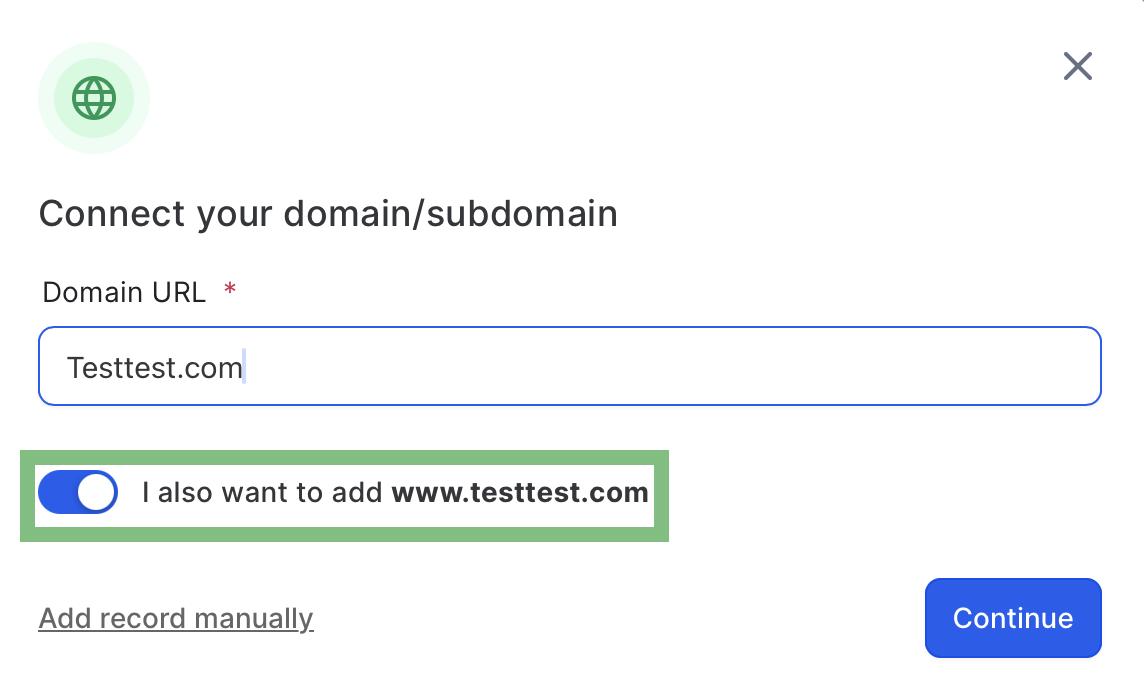
  3. Enter your root domain or subdomain. Use the toggle option if you’re including “www” to decide whether to add the root domain and click on Continue.

    A screenshot of a computerDescription automatically generated
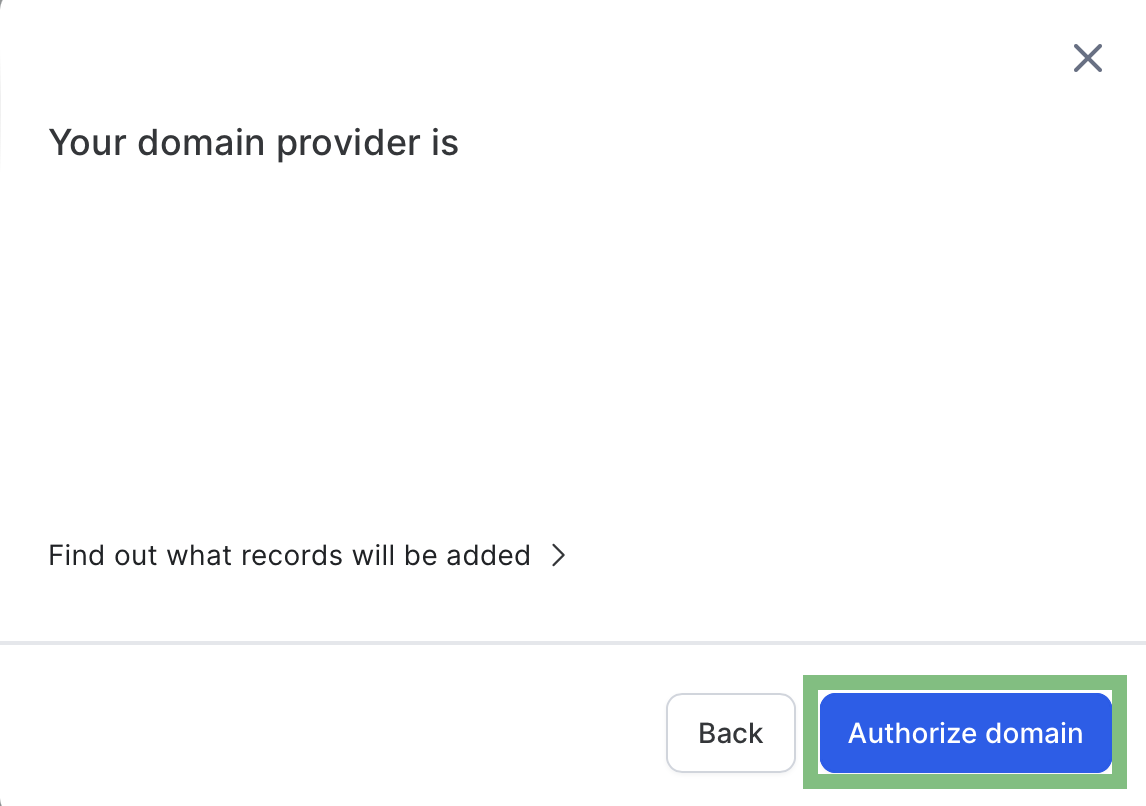
  4. Upon clicking “Authorize”, the system will automatically handle DNS record creation.

    A screenshot of a computerDescription automatically generated
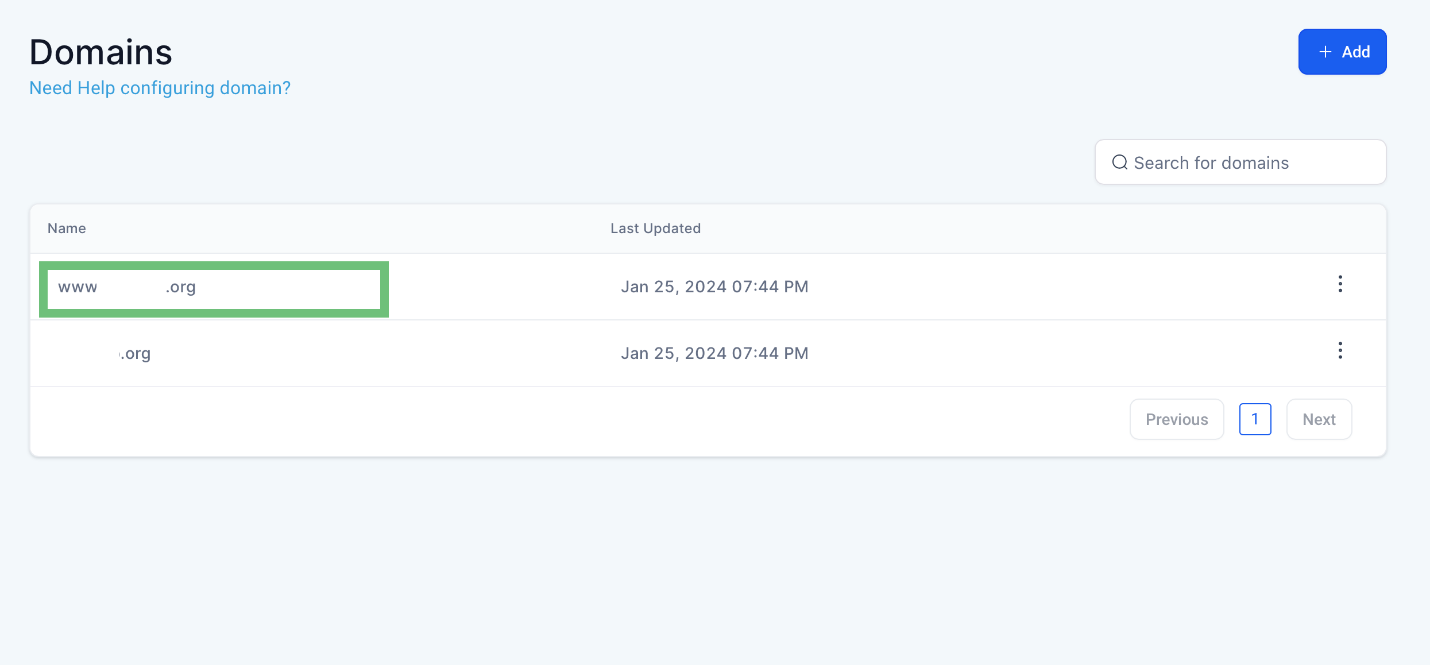
  5. After adding and authorizing the domain you can see the sub-domain (www) added as well.

    A screenshot of a computerDescription automatically generated
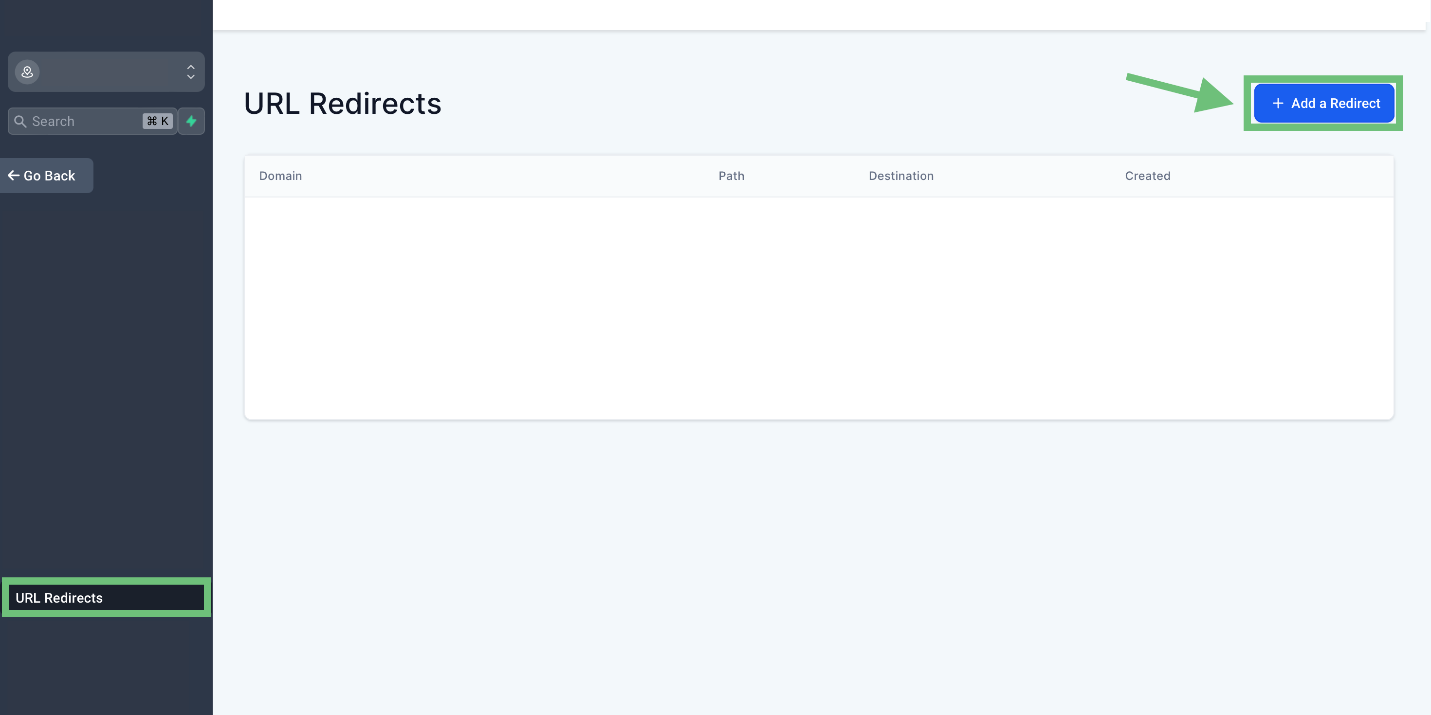
  6. For redirecting access, the URL Redirects from the navigation menu and click on "+ Add a Redirect".

    A screenshot of a computerDescription automatically generated
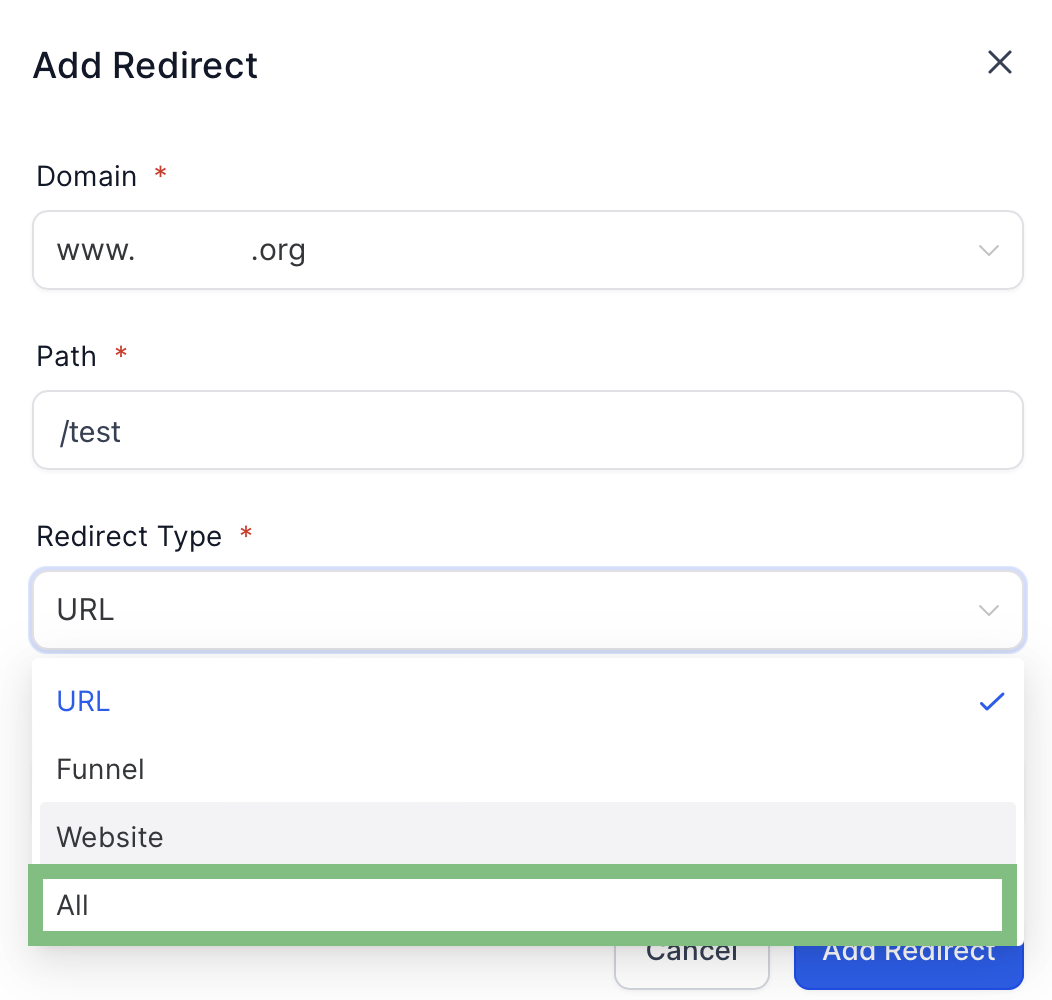
  7. Select the Domain and the Redirect Type "ALL" and click on Add Redirect.

    A screenshot of a computerDescription automatically generated

    By implementing these steps, you ensure a swift and hassle-free setup for your websites, funnels, and custom domains within our CRM system.
Pinnacle AI, founded by Charles Higgins, specializes in customer relationship management (CRM) solutions. It aims to provide intuitive and powerful CRM software for businesses of all sizes, focusing on simplification and efficiency. Leveraging AI and machine learning, Pinnacle AI's platform offers automation, data analytics, and customer insights to enhance business-customer relationships. The company's core values include honesty, integrity, teamwork, and personal growth, fostering a culture of collaboration and ethical practices. Pinnacle AI stands out for its user-friendly approach and commitment to innovation in the CRM sector.

Pinnacle Ai

Pinnacle AI, founded by Charles Higgins, specializes in customer relationship management (CRM) solutions. It aims to provide intuitive and powerful CRM software for businesses of all sizes, focusing on simplification and efficiency. Leveraging AI and machine learning, Pinnacle AI's platform offers automation, data analytics, and customer insights to enhance business-customer relationships. The company's core values include honesty, integrity, teamwork, and personal growth, fostering a culture of collaboration and ethical practices. Pinnacle AI stands out for its user-friendly approach and commitment to innovation in the CRM sector.

LinkedIn logo icon
Instagram logo icon
Youtube logo icon
Back to Blog
Image

Innovation

Fresh, creative solutions.

Image

Integrity

Honesty and transparency.

Excellence

Excellence

Top-notch services.

FOLLOW US

Copyright 2025. Pinnacle Ai. All Rights Reserved.