





Video 1 - Apr 7 2026: How We Automated Pinnacle Content Into Podcasts, YouTube Videos, and Social Posts
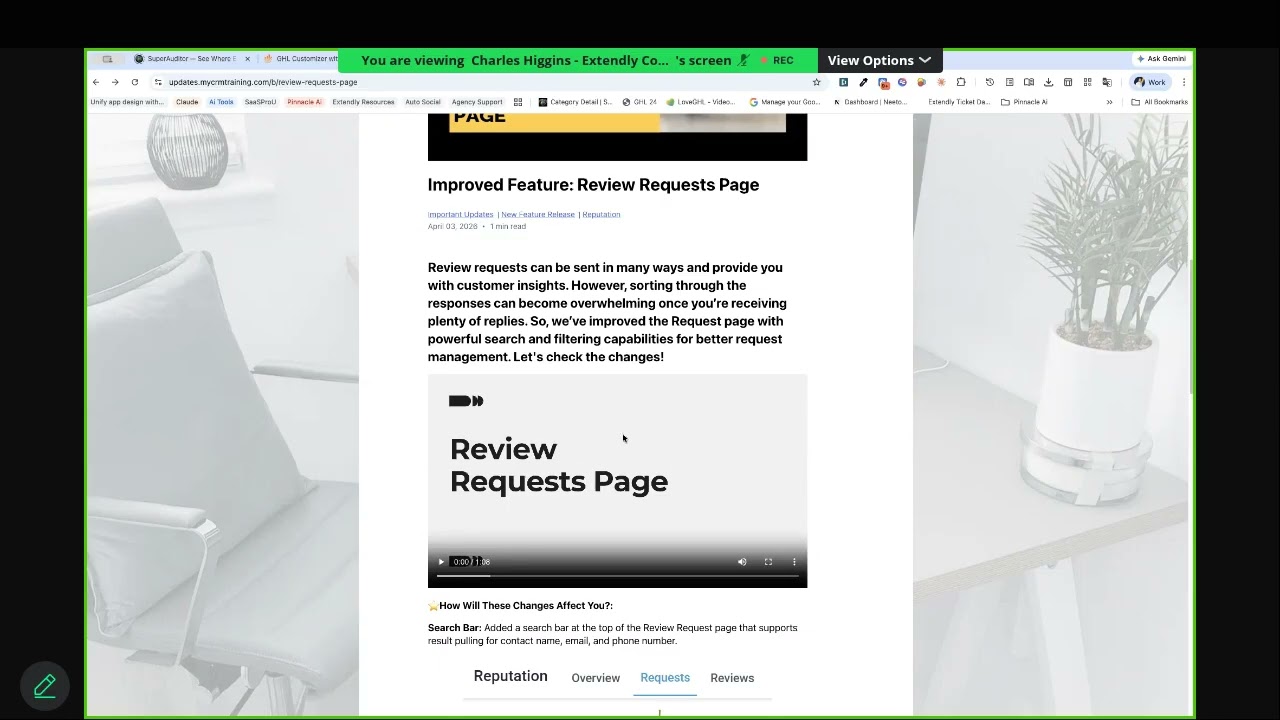
We have been building a Make scenario that turns Pinnacle update content into a full content engine.
The goal is simple. Take one source of truth, then repurpose it across multiple channels without manually creating every piece from scratch.
That means:
- podcast episodes
- YouTube uploads
- social media carousels
And the whole system starts with the same source: Pinnacle news and update articles.
This setup is not about making the most perfect content on earth. It is about getting useful, consistent content out the door, building brand presence, and saving time for the things that matter more.
The core idea: one update, multiple content assets
Pinnacle publishes regular news and feature update articles. Each article becomes raw material for a larger content workflow.
Instead of reading those updates once and moving on, we can turn them into a repeatable publishing system.
That system does three jobs:
- Creates a short podcast episode from the article text
- Publishes the related update video to YouTube with a better title, description, thumbnail, and tags
- Builds carousel-style social content for platforms like Instagram and Facebook
Everything runs inside Make, using a router to split one source into three content branches.
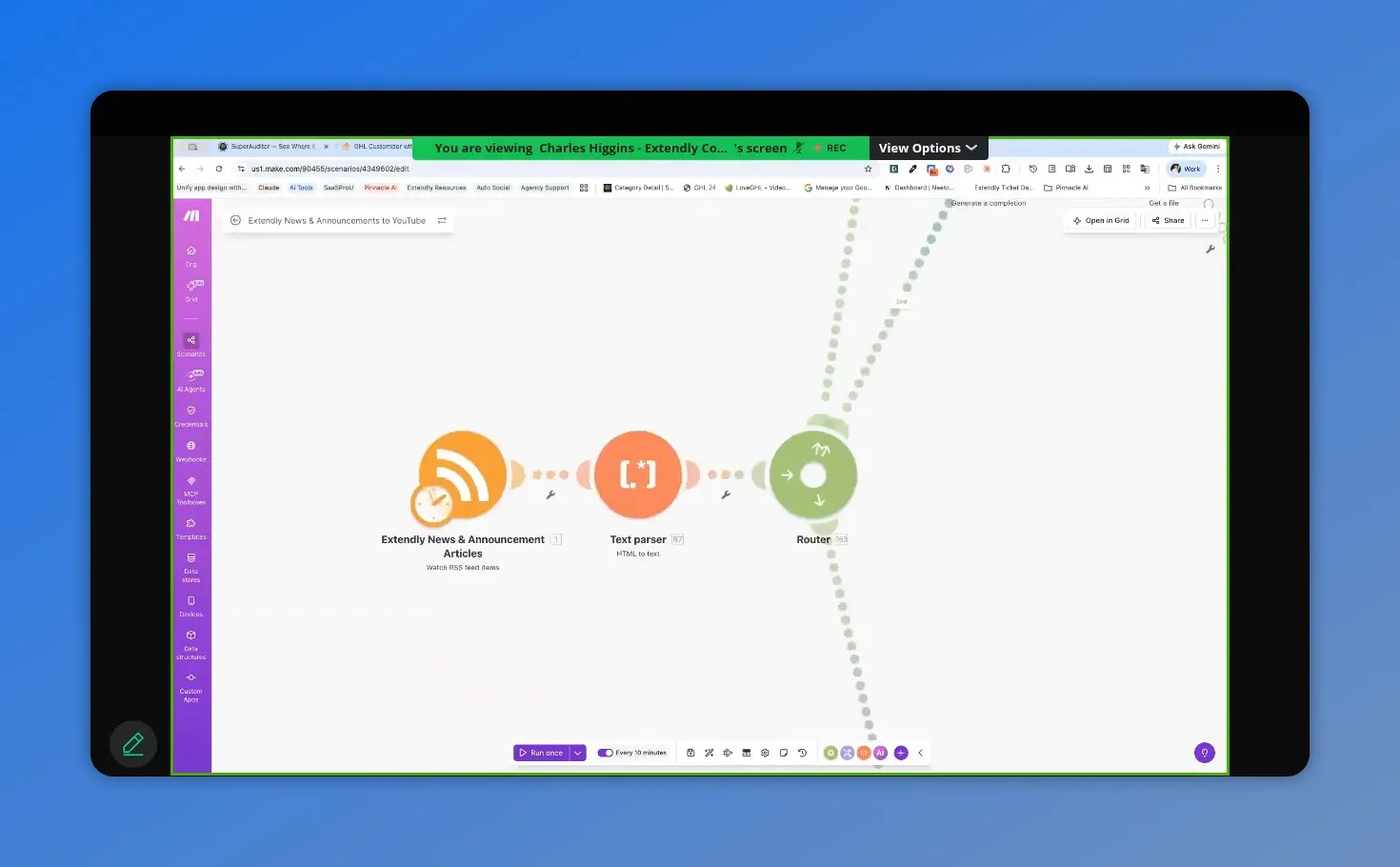
The scenario shows the starting point (RSS feed items), followed by a text parser that strips HTML to produce clean text for automation.
Starting point: pulling the RSS feed from Pinnacle updates
The first step is pulling the RSS feed from the Pinnacle updates blog.
That feed contains each new article that gets published. These articles are the same updates many people already see in the chat widget inside the platform. We are just pulling directly from the blog feed instead.
RSS is useful, but it comes with one issue. The article content usually comes through loaded with HTML.
That is why the next step is a text parser.
Why the text parser matters
The parser strips out the HTML and leaves us with plain text.
And that clean text is what the rest of the automation uses.
Once we have that, we send it into a router with three paths:
- Podcast creation
- YouTube publishing
- Social media creation
Branch one: turning update articles into podcast episodes
The first branch creates a podcast from the article text.
This starts with OpenAI, but it is important to set expectations correctly. This requires an OpenAI API account, not just a regular ChatGPT account.
That means setting up:
- an API account
- billing
- a wallet or usage funding
- an API key
Once the connection is authorized in Make, the automation can send article text into a prompt that generates a podcast script.
How the podcast prompt is set up
The script is designed to stay short.
The target is roughly:
- 2 minutes or less
- 3,500 characters including spaces or less
That keeps the episode tight and easy to publish consistently.
If using a template built by our team, there is one thing to change right away: remove any reference to Pinnacle branding that is not yours and replace it with your own white-label name, podcast name, or CRM brand.
Other than naming, the prompts usually do not need major changes. Small tweaks are fine. Big changes often make reliable automation less reliable.
Generating the rest of the podcast assets
After the script is written, the workflow generates:
- podcast title
- episode description
Then it sends the finished script back through OpenAI text-to-speech to create the actual audio file.
This gives us a ready-to-upload podcast episode without recording it manually.
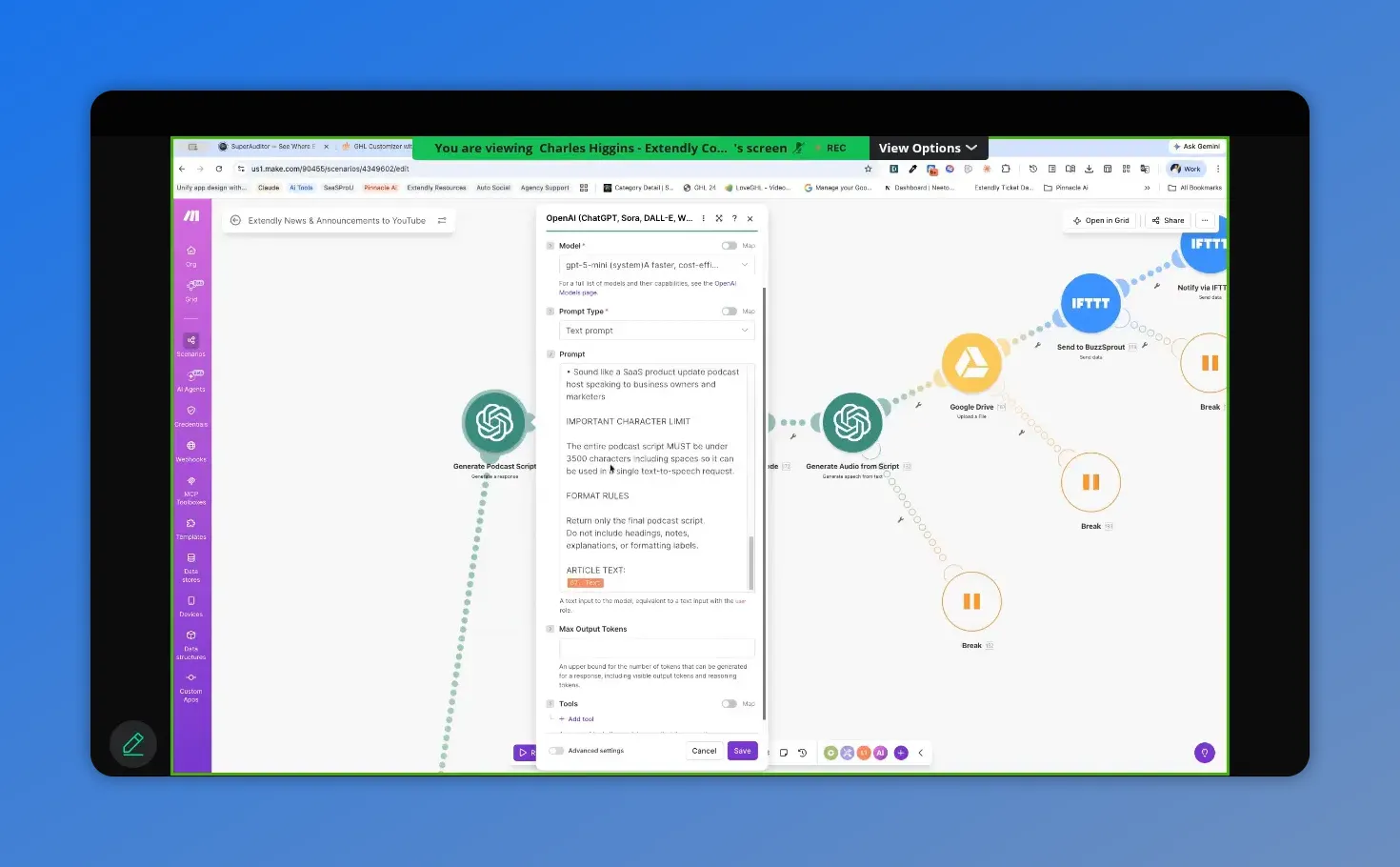
This view focuses on the podcast prompt details, including constraints like keeping the script short so the generated episode is easy to publish consistently.
Storing the audio in Google Drive
Once the audio is generated, it gets saved to Google Drive.
The main thing to configure here is the destination folder. It helps to create a dedicated folder first so every episode stays organized in one place.
The rest of the Google Drive settings usually stay the same.
Sending episodes to Buzzsprout with IFTTT
From Google Drive, the episode gets pushed into Buzzsprout using IFTTT.
This is one of the few clean ways to connect the workflow to Buzzsprout, and it works well for podcast hosting and distribution.
Buzzsprout handles syndication to the major podcast platforms, which means the automation can feed a larger content footprint without extra manual work.
One important detail here: the event name has to match exactly between Make and IFTTT. If it does not, the handoff will fail.
Another detail worth knowing is that the upload goes in as a draft, not as an automatically published episode.
That is actually useful. We get the draft notification, open the app, hit publish, and move on.
Why the fail-safe breaks are built in
Throughout the scenario, there are break or retry points.
These are there for one reason: outside tools fail sometimes.
If audio generation, Google Drive upload, or Buzzsprout delivery runs into a temporary problem, the automation retries up to three times with a 15-minute interval between attempts.
That one decision can save a lot of failed runs caused by temporary platform hiccups.
Branch two: publishing update videos to YouTube automatically
The second branch handles YouTube.
Each Pinnacle update article includes a video. That video is hosted in the media center, and the workflow uses AI to find the MP4 URL hidden in the article content.
Once the automation finds that URL, it downloads the video directly inside the scenario.
There is no need to store it somewhere in between unless another tool requires that.
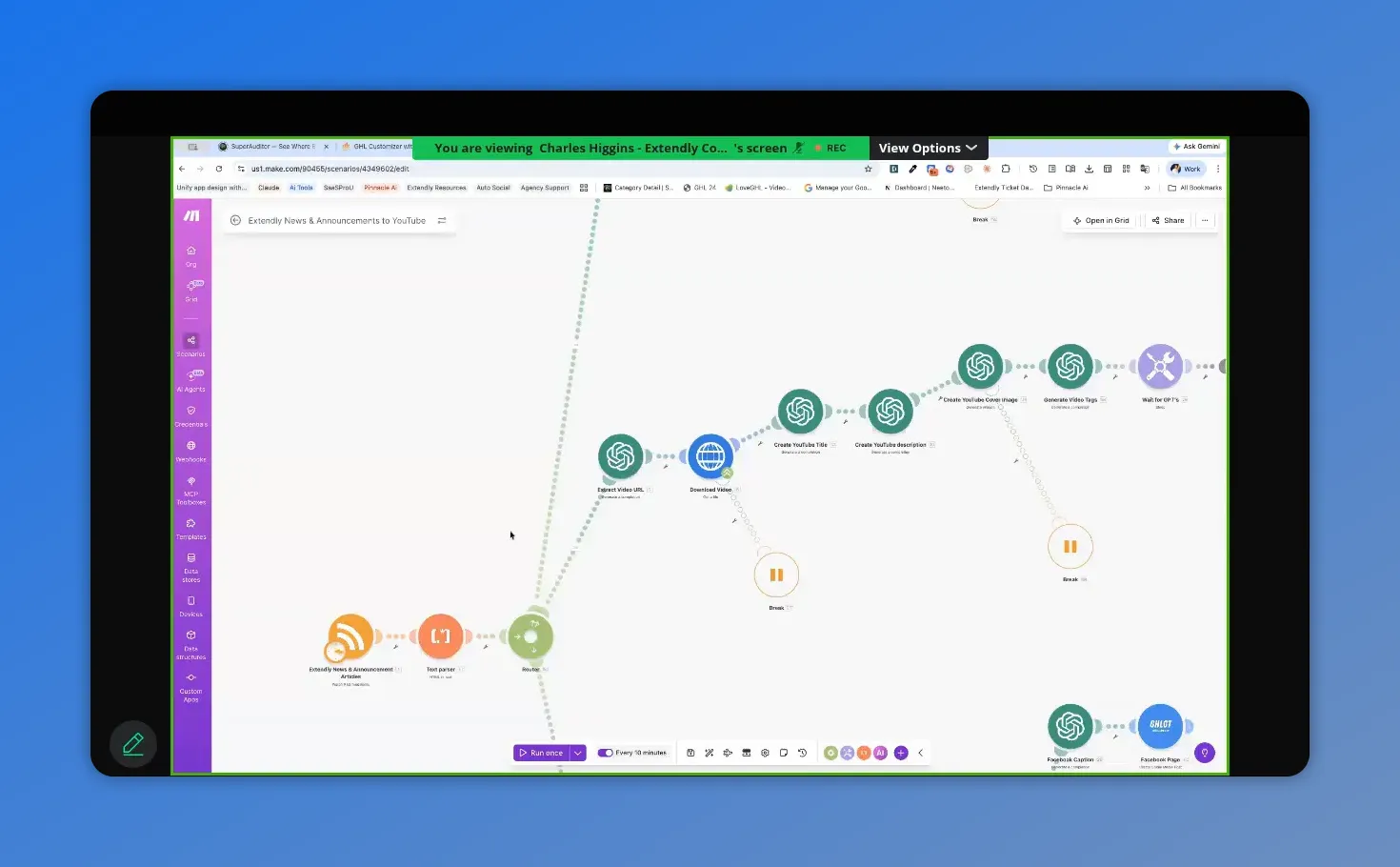
This section of the Make scenario is where the workflow extracts the video URL from the article and then downloads the MP4 inside the automation before uploading to YouTube.
What gets generated for YouTube
After the video is pulled in, the automation creates:
- YouTube title
- YouTube description
- video tags
- custom thumbnail image
Again, branding matters here. Make sure prompts mention your white-label brand, not ours, unless that is your intent.
The model choices and action settings are usually already dialed in. Most of the time, the only edits needed are inside the prompt text itself.
Why we generate our own thumbnails
The original article cover images are not always ideal for YouTube.
They work for a blog. They do not always work as a thumbnail.
So the workflow generates a fresh image with AI.
One funny thing that came up is that image generation sometimes starts repeating the same default-looking person in thumbnails, even when that character was never specifically requested.
The fix is simple. Add a short line to the prompt that says something like:
- if a person is included, make them female
- blonde hair
- specific eye color
- other simple visual traits
It does not take much detail. A few clear instructions can shift the thumbnail style and make it feel far more on-brand.
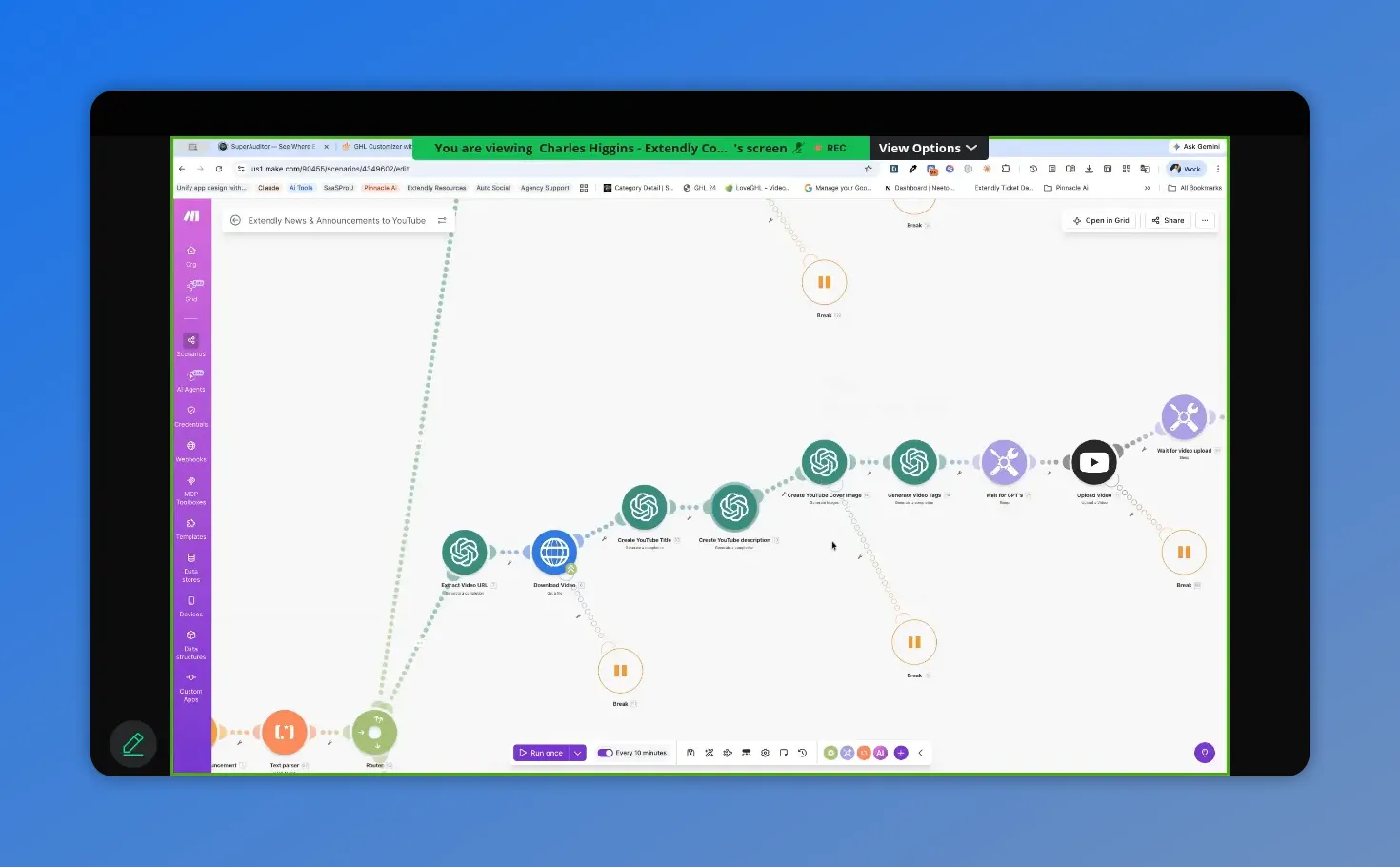
Here, the Make scenario shows the YouTube publishing workflow up to the metadata-generation steps—where the automation prepares the thumbnail and tags for the upload.
Why tags still matter
Video tags are not the only YouTube SEO factor, but they still help.
YouTube uses the title and description, but it also looks at tags to understand topic relevance.
So the workflow generates tags that improve discoverability around feature updates and search intent.
Uploading to YouTube and setting the thumbnail
Once the metadata is ready, the video uploads to the connected YouTube account.
The recommended setup is:
- category: science and technology
- visibility: public
After upload, there is a short wait step. That is there because YouTube needs time to process the file before it can accept a thumbnail.
Then the automation applies the generated cover as the thumbnail.
After another short wait, it adds the video to a dedicated playlist.
Create a dedicated update playlist
This is a small step, but it helps a lot.
Create a playlist specifically for update content. Something like:
- What’s New
- Product Updates
- What’s New and Improved
That keeps update content organized and gives the channel structure.
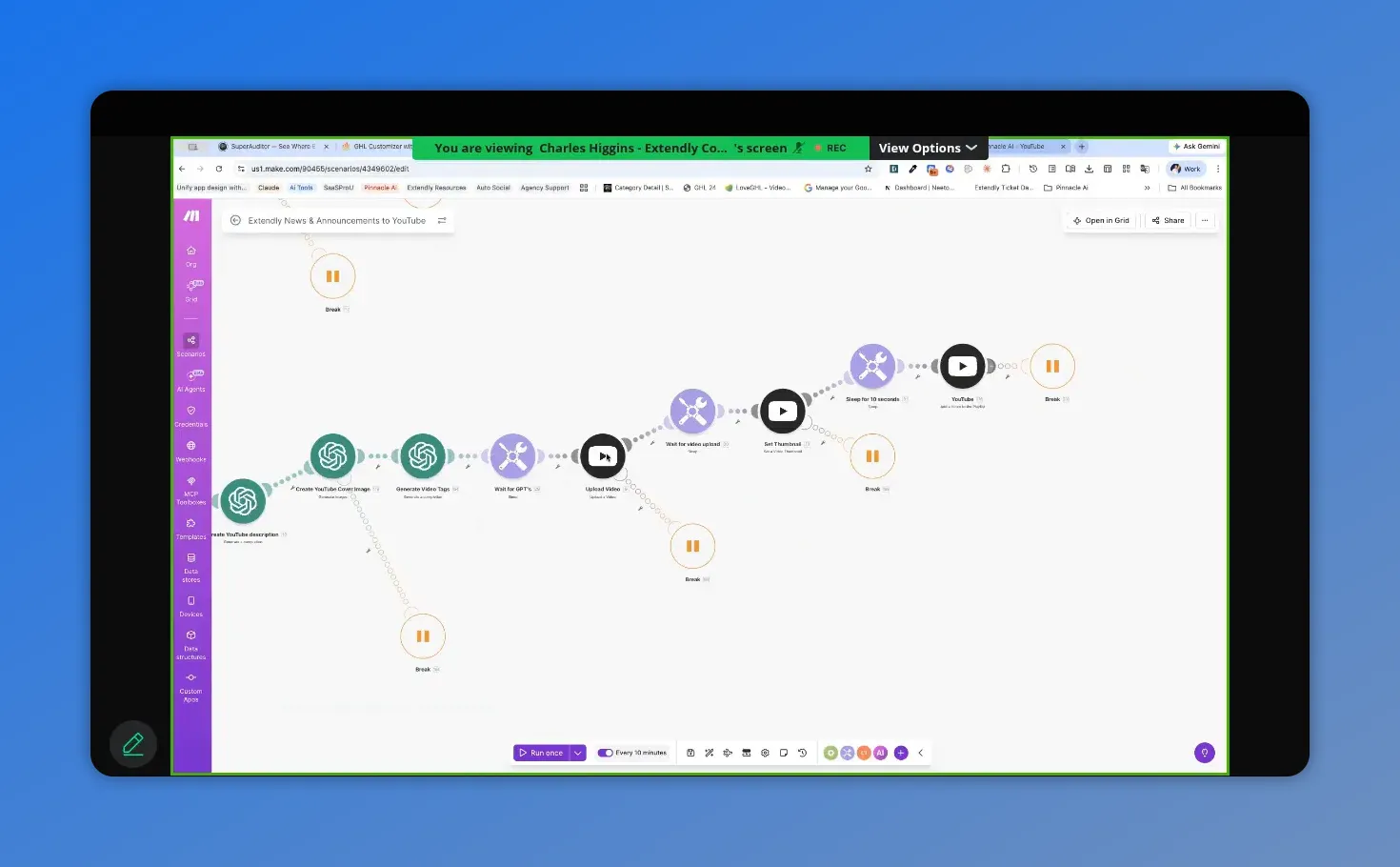
Make’s scenario view showing the full YouTube automation branch—from pulling the update through to the publish steps.
Branch three: creating social carousel posts with Gamma and CloudConvert
The third branch creates social media content.
And not just plain text posts. It creates carousel-style slide decks that can be posted as image sets.
These usually generate five images total, with the final image serving as a call to action.
Along with the visuals, the system also generates:
- caption text
- hashtags
Sometimes it can even pull screenshots or visual ideas from the source material, depending on what it can interpret well.
Why Gamma is used for the social slides
Gamma does a very good job creating polished presentation-style pages from simple prompts.
It can create:
- PDFs
- slide decks
- web pages
For this workflow, we use the API version of Gamma, so a Pro account is required.
Without Pro, there is no API access, which means this section of the automation cannot run.
Setting up Gamma correctly
After upgrading to Pro, create an API key in Gamma settings and connect that key inside Make.
You may see an API warning during setup. That warning can be ignored if the connection has already been updated to the current version.
Then update the branding inside the prompt:
- change the platform or CRM name
- replace the website URL
- remove any leftover references that do not belong to your brand
Choosing the right Gamma theme
One setting worth reviewing is the Theme ID.
That controls the visual style of the generated slides.
You cannot easily preview theme names from inside the API module alone, so the better approach is to open Gamma directly, start a new project, and browse the available themes there.
Once you find one that fits your branding, copy that theme selection into the automation.
Examples mentioned included themes like Blueberry, Night Sky, Dialogue, and Bales.
The point is not which theme is best. The point is choosing one that matches your brand colors and tone so your social posts look intentional.
Why the workflow creates a PDF first
Gamma does not directly output image files for this use case.
It mainly gives us PDFs, slide decks, or sites.
But for Instagram and Facebook carousels, we need images.
So the workflow does this:
- Generate a PDF in Gamma
- Wait about 120 seconds for it to finish
- Retrieve the finished file
- Convert the PDF into images
It is not the most elegant path in the world, but it works reliably.
Using CloudConvert to turn the PDF into images
CloudConvert handles the conversion.
It is inexpensive, pay-as-you-go, and practical for this exact task.
The setup is straightforward:
- create an account
- set up billing or auto-refill
- connect it in Make
Once connected, the automation converts the PDF into individual image files.
Because the PDF was prompted to have five pages, the output gives us five images.
Posting the carousel to Instagram and Facebook
After conversion, the social branch moves into another router where the posts can be published.
There are two basic ways to handle this:
- native Facebook and Instagram modules inside Make
- posting through another social planning tool
For most people, the native Facebook and Instagram modules are enough.
That makes this part simpler and avoids adding another paid tool if it is not needed.
How the image mapping works
The converted image set contains five temporary URLs from CloudConvert.
Each one gets mapped in order:
- image 1 uses temporary URL 1
- image 2 uses temporary URL 2
- image 3 uses temporary URL 3
- image 4 uses temporary URL 4
- image 5 uses temporary URL 5
Each file is set as an image, and the generated caption from the previous step is mapped into the caption field.
That is it. Once connected correctly, the workflow can post the carousel automatically.
How often should the scenario run?
This came up as a practical question, and the answer depends on preference.
One useful option is to run the scenario every 10 minutes.
Why that often?
- Most of the time, there is no new RSS item, so the scenario only spends one operation checking the feed
- Some days, multiple new update articles get published close together
- Frequent checks keep content flowing instead of queueing up a big batch all at once
That said, a daily schedule can also work.
If multiple updates were published in the last 24 hours, the automation will process them in sequence during that run.
So the real answer is this: use the schedule that matches your preference and budget. Frequent checks create a smoother flow. Daily runs are simpler. Either can work.
Can you backfill older updates?
Yes, but it may not be worth the effort.
There are a couple ways to do it:
- set a historical starting point in the RSS module
- duplicate the scenario and swap in a direct article source
But honestly, the better move is usually to start now and let it run.
There are enough new updates coming out that channels start looking substantial fairly quickly anyway. Within a few weeks, it is possible to build a very respectable content library just from fresh update flow.
Backfilling can be done. It is just not always the highest-value use of time.
What the podcast output actually sounds like
The podcast branch creates original audio from the article content.
And the result is solid for what it is meant to do: explain product updates clearly without needing a human recording session every time.
It works especially well because the script is written for audio. It explains features and benefits in a way that makes sense without relying on visuals.
No, it is not better than a real human delivering custom commentary on camera or on mic.
But that is not the point.
The point is consistency, speed, and having another useful content asset live and working for the brand.
Why this kind of automation matters even if it is not perfect
This is probably the biggest takeaway from the whole build.
AI-generated content and automation can help a business stay visible. It can help fill content gaps. It can help a brand look active, established, and real.
That matters.
When people land on a channel and see a steady stream of videos, podcasts, blogs, and social posts, it changes perception. It shows that the business is real and active. It creates trust signals.
And especially for newer agencies or growing brands, that can support sales more than people realize.
But there is also a limit.
The warning: automation is useful, but people still want real people
There is a trap in the AI world right now.
It is easy to get excited about all the things AI can do and forget to ask whether those things are actually improving business results.
Automation should save time or make money. If it is just sending us down endless rabbit holes, it is a distraction.
And beyond that, people are already getting tired of AI-generated content.
That does not mean we should stop using it.
It means we should use it for what it is best at:
- speed
- consistency
- filler content
- repurposing
- keeping the machine running
But human connection still matters more than ever.
In-person conversations, local networking, community events, and real relationships are becoming more valuable precisely because they are becoming more rare.
That is the balance worth keeping.
Use automation so the business keeps moving.
Then use the time it creates to go be human.
Recommended setup checklist
If setting this up from scratch, here is the short version of what to prepare:
- Make scenario with RSS, parser, router, and publishing branches
- OpenAI API account with billing and API key
- Google Drive folder for podcast audio storage
- Buzzsprout account for podcast hosting
- IFTTT event setup for Buzzsprout delivery
- YouTube channel connection
- Gamma Pro account with API key
- CloudConvert account with billing enabled
- Instagram and Facebook connections inside Make
Best practices that make this work better
- Change all template branding before running anything live
- Create dedicated folders and playlists to keep assets organized
- Use retry breaks around external tools that may fail temporarily
- Keep prompts stable unless there is a clear reason to change them
- Review your thumbnail prompt if AI keeps generating the same look repeatedly
- Pick a Gamma theme that matches your brand
- Start simple and only add extra tools when they solve a real problem
FAQ
Do we need an OpenAI API account or just ChatGPT?
You need the API account. A regular ChatGPT subscription is not enough for this setup. The automation requires API billing, an API key, and an authorized connection inside Make.
Does the podcast publish automatically?
No. The workflow uploads the episode to Buzzsprout as a draft. That gives you a chance to review it and publish it manually with a quick tap.
Where does the YouTube video get downloaded during the scenario?
It stays inside the scenario during processing. There is no separate storage step needed before the YouTube upload unless another tool requires it.
Do we have to use Gamma for the social carousel section?
For this specific workflow, yes. Gamma is what generates the slide-style PDF that later gets converted into social images. It does require a Pro account for API access.
Why is CloudConvert part of the process?
Because Gamma gives us a PDF, not a ready-made image carousel. CloudConvert turns that PDF into individual image files that can be posted to Instagram and Facebook.
Can we post to more than Facebook and Instagram?
The native Make setup discussed here focuses on Facebook and Instagram. Additional channels can be added through other tools or more advanced setups, but those are outside the basic version of this scenario.
Should we go back and process old Pinnacle updates too?
You can, but it usually is not necessary. New updates come out often enough that your channel and social presence can start looking full fairly quickly just by running the automation going forward.
Is AI-generated content good enough?
It is good enough for consistency and brand presence. It is usually not better than custom human-created content. The best use is as a support system that keeps content flowing while you focus your energy on higher-value work and real relationships.
Final thought
There are always more tools, more ideas, and more AI rabbit holes.
But most businesses do not need more complexity. They need systems that actually get work done.
This one does that.
It takes a single stream of Pinnacle updates and turns it into a working content engine across podcasting, YouTube, and social media. And it does it without requiring constant manual effort.
That is the real win.
Then from there, we can keep layering in our own voice, our own expertise, and our own real-world relationships on top of it.
This article was created from the video Video 1 - Apr 7 2026








