





How to Automate Marketing Audit Reports with Workflows

Automating marketing audit reports ensures every new contact gets a fast, consistent evaluation of their digital presence. This saves time, helps us qualify leads more quickly, and gives our outreach a clear, data-backed starting point. Below we explain how to set up a workflow that generates a marketing audit report the moment a contact enters the system and where to find those reports.
Why automate marketing audit reports?
Manually creating audit reports for each lead wastes time and introduces inconsistency. By automating the process we can:
- Evaluate business health instantly so outreach is informed and relevant.
- Apply the same thorough audit to every lead source, whether the contact came from a form, ad, or import.
- Save time so the team focuses on the best matches and on closing deals.
- Provide clear, actionable next steps during initial outreach based on report findings.
Step 1 — Add a Contact Created trigger
Create or edit a workflow and add the Contact Created trigger. This makes the workflow run automatically the moment a contact enters the system. Using this trigger ensures every new lead gets evaluated without any manual steps.
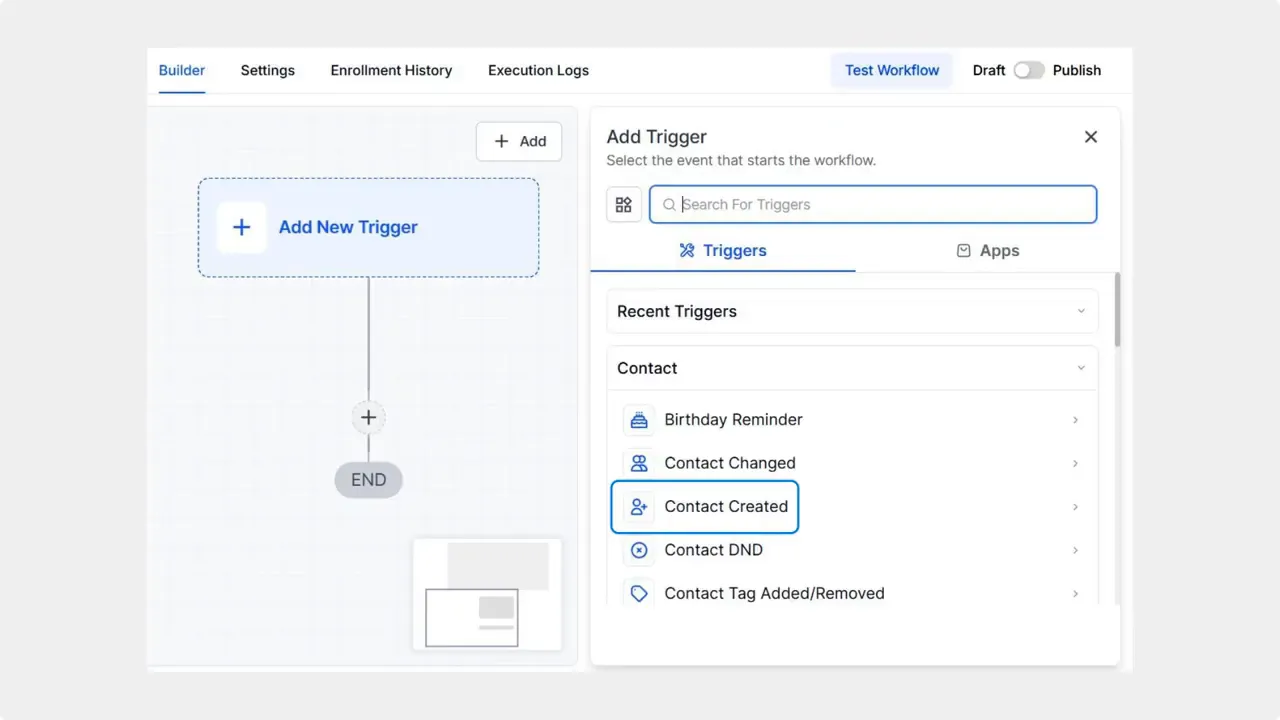
Select the Contact Created trigger to start the workflow automatically.
Step 2 — Add the Generate Marketing Audit Report action
Click the plus sign to add an action and choose Generate Marketing Audit Report from the marketing actions. This action runs the audit and saves the report for that contact.
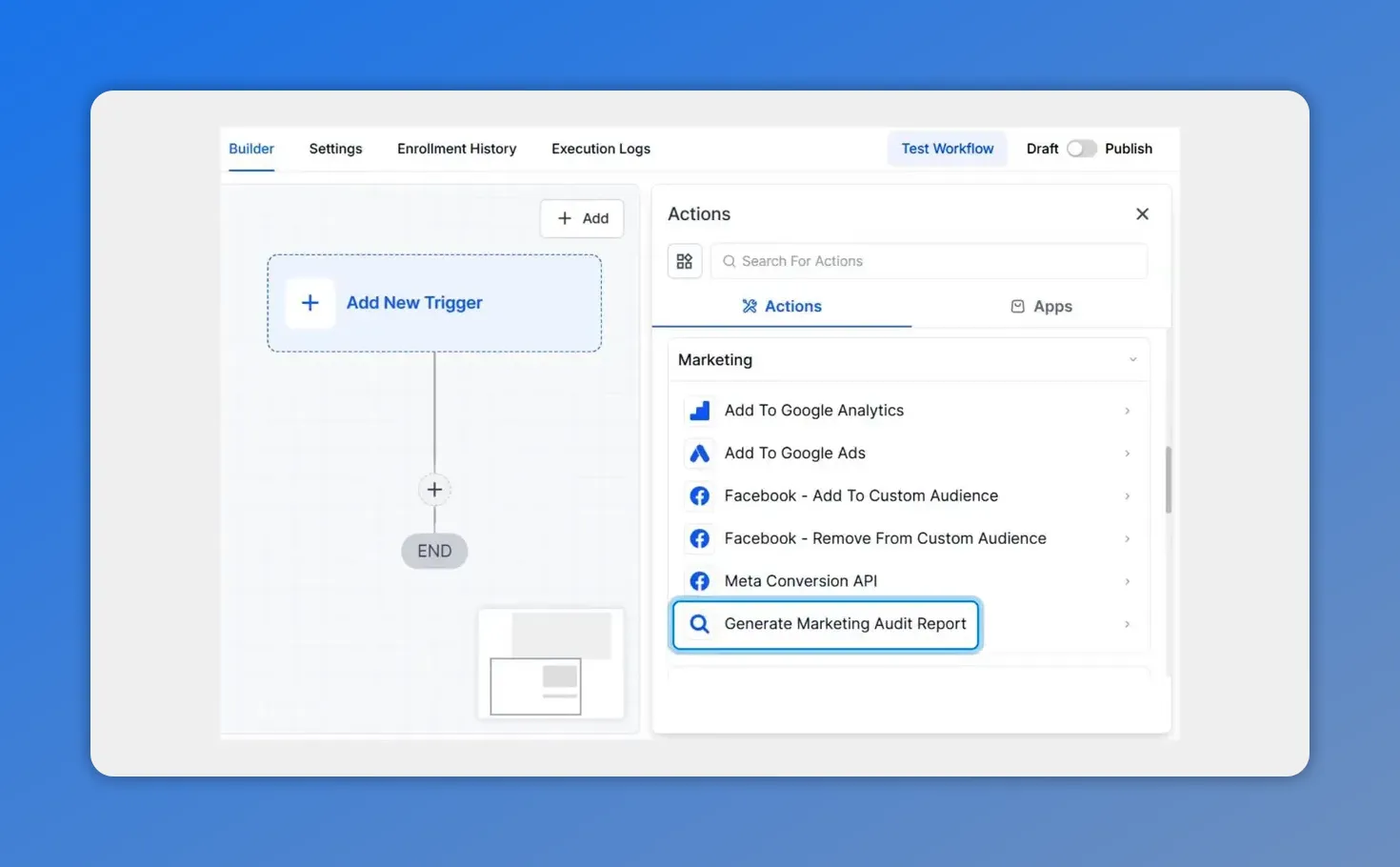
Add the 'Generate Marketing Audit Report' action to the workflow.
Step 3 — Map fields with custom values
Enter the business name and any other required fields. Use custom values to map data from the contact record into the report fields. Mapping fields ensures the report is accurate and specific to each business.
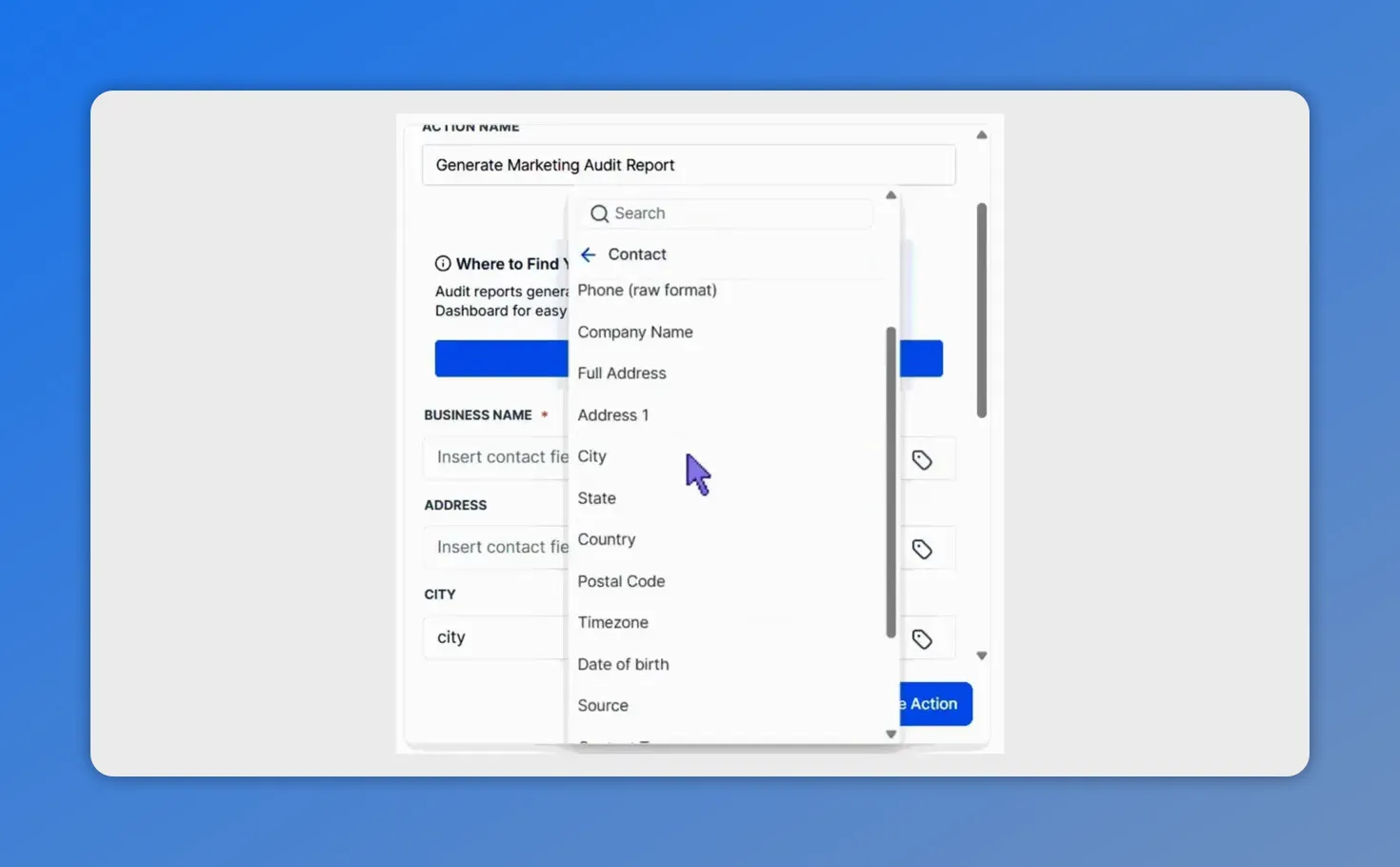
Map contact fields such as Business Name, Address and City into the audit using custom values.
Step 4 — View audit reports in the Prospecting dashboard
Once the report is created it appears in the Prospecting dashboard. That central location lets us quickly scan reports, prioritize outreach, and tailor messages based on the audit findings.
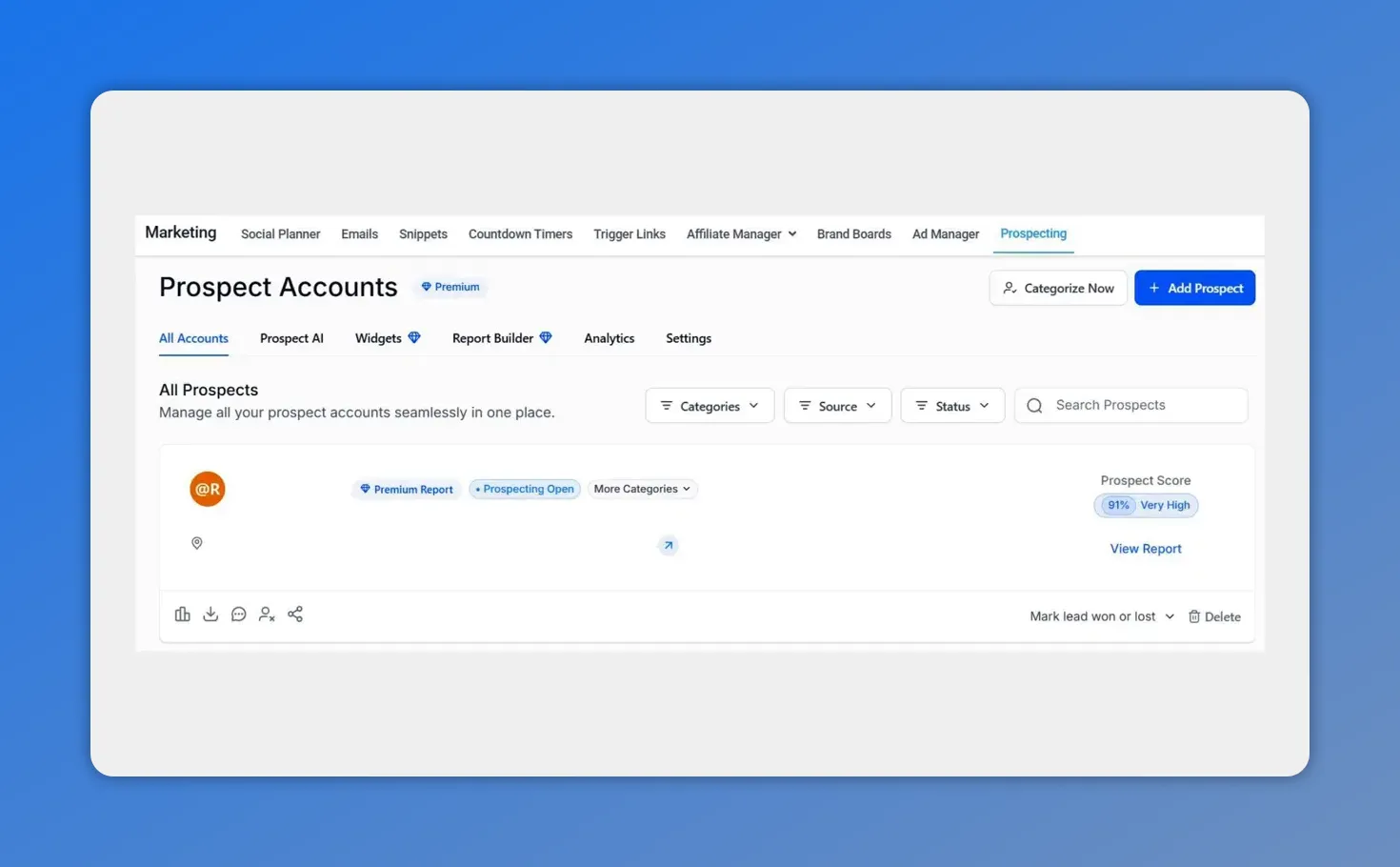
Audit reports appear in the Prospecting dashboard for quick review.
How this improves outreach
The moment a contact enters the system, a marketing audit report gives actionable insights into their digital presence. That makes it simple to point out specific areas where we can help—such as website issues, local SEO gaps, social presence weaknesses, or paid media opportunities. Having these insights up-front positions our team as the expert and makes initial outreach far more persuasive.
Common use cases
- Lead qualification: Quickly filter prospects by business health and fit.
- Automated follow-up: Trigger tailored sequences based on audit results.
- Agency onboarding: Run a consistent audit for every new client lead.
- Reporting and tracking: Keep a historical record of audits to measure progress over time.
Best practices
- Map the business name and primary website with custom values so each report is specific.
- Keep the workflow simple at first—Contact Created trigger plus Generate Marketing Audit Report—then add follow-up steps as needed.
- Review reports in the Prospecting dashboard regularly to spot trends and prioritize outreach.
- Use report findings to create clear next steps for the contact, such as a targeted audit review call or a tailored proposal.
FAQ
How do we start the automation?
Create or edit a workflow, add the Contact Created trigger, then add the Generate Marketing Audit Report action. Map the business name and other fields using custom values.
Where do audit reports appear?
Audit reports show up in the Prospecting dashboard for quick access and prioritization.
Can we map fields automatically?
Yes. Use custom values in the workflow action to pull data from the contact record into the report fields automatically.
Will this work with leads from any source?
Yes. As long as a contact record is created, the workflow runs. That covers form leads, imported contacts, ad leads, and more.
How do we use the audit in outreach?
Use the audit to highlight specific weaknesses and recommended next steps. Tailor emails or calls with the findings to demonstrate expertise and provide immediate value.
Wrap-up
Automating marketing audit reports with workflows makes lead qualification faster and more consistent. Set up a Contact Created trigger, add the Generate Marketing Audit Report action, map fields with custom values, and review results in the Prospecting dashboard. This small automation delivers big gains in efficiency and outreach quality.
This article was created from the video How to Automate Marketing Audit Reports with Workflows








