





Attachments in Invoices & Estimates
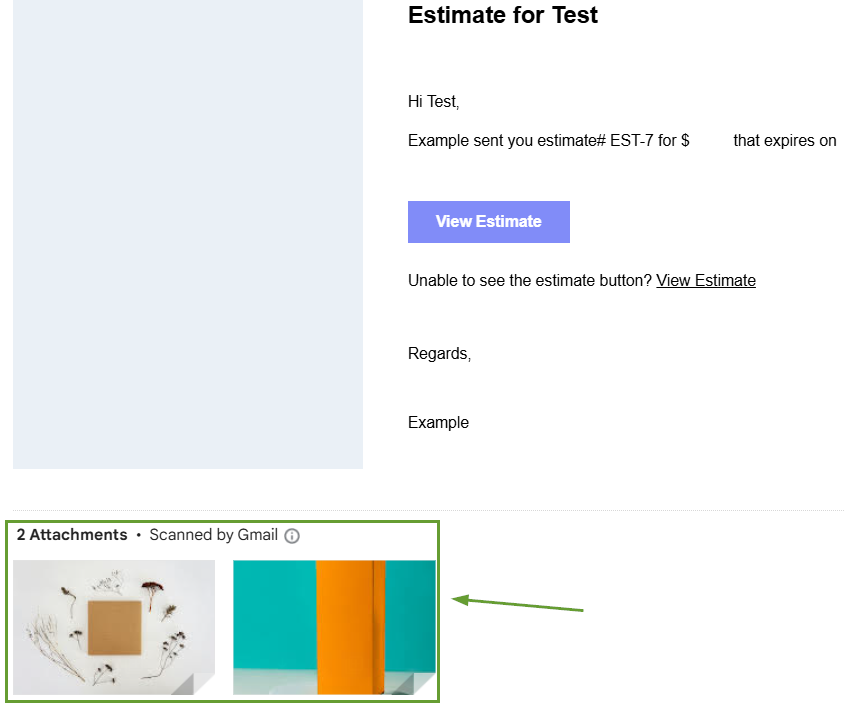
Attachments provide flexibility to include documents like specifications, terms, or visual materials. Your Invoices and Estimates are no exception. You can now attach up to 10 files, which will be sent in the email notification along with your Invoice or Estimate.
⭐️Why Is This Feature Beneficial To Your Company?
Maximized Efficiency: This helps communicate clearly with customers, minimizing additional requests for information and avoiding back-and-forth exchanges.
Enhanced Support: This streamlines the sharing of detailed information and supporting documents with clients resulting in better customer experience and increased satisfaction.
Professional Image: Adding attachments to your invoices and estimates creates a comprehensive package within the original document that enhances your brand image.
⭐️How To Add Attachments in Invoices & Estimates:
Start by navigating to the Invoice or Estimate builder inside the Payments section.

Inside the builder head to the Additional Options section and check the Add Attachment box.

Click the icon to upload files from your device.

Once the invoice/estimate is sent for the first time the contacts will receive the attachments in the emails.
This update will make your Invoices and Estimates more thorough. We’re also excited about the upcoming editing tool for recurring invoices and invoices with payment schedules, and the reminder configurations within business hours.








