





Control AI chatbot reply length: concise, balanced, or detailed
Having control over how long and detailed our bots reply makes conversations feel more natural and consistent with the way our company communicates. Pinnacle offers a simple setting to choose between concise, balanced, or detailed responses so teams can match support, success, and product workflows.
Quick overview
The response style setting adjusts reply length and depth based on context. It acts as a soft limit rather than a strict word cap. That means the bot adapts to the user’s question and the information it has available. Prompt-level length instructions can still override the selected style when necessary.
Where to find the setting
Open the AI Agents area and go to the Conversation AI tab. From there, select an existing bot or create a new one.
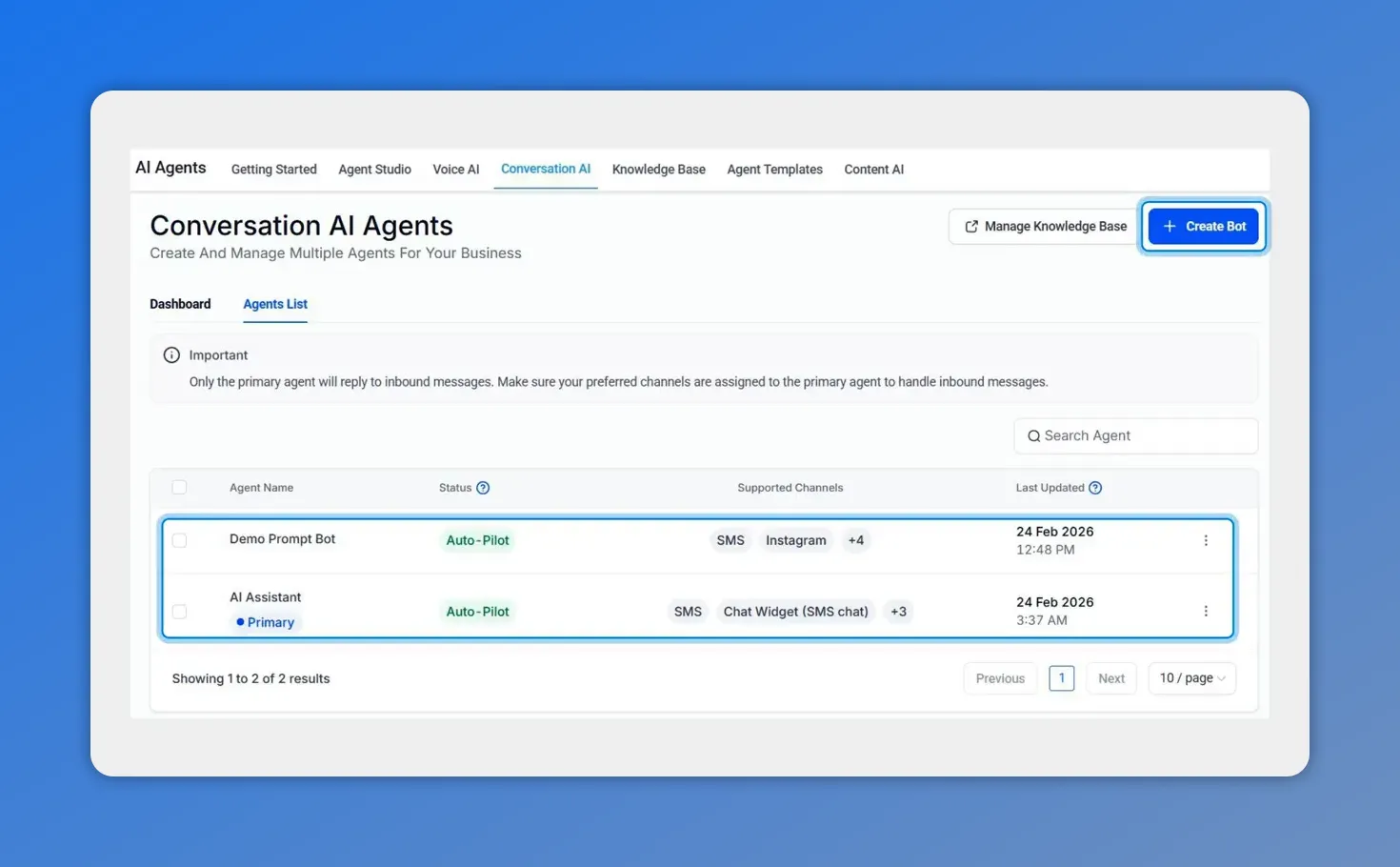
Conversation AI agents list — select an existing bot or click Create Bot.
How to enable and choose a style
Open the bot and go to Bot settings.
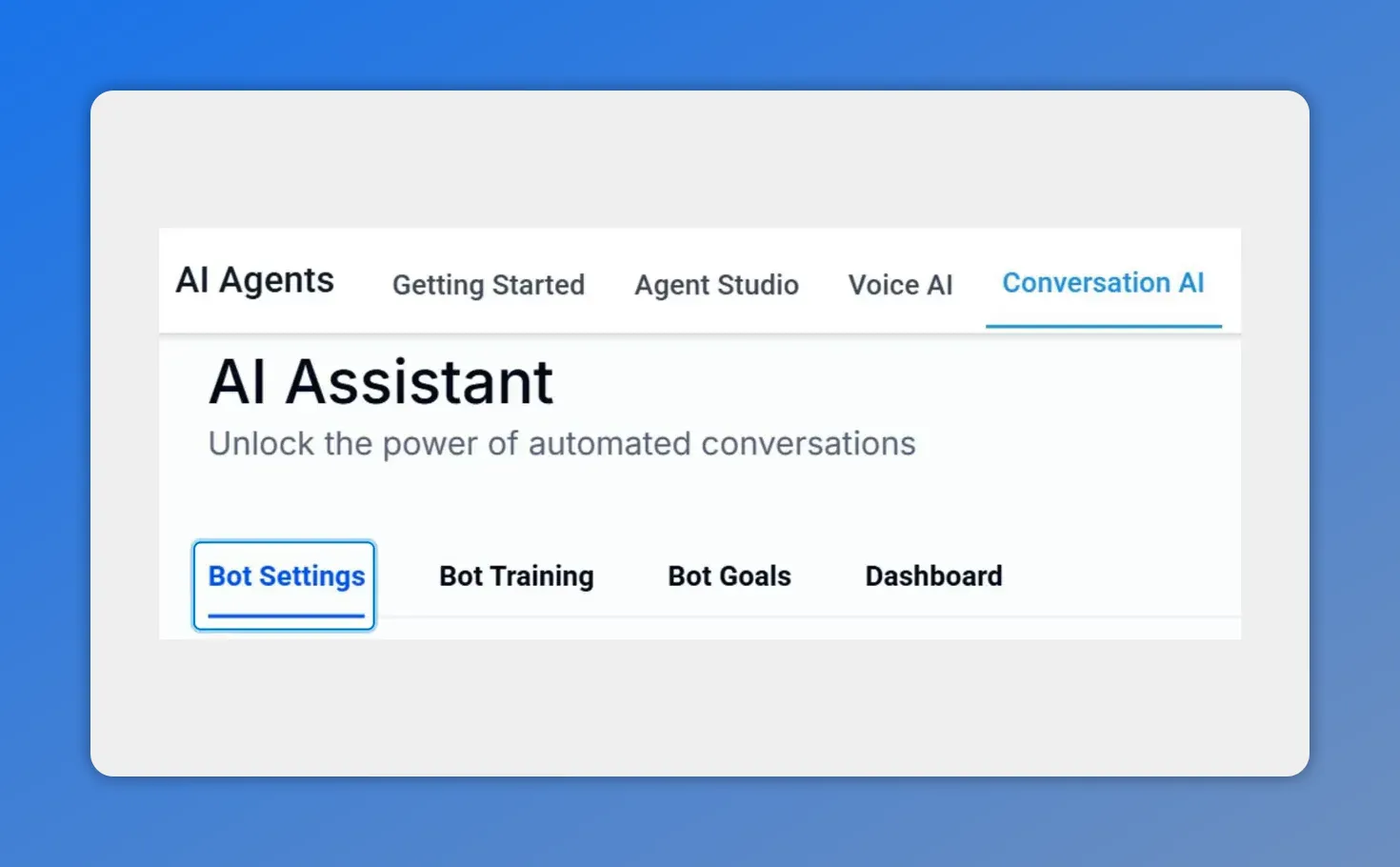
Open the bot and click Bot Settings to edit its response options.
Toggle on Response Style Settings.
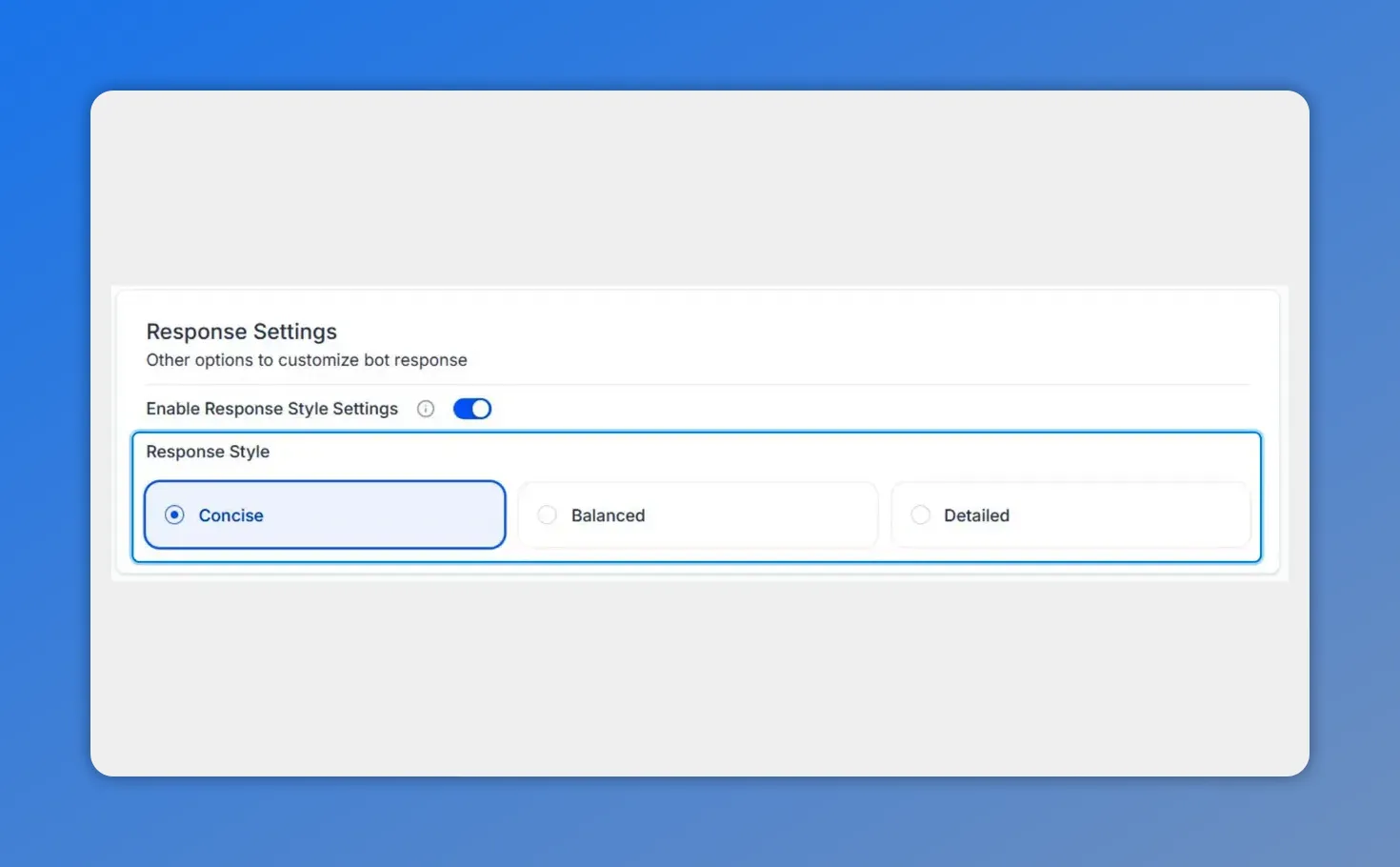
Toggle on Response Style Settings to reveal Concise, Balanced, and Detailed options.
Pick one of the three options: Concise, Balanced, or Detailed.
Click Save in the bottom right to apply the change.
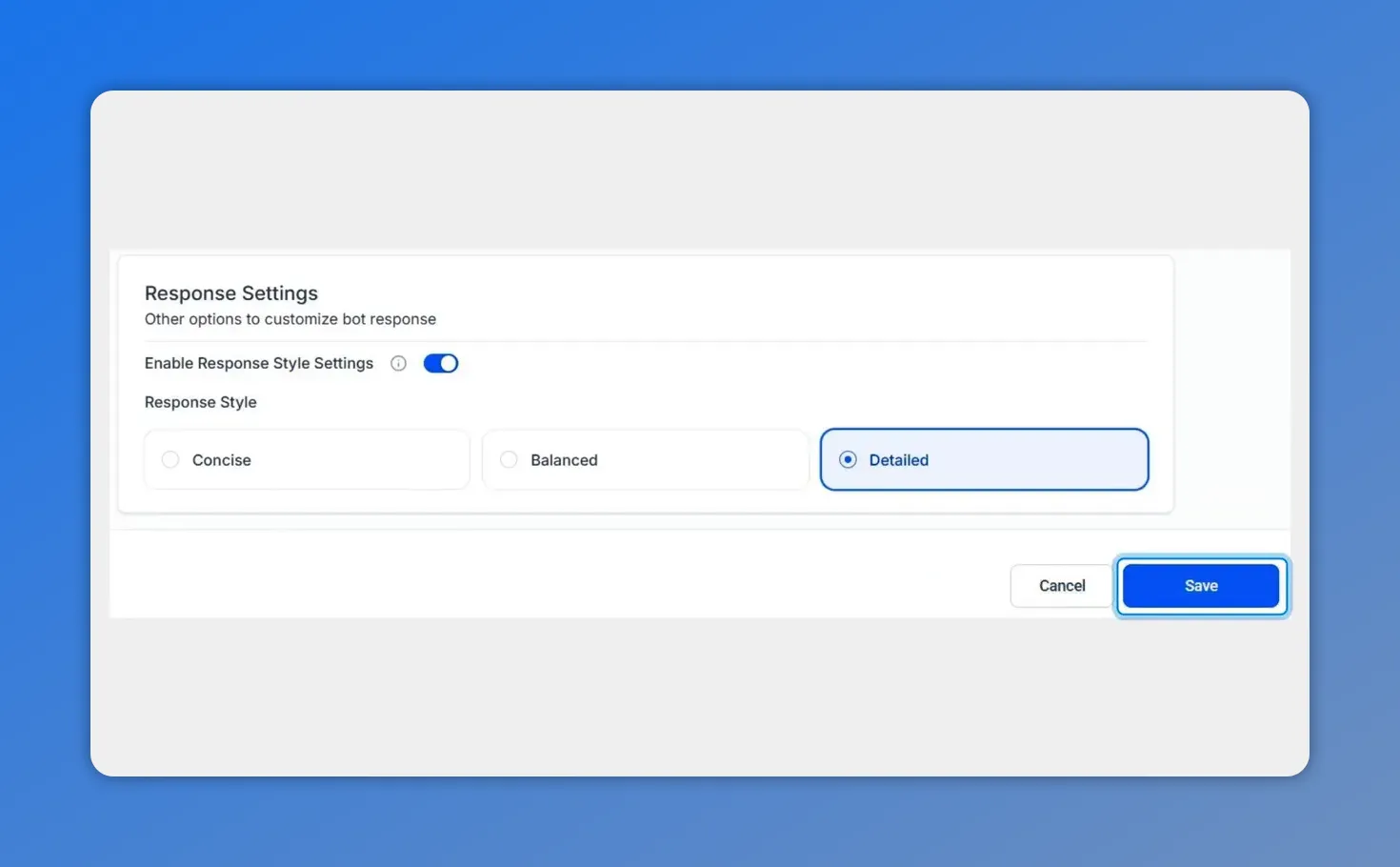
Click Save in the bottom-right to apply the selected style.
What each style means
Concise — Short, direct answers. Use when responses should be quick and to the point, such as simple troubleshooting steps or short confirmations.
Balanced — A middle ground that gives enough context without being verbose. Good for most support and success interactions.
Detailed — Longer, step-by-step explanations and extra context. Ideal for onboarding, complex product guidance, or documentation-style replies.
How it behaves in real conversations
The style setting guides the bot rather than enforcing a fixed length. It helps create more natural exchanges based on what the user asks and what information is available. If a question requires a longer answer to be helpful, the bot can expand even when set to concise. If prompts already include length instructions, those may take precedence for a smoother experience.
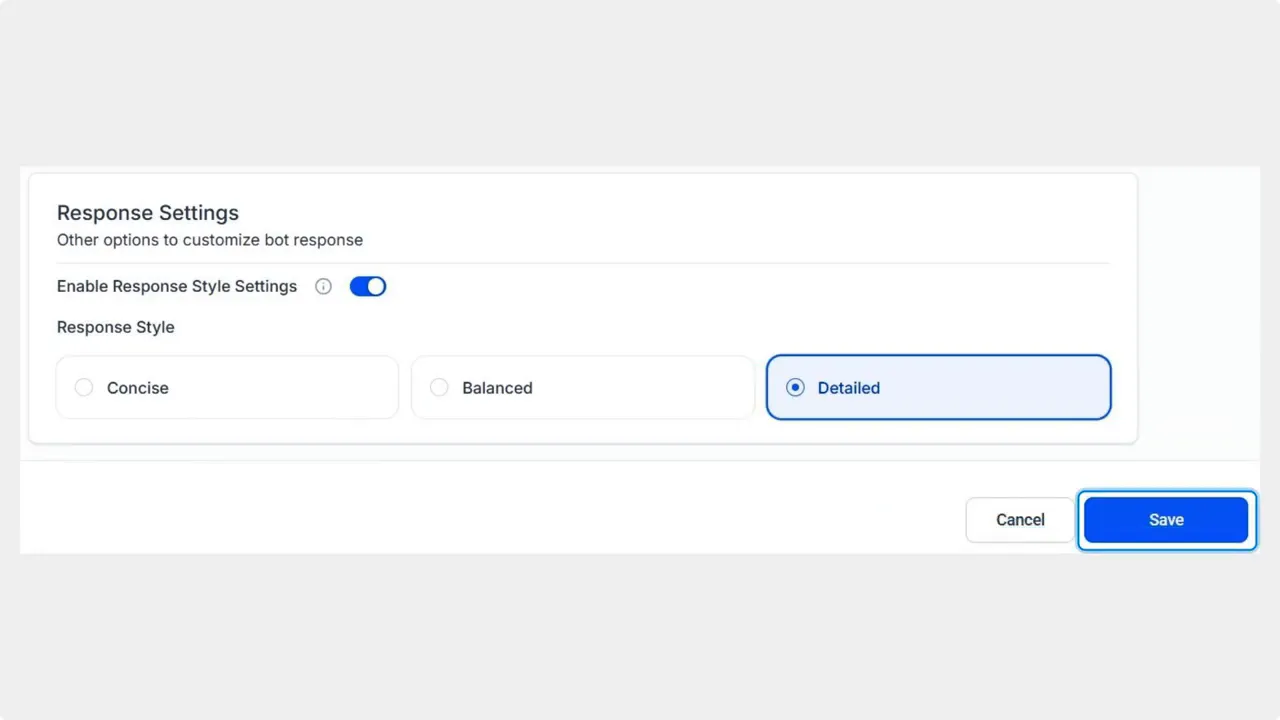
Detailed response style enabled and saved in Bot settings.
When to leave the feature off
If you prefer current behavior, keep the setting off. The bot will continue to respond exactly as it does today, matching your established cadence until you choose to enable and fine-tune response styles.
Testing and tips
Try the same question at different style settings to compare responses.
Check whether any prompt-level instructions conflict with the selected style and adjust prompts if needed.
Use concise for high-volume, transactional flows and detailed for education or troubleshooting sequences.
FAQ
How does the response style work with prompts that already specify length?
Prompt-level instructions can override the response style. The style acts as a general guide. If a prompt explicitly asks for a certain length or format, the bot follows that instruction for consistency.
Will choosing a style stop the bot from adjusting to context?
No. The setting is a soft limit. The bot still uses context and available data to decide how much detail to include. The style nudges replies toward shorter or longer answers without blocking necessary content.
What should we pick for support teams handling many tickets?
Concise or balanced. Use concise for fast, transactional replies and balanced when a little context reduces follow-up questions. Monitor interactions and adjust as needed.
What happens if we disable Response Style Settings?
The bot continues to respond exactly as it does today. Turning the setting off preserves your current cadence and behaviour.
How do we roll this out safely across multiple bots?
Test changes on a single bot first. Compare example conversations across styles, then apply the setting to other bots once you confirm the tone and length match your needs.
These controls give us straightforward, no-code ways to align bot replies with our company voice and customer needs. We encourage teams to experiment with each style and pick what improves clarity and customer satisfaction.
This article was created from the video Control AI chatbot reply length: concise, balanced, or detailed








