





List Item Spacing for Rich Text and Bullet Lists: Cleaner, Readable Pages
Clean, easy-to-scan lists improve readability and help visitors take action. We added a simple item spacing control so lists look consistent with your typography. The new control sits next to the line height setting and works for both Rich Text and Bullet List elements in the Site Builder.
What changed
An adjustable item spacing option now appears next to line height in the typography settings. This gives us direct control over the space between each list item, independent of line height. The change applies to both Rich Text elements and Bullet List elements, so we can keep formatting consistent across different content blocks.
How to adjust list item spacing
- Open the Site Builder and add or edit a Rich Text or Bullet List element.
-
Click the element to access its settings and open the typography settings.
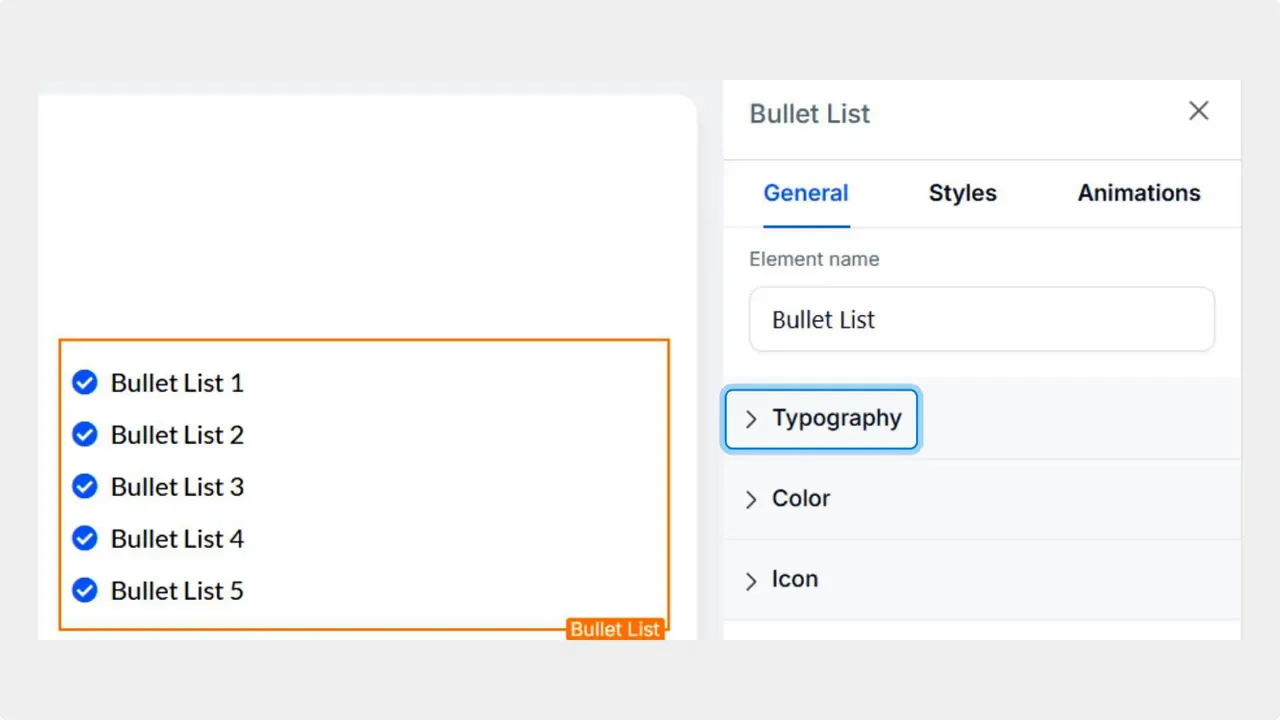
-
Find the new Item Spacing option next to Line Height.
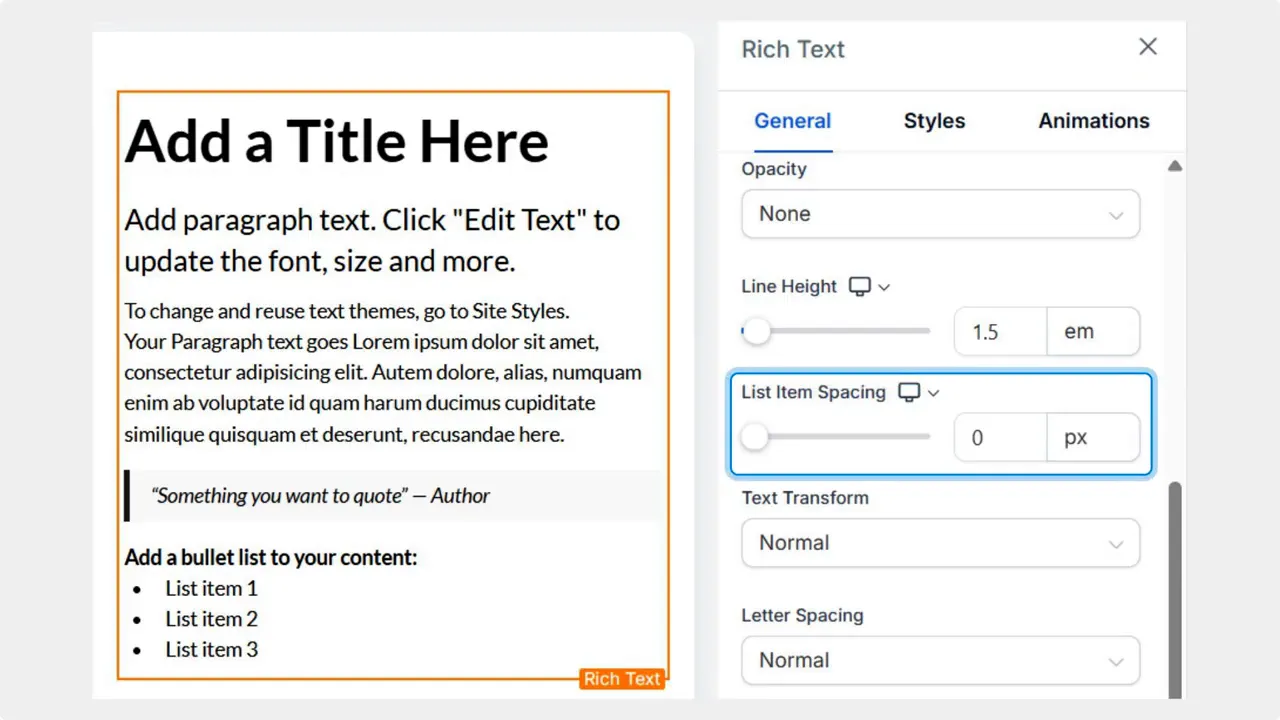
- Drag the size bar or enter a value until the spacing matches your design. Smaller spacing tightens the list. Larger spacing gives each item more breathing room.
Why this matters
- Improved readability. Proper spacing reduces visual clutter and helps readers scan content faster.
- Design control. We can tailor list density to match headers, paragraphs, and overall page rhythm.
- Consistency across elements. The same control for Rich Text and Bullet List elements keeps lists uniform sitewide.
- Saves time. Quick adjustments in the typography settings remove the need for custom CSS tweaks.
"This update allows you to set the spacing between your list items, making your text look cleaner, and simplifying the creation of well-formatted, easy-to-read pages."
Tips for good list spacing
- Match spacing to your line height. If line height is generous, increase item spacing slightly to maintain balance.
- Test on mobile. Smaller screens can feel cramped with the same spacing used on desktop.
- Use spacing to group related items. Slightly larger gaps can signal a new subsection within a long list.
FAQ
How do we change list item spacing?
Open the Site Builder, edit a Rich Text or Bullet List element, go to Typography settings, and adjust the Item Spacing control next to Line Height.
Will changing item spacing affect line height?
Item Spacing is independent of Line Height. Line Height controls the spacing within a line of text. Item Spacing sets the gap between separate list items.
Does this setting apply to both Rich Text and Bullet Lists?
Yes. The Item Spacing option is available for both Rich Text elements and Bullet List elements in the Site Builder.
Where is the new control located?
The control appears in Typography settings, right next to the Line Height control for the selected text element.
Next steps
Use the new item spacing control to fine-tune lists across pages. Small adjustments can make a big difference in clarity and visual flow. If a page has multiple list types, apply the same spacing for a cohesive look.
This article was created from the video List Item Spacing for Rich Text and Bullet Lists: Cleaner, Readable Pages








