





Account Affiliate Manager: Sub Affiliate Signup Forms
When launching a new product, your primary affiliate can use the Sub Affiliate Signup Forms to recruit additional sub affiliates, significantly expanding your promotional reach and boosting sales.
Account Affiliate Manager: Sub Affiliate Signup Forms: The Sub Affiliate Signup Forms feature enables main affiliates to easily recruit and manage sub affiliates, enhancing your affiliate marketing efforts and expanding your sales network.
⭐️ Why Does It Matter To Your Business?
Expanded Network: Allow your primary affiliates to recruit sub affiliates, increasing your overall reach and potential sales.
Streamlined Management: Affiliates can manage and track their sub affiliates directly within the CRM, simplifying oversight and performance tracking.
Automated Process: Eliminate the need for manual sub affiliate recruitment, saving time and ensuring consistency.
⭐️ How To Use Account Affiliate Manager: Sub Affiliate Signup Forms:
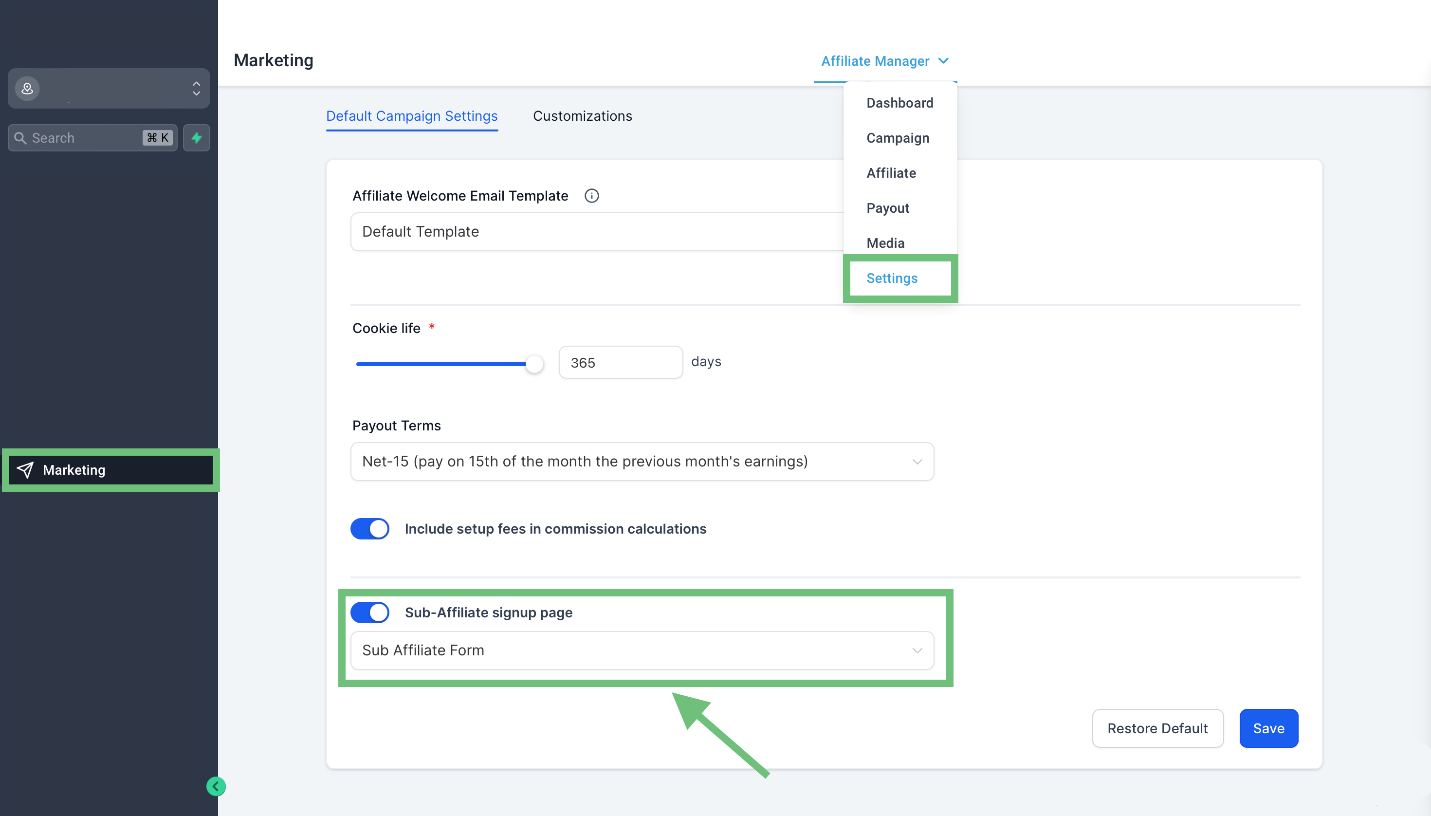
Access the “Marketing” Tab from the left navigation menu. Click on Affiliate Manager > Settings from upper navigation menu, turn ON The toggle for Sub-Affiliate Sign-Up Page and choose the default form for sub-affiliate sign-ups for all future campaigns.
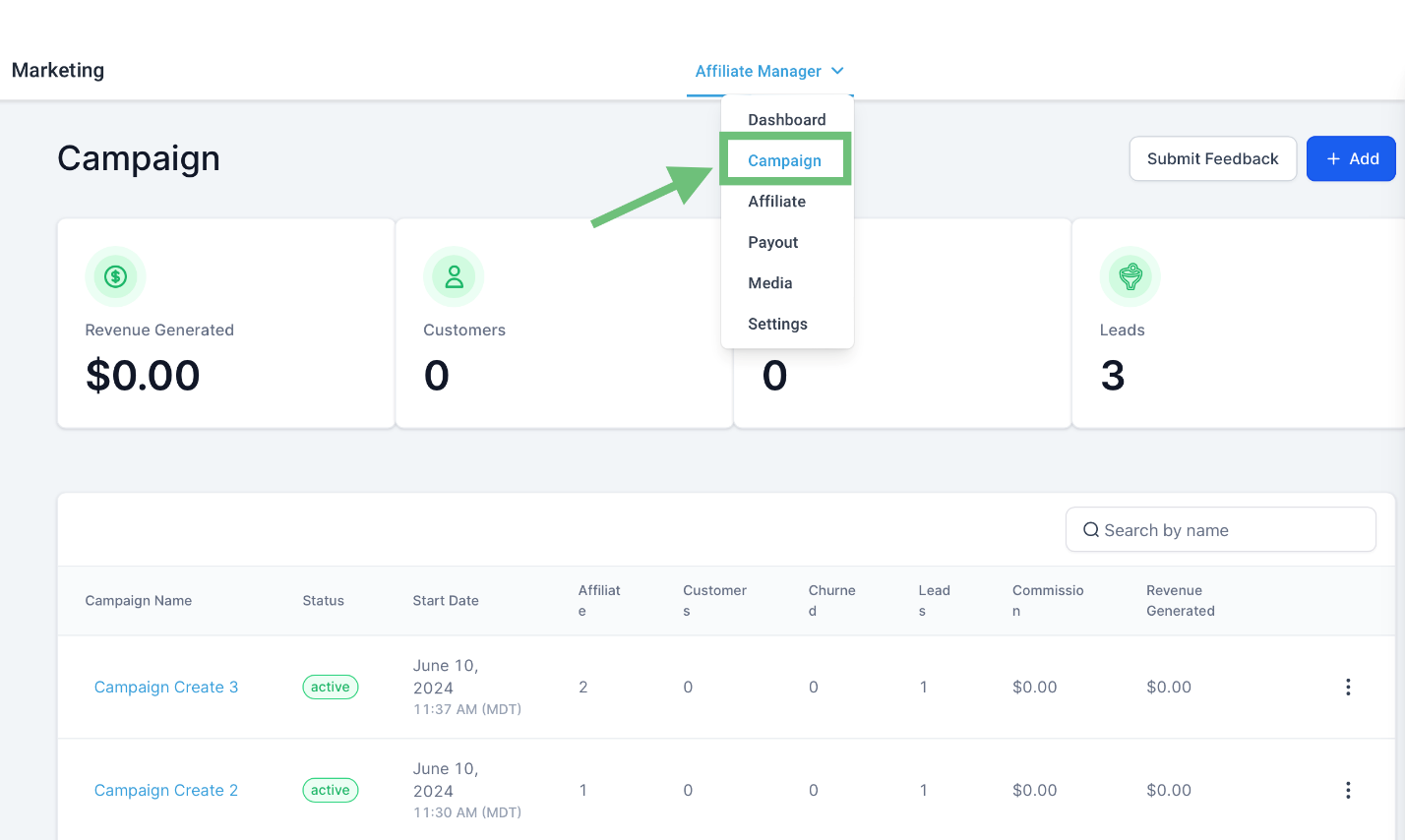
Access the Affiliate Manager > Campaign from the upper navigation menu.
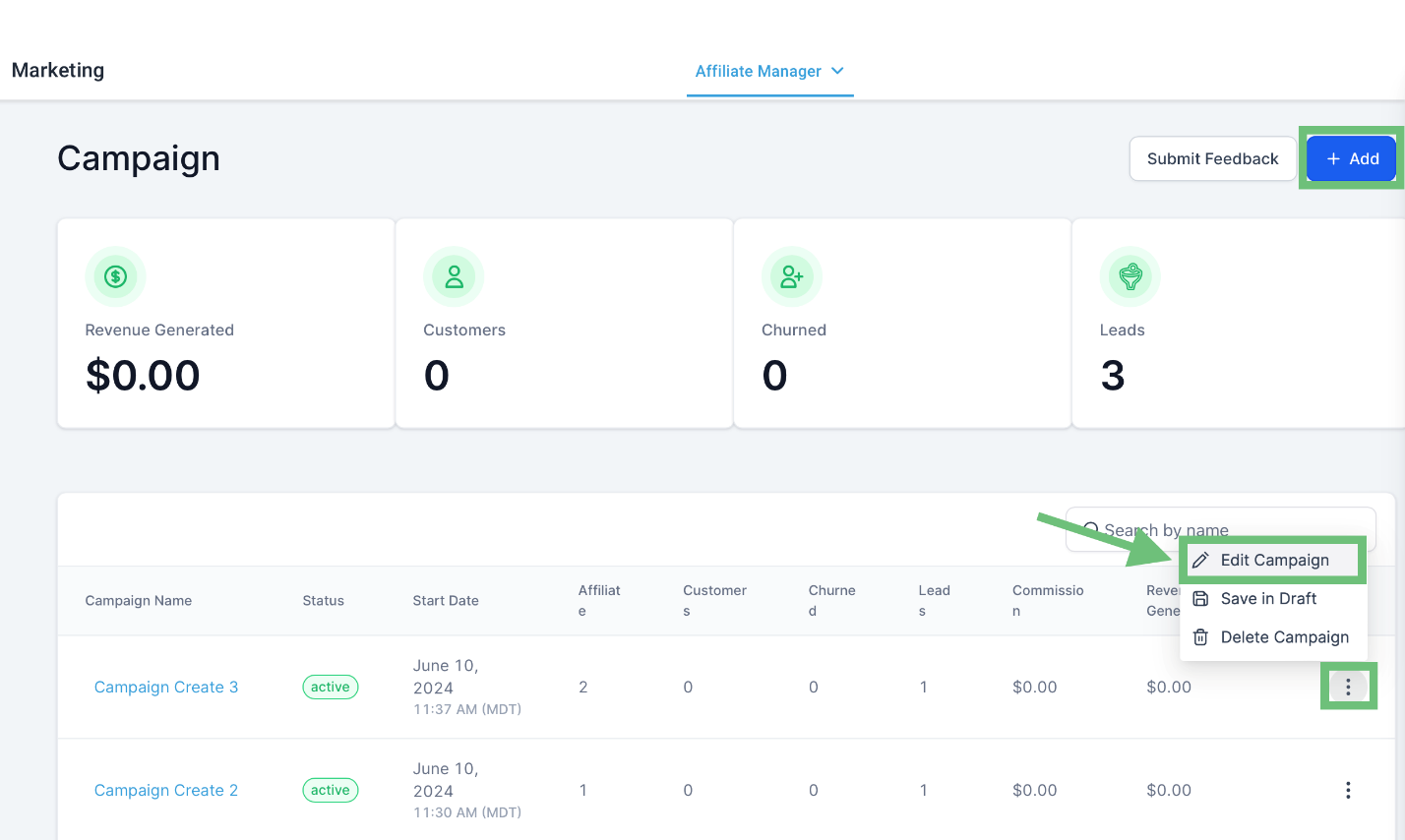
Create a new campaign or edit an existing one by clicking on three dots > Edit Campaign.
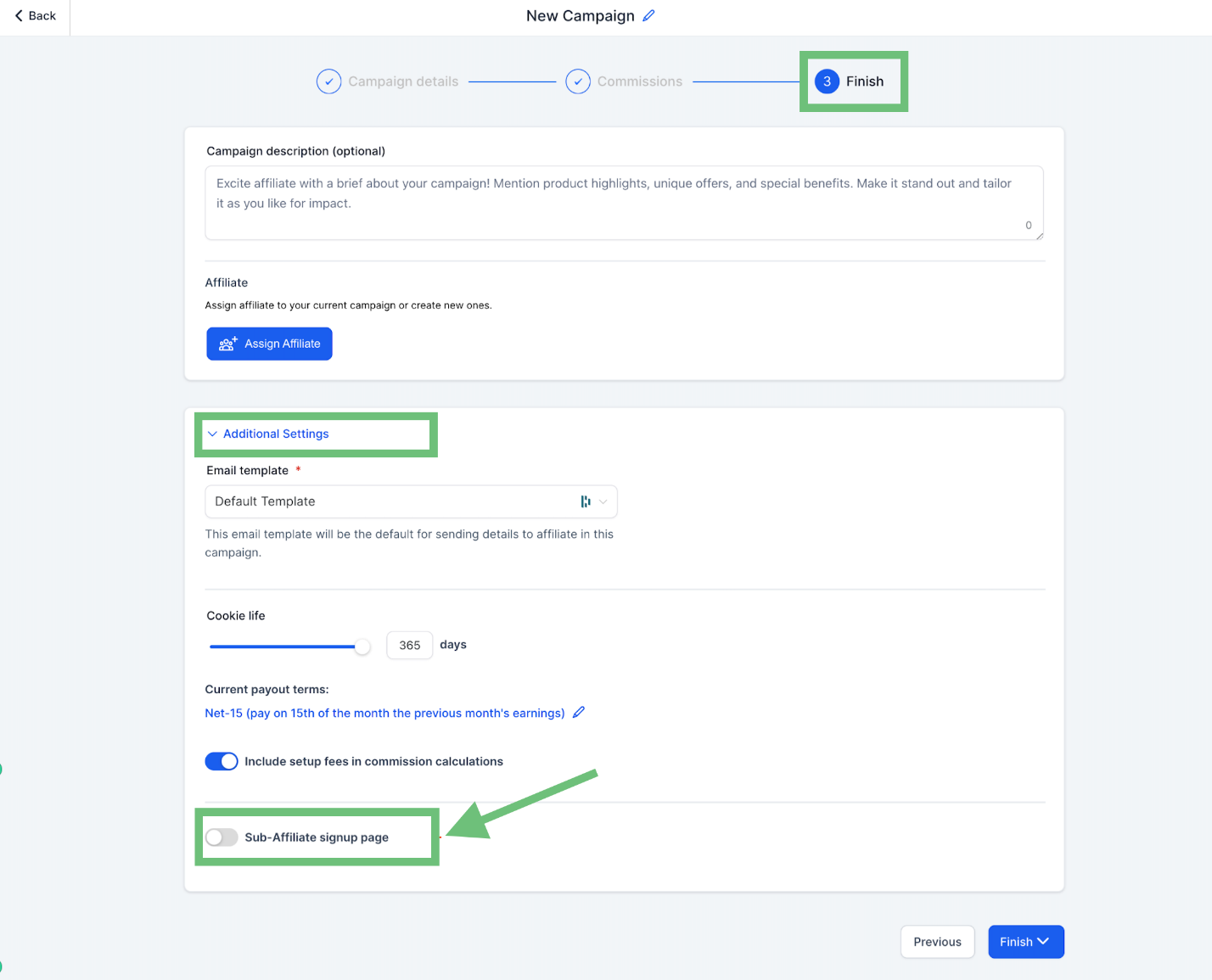
For individual campaigns, enable the toggle and select form at the last step during campaign creation under Additional Settings.
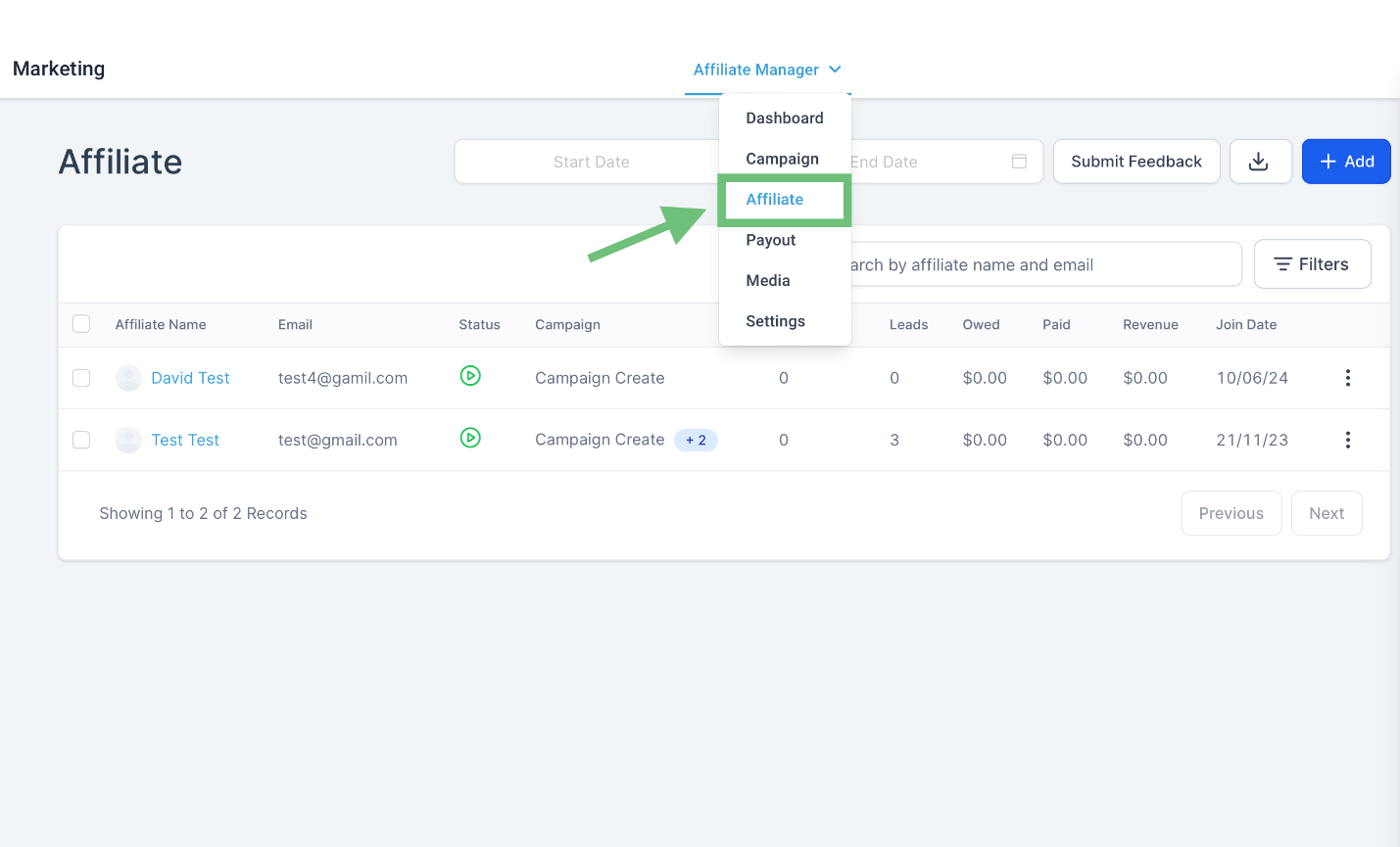
Access the Affiliate Manager > Affiliate from the upper navigation menu.
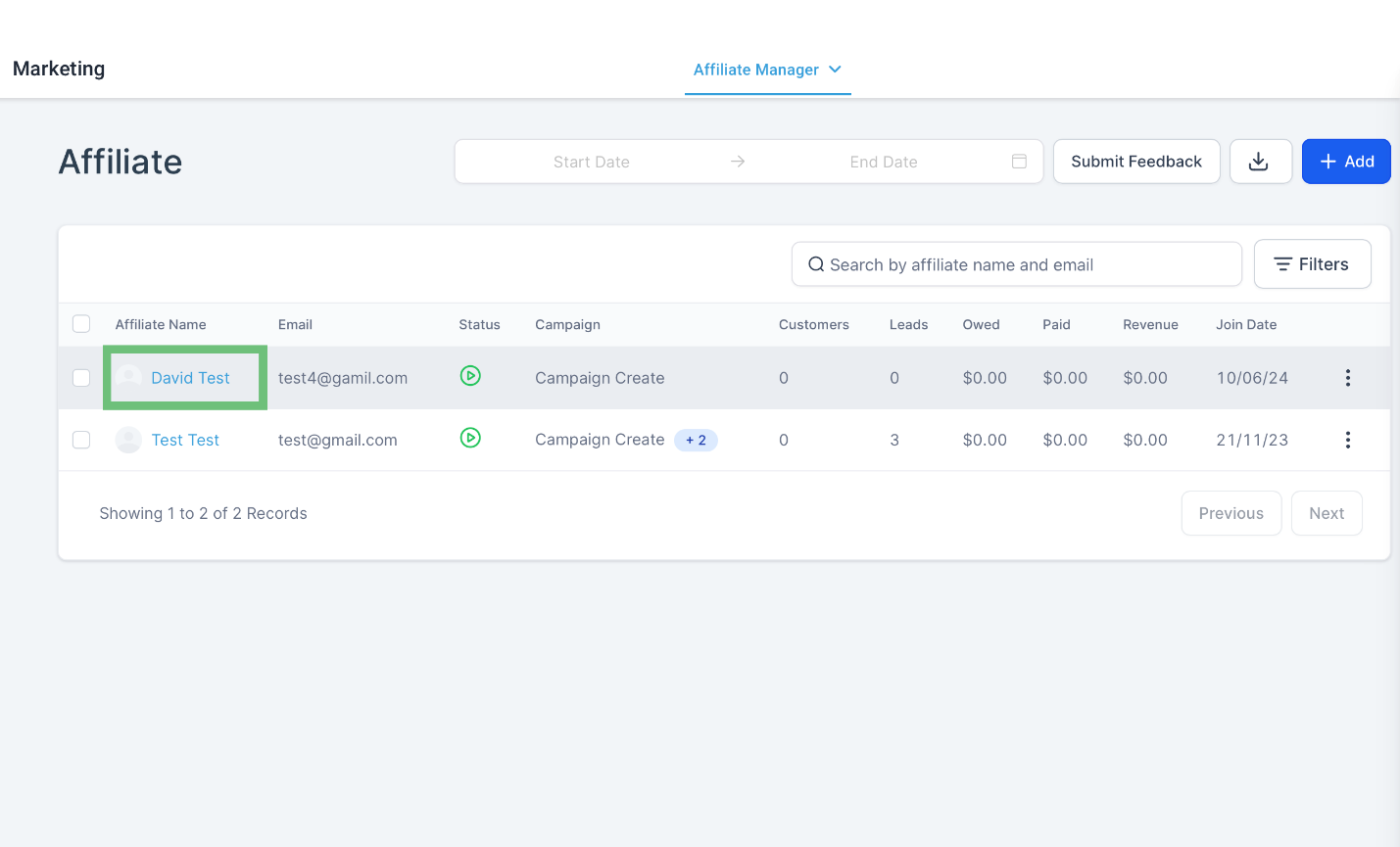
Now Click on Affiliate Name.
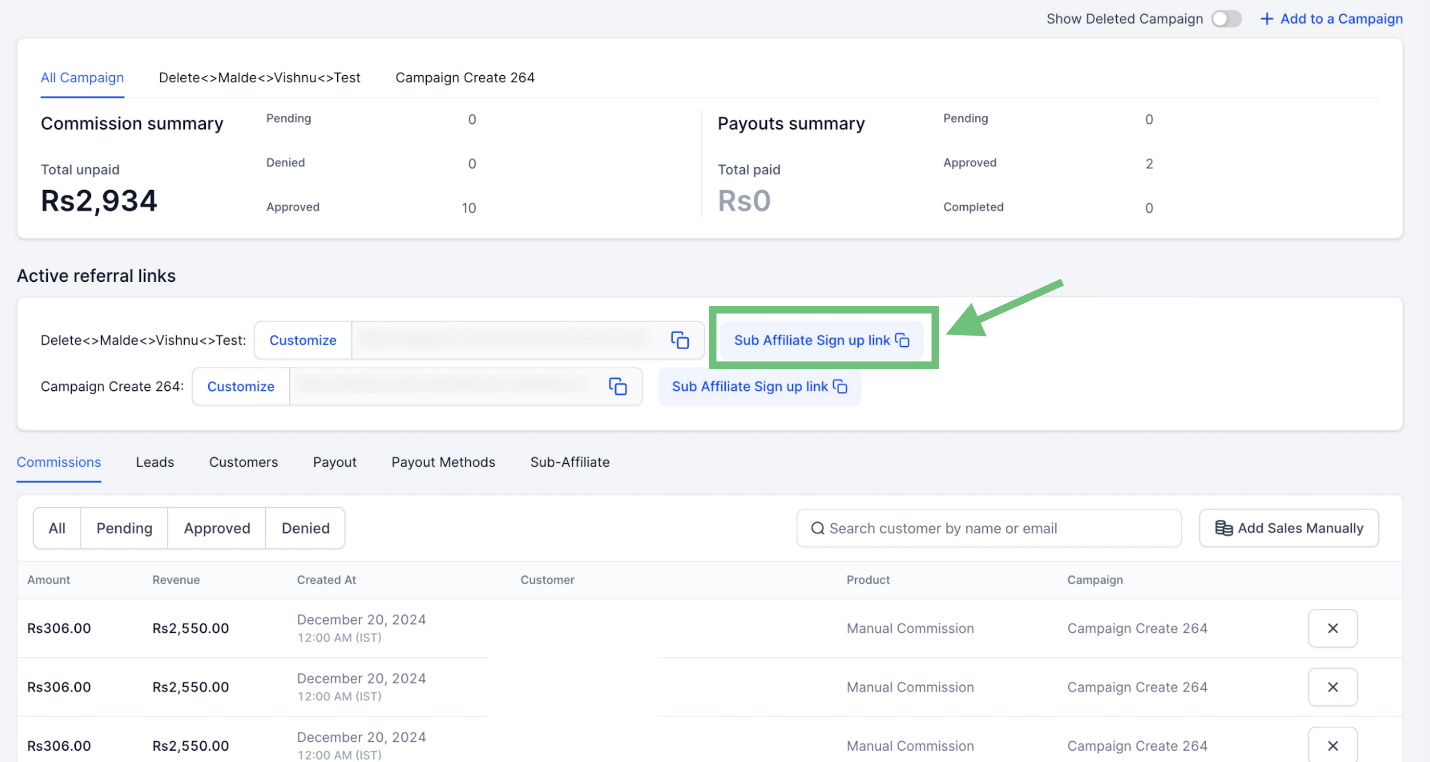
Scroll down and in the Active Referral links section you can easily copy the Sub Affiliate Sign up link as well.
Access the client portal and click on the menu and then click on Affiliates.
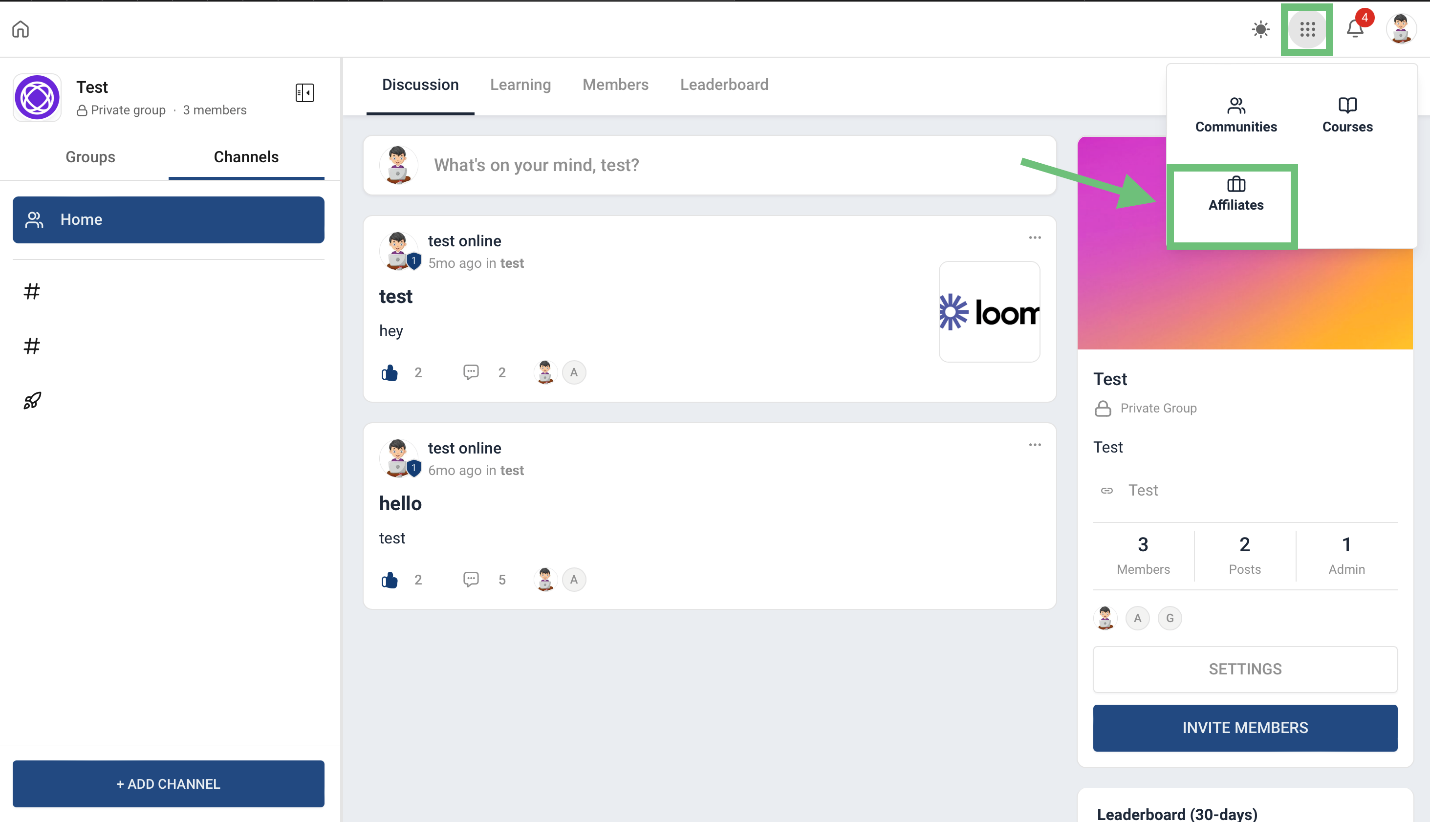
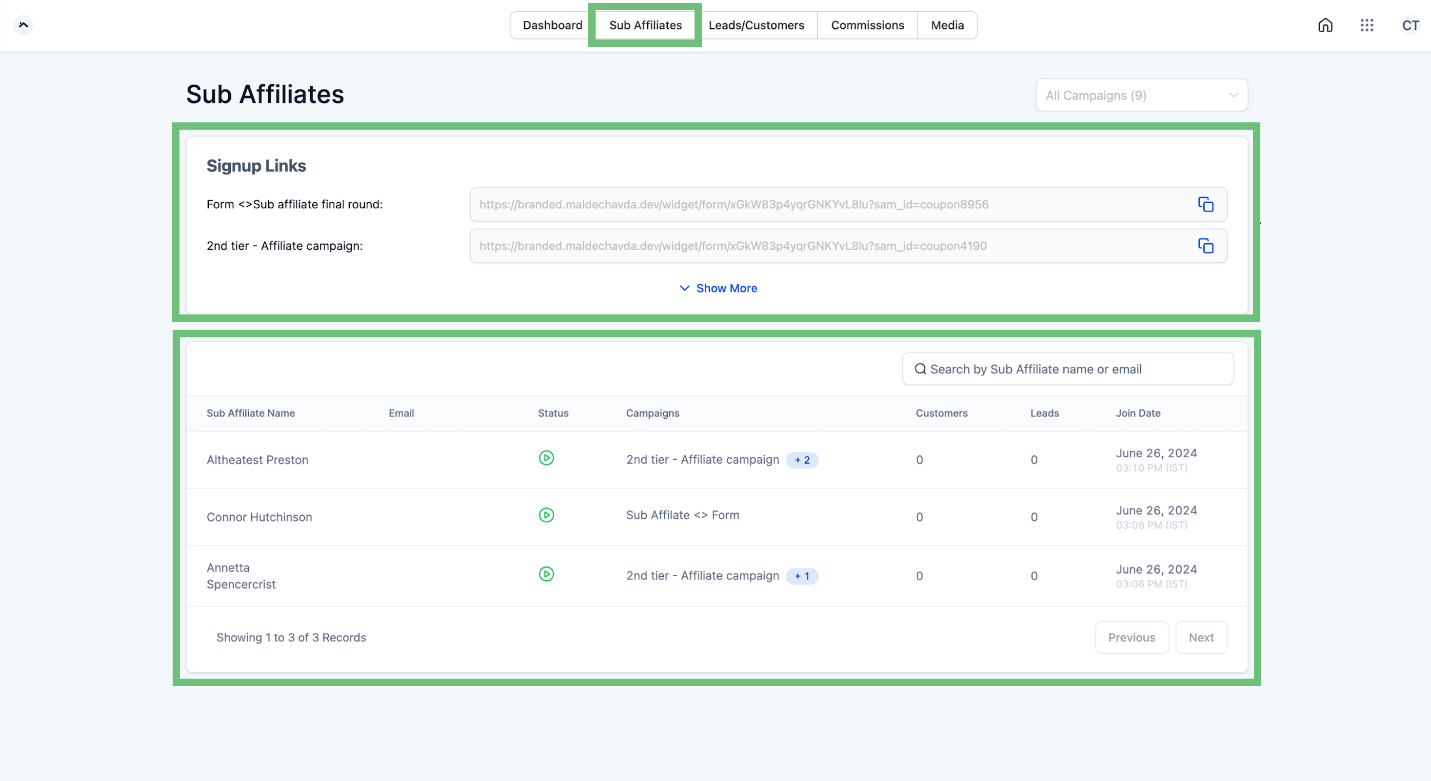
Affiliates will see a sign-up link in the affiliate portal. Affiliates can share this link to recruit potential sub-affiliates. The portal will display all active sign-up form links and a list of all sub-affiliates under each affiliate.
This feature within the CRM empowers your affiliates to grow your business efficiently by leveraging a broader affiliate network.








